# About Name: Zappush Description: We help modern digital brands build signal-first marketing systems by activating first-party data, server-side tagging, and automation to scale across internet platforms. URL: https://www.zappush.com/blog # Navigation Menu - Meta Health & Wellness Audit Tool: https://www.zappush.com/tools/meta-health-and-wellness-restriction-audit/?ref=blogheader - Unrestrict by Zappush: https://unrestrict.zappush.com/?ref=blogheader - Book a Call: https://cal.com/zappush/30min # Blog Posts ## Flagged as Health & Wellness - Other in Meta? Here's the fix Author: Ishan Sinha Author URL: https://www.zappush.com/blog/author/ishan-sinha Published: 2026-08-01 Category: Meta Category Restrictions Category URL: https://www.zappush.com/blog/category/meta-category-restrictions Meta Title: Flagged as Health & Wellness - Other in Meta? Here's the fix Meta Description: Seeing Health & Wellness - Other in your dataset? We break down what Meta restricts, which events you lose, and how to fix your payloads to get them back. Tags: Meta Data Sharing Restrictions, Health and Wellness - Other Tag URLs: Meta Data Sharing Restrictions (https://www.zappush.com/blog/tag/meta-data-sharing-restrictions), Health and Wellness - Other (https://www.zappush.com/blog/tag/health-and-wellness-other) URL: https://www.zappush.com/blog/flagged-as-health-and-wellness-other-in-meta-heres-the-fix ![Meta Health and Wellness Other category guide for pharmacy, optical, insurance, charities, weight management and general wellness businesses. Caption: Seeing "Health & wellness - other" in Events Manager? This guide covers what it means, what it restricts, and how to get your events back.](https://prod.superblogcdn.com/site_cuid_cmi2z58je006puibozjof54hr/images/health-and-wellness-other-1785616450004-compressed.png) * * * ## Summary / TL;DR - **Health & wellness - other** is a data-source category in Events Manager. Meta uses it for websites that sell health and wellness products or services in general, not websites about a specific disease and not healthcare providers. The category label by itself does not tell you what is restricted. You need to check your live dataset. - Meta can restrict URL parameters, block specific conversion events like Purchase or Lead, or fully block all event sharing from your website. These restrictions can apply globally or to specific regions. Custom events get auto-blocked until you review them. - The fix is in your event payloads, not your ad copy. Look at what your Pixel and CAPI are sending to Meta, remove health-related details that do not belong in ad measurement data, test inside Events Manager, and verify that the events are received and usable. * * * If you see **Health & wellness - other** on your dataset in Events Manager, it means Meta infers your website sells products or services related to health and wellness. So If you sell supplements, vitamins, probiotics, protein powders, collagen peptides, GLP-1 support products, THC or CBD gummies, melatonin, sleep aids, digestive enzymes, weight-loss meal plans, meal replacement shakes, fitness coaching, wellness coaching, prescription glasses, contact lenses, blue-light glasses, health insurance, or any product positioned around general health and wellness, this is the category Meta puts you in. Meta has two other Health & Wellness sub-categories. **Health & Wellness - Condition** is for websites focused on a specific medical condition like diabetes, PCOS, or arthritis. **Health & Wellness - Provider** is for websites that provide healthcare access like clinics, telemedicine, or medical testing. **Health & Wellness - Other** is everything in between: you are in the health and wellness space, but you are not treating a named condition, and you are not a healthcare provider. That distinction matters because each sub-category can carry different data-sharing restrictions. We have worked with brands across all of these verticals. The pattern is consistent: the category shows up, the brand assumes it is cosmetic, and weeks later ROAS collapses because conversion events were being silently restricted the entire time. This guide explains what the category means, what it can do to your measurement, and how to fix it at the event payload level. * * * ## What does Health & Wellness - Other mean? ![Examples of Meta Health and Wellness - Others, Meta Health and Wellness Condition, and Meta Health and Wellness Provider](https://prod.superblogcdn.com/site_cuid_cmi2z58je006puibozjof54hr/images/02-other-condition-provider-boundary-map-1785617042706-compressed.png) Meta has three Health & Wellness sub-categories: **Health & Wellness - Other**, **Health & Wellness - Condition**, and **Health & Wellness - Provider**. **Health & Wellness - Other** means your website is about health and wellness topics in general. You sell wellness products or services, but you are not focused on a specific medical condition, and you are not providing healthcare. **Health & Wellness - Condition** means your website is about one or more specific medical conditions or health statuses. Think diabetes management, arthritis treatment, or mental health conditions. **Health & Wellness - Provider** means your website provides access to healthcare. Doctors, clinics, telemedicine, testing, procedures, or treatments. Meta puts you in the general health and wellness bucket instead of the condition-specific or provider-specific one. That does not make it low risk or unrestricted. When you click on the category in Events Manager, Meta shows a tooltip that says: "The data source sends information about various health and wellness topics." Below that, it lists examples. As of July 2026, those examples are: ![Meta Events Manager Health and Wellness – Other category definition showing pharmacy, optical, insurance, health charities and weight-management examples alongside Condition and Provider categories.](https://prod.superblogcdn.com/site_cuid_cmi2z58je006puibozjof54hr/images/meta-event-manager-health-and-wellness-other-1785618995297-compressed.png)Meta’s Events Manager interface defines Health & Wellness – Other through its topic description and named examples. Health & Wellness – Condition and Provider are separate classification routes. - Pharmacy services that are not tied to telehealth or a specific medical condition - Optician services, prescription glasses, or contact lenses - Health insurance services and marketplaces - Health-related charities that fundraise (for example, a charity that supports cancer patients) - Weight management products and services, including weight tracking apps, weight-loss meal replacements, vitamins or supplements promoted as GLP-1 support, and weight-loss coaching This is not a complete list. Meta says it can change and is not exhaustive. Always check what your live account shows before making decisions. One thing worth knowing: Meta's Help Centre describes the overall Health & Wellness category more broadly than what you see in the Events Manager tooltip. The Help Centre definition covers medical conditions, provider/patient relationships, health information services, and health-related products and services, all in one description. The Events Manager tooltip is more specific. It only describes the sub-category you have been assigned to (Other, Condition, or Provider). So if you are reading Meta's Help Centre and it sounds broader than what you see in your account, that is why. ![Five groups explicitly included in Meta Health and Wellness Other: pharmacy, optical, insurance, health charities and weight management.](https://prod.superblogcdn.com/site_cuid_cmi2z58je006puibozjof54hr/images/03-meta-explicit-other-examples-1785617080685-compressed.png)These are the examples Meta lists under the Other category as of July 2026. The list is not exhaustive. Meta can add to it. * * * ## What happens when your website is categorized under Health & Wellness - Other? Once Meta assigns this category to your data source, it can apply data-sharing restrictions to the events your website sends through Meta Pixel and Conversions API. The restrictions are not always the same. Meta applies them in tiers, and the tier your account gets depends on how Meta evaluates the severity of the health signals on your domain. **Core Setup (Level 1).** Meta strips custom parameters and everything in your URL after the domain. Your events still fire, but they carry less data. Custom audiences based on URL paths stop updating. Retargeting pools shrink over time. Event Match Quality drops. In accounts we have reviewed, EMQ falls to around 5/10 under Core Setup because the signal Meta needs to match users is being stripped. Your ads keep running, and you keep spending, but the data feeding your optimization is getting thinner every day. **Standard Event Restrictions (Level 2).** Meta blocks specific lower-funnel events. Purchase, Lead, AddToCart, InitiateCheckout, Schedule- any of these can be suppressed. Your ads still deliver. Your spend continues. But the conversion signals your campaigns need to optimize are gone. Lookalike audiences built from Purchase or Lead events stop refreshing. Retargeting pools go stale. CPA rises because Meta's algorithm can no longer identify high-intent buyers. This is where most brands feel the pain, and it is also where most brands first realize something is wrong, weeks after the restriction started. **Full Restrictions (Level 3).** Meta blocks all event sharing from your data source. No events flow through Meta Business Tools for the affected source. This can apply globally or to specific regions. The category label alone does not tell you which tier you are on. You need to check your live dataset inside Events Manager. We cover exactly how to do that later in this guide, including the step-by-step navigation path and what permissions you need. And these restrictions can be regional, not just global. A supplement brand selling in both the US and the EU could have restrictions in one market but not the other. We have seen this happen. When you are diagnosing a problem, check which regions are affected, not just whether the restriction exists. ## Most brands try to fix this the wrong way first Once the restrictions hit, the first instinct is to find a quick workaround. We see the same pattern across almost every brand we talk to. A few things brands try are **Rewriting ad copy.** Your ad copy goes through ad review. Your events go through data-source classification. These are separate systems. Rewriting an approved ad does not change what your Pixel is sending and does not remove a dataset restriction. **Installing CAPI.** CAPI changes how your event gets to Meta, from the browser to the server. It does not change what you are sending. Meta's own documentation states that events sent server-side will be removed upon receipt if the data source is restricted. We confirmed this in multiple accounts: implementing CAPI on a restricted domain produced the same suppressed event errors as the browser pixel. **Renaming events.** Calling your Purchase event "event\_01" or "CONV\_A" does not remove the descriptive URL, content field, product category, or custom parameter attached to it. Meta evaluates the full semantic content of the event payload, not just the event name string. An event named "event\_01" that carries `content_name: "testosterone booster 90 caps"` in the payload will still be blocked. **Deleting a few keywords.** Removing one health-related word while your entire business model and event data stay the same is not a fix. Classification is about your website's topics, products, and services, not one keyword. **Moving to a subdomain.** Meta's restrictions apply at the root domain level. A subdomain pointing to the same flagged root inherits the classification. We tested this pattern in multiple accounts and found the restriction applied to all subdomains of a restricted root consistently. A genuinely clean intermediary domain, with no connection to the flagged root in its pixel history, CAPI configuration, or landing page content, is required for durable resolution at Level 2 and above. **Appealing when the category is accurate.** Use the review process when the category looks wrong. If your business genuinely sells a listed health and wellness product or service, the lasting fix is a compliant measurement setup, not repeatedly asking Meta to reclassify you. Across every source we reviewed, we found no documented case of a brand that genuinely sells health or wellness products successfully having the category removed through the appeal process. **Turning off all tracking.** Disabling your Pixel or server events means you lose measurement and optimization data without learning which field or restriction caused the problem. Keep a controlled test path. Design the minimum event that is allowed. None of these work. We have documented each failed approach across the 75+ accounts we have reviewed and across every major practitioner community: r/FacebookAds, Shopify Merchants, Stape forums, and Foxwell Founders. The restriction is not about your event name, your delivery method, or one keyword. It is about what your website sells and what your event payloads communicate to Meta. We go into full detail on each of these myths, why they fail, and what is actually working. If you are about to try one of these fixes, read that first. It will save you weeks. [![Meta Pixel Health & Wellness Restrictions 2026: Myths vs Reality](https://prod.superblogcdn.com/site_cuid_cmi2z58je006puibozjof54hr/images/meta-pixel-health-and-wellness-restrictions-2026-myth-vs-reality-1780781418622-compressed.png)\ \ **Meta Pixel Health & Wellness Restrictions 2026: Myths vs Reality** \ \ SUMMARY / TL;DR We analyzed 75+ Meta ad accounts across health and wellness, supplements, telehealth, med spas, and CBD brands spanning...](https://www.zappush.com/blog/meta-pixel-health-wellness-restrictions-2026-myth-vs-reality) * * * ## Ad approval and event restrictions are separate systems This is the single most important thing to understand, and it is the thing that trips up almost every brand we talk to. Your ad can get approved by Meta and keep running while Events Manager simultaneously restricts the conversion events coming from your website. These are two different checks, run by two different systems. One reviews your creative. The other classifies your domain and decides what event data you are allowed to send. Fixing your ad creative will not bring back your suppressed events. And cleaning up your event data will not get a rejected ad approved. We have covered the full architecture of these two systems in [Meta Restricted Categories: Ad Policy vs Data Source Restrictions](https://www.zappush.com/blog/meta-restricted-categories-ad-policy-vs-data-source). One more thing Meta makes clear in their Help Centre: even if their systems miss something, that does not give you a pass. Meta says you are ultimately responsible for your integration, the data you share, and your compliance with their Business Tool Terms. Their detection systems are not a substitute for your own compliance work. In practice, this means you should not wait for Meta to flag a problem before you audit your own event payloads. * * * ## How do you know if you are Health & Wellness - Other, Condition, or Provider? Look at what your website sells and what kind of data your website sends to Meta. Your business Likely category Why Vitamin shop with general wellness claims Other You sell a health product, but you are not focused on one named condition. Supplement page that says it treats arthritis Condition The product and the page are tied to a specific medical condition. Weight-loss coaching programme Other Weight-loss coaching is one of Meta's listed examples under Other. Medical weight-loss clinic that prescribes medication Provider (possibly Condition too) You are providing healthcare access, and the journey may involve a condition and a prescription. Optician selling glasses and contacts Other Optician services and prescription eyewear are listed as Other examples. Eye clinic booking cataract surgery Provider and Condition You are providing clinical care and the journey names a condition and a procedure. Local pharmacy with a store locator Other A general pharmacy not tied to telehealth or a condition is an explicit Other example. Online pharmacy promoting a named prescription drug Provider or Condition The service and the product add healthcare access, condition, and authorization questions. This table is a starting point, not a way to pick the category that gives you the fewest restrictions. Check what your live account shows. If Meta assigned a category and it looks wrong, use the review process. If it looks right, build your measurement setup to work within the restrictions that apply. * * * ## Which businesses does this affect? The table below covers more business models than Meta's explicit examples. Some of these clearly fall under Other. Others sit on the boundary between Other, Condition, Provider, or a different restricted category entirely. The "context to inspect" column tells you where to look for problems in your event payloads. This is the quick-reference version. The detailed breakdown comes right after. Business model Events to test Context to inspect **Dietary supplements** Purchase, InitiateCheckout, Lead Ingredient names, health claims, product categories **Vitamins** Purchase, AddToCart, ViewContent Deficiency language, condition claims, product names **Probiotics** Purchase, AddToCart, Subscribe Gut-health claims, digestive conditions, subscription products **GLP-1 support supplements** Purchase, AddToCart, Subscribe Weight-loss claims, medication references, product names **Weight-loss programmes** Lead, Purchase, Subscribe BMI, target weight, eligibility answers, programme names **Meal-replacement products** Purchase, AddToCart, Subscribe Weight-loss claims, plan names, product categories **Wellness coaching** Lead, Schedule, Subscribe Health goals, intake answers, condition-specific service names **Fitness coaching** Lead, Purchase, Subscribe Weight goals, transformation claims, programme names **Wellness apps** CompleteRegistration, Subscribe, Purchase Onboarding goals, activity metrics, subscription tiers **Pharmacy services** Lead, Purchase, FindLocation Medicine names, prescription context, service type **Opticians and contact lenses** Purchase, Schedule, Lead Prescription values, eye concerns, appointment types **Health insurance** Lead, CompleteRegistration, SubmitApplication Coverage needs, eligibility context, application fields **Health charities** Donate, Lead, CompleteRegistration Condition-focused pages, support group sign-ups, donation purpose **CBD products** Purchase, AddToCart, ViewContent CBD composition, medical claims, product eligibility **Hemp products** Purchase, AddToCart, ViewContent CBD or THC content, claims, jurisdiction **Cosmetic skincare** Purchase, AddToCart, Subscribe Acne or treatment claims, body-image creative, product purpose ## How to Check Your Classification? Paste your URL below to see how Meta is classifying your domain, which signals are triggering it, and at what severity. Or check manually: go to **Meta Business Manager** > **Events Manager > Overview >** * * * ## How to Remove Meta's Health & Wellness Restriction? **Step 1:** Check your classification. Go to Events Manager and see if you have been categorized under any categories. **Step 2:** If you are genuinely miscategorized, clean any ambiguous language from your domain and file the appeal. If you have a Meta rep, ask them to escalate with context. **Step 3:** If you genuinely sell health or wellness products or other restricted categories, then start building the structural fix. Do not wait for the appeal outcome. **Step 4:** If your domain is categorized but your events are not visibly blocked, and performance is still declining, the category itself is likely affecting your delivery. Data degradation from Core Setup & data source categorization could be the reason. **Step 5:** If you are not yet categorized and sell products from the restricted category, set up the Unrestrict by Zappush infrastructure now. Voluntarily enable core setup, implement server-side CAPI with payload cleansing, and audit your audience and conversion names. Prevention is faster and cheaper than recovery. Unrestrict by Zappush helps Health and Wellness, CBD & Hemp, Sexual Wellness, and other restricted category brands become platform compliant. 'Health and Wellness - Other' Category Applied? Let's Fix It. Get unrestricted with server-side infrastructure, Conversion API delivery, and restricted-category best practices. [Get Unrestricted](https://www.zappush.com/features/pixel-unrestriction) [Audit Your Domain For Free](https://www.zappush.com/tools/meta-healthcare-restriction-audit-tool/?ref=blog) ## FAQs Q: What is "Health & wellness - other" in Meta Events Manager? A: It is a data-source category. Meta uses it for websites that sell health and wellness products or services in general. The listed examples include pharmacies, opticians, health insurance, health charities, and weight management products or services. Q: Is every supplement brand classified as "Health & wellness - other"? A: No. A supplement brand with general wellness claims may fall under Other. A brand focused on a specific medical condition may fall under Condition. And if you promote a prescription medicine, that is a separate advertising-policy issue. Check what your live account shows. Q: Does the category automatically block my Purchase or Lead events? A: No. The category label alone does not mean a specific event is blocked. You need to check the live dataset for Core Setup, restricted standard events, full restrictions, affected regions, and event-level messages. Q: What is the difference between Health & Wellness - Other and Health & Wellness - Condition? A: Health & Wellness - Other is for websites about health and wellness topics in general. Health & Wellness - Condition is for websites focused on one or more specific medical conditions, health statuses, or treatments. Q: What is the difference between Health & Wellness - Other and Health & Wellness - Provider? A: Health & Wellness - Provider is for websites that provide or help people access healthcare: doctors, clinics, telemedicine, testing, or procedures. A wellness product business might be Health & Wellness - Other. A clinic offering consultations might be Health & Wellness - Provider. Q: Can my ads get approved while my conversion events are still restricted? A: Yes. Ad review and data-source classification are separate systems. Meta can approve your ad while Events Manager restricts the events from your website at the same time. We see this in almost every account we review. Q: Does Conversions API (CAPI) bypass health and wellness restrictions? A: No. CAPI changes how the event gets to Meta, from the browser to your server. It does not change what the event contains. Meta's own documentation states that events sent server-side will be removed upon receipt if the data source is restricted. Q: How do I know my restricted events have recovered? A: A successful network request is not enough. You need to confirm that Events Manager received the event, kept the right parameters, deduplicated browser and server copies correctly, shows no diagnostic blocks, and makes the event available for the campaign objective you need. Q: Can I ask Meta to remove the category? A: You can request a review if the category looks wrong. Go to Events Manager, Datasets, select your dataset, Settings, Manage data source categories, click View details on the affected source, click Request review. Meta will review it and email you their decision. But if the category is accurate, the fix is building a compliant measurement setup, not asking for a reclassification. Q: Do I need admin access to manage my data source category? A: Yes. You need either full control of the business portfolio or an admin role on the ad account that owns the dataset. If you are a media buyer or agency user without admin access, ask the account owner to upgrade your permissions. --- This blog is powered by Superblog. Visit https://superblog.ai to know more. --- ## Meta Personal Attributes Policy: What You Can and Cannot Say in Ads Author: Ishan Sinha Author URL: https://www.zappush.com/blog/author/ishan-sinha Published: 2026-08-01 Category: Meta Category Restrictions Category URL: https://www.zappush.com/blog/category/meta-category-restrictions Meta Title: Meta Personal Attributes Policy: What You Can and Cannot Say in Ads Meta Description: Ad rejected for Personal Attributes on Meta? Rewrite examples for physical health, mental health, disability, and financial ad copy that pass review. Tags: Meta Personal Attribute Policy, Meta Policy Tag URLs: Meta Personal Attribute Policy (https://www.zappush.com/blog/tag/meta-personal-attribute-policy), Meta Policy (https://www.zappush.com/blog/tag/meta-policy) URL: https://www.zappush.com/blog/meta-personal-attributes-policy-health-wellness-ads * * * ![Meta Personal Attributes Policy. What you can and cannot say in Ads Blog Cover Page](https://prod.superblogcdn.com/site_cuid_cmi2z58je006puibozjof54hr/images/meta-personal-attributes-policy-cover-v2-1785565364363-compressed.png) ## Summary / TL;DR - Meta's Personal Attributes policy rejects ad copy that implies knowledge of the viewer's physical health, mental health, or financial status, even when the product or service is eligible to advertise. The test is whether the sentence describes the service or claims a fact about the person reading the ad. - A compliant rewrite describes what the business offers without assigning a condition, diagnosis, or financial hardship to the viewer. "Diabetes treatment and monitoring services are available" passes. "Do you have diabetes?" does not. - Personal-attribute enforcement is an advertising-policy rule evaluated in Ads Manager. It is separate from the data-source classification in Events Manager. Fixing ad copy does not remove a data-source category. Likewise, fixing a data-source category does not get a rejected ad approved. * * * ## What is Meta's Personal Attributes policy? Meta's Personal Attributes policy rejects ads that appear to know something sensitive about the person reading them. Meta can reject an ad for an eligible clinic, therapy service or financial-assistance firm if the copy implies the viewer has a health condition, a mental-health condition, or a vulnerable financial status. The product can be fine. The ad copy is the problem. "Book an eye exam near you" describes an available service. "Is your vision getting worse?" implies knowledge of the reader's health. The trigger is the connection between "you" and a protected attribute, not the word "you" itself. **Why this rule exists.** After the Andromeda update, Meta's ad system uses creative content as a targeting signal. Meta's AI reads the ad copy, image, and video to determine which people are most likely to engage. When an ad says "Do you have diabetes?", Meta's system uses that language to find people it predicts will respond to it. Meta is effectively selecting people based on a health attribute. Under privacy law, that can constitute a disclosure of protected health information, regardless of how the advertiser configured their targeting. The personal-attributes rule exists because the creative is now part of the targeting. **The full list of protected personal attributes.** Meta's policy covers twelve categories: race or ethnicity, religion or beliefs, age, sexual orientation or practices, gender identity, disability, physical or mental health (including medical conditions), vulnerable financial status, voting status, trade union membership, criminal record and name. This guide covers the four most common in health and financial-services advertising: physical health, mental health, disability and vulnerable financial status. This guide covers ad copy only. Meta's Health & Wellness Advertising Policy also restricts transformation imagery, negative self-perception, weight-loss creative and cosmetic procedures. Those visual and creative rules are covered in our before-and-after images guide. Read below [![Why Meta Doesn’t Allow Before and After Images in Health Ads](https://prod.superblogcdn.com/site_cuid_cmi2z58je006puibozjof54hr/images/why-meta-doesnt-allow-before-and-after-images-in-health-ads-1780779784542-compressed.png)\ \ **Why Meta Doesn’t Allow Before and After Images in Health Ads** \ \ SUMMARY / TL;DR Meta restricts side-by-side before-and-after and other transformation-style creatives in Health & Wellness when they imply...](https://www.zappush.com/blog/why-meta-doesnt-allow-before-and-after-images-in-health-ads) * * * ## How personal-attribute enforcement works Advertising review examines the ad text, text embedded in an image or video, lead form, and destination under Meta's Advertising Standards. Personal-attribute enforcement belongs to this advertising-policy layer. A question or statement that assigns a diagnosis, mental state or financial hardship to the reader is high risk. Copy that accurately describes the available service, treatment or assistance without claiming the reader has the attribute is the safer pattern. Events Manager applies a separate classification to a website, app or dataset. Physical health and mental health are advertising-policy attributes; related Events Manager categories may be Health & Wellness – Condition, Provider or Other. Vulnerable financial status may overlap by subject matter with Economic vulnerability or Financial service, but the labels and consequences are not interchangeable. Treat the two outcomes separately. Rewrite copy when Ads Manager identifies a personal-attributes problem. Inspect the dataset category and event delivery when Events Manager reports restricted or suppressed data. A compliant rewrite cannot remove a data-source classification. For a full explanation of how ad policy categories and data-source categories differ, read: [Meta Restricted Categories: Ad Policy vs Data Source Restrictions](https://www.zappush.com/blog/meta-restricted-categories-ad-policy-vs-data-source-classification) * * * ## The policy has two halves: privacy violations and personal attributes The full policy name is "Privacy Violations and Personal Attributes." Most health advertisers encounter the personal-attributes half, but the privacy-violations half applies to lead generation. Privacy violations prohibit ads from sharing or requesting personally identifiable information (PII), personal contact information, residential information, financial information, medical information or information obtained from hacked sources. A lead-form ad that asks "What medications are you currently taking?" or "What is your diagnosis?" is requesting medical information from the viewer. A landing-page form that collects insurance ID numbers or Social Security numbers for pre-qualification is requesting financial and personal information. The privacy-violations half and the personal-attributes half can both apply to the same ad. A lead form can simultaneously imply a health condition in its introduction ("Struggling with back pain?") and request medical information in its fields ("Describe your symptoms"). Each violation is evaluated independently. * * * ## What the policy allows Meta's Transparency Centre lists specific patterns that are permitted: - **"You" and "your" without a personal attribute.** "Find a therapist near you," "Book your appointment today," and "Get your free guide" are allowed because they do not connect the pronoun to a protected attribute. - **Broad geographic references.** Calling someone "American" or "New Yorker" to reference where they live is allowed. - **Passing references to gender or age groups.** "A service for teens," "Meet seniors," and age ranges are allowed when they describe the audience in general terms without asserting a specific age or condition. - **Celebrity or fictional character names.** Using public names is allowed; using the viewer's own name is not. - **Public service announcements (PSA) about health issues.** PSAs that inform the public about a health topic are allowed as long as they do not assert that the viewer or their family has the condition. This matters for health nonprofits and public-health campaigns. **The word "other" is a specific trigger.** Meta's examples show that adding "other" implies the viewer shares the attribute. "Meet seniors" is allowed. "Meet other seniors" is not. "Gay dating online now!" is allowed. "Meet other lesbians now!" is not. The word "other" tells the viewer "you are one of this group," which is the inference the policy prohibits. **The policy extends to the viewer's family.** Meta prohibits ads from asserting or implying personal attributes of a user or the user's family. "Don't wait! Get your spouse treated for cancer today" is flagged because it implies the advertiser knows a family member's health status. Health advertisers writing caregiver-focused copy ("Help your aging parent," "Support for a loved one with dementia") should describe the available service without asserting that a specific family member has the condition. * * * ## The sentence test: describe the service, not the viewer ![ Two-column sentence test comparing a viewer-focused diabetes question with a service-focused treatment statement.](https://prod.superblogcdn.com/site_cuid_cmi2z58je006puibozjof54hr/images/sentence-test-1785566883762-compressed.png) Read the sentence without the product name. Does it describe what the advertiser offers, or does it tell the reader something sensitive about themselves? "Therapy for anxiety and stress concerns" describes a service. "Your anxiety is getting worse" claims knowledge about the viewer. The word "you" is not automatically prohibited. "Find a therapist near you" does not assign a mental-health condition. The policy risk appears when the pronoun is connected to a diagnosis, symptom, medical fact, vulnerable financial state or another protected personal attribute. Questions do not create a safe exception. "Do you have diabetes?", "Struggling with depression?" and "Are you bankrupt?" still connect the reader to sensitive information even though they are phrased as questions. * * * ## Physical health: Meta ad-copy examples **Advertising-policy attribute:** Physical health and medical information Meta's illustrated example treats a question that assumes a cancer diagnosis as violating and recommends describing treatment benefits instead. ![Three-step comparison showing a diabetes viewer claim, why it assigns a health condition, and a service-led rewrite.](https://prod.superblogcdn.com/site_cuid_cmi2z58je006puibozjof54hr/images/physical-health-ad-copy-examples-1785566927426-compressed.png) **Related Events Manager categories are not the same rule.** Related Events Manager categories may include Health & Wellness – Condition, Provider, or Other, depending on what the source provides. These are not the same labels as the advertising-policy attribute. Risky wording Why Meta may reject it Lower-risk service-led wording **Have you been diagnosed with cancer? Come to our clinic for treatment.** It assigns a cancer diagnosis to the viewer. Explore cancer-treatment consultations and the support available through our clinic. **Do you have diabetes?** The question implies that Meta or the advertiser knows the viewer has diabetes. Diabetes treatment and monitoring services are available. **Is your chronic pain getting worse?** It connects the reader directly to a physical-health condition and its progression. Explore evidence-informed chronic-pain assessment and treatment options. **Are your teeth making you embarrassed to smile?** It assigns a dental condition and a negative emotional state to the viewer. Learn about cosmetic and restorative dental options for a more confident smile. **Your blood pressure is too high. Book a test today.** It states medical information about the viewer as a fact. Book a blood-pressure screening and learn about ongoing care options. **Need to lose 20 pounds?** It implies knowledge of the viewer's body and desired weight outcome; weight-loss rules may also apply. A clinician-led weight-management program with personalised support. **Don't wait! Get your spouse treated for cancer today.** It asserts that the viewer's family member has cancer. The policy covers the viewer's family, not only the viewer. Cancer-treatment consultations are available for patients and families. These are service-led rewrites, not guarantees of approval. Meta evaluates the complete ad, destination, and any other applicable policy. * * * ## Disability: Meta ad-copy examples **Advertising-policy attribute:** Disability ![A disability ad-copy example showing why “Do you use a wheelchair?” implies a personal attribute, alongside the service-led alternative “Wheelchair-accessible transport and mobility support are available.”](https://prod.superblogcdn.com/site_cuid_cmi2z58je006puibozjof54hr/images/meta-ads-disability-ad-policy-1785568001495-compressed.png) Meta lists disability as a separate personal attribute from physical or mental health. Advertisers selling mobility aids, accessibility products, adaptive equipment, or ADA-compliant services encounter this attribute when copy implies the viewer has a disability. Risky wording Why Meta may reject it Lower-risk service-led wording **Are you disabled? We can help!** It assigns a disability to the viewer. This is Meta's own example of a violation. Disability services and accessibility support from experienced specialists. **Living with a disability is hard. Let us make it easier.** It asserts that the viewer has a disability and describes their experience. Adaptive equipment and accessibility solutions for independent living. **Your wheelchair isn't giving you the support you need.** It implies knowledge of the viewer's mobility status and current equipment. Explore wheelchair options designed for comfort and daily mobility. **Struggling with hearing loss?** It assigns a specific disability to the viewer. Hearing assessment and hearing-aid fitting services are available. These are service-led rewrites, not guarantees of approval. Meta evaluates the complete ad, destination, and any other applicable policy. * * * ## Mental health: Meta ad-copy examples **Advertising-policy attribute:** Mental health and medical information Meta's illustrated example treats copy telling a viewer who is tired of depression to call for therapy as violating and recommends explaining the service and its benefits. ![Mental-health ad-copy comparison separating a personal inference about anxiety from a description of available therapy.](https://prod.superblogcdn.com/site_cuid_cmi2z58je006puibozjof54hr/images/mental-health-ad-copy-examples-1785566970083-compressed.png) **Related Events Manager categories are not the same rule.** A mental-health source may be categorized as Health & Wellness – Condition or Provider in Events Manager. The ad-copy decision and dataset decision remain separate. Risky wording Why Meta may reject it Lower-risk service-led wording **If you are tired of dealing with depression, call us for free therapy sessions.** It assumes the viewer has depression. Depression counselling and therapy sessions are available. Learn how our care model works. **Struggling with anxiety?** It assigns an anxiety-related condition or symptom to the viewer. Therapy for anxiety and stress concerns, available online and in person. **Your ADHD is holding you back.** It states both a diagnosis and its effect on the viewer. ADHD assessment, treatment and ongoing-care options for adults. **Is past trauma affecting your relationships?** It implies knowledge of a sensitive history and its personal consequences. Trauma-informed therapy for individuals and couples. **Addicted to alcohol? Get help now.** It labels the viewer with a substance-use condition; separate addiction and restricted-goods rules may also apply. Confidential addiction-treatment and recovery-support services. **You look fine, but we know you are burned out.** It explicitly claims hidden knowledge about the viewer's mental state. Professional support for workplace stress and burnout. These are service-led rewrites, not guarantees of approval. Meta evaluates the complete ad, destination, and any other applicable policy. * * * ## Vulnerable financial status: Meta ad-copy examples **Advertising-policy attribute:** Vulnerable financial status and financial information Meta's illustrated example treats "Are you bankrupt?" as violating and recommends explaining how the firm helps people going through bankruptcy. ![Privacy-shield illustration separating a bankruptcy claim about the viewer from a neutral description of debt-resolution services](https://prod.superblogcdn.com/site_cuid_cmi2z58je006puibozjof54hr/images/vulnerable-financial-status-ad-copy-examples-1785567010484-compressed.png) **Related Events Manager categories are not the same rule.** Related Events Manager categories may include Economic vulnerability or Financial service. Economic hardship and the provision of financial services are different classifications, and neither is identical to the ad-policy wording. Risky wording Why Meta may reject it Lower-risk service-led wording **Are you bankrupt? Our firm has solutions.** It implies that the advertiser knows the viewer's bankruptcy status. Bankruptcy guidance and debt-resolution services from an experienced team. **Drowning in debt?** It assigns financial hardship to the viewer. Explore debt-relief consultations and repayment options. **Your bad credit is holding you back.** It states private financial information about the viewer. Credit education and credit-improvement services are available. **Can't pay your rent this month?** It implies current housing and financial hardship. Find housing-support resources and financial-assistance guidance. **Living paycheck to paycheck?** It assigns a vulnerable financial condition to the reader. Practical budgeting and financial-coaching services. **Your loan was rejected. Apply with us instead.** It implies knowledge of a private lending decision; financial-product rules may also apply. Explore available lending options and review the eligibility requirements. These are service-led rewrites, not guarantees of approval. Meta evaluates the complete ad, destination, and any other applicable policy. * * * ## Personal attributes and data-source categories are related, not interchangeable ![Side-by-side mapper comparing personal attributes in Meta Advertising Standards with related Events Manager data-source categories. ](https://prod.superblogcdn.com/site_cuid_cmi2z58je006puibozjof54hr/images/ad-policy-vs-events-manager-categories-1785567049076-compressed.png) Meta uses different language in different systems. Physical health, mental health, and vulnerable financial status appear in the Personal Attributes advertising rule. Events Manager categorizes the website, app, or dataset and can apply data-sharing restrictions under different category names. Advertising-policy subject Related data-source categories What to investigate Physical health Health & Wellness – Condition, Provider or Other Ads Manager for copy; Events Manager for the live category and event delivery. Disability Health & Wellness – Condition or Provider Viewer inference in copy versus condition/provider context in the source and payload. Mental health Health & Wellness – Condition or Provider Viewer inference in copy versus condition/provider context in the source and payload. Vulnerable financial status Economic vulnerability or Financial service Claims about the viewer's finances versus the type of financial information or service represented by the source. A successful ad rewrite can resolve an advertising-policy problem. It cannot by itself change a dataset category or restore an event that Meta restricts. Conversely, a compliant data payload does not repair ad copy that assigns a sensitive attribute to the viewer. * * * ## Why you may be seeing it Review the source against these common signals. One signal does not prove the category or policy outcome, so confirm the result in the live Meta interface. - Questions that assume a diagnosis or symptom, such as "Suffering from anxiety?" or "Tired of your chronic pain?" - Copy that states or implies body weight, disability, sexual orientation, gender identity, or another protected attribute. - Image or video text that states a diagnosis, mental state, debt status or other sensitive fact about the person viewing it. - Landing-page headlines and lead forms that repeat the same personal inference even when the ad itself is neutral. - Lead-form questions that collect condition details and are then included in URLs, event names or event parameters. - Lead forms or landing pages that request medical information (current medications, diagnosis, symptoms) or financial information (Social Security numbers, account numbers) from the viewer. This triggers the privacy-violations half of the policy, not the personal-attributes half. * * * * * * ## How to check your account ![Five-step workflow for diagnosing personal-attributes copy and routing data-source notices to Events Manager.](https://prod.superblogcdn.com/site_cuid_cmi2z58je006puibozjof54hr/images/meta-personal-attributes-copy-audit-workflow-1785567129038-compressed.png) 1. **Read the rejection reason in Ads Manager.** Open the rejected ad, select See details, and record the named policy. Do not diagnose a personal-attributes issue from campaign performance alone. 2. **Underline every viewer claim.** Mark sentences containing you, your, or a question about the reader. Keep neutral invitations. Rewrite sentences that attach the reader to a condition or protected attribute. 3. **Apply the service-versus-viewer test.** Ask whether each sentence describes what the business offers or claims a sensitive fact about the person. Preserve factual service language and rewrite the viewer claim. 4. **Review every advertising surface.** Check the primary text, headline, description, words inside the creative, lead-form introduction, landing-page headline and form labels. A neutral ad cannot reliably compensate for a destination that makes the same personal inference. 5. **Check Events Manager separately.** Open Events Manager, choose the dataset and review Overview, Diagnostics and Settings. A data-sharing notice requires a category and payload review, not another copy rewrite. * * * ## What does not fix it? **Deleting every use of "you."** Meta's examples allow "you" and "your" when the sentence does not mention a prohibited personal attribute. Removing the pronoun can make the copy awkward without fixing the actual inference. **Turning the statement into a question.** A question can still imply that the advertiser knows or suspects the viewer has the attribute. "Depression getting you down?" remains viewer-focused even though it ends with a question mark. **Changing only the creative.** A neutral image does not repair a headline, destination, or form that still implies the viewer has a condition. **Assuming approval clears the dataset.** Ad approval says the ad passed review at that time. It does not confirm that Meta accepts every event or parameter sent from the categorized data source. * * * ## What fixes it Write from the service outward. State what the clinic, product, program or firm provides, who it is designed to help in general terms, and what the next step involves. Avoid wording that diagnoses, labels, or reveals the viewer. Use the same rule across every surface. The ad, creative text, lead form, and landing page should describe the offer consistently. A lower-risk rewrite is not a guarantee of approval because Meta evaluates the entire ad and other applicable policies. If Events Manager still shows a restriction after the ad language is compliant, inspect event names, URLs, and parameters for sensitive context. Send only the permitted information needed for measurement, and validate the resulting event in Test Events and Diagnostics. * * * ## Confirm the restriction before changing your stack Run the free Meta Health & Wellness restriction audit. If Events Manager confirms restricted or suppressed event sharing, Zappush can review the signal path and the fields sent from the browser and server. * * * ## FAQs Q: Can Meta ads use the word "you"? A: Yes. Meta allows "you" and "your" when the sentence does not state or imply a protected personal attribute. "Find a therapist near you" is structurally different from "Are you depressed?" Q: Is "struggling with anxiety?" allowed in a Meta ad? A: No. The question implies that the viewer has a mental-health condition. Describe the service or benefit without assigning anxiety to the reader. Q: Can an ad mention cancer, diabetes or another health condition? A: Yes, an ad can generally describe a condition, treatment or service without asserting that the viewer has the condition. "Diabetes treatment and monitoring services are available" is structurally different from "Do you have diabetes?" Other health-product and claim rules may still apply. Q: How should debt relief and bankruptcy services write Meta ad copy? A: Describe the service without claiming knowledge of the viewer's finances. "Bankruptcy guidance and debt-resolution services" is safer than "Are you bankrupt?" Financial-product, credit and special-category requirements may apply separately. Q: Does changing ad copy remove a Health & Wellness category? A: No. Ad copy affects advertising review. A Health & Wellness data-source category is evaluated separately in Events Manager. Q: Are before-and-after images a personal-attributes violation? A: It can be. A before-and-after image may imply a health or body attribute and may also create an unrealistic-outcome problem. Review the exact rejection reason. For visual-policy rules, read: Why Meta Doesn't Allow Before and After Images in Health Ads Q: Does the personal-attributes policy apply to the viewer's family? A: Yes. Meta prohibits ads from asserting or implying personal attributes of a user or the user's family. "Get your spouse treated for cancer today" implies the advertiser knows a family member's health status. Caregiver-focused copy should describe the available service without asserting that a specific family member has the condition. Q: Is disability a separate personal attribute from physical health? A: Yes. Meta lists disability independently from physical or mental health. "Are you disabled? We can help!" is Meta's own example of a violation. Describe the service or product without asserting the viewer has a disability. Q: Why does the word "other" trigger a rejection? A: "Other" implies the viewer belongs to the group being described. "Meet seniors" describes an audience. "Meet other seniors" tells the viewer they are a senior. Meta's Transparency Centre examples show this pattern across multiple attributes: "other" converts a service description into a personal-attribute assertion. Q: Can a lead form violate this policy? A: Yes. The policy covers privacy violations and personal attributes. A lead form that asks "What is your diagnosis?" or "List your current medications" is requesting medical information. A form introduction that says "Struggling with back pain?" implies a personal attribute. Both halves of the policy can apply to the same ad. Q: Can Meta reject an approved health product's ad? A: Yes. Product eligibility and ad execution are separate checks. An eligible health product can still use non-compliant copy, creative or destination language. --- This blog is powered by Superblog. Visit https://superblog.ai to know more. --- ## Meta Restricted Categories: Ad Policy vs Data Source Restrictions Author: Ishan Sinha Author URL: https://www.zappush.com/blog/author/ishan-sinha Published: 2026-07-28 Category: Meta Category Restrictions Category URL: https://www.zappush.com/blog/category/meta-category-restrictions Meta Title: Meta Restricted Categories: Ad Policy vs Data Source Restrictions Meta Description: Meta restricted categories for health, wellness & pharmaceutical ads use two systems. Learn how ad policy & Events Manager data-source classifications differ Tags: Policy Violation, Meta Health & Wellness Policy, Meta Pixel Restrictions, Meta Data Sharing Restrictions Tag URLs: Policy Violation (https://www.zappush.com/blog/tag/policy-violation), Meta Health & Wellness Policy (https://www.zappush.com/blog/tag/meta-health-and-wellness-policy), Meta Pixel Restrictions (https://www.zappush.com/blog/tag/meta-pixel-restrictions), Meta Data Sharing Restrictions (https://www.zappush.com/blog/tag/meta-data-sharing-restrictions) URL: https://www.zappush.com/blog/meta-restricted-categories-ad-policy-vs-data-source ![Zappush comparison cover showing Meta Ads Manager ad policy and Events Manager data-source restrictions as two different systems](https://prod.superblogcdn.com/site_cuid_cmi2z58je006puibozjof54hr/images/image-cp-1785180806412-compressed.png) * * * ## Summary / TL;DR - Meta maintains three separate policy layers that can restrict a health, pharmaceutical, or regulated-goods advertiser: **Community Standards** (platform-wide content rules), **Advertising Standards**(paid ad eligibility and creative rules), and **data-source classification** in Events Manager (restrictions on what event data your website can share). Each layer evaluates a different object, uses a different category list, and produces a different consequence. - An ad can pass review and continue to deliver clicks while Meta simultaneously classifies the destination domain and suppresses conversion events from that domain. These are two independent automated systems. Fixing ad creative does not restore suppressed events. Restoring events does not get a rejected ad approved. - Start with the interface that shows the problem. If an ad is rejected, the issue is in Ads Manager, and the fix is an ad-level correction. If conversion events are missing or suppressed, the issue is in Events Manager, and the fix is in your data architecture and event payloads. * * * ## What Are Meta Restricted Categories? "Meta restricted categories" is a search term, not the name of one controlling policy list. Meta documents platform content rules, advertising rules, and data-source categories on different pages and inside different products. Meta uses the word "category" across several of these systems. The repeated label causes advertisers to conflate ad eligibility, product rules, audience restrictions, and event-data controls into a single problem. Each system evaluates a different object and produces a different consequence. An ad can pass review while Meta limits information sent from the destination website. A pharmaceutical advertiser can satisfy a creative rule while still needing product-specific authorization. A dental clinic may run a compliant lead ad while its dataset carries a Health & Wellness Provider category in Events Manager. Meta applies three layers of policy to health, pharmaceutical, and regulated-goods advertisers. Each layer has its own category list, its own evaluation criteria, and its own enforcement mechanism. ![Screenshot or diagram showing the three layers stacked: Layer 1: Community Standards (platform-wide) Layer 2: Advertising Standards (paid ads) Layer 3: Data Source Classification (Events Manager) Each layer with a brief label showing what it evaluates and what it controls.](https://prod.superblogcdn.com/site_cuid_cmi2z58je006puibozjof54hr/images/three-meta-systems-v2-1785226610206-compressed.png)Diagram showing the three layers stacked: Layer 1: Community Standards (platform-wide) Layer 2: Advertising Standards (paid ads) Layer 3: Data Source Classification (Events Manager) * * * ## Layer 1: Community Standards: The Platform-Wide Baseline Community Standards govern content and behaviour across Meta technologies. Ads must comply with these standards before the advertising-specific rules are considered. The Restricted Goods and Services standard covers regulated and high-risk goods such as drugs, cannabis-derived products, prescription medicines and other controlled products. Product eligibility under Community Standards is evaluated before the wording of a particular ad is reviewed. If the underlying good or service cannot be promoted under the applicable standard, compliant grammar and neutral creative cannot make the offer eligible. THC, CBD, prescription medicines, over-the-counter medicines and general health information each have their own eligibility test. Whether a product can be promoted depends on jurisdiction, the product's legal status, age-gating requirements, certification and authorization requirements, and the advertiser's role (manufacturer, retailer, telehealth provider, educational publisher). A single business can have one product eligible and another prohibited. * * * ## Layer 2: Advertising Standards: The Rules for Paid Ads Advertising Standards apply to paid placements. Meta reviews the ad's copy, image or video, promoted offer, landing page, and targeting configuration against these standards. A product can be eligible under the Community Standards while a specific ad for that product violates an Advertising Standard. This happens regularly in health and pharmaceutical advertising for three reasons. **The personal attributes rule.** Meta's ad policy prohibits copy that implies knowledge of a viewer's personal condition, disability, financial status, weight or other protected attribute. "Book an online consultation" describes a service. "Are you suffering from anxiety?" assigns a health condition to the viewer. The distinction is whether the copy describes what the business offers or implies something about the person seeing the ad. If you are seeing ad rejections related to personal attributes, the issue is in your ad copy. The fix is rewriting the ad to describe the service without asserting that the viewer has a condition. For a guide on how to write compliant health and wellness ad copy, read: Why Meta Blocks Your Health and Wellness Ads **Weight-management and appearance advertising rules.** Meta's health and wellness advertising guidance addresses negative self-perception, sensational outcomes, before-and-after imagery, and selected weight-related products. A compliant product still requires compliant creative execution. For the full guide to before-and-after image rules, read: [![Why Meta Doesn’t Allow Before and After Images in Health Ads](https://prod.superblogcdn.com/site_cuid_cmi2z58je006puibozjof54hr/images/why-meta-doesnt-allow-before-and-after-images-in-health-ads-1780779784542-compressed.png)\ \ **Why Meta Doesn’t Allow Before and After Images in Health Ads** \ \ SUMMARY / TL;DR Meta restricts side-by-side before-and-after and other transformation-style creatives in Health & Wellness when they imply...](https://www.zappush.com/blog/why-meta-doesnt-allow-before-and-after-images-in-health-ads) **Pharmaceutical-specific authorization.** Meta's Drugs and Pharmaceuticals Advertising Standard distinguishes prescription medicines, over-the-counter medicines, unsafe substances, and cannabis-derived products. Eligible online pharmacies and telehealth providers promoting prescription medicines need active LegitScript certification and Meta authorization. Pharmaceutical manufacturers may use the certification route or Meta's internal review process. Prescription-drug ads also carry country-level and adult-targeting requirements. These requirements govern whether and how an ad can run. They are evaluated in Ads Manager. If an ad is rejected, the rejection message names which Advertising Standard was triggered. Ad-policy evaluation is separate from data-source evaluation. The Advertising Standards do not evaluate what data a website sends to Meta through the Pixel or Conversions API. That is Layer 3. * * * ## Layer 3: Data Source Classification: The Restriction on Event Data In Events Manager, Meta organizes data from websites, apps, and offline sources into datasets. Meta's automated system can classify a domain based on the topics, products, and services it finds on the website. When a classification is applied, Meta restricts what event data that domain can share through the Meta Pixel and Conversions API (CAPI, Meta's server-side event delivery system). Meta does not send a notification through Ads Manager when a data-source classification is applied. The classification appears in Events Manager under Settings → Manage Data Source Categories. Ads can be approved and deliver clicks while the domain is classified and events are suppressed. **Why Meta classifies domains and restricts event data.** When someone buys a product from a website, the pixel sends a purchase event to Meta. That event contains data: the product name, the URL, the content category, and custom parameters. If that product is called "Blood Sugar Support Formula" and the URL reads `/products/blood-sugar-support-formula?category=diabetes-supplements`, Meta can infer that this specific person, identified by email, phone number, or IP address through advanced matching, likely has a blood sugar condition. Under privacy regulations, that inference can constitute Protected Health Information that Meta is not permitted to receive. Meta classifies domains and restricts event data to reduce its exposure to receiving information it cannot legally hold. The same logic applies across all data-source categories: financial service data implies someone's financial situation, political organization data implies political affiliation, trade union event data reveals union membership. ### The data-source categories are a different list from the ad-policy categories The Advertising Standards use categories like "Drugs and Pharmaceuticals," "Weapons," "Alcohol" and "Tobacco." The Events Manager data-source classification uses a different list. ![Screenshot from Events Manager showing the "Edit dataset category" modal with the full category list visible.](https://prod.superblogcdn.com/site_cuid_cmi2z58je006puibozjof54hr/images/events-manager-categories-redacted-v2-1785227266845-compressed.png) As per Meta, the data-source categories are: 01. **Economic vulnerability**: associated with individuals experiencing personal economic hardship that impacts housing, food security or freedom 02. **Financial service**: provides financial tools, consultation, services or consumer credit reports 03. **Health & wellness - other**: associated with general health and wellness topics (pharmacy services, optician services, health insurance, weight management, GLP-1 supplements, meal replacement, weight-loss coaching) 04. **Health & wellness condition**: associated with one or more medical conditions or health statuses (cancer, anxiety, arthritis, addiction, substance-use disorders, suicide, self-injury) 05. **Health & wellness provider**: provides or facilitates access to healthcare providers, products or services (hospitals, clinics, urgent care, physicians, specialists, therapists, telemedicine, medications, testing, treatments, devices) 06. **Nationality**: associated with individuals of a specific citizenship status, immigration status or refugee status 07. **Personal hardship**: associated with individuals likely facing personal hardship 08. **Politics**: associated with a specific political party, political position or political issues 09. **Race**: associated with individuals of a specific race or ethnicity 10. **Religion**: associated with individuals with specific religious or spiritual beliefs and practices 11. **Sexuality or gender identity**: contains topics related to sexuality or sexual orientation, or caters to individuals of a specific gender identity 12. **Trade union**: associated with members of a trade union Meta describes its published help-centre list as non-exhaustive. The live Events Manager interface remains the operational reference. Categories that appear in the ad policy but not in the data-source list: Drugs and Pharmaceuticals, Weapons, Alcohol, Tobacco, Online Gambling, Endangered Species. **A THC gummies business is restricted under "Drugs and Pharmaceuticals" in the ad policy**, but **in Events Manager, Meta classifies the domain or website selling THC under "Health & wellness**", because the data-source system evaluates the health-related information the events carry, not the regulatory status of the product. Categories that appear in the data-source list but not in the ad policy: Economic Vulnerability, Nationality, Personal Hardship, Politics, Race, Religion, Sexuality or Gender Identity, Trade Union. A political campaign or a trade union can have approved ads while their event data is restricted. The two category lists exist because the two systems solve different problems. The ad policy controls what can be promoted. The data-source classification controls what personal information Meta receives through its tracking tools. * * * ## How the Three Health & Wellness Sub-Categories Differ The Health & Wellness parent category splits into three sub-categories in Events Manager. Each one catches different businesses based on different signals. **Health & wellness - other** covers general health and wellness topics without a condition-specific or provider-specific focus. Supplement brands, vitamin companies, weight management products, meal replacement sellers, pharmacy services, optician services, and health insurance providers typically receive this classification. A product named "Collagen Peptides" or "Daily Multivitamin" with a URL path like `/products/collagen-peptides-30-day-supply` signals health-adjacent content without implying a specific medical condition. **Health & wellness condition** covers domains associated with one or more specific medical conditions or health statuses. Cancer support organizations, mental health services, diabetes management products, addiction recovery programs and arthritis supplement brands receive this classification. The distinction from "other" is that the event data can reveal which specific condition a person may have. A supplement brand can land in this sub-category if its product names or URL paths reference specific conditions: `/products/blood-sugar-support-formula` implies a condition in a way that `/products/daily-multivitamin` does not. **Health & wellness provider** covers domains that provide or facilitate access to healthcare providers, services, or products. Medical practices, hospitals, dental clinics, urgent care centres, telemedicine platforms, therapist directories and medical device companies receive this classification. A dental clinic's booking page at `/book-appointment?service=root-canal`, a telemedicine platform showing `/providers/psychiatrist/dr-smith` or a hospital with `/departments/oncology` trigger this classification. A single business can overlap multiple sub-categories. A telehealth company connects patients with providers (Provider), discusses specific diagnoses on landing pages (Condition), and may sell supplements through its shop (Other). The account's live Events Manager messages show which classification has been applied. For a full breakdown of what each restriction level blocks and how data-sharing restrictions work, read: [![Data Sharing Restrictions Applied in Meta? Here's How to Fix It](https://prod.superblogcdn.com/site_cuid_cmi2z58je006puibozjof54hr/images/data-sharing-restrictions-applied-1780781703525-compressed.png)\ \ **Data Sharing Restrictions Applied in Meta? Here's How to Fix It** \ \ SUMMARY / TL;DR If you see a data sharing restrictions applied notice in Meta Events Manager, it means Meta has categorized your domain...](https://www.zappush.com/blog/meta-data-sharing-restrictions-applied-heres-how-to-fix-it) * * * ## The Side-by-Side Comparison Advertising Policy Category Data Source Category in Events Manager Overlap Drugs & Pharmaceuticals (THC, CBD, prescription, non-medical) No direct equivalent. Cannabis and pharma domains typically classified under **Health & wellness - other** or **Health & wellness condition** Partial Health & Wellness (weight loss, cosmetic procedures, sexual arousal products, reproductive health) **Health & wellness - other**, **Health & wellness condition**, **Health & wellness provider** Both systems, different scope Weapons, Ammunition & Explosives No equivalent Ad policy only Tobacco & Related Products No equivalent Ad policy only Alcohol No equivalent Ad policy only Online Gambling & Games No equivalent Ad policy only Endangered & Protected Species No equivalent Ad policy only Historic Artefacts No equivalent Ad policy only Hazardous Goods & Materials No equivalent Ad policy only Body Parts & Fluids No equivalent Ad policy only Recalled Goods No equivalent Ad policy only No equivalent **Economic vulnerability** Data source only No equivalent **Financial service** Data source only No equivalent **Nationality** Data source only No equivalent **Personal hardship** Data source only No equivalent **Politics** Data source only No equivalent **Race** Data source only No equivalent **Religion** Data source only No equivalent **Sexuality or gender identity** Data source only No equivalent **Trade union** Data source only * * * ## How to Determine Which System Is Causing Your Problem If you see this The issue is in this system First action An ad rejection naming personal attributes, health claims, or restricted goods Advertising Standards (Layer 2) Open the ad-level review details in Ads Manager and correct the named policy issue A prescription-medicine authorization notice Drugs and Pharmaceuticals Advertising Standard (Layer 2) Confirm advertiser eligibility, certification, authorization, jurisdiction, and age targeting "Data sharing restrictions applied" in Events Manager Data-source classification (Layer 3) Open dataset Settings → Manage categories, then check Diagnostics and event delivery "You are attempting to send a restricted event. The event was suppressed" Data-source and event-sharing controls (Layer 3) Record the event, parameters, URL and sending source, then compare browser and server payloads. Read: [Meta Pixel Restricted Event Suppressed Fix](https://www.zappush.com/blog/meta-pixel-restricted-event-suppressed-fix) Ads approved and delivering clicks, but conversion events missing Events Manager (Layer 3) Test the event and review the category before editing working creative ### How to check your data-source classification Go to Meta Events Manager. Select the dataset or Pixel connected to your website. Open Settings. Scroll to Manage Data Source Categories. If Meta has classified your domain, the assigned category, connected source, and restriction status are displayed here. Record the exact category name, the date, and take a screenshot. Check the Diagnostics tab for "Event parameters blocked" (Meta has flagged specific parameters in your events) and "Your data is restricted" (Meta has placed your data source into Core Setup, which strips custom parameters and truncates URLs). Run Test Events. Complete a controlled page view, lead or purchase on your website. Compare what your browser or server sends with what Events Manager displays. If events are missing or arriving without parameters, the data-source classification is actively restricting your event flow. * * * ## What Does Not Fix a Data-Source Restriction **Rewriting an approved ad.** Ad edits affect the advertising review layer. They do not change an Events Manager classification or the event payloads a website sends to Meta. If ads are already approved and events are suppressed, the ad creative is in a different system from the problem. **Installing the Conversions API without reviewing the payload.** The Conversions API changes the transport path from browser to server. Meta's data-sharing restrictions apply to the information received, regardless of delivery method. A server event containing `content_name: "Testosterone Booster 90 Caps"` and a URL path of `/products/testosterone-booster?category=mens-health` carries the same health-adjacent context as a browser pixel event. CAPI is the correct delivery infrastructure for the structural fix described below, but CAPI alone, without changing what the payload contains, sends the same restricted data through a different pipe. **Renaming the event while keeping descriptive parameters.** Meta evaluates the full payload: URLs, content names, item categories, custom fields, and other values that can reveal a condition, service, or regulated product. An event called "conv\_a" carrying a product name that implies a health condition is suppressed the same way a Purchase event would be. The event name is the least important variable in the payload. **Appealing an inaccurate classification.** Meta provides a review route in Events Manager for categories that appear inaccurate. If the business genuinely sells health products, provides healthcare services, or operates in a regulated vertical, the classification reflects what is on the domain. Across the [75+ Meta ad accounts we reviewed](https://www.zappush.com/blog/meta-pixel-health-wellness-restrictions-2026-myth-vs-reality), we found no documented case of a genuine health brand successfully reversing an accurate classification through Meta's built-in review. **Using a historical category list as a reference.** Meta states that its published list is non-exhaustive. Interfaces and enforcement can change. Record the category options, restriction message, and date shown in the live account before making a production decision. * * * ## What Fixes Each Type of Restriction **Advertising-policy problems require an advertising-policy correction.** Rewrite personal-attribute language. Remove prohibited creative. Correct the destination. Apply the required age or country targeting controls. Complete the applicable product authorization or certification. These changes are made in Ads Manager and affect the advertising review layer. **Data-source problems require a change in what information reaches Meta.** The data-source classification reflects what Meta's automated system found on the domain. The restriction controls what event data Meta will accept from that domain. The fix is changing what event payloads contain so that Meta receives the conversion data it needs for optimization: that a real user converted, at a specific time, with a specific value, without the health-adjacent, condition-specific, or regulated context that triggered the classification. **For domains classified at Level 1 (Core Setup) and most Level 2 restrictions:** Server-side payload cleansing on the existing domain. A server sits between the website and Meta. Every event passes through it before reaching Meta. The server strips the signals that triggered the restriction: product names that imply a health condition, URL paths containing restricted terms, content categories with condition-adjacent language, and non-standard custom parameters. Meta receives a clean, compliant payload. The conversion event goes through. **For domains classified at Level 3 (full domain restriction):** A clean intermediary domain is required in addition to payload cleansing. This is a separate root domain with no restriction history and no restricted content. Ads point to this domain. The server captures session data on the clean domain, passes the user to the actual website, stitches the session across both domains using persistent identifiers (\_fbp, \_fbc, UTMs, click IDs), and sends a cleansed event to Meta from the unrestricted domain. **For domains where the domain name itself contains restricted terms** (getslim.com, glp1clinic.com, semaglutidedirect.com): An intermediary domain is required regardless of restriction level. The restricted signal is in the domain string itself, which appears in every event URL. For a full walkthrough of how this architecture works, including payload transformation examples, read: [Purchase Events Blocked on Meta? Here's How to Fix It](https://www.zappush.com/blog/purchase-events-blocked-on-meta-heres-how-to-fix-it) Unrestrict by Zappush helps brands in Health & Wellness, Supplements, CBD & Hemp, THC & Cannabis, GLP-1, Med Spa, Telehealth, Sexual Wellness, and other restricted categories restore their conversion events on Meta. We review the complete signal path: the domain Meta evaluates, browser events, server events, URLs, parameters, identity fields, and the events that remain available for optimization. ## FAQs Q: Are Meta Advertising Standards and data-source categories the same thing? A: No. Advertising Standards govern the eligibility and execution of paid ads: what copy can be used, which products can be promoted, what targeting can be applied and what authorization is needed. Data-source categories govern the information a website, app or dataset can share through Meta's tracking tools (Pixel and Conversions API). The systems evaluate different objects, use different category lists and produce different consequences. Q: Can an approved Meta ad still have restricted events? A: Yes. Ad approval confirms the ad passed the advertising review applied at that time. Events Manager separately evaluates the data source and the information contained in event requests. Purchase, Lead, Schedule, and other conversion events can be limited or suppressed even while the ads driving traffic to the website remain active and approved. Q: Which Meta restricted category applies to pharmaceutical advertisers? A: Pharmaceutical advertisers can encounter multiple layers simultaneously. Product promotion can fall under the Drugs and Pharmaceuticals Advertising Standard, which requires LegitScript certification and Meta authorization for prescription medicine promotion. The website may also receive a Health & Wellness data-source category in Events Manager, which restricts the event data the site can share. And prescription-medicine promotion may carry additional country and adult-targeting requirements. Check the promoted product, the advertiser type, and the live Events Manager category separately. Q: Where can I see my Meta dataset category? A: Open Events Manager, select the dataset or Pixel connected to the website, open Settings and review Data Source Categories or Manage Categories. Record the category name, the connected source, any restriction message and the date. Q: Can I change a data-source category assigned by Meta? A: A Meta-assigned category cannot be directly edited like a self-assigned category. A review can be requested through Events Manager when the assignment appears inaccurate. Meta decides the outcome. If the category accurately reflects the domain content, the classification is likely to remain in place. The practical path for businesses with accurate classifications is changing what information reaches Meta. Q: Does the Conversions API avoid Meta data-sharing restrictions? A: No. The Conversions API sends events from a server instead of from the browser, but Meta's data-sharing restrictions apply to the information received regardless of the delivery method. A server event containing a condition-specific product name, a health-related URL path or appointment-type parameters carries the same restricted context as a browser pixel event. Q: Why does my ad-policy category differ from my Events Manager category? A: The two systems use different category lists because they solve different problems. The ad policy uses categories like "Drugs and Pharmaceuticals" and "Alcohol" that map to regulated product types. Events Manager uses categories like "Health & Wellness," "Financial Services," and "Politics" that map to the type of personal information the event data can reveal about users. A THC business is restricted under "Drugs and Pharmaceuticals" in the ad policy but classified under "Health & Wellness" in Events Manager. A political campaign may have no ad-policy product restriction but carry a "Politics" data-source category. --- This blog is powered by Superblog. Visit https://superblog.ai to know more. --- ## You Are Attempting to Send a Restricted Event. The Event Was Suppressed. Author: Ishan Sinha Author URL: https://www.zappush.com/blog/author/ishan-sinha Published: 2026-07-26 Category: Meta Category Restrictions Category URL: https://www.zappush.com/blog/category/meta-category-restrictions Meta Title: You Are Attempting to Send a Restricted Event. The Event Was Suppressed. Meta Description: Seeing you are attempting to send a restricted event. The event was suppressed in Meta Events Manager? Here's what triggered it and how to restore your events. Tags: Meta Health & Wellness Policy, Meta Pixel Restrictions, Data Sharing Restrictions Tag URLs: Meta Health & Wellness Policy (https://www.zappush.com/blog/tag/meta-health-and-wellness-policy), Meta Pixel Restrictions (https://www.zappush.com/blog/tag/meta-pixel-restrictions), Data Sharing Restrictions (https://www.zappush.com/blog/tag/data-sharing-restrictions) URL: https://www.zappush.com/blog/attempting-to-send-a-restricted-event-warning * * * ![Illustration showing a Meta restricted event being suppressed and restored through server-side payload cleansing before being sent to Meta Events Manager.](https://prod.superblogcdn.com/site_cuid_cmi2z58je006puibozjof54hr/images/you-are-attempting-to-send-a-restricted-event-the-event-was-supressed-1785082890577-compressed.png)Meta may suppress conversion events when event data contains signals it considers sensitive. Zappush Health & Wellness-compliant infrastructure with server-side payload cleansing removes restricted signals before the event is sent to Meta. ## Summary / TL;DR - If you are seeing the message, **"You are attempting to send a restricted event. The event was suppressed. Go to Events Manager to learn more."**, The Meta has classified your domain under one of its 11 restricted data source categories and is rejecting conversion events that contain data it considers sensitive, such as domain name, product names, URL paths, or content categories that imply a health condition, a financial product, or a regulated substance. - Your ads keep running and spending budget while your events are suppressed. Meta does not pause campaigns when it blocks your conversion signal, so your algorithm stops learning from actual conversions without any visible warning in Ads Manager. - Zappush's [health & wellness compliant infrastructure](https://www.zappush.com/features/pixel-unrestriction) with server-side payload cleansing removes the specific signals inside your event data that triggered the suppression, restoring your conversion events without requiring Meta to reclassify your domain. * * * ## What Does This Error Mean? ![Meta Events Manager showing a “Your event is blocked” warning because the data source has been categorised as restricted.](https://prod.superblogcdn.com/site_cuid_cmi2z58je006puibozjof54hr/images/meta-events-manager-showing-your-event-is-blocked-1785083194724-compressed.png)Meta Events Manager may block conversion events based on how a data source is categorised, preventing affected events from being received and used for optimisation. If you are seeing "You are attempting to send a restricted event. The event was suppressed. Go to Events Manager to learn more." It means Meta's automated system has determined that your website sells, markets, or provides resources for products or services that fall under one of Meta's restricted data source categories. Meta currently enforces restrictions across 11 categories: **conomic vulnerability** — associated with individuals experiencing personal economic hardship that impacts housing, food security, or freedom 01. **Financial service**: provides financial tools, consultation, services, or consumer credit reports 02. **Health & wellness - other**: associated with general health and wellness topics (pharmacy services, optician services, health insurance, weight management products, GLP-1 supplements) 03. **Health & wellness condition**: associated with one or more medical conditions or health statuses (cancer, anxiety, arthritis, addiction, substance use disorders) 04. **Health & wellness provider**: provides or facilitates access to healthcare providers, products, or services (medical practices, hospitals, telemedicine, clinicians) 05. **Nationality**: associated with individuals of a specific citizenship status, immigration status, or refugee status 06. **Personal hardship**: associated with individuals likely facing personal hardship 07. **Politics**: associated with a specific political party, political position, or political issues 08. **Race**: associated with individuals of a specific race or ethnicity 09. **Religion**: associated with individuals with specific religious or spiritual beliefs and practices 10. **Sexuality or gender identity**: contains topics related to sexuality or sexual orientation, or caters to individuals of a specific gender identity 11. **Trade union**: associated with members of a trade union When Meta classifies your domain under any of these categories, it applies data sharing restrictions to the events your Meta Pixel or Conversions API sends. Depending on the severity of the restriction, Meta will either strip specific parameters from your events, block standard conversion events like Purchase and Lead, or reject all event data from your domain entirely. The classification applies to your domain, not to your ad creative or your ad account. These are separate systems inside Meta. Your ads can be approved and delivering clicks while your domain is simultaneously classified and your events are being blocked. This is why you may not notice the problem until your reported conversions stop matching your backend sales or your ROAS starts declining without an obvious cause. * * * ## Why Is Meta Blocking Your Events? When someone buys a product from your website, your pixel sends a Purchase event to Meta. That event contains data: the product name, the URL the purchase happened on, the content category, and custom parameters you may have added. If that product is called "Blood Sugar Support Formula" and the URL reads `/products/blood-sugar-support-formula?category=diabetes-supplements`, Meta can now infer that this specific person, identified by their email address, phone number, or IP address through advanced matching, likely has a blood sugar condition. Under HIPAA, FTC regulations, and state privacy laws, that inference can constitute Protected Health Information. Meta is not HIPAA compliant and does not sign Business Associate Agreements. Receiving this data creates legal liability for Meta. This is the same legal exposure that led to FTC settlements with BetterHelp ($7.8 million, 2023) and GoodRx ($1.5 million, 2023) for sharing health-related user data with advertising platforms. Multiple class action lawsuits have named Meta directly over health data collected through the Meta Pixel. Meta suppresses your events to reduce its own legal exposure. The suppression is not a bug or an error in your tracking. It is Meta's automated compliance system doing exactly what it was designed to do. The same logic applies across all 11 restricted categories. A financial services product implies someone's financial situation. An adult wellness product implies personal health information. A gambling-related event implies a user's gambling activity. In each case, the event data, combined with user identifiers, creates data that Meta does not want to receive. * * * ## How Does Meta Decide Which Events to Block? Meta evaluates the full content of every event payload. This includes: **The event source URL.** The full URL path the event was triggered from. A URL like `yourstore.com/products/semaglutide-injection-kit?variant=10mg&category=weight-loss` contains multiple signals that Meta's classifier reads as health-adjacent. **The product name.** If your event payload includes a `content_name` parameter like "Testosterone Booster 90 Caps" or "CBD Sleep Gummies 30ct," Meta reads that as a signal that the person who triggered the event has a condition associated with that product. **The content category.** A `content_category` parameter like "mens-health-supplements" or "weight-loss-medication" tells Meta what vertical your product belongs to. **Custom parameters.** Any non-standard parameters you send with your events, such as appointment types, plan tiers, or condition names. **The event name.** Standard event names like Purchase, Lead, and Schedule carry specific meaning. At Level 2 restrictions, these standard events are blocked regardless of what the rest of the payload contains. Meta evaluates all of these together. A product name alone can trigger suppression. A URL path alone can trigger suppression. A combination of signals across multiple parameters can trigger suppression even when no single parameter looks restricted on its own. This is why renaming your Purchase event to "event\_01" does not fix the problem. If the payload still carries a product name like "Diabetes Management Kit," Meta suppresses the event regardless of what you called it. The event name is the least important variable. The payload is what Meta reads. For before-and-after examples of what non-compliant and compliant event payloads look like, read: [![Remove Meta's Health & Wellness Restriction. Here's How](https://prod.superblogcdn.com/site_cuid_cmi2z58je006puibozjof54hr/images/you-can-remove-meta-health-and-wellness-restrictions-1781029639206-compressed.png)\ \ **Remove Meta's Health & Wellness Restriction. Here's How** \ \ SUMMARY / TL;DR It is possible to remove Meta's Health & Wellness restriction from your tracking. It requires a structural change to how...](https://www.zappush.com/blog/remove-metas-health-and-wellness-restriction-heres-how) * * * ## How to Check If Your Domain Has Been Classified Before trying any fix, confirm two things: whether Meta has classified your domain and, if so, at what severity. **Step 1: Check your classification.** Go to Meta Events Manager. Select your Pixel or Data Source. Go to Settings. Scroll to Manage Data Source Categories. If your domain has been classified, you will see a label next to it with one of the 11 restricted categories listed above, along with an icon indicating severity: - A yellow warning icon means Level 1 (Core Setup). Meta is stripping custom parameters and truncating your URLs at the domain level. Your standard events still fire, but the supporting data that makes them useful for optimization is degraded. - A red restricted icon means Level 2 (Standard Event Restrictions). Meta is blocking lower-funnel events like Purchase, Lead, AddToCart, and Schedule. - Near-zero event activity across the board, including PageView, likely means Level 3 (Full Domain Restriction). Meta is blocking all event sharing from your domain. For a complete breakdown of what each level blocks, read: [![Data Sharing Restrictions Applied in Meta? Here's How to Fix It](https://prod.superblogcdn.com/site_cuid_cmi2z58je006puibozjof54hr/images/data-sharing-restrictions-applied-1780781703525-compressed.png)\ \ **Data Sharing Restrictions Applied in Meta? Here's How to Fix It** \ \ SUMMARY / TL;DR If you see a data sharing restrictions applied notice in Meta Events Manager, it means Meta has categorized your domain...](https://www.zappush.com/blog/meta-data-sharing-restrictions-applied-heres-how-to-fix-it) **Step 2: Check Diagnostics.** In Events Manager, go to the Diagnostics tab for your data source. Look for the notifications: **"Data sharing restrictions applied"** means Meta has placed your data source into one of the restricted categories. Events may be blocked, and the custom parameters and URL paths are being stripped from every event. ![Meta Events Manager showing a “Data sharing restrictions applied” warning for a restricted data source, with website event quality and affected ad spend metrics.](https://prod.superblogcdn.com/site_cuid_cmi2z58je006puibozjof54hr/images/data-sharing-restrictions-applied-1785083561963-compressed.png)Meta applies data-sharing restrictions when a website or app falls into a restricted category, which can limit the conversion data available for ad optimisation and measurement. According to Meta's official documentation, "Event parameters blocked" appears when parameters "may contain information that goes against the Meta Business Tools Terms." And "Your data is restricted" appears "when parameters repeatedly send data potentially against the Meta Business Tools Terms, placing your Meta Business Tool into a core setup." These diagnostics and the "restricted event suppressed" message are related. Parameter blocking comes first. Core Setup is the escalation. Full event suppression follows. They tend to progress in that order. ![The Data Source Categories section with a classification flag (yellow or red icon)](https://prod.superblogcdn.com/site_cuid_cmi2z58je006puibozjof54hr/images/handw-restriction-1774619500840-compressed.png) **Step 3: Check what Meta sees on your domain.** Meta's Events Manager tells you that a restriction exists. It does not tell you which specific signals on your website caused the classification. * * * ## Why the Common Fixes Do Not Work **Renaming events does not fix it.** Meta evaluates the full payload content: product names, content categories, URL paths, and custom parameters. An event named "conv\_a" carrying `content_name: "Testosterone Booster 90 Caps"` in the payload is suppressed the same way a Purchase event would be. Meta's own documentation on "Event parameters blocked" states that parameters are blocked because they "may contain information that goes against the Meta Business Tools Terms." The parameter content is what Meta evaluates, not the event name. **Switching to Conversions API alone does not fix it.** The Conversions API is a delivery method. Meta's data sharing restrictions apply at the domain level. Events sent server-side from a restricted domain are filtered on receipt, identically to browser pixel events. Meta's documentation confirms this: "events sent server-side will be removed upon receipt if the data source is restricted." CAPI is the correct delivery infrastructure for the actual fix, but CAPI on its own, without changing what the payload contains, changes nothing. **Appealing the classification does not fix it if your domain genuinely sells restricted products.** Meta provides a "request review" button in Events Manager under Manage Data Source Categories. The process is automated, does not accept supporting evidence, takes 3 to 7 days, and has a 30-day cooldown after rejection. Across the 75+ Meta ad accounts we reviewed spanning January 2025 through Q1 2026, and across every major practitioner community (Shopify Merchants, Stape forums, r/FacebookAds, Foxwell Founders), we found [no documented case of a genuine health brand successfully reversing its classification through this process](https://www.zappush.com/blog/meta-pixel-health-wellness-restrictions-2026-myth-vs-reality). If the classification is genuinely wrong (an ergonomic furniture brand flagged as medical equipment), the appeal is the right path. If your domain sells health products, the appeal re-scans the same domain with the same products and reaches the same conclusion. **Removing the pixel from restricted pages does not fix it.** This stops new sensitive data from being sent to Meta, which is necessary and correct as an immediate step. But it does not reverse the existing domain classification. Meta classified your domain based on a crawl of your entire website content, not just the pages carrying the pixel. And removing the pixel without replacing it with a compliant server-side setup creates a gap in your conversion reporting. * * * ## What Fixes It The suppression stops when Meta receives clean events. A clean event is an event whose payload no longer contains the signals that triggered the suppression, but still contains the conversion data Meta's algorithm needs: that a real user converted, at a specific time, with a specific value. Your domain classification does not need to change. Your events need to arrive at Meta without restricted data inside them. **For Level 1 (Core Setup) and most Level 2 restrictions:** Server-side payload cleansing on your existing domain. Your server sits between your website and Meta. Every event passes through it before reaching Meta. The server strips the signals that triggered the suppression: product names that imply a health condition, URL paths containing restricted terms, content categories with condition-adjacent language, and non-standard custom parameters. Meta receives a clean payload with the conversion value and currency intact. This also restores the URL context and custom parameters that Core Setup strips automatically. Your server sends the event via CAPI with a clean but functional URL, instead of letting Meta truncate it at the domain. **For Level 3 (Full Domain Restriction) or disabled accounts:** A clean intermediary domain is required in addition to payload cleansing. This is a separate root domain with no restriction history and no restricted content on its landing pages. Your ads point to this domain. Your server captures session data on the clean domain, passes the user to your real store, stitches the session across both domains using persistent identifiers (\_fbp, \_fbc, UTMs, click IDs), and sends a single cleansed event to Meta from the clean domain. A subdomain of your existing domain does not work. Meta's restrictions apply at the root domain level. shop.yourbrand.com inherits the classification of yourbrand.com. **For domains where the domain name itself contains restricted terms** (getslim.com, glp1clinic.com, semaglutidedirect.com): An intermediary domain is required regardless of restriction level. The restricted signal is in the domain string itself, which appears in every event URL you send to Meta. Payload cleansing cannot remove your own domain name from your own URLs. In the accounts we have worked with that implemented this architecture correctly, Event Match Quality recovered from approximately 5/10 to 8.5-9/10 after the fix was applied. For a full walkthrough of how this architecture works, including the three components (clean domain, session stitching, payload cleansing) and what the fix restores at each restriction level: [Purchase Events Blocked on Meta? Here's How to Fix It](https://www.zappush.com/blog/purchase-events-blocked-on-meta-heres-how-to-fix-it) Unrestrict by Zappush helps brands in Health & Wellness, CBD & Hemp, GLP-1, Med Spa, Telehealth, Sexual Wellness, and other restricted categories restore their conversion events on Meta. We build the server-side infrastructure, intermediary domain, and payload cleansing end-to-end. Meta Category Restriction Applied? Let's Fix It. Get unrestricted with server-side infrastructure, Conversion API delivery, and restricted-category best practices. [Get Unrestricted](https://unrestrict.zappush.com/?ref=blog) [Audit Your Domain For Free](https://www.zappush.com/tools/meta-healthcare-restriction-audit-tool/?ref=blog) * * * ## Ready to get unrestricted? ## FAQs Q: What does "the event was suppressed" mean in Meta? A: Meta received your event and rejected it because the event payload contained data that Meta classifies as sensitive under its Business Tools Terms. The event fired correctly from your tracking setup. Meta's filtering system evaluated the payload content, determined it falls under a restricted category, and blocked the event before it could be used for campaign optimization or reporting. Q: Will my ads stop running if my events are suppressed? A: No. Meta does not pause campaigns when it suppresses events. Your ads continue delivering impressions and generating clicks. But the conversion data from those clicks, the signal that tells Meta who bought, booked, or signed up, never reaches the optimization algorithm. Your campaigns spend budget without the feedback loop that teaches Meta who to show your ads to next. Q: I only see this error on some events, not all. Why? A: Meta's filtering operates at the event level. If some of your events carry sensitive signals in their payload (a Purchase event with a health-product name) while others do not (a PageView with no custom parameters), Meta suppresses the sensitive events and lets the clean ones through. This is consistent with Level 1 and Level 2 restrictions, where Meta selectively blocks events based on their payload content rather than blocking all event traffic from the domain. Q: Does this error mean I have a HIPAA problem? A: If your domain sells health-related products or services and your pixel sends event payloads containing product names, appointment types, or URL paths that imply a user's health condition, combined with user identifiers (email, phone, IP address), that data may constitute Protected Health Information. Meta is not HIPAA compliant and does not sign Business Associate Agreements. Consult your legal counsel about your specific exposure. For reference, BetterHelp ($7.8M, 2023) and GoodRx ($1.5M, 2023) both faced FTC settlements over health data shared through advertising pixels. Q: Will this error go away on its own? A: No. Meta's domain classification does not expire on a timer. It persists until the classification is successfully appealed (which requires the classification to be genuinely incorrect) or the data architecture changes so Meta no longer receives the signals that triggered the classification. Meta re-crawls domains periodically. The enforcement trend across 2025 and 2026 has moved toward stricter application. The 35-state attorney general coalition letter to Meta (December 2025), FDA enforcement actions (2026), and expanding state privacy laws all indicate the direction. Q: Is it possible to get the restricted category removed? A: Not through the appeal process if your domain genuinely sells products in a restricted category. Across the 75+ accounts we reviewed, we found no documented case of a genuine health brand successfully reversing its classification through Meta's built-in review. The practical path is changing what Meta receives: server-side payload cleansing and, where needed, a clean intermediary domain restore your conversion events without requiring the category to be removed. The category stays. Your events flow. --- This blog is powered by Superblog. Visit https://superblog.ai to know more. --- ## Remove Meta's Health & Wellness Restriction. Here's How Author: Ishan Sinha Author URL: https://www.zappush.com/blog/author/ishan-sinha Published: 2026-06-09 Category: Meta Category Restrictions Category URL: https://www.zappush.com/blog/category/meta-category-restrictions Meta Title: Remove Meta's Health & Wellness Restriction. Here's How Meta Description: You can remove Meta's Health & Wellness restriction with structural changes. Across 75+ accounts, here's what actually works in 2026. Tags: Meta Health & Wellness Policy, Meta Pixel Restrictions, Meta Data Sharing Restrictions Tag URLs: Meta Health & Wellness Policy (https://www.zappush.com/blog/tag/meta-health-and-wellness-policy), Meta Pixel Restrictions (https://www.zappush.com/blog/tag/meta-pixel-restrictions), Meta Data Sharing Restrictions (https://www.zappush.com/blog/tag/meta-data-sharing-restrictions) URL: https://www.zappush.com/blog/remove-metas-health-and-wellness-restriction-heres-how ![You Can Remove Meta Health and Wellness Restrictions. Here how!](https://prod.superblogcdn.com/site_cuid_cmi2z58je006puibozjof54hr/images/you-can-remove-meta-health-and-wellness-restrictions-1781029639206-compressed.png) ## Summary / TL;DR It is possible to remove Meta's Health & Wellness restriction from your tracking. It requires a structural change to how your data reaches Meta, not a successful appeal. Meta provides a "request review" button inside Events Manager. It is automated, does not accept supporting evidence, and returns a decision in 3 to 7 days. If rejected, you wait 30 days before resubmitting. Across 75+ Meta ad accounts we reviewed spanning January 2025 through Q1 2026, and across every major practitioner community (Shopify Merchants, Stape forums, r/FacebookAds, Foxwell Founders), we found no documented case of a brand that genuinely sells health or wellness products successfully having the category removed through this appeal process. The brands that restored their events did it by changing what Meta receives, not by convincing Meta to reclassify them. ### Key Takeaways - Meta's appeal is a one-click "request review" button inside Events Manager. Automated. No evidence field. 3 to 7 day turnaround. 30-day cooldown after rejection. - Appeals work when the classification is genuinely wrong: an ergonomic furniture brand flagged as medical equipment, a protein bar company flagged as supplements. If Meta misread your domain, the appeal is the correct path. - For brands that actually sell health or wellness products (supplements, telehealth, med spas, CBD, weight loss, GLP-1, sexual wellness, mental health), the classification reflects reality. Appealing does not change what is on your domain. - The only documented partial win from appeal: demotion from Level 3 (full restriction) to Level 2 (standard event restrictions). Not a removal. Purchase events remain blocked. - Some brands report performance declines after categorization, even when no events appear blocked, and EMQ scores have not changed. The classification may affect Meta's delivery algorithm separately from event suppression. - The fix is structural: server-side payload cleansing for Level 1-2, or a clean intermediary domain for Level 3. The category stays. Your events flow anyway. * * * ## Check Your Classification First Paste your URL below to see how Meta is classifying your domain, which signals are triggering it, and at what severity. Or check manually: go to **Meta Business Manager** \> **Events Manager > Overview >** You will see either no classification (your domain has not been flagged yet) or a classification under one of Meta's restricted categories. From this screen, you can either **confirm** the category or **request a review**. The "request a review" button is the appeal. You also have the option to **self-categorize** your data source. Meta's documentation states: "You can categorize your datasets and all connected data sources... based on their topics and the products and/or services provided. This is designed to allow you to select if your data sources should fall under a category that comes with restrictions." If you voluntarily categorize your data source, Meta may still override your selection with its own categorization, and you will not be able to modify a Meta-assigned categorization. * * * ## What the Health and Wellness Category Is Meta classifies your **domain**, not your ad, not your pixel, not your ad account, into a restricted category based on what its automated crawler finds on your website. The classification is driven by landing page content, product descriptions, URL paths, event payloads, and (since the September 2025 enforcement expansion) custom audience names and custom conversion names. The Health & Wellness category has three sub-classifications: - **Health & Wellness, Other:** General wellness products without condition-specific positioning. - **Health & Wellness, Condition:** Products or services associated with a specific medical condition (weight loss, diabetes, hormonal imbalance, anxiety, pain). - **Health & Wellness, Provider:** Clinical services, telehealth, patient portals, or provider-patient relationships. Each sub-classification can trigger restrictions at three levels: [Core Setup (Level 1), Standard Event Restrictions (Level 2), and Full Domain Restriction (Level 3)](https://www.zappush.com/blog/meta-data-sharing-restrictions-applied-heres-how-to-fix-it). The higher the level, the more data Meta blocks from your events. The part most brands miss: ad approval and domain classification are two completely separate systems. Your ads can be approved, running, and delivering clicks while your domain is simultaneously classified and your purchase events are being silently suppressed. If you have not checked Events Manager for a classification banner, you may already be restricted without knowing it. * * * ## What Core Setup Restricts Core Setup is the most common restriction level. It is also the most misunderstood. Many brands see "Core Setup" in Events Manager and assume it has no real impact because their events are not visibly blocked. That is not accurate. According to Meta's documentation, Core Setup restricts two specific types of data: **1\. Custom parameters.** Any parameter that is not on Meta's predefined list of standard parameters is blocked. If you are sending custom parameters with your events (product category, appointment type, condition name, plan tier), those parameters are stripped before Meta processes the event. **2\. Everything in the URL after the domain.** Meta truncates your URLs at the domain level. The URL `https://yourstore.com/products/semaglutide-injection?variant=10mg&category=weight-loss` becomes `https://yourstore.com/`. All path segments, query strings, and parameters are removed. **What this breaks in practice:** - **Custom audiences stop working as expected.** Any custom audience built on URL rules (e.g., "people who visited /products/weight-loss") or custom parameters can no longer be prefilled and may take longer to populate or stop updating entirely. - **Automatic advanced matching may become unavailable.** If Meta cannot use automatic advanced matching, you need to implement manual advanced matching instead. - **Pixel-based catalog updates stop working.** If you add items to your catalog via Meta Pixel, this may no longer function. You need to add items manually or via product feed. - **Custom events require manual review.** After Core Setup is applied, all custom events are automatically blocked until you review and confirm each one in Events Manager. If you have not reviewed your custom events, they are not firing. - **Events Manager data becomes incomplete.** Custom parameters and URL data are no longer visible in Events Manager, including in the test events tool and sampled activities. **The critical point: Core Setup does not block your standard events** (Purchase, Lead, AddToCart). Those still fire. But the supporting data that makes those events useful for optimization (the URL context, the custom parameters, the audience rules) is degraded. Your events are technically flowing, but Meta's algorithm has less signal to work with. This is why brands at Core Setup often see a gradual performance decline without any obvious event blocking. * * * ## Ad Rejection vs Event Suppression: Two Different Problems This is one of the most common misdiagnoses. Brands conflate "my ad got rejected" with "my events are blocked." These are two separate systems solving two separate problems. **Ad rejection (creative policy):** Meta's ad review system evaluates your ad creative, copy, landing page content, and targeting against its advertising policies. If your ad makes health claims, uses before-and-after imagery, or references restricted products without required certifications, the ad is rejected. This has nothing to do with your domain classification or your pixel. **Event suppression (data sharing restrictions):** Meta's domain classification system evaluates your website content, product descriptions, URL paths, and event payloads. If your domain is classified under Health & Wellness, Meta restricts the event data flowing from your pixel and CAPI. This has nothing to do with whether your ad creative was approved. **These two systems do not communicate.** Your ads can be approved, running, and delivering clicks while your domain is simultaneously classified and your purchase events are silently suppressed. If you are troubleshooting a ROAS decline by changing your ad creative when the real problem is event suppression, you are solving the wrong problem. How to tell which problem you have: - Ads rejected or disapproved in Ads Manager is a creative policy issue. Fix your ad copy, imagery, or landing page. - Ads are approved and running, but purchase events are missing in Events Manager, or Events Manager shows "Data Sharing Restrictions Applied" is domain/data source classification issue. Fix your data infrastructure. - Both happening simultaneously → both systems flagged you independently. Fix both. * * * ## What the Appeal Process Is The appeal is a single "request review" button. No form, no evidence upload, no written argument. You click it, Meta's automated system re-scans your domain, and a decision comes back. ![Selected: Meta 30 days restriction review window for health and wellness brands](https://prod.superblogcdn.com/site_cuid_cmi2z58je006puibozjof54hr/images/meta-30-days-restriction-review-window-1781033204428-compressed.png) About the process: **Timeline:** 3 to 7 days. Some sources report up to 14 days. Meta does not publish an official SLA. **Resubmission:** 30-day cooldown after rejection. Appeal takes about 3-7 days. Once an appeal is rejected, you can't resend it for 30 days. **Evidence:** The system does not accept supporting documentation. If you have a dedicated Meta representative, ask them to attach context to your review request. **What happens when you click it:** Meta's automated system re-scans your domain. If the signals that triggered the classification are still present (health-adjacent product names, condition-specific URLs, wellness-focused landing page content), it reaches the same conclusion. The appeal is rejected. * * * ## When the Appeal Works Appeals work when the classification is genuinely wrong. The Health & Wellness label does not match what you sell. Documented examples: - An ergonomic office furniture brand flagged as medical equipment - A fitness apparel brand classified as a weight loss - A protein bar/food brand classified as a supplement - A skincare brand with no condition-adjacent language flagged for acne treatment - A general wellness lifestyle brand with no products tied to a specific condition In each case, the brand could credibly argue that Meta's classifier made an error. **If this is you:** scrub any language on your domain that could be misread as health-adjacent ("relieves tension," "supports recovery" can trigger classification even on non-health products), then file the review request. If you have a Meta rep, ask them to escalate with context. * * * ## When the Appeal Does Not Work If your domain genuinely sells supplements, telehealth services, CBD, med spa treatments, weight loss programs, GLP-1 products, or anything associated with a medical condition, the classification is correct. Meta classified your domain because your domain sells health products. The appeal asks Meta to re-scan the same domain with the same products. It reaches the same conclusion. The legal reason this does not change: when a Purchase event carries a product like "Blood Sugar Support Formula" or a URL reads `/products/semaglutide-injection`, Meta infers that an identifiable person has a medical condition. Under HIPAA, FTC regulations, and state privacy laws, that inference constitutes Protected Health Information that Meta is not permitted to receive. This is not hypothetical. In 2023, the [FTC entered settlements with BetterHelp and GoodRx](https://www.ftc.gov/news-events/news/press-releases/2023/03/ftc-ban-betterhelp-revealing-consumers-data-including-mental-health-conditions-facebook-snapchat) over allegations that both companies shared health-related user data with social media platforms without consent. Multiple class action lawsuits have named Meta directly over health data collected through its pixel. When you appeal a classification that accurately describes your domain, you are asking Meta to reverse a decision that reduces its legal liability. The automated system has no incentive to grant that. Even if it did, the next crawl would reclassify you based on the same signals. The appeal cycle (file, wait 30 days, get rejected, file again) produces nothing except lost time. * * * ## What If Your Events Are Not Blocked But Performance Still Dropped? This is the scenario that confuses the most brands. You check Events Manager. No events appear suppressed. Event Match Quality scores have not changed. CPMs have not spiked. But since the categorization was applied, ROAS has been declining incrementally. Nothing looks broken, but performance is worse. We hear this consistently from brands at Core Setup (Level 1). The standard diagnostic advice ("check if your events are blocked") returns a clean result. But performance is still degrading. There are several possible mechanisms: **URL and parameter stripping degrade optimization signal.** At Core Setup, Meta truncates your URLs at the domain and strips custom parameters. Your Purchase event still fires, but Meta no longer knows which product page the user was on, which category they browsed, or which variant they selected. The algorithm has less context for optimization. Over time, this degrades targeting quality and delivery efficiency. **Custom audiences go stale.** If your custom audiences were built on URL rules or custom parameters, they stop updating under Core Setup. The audience shrinks. Ad sets using those audiences deliver to a smaller, less fresh pool. Performance declines gradually, not suddenly. **Lookalike audiences lose their seed signal.** Lookalike audiences built from custom audiences that rely on restricted data stop refreshing. The lookalike model trains on stale data and drifts from the profile of your actual converters. **Meta may adjust delivery for health-categorized domains.** Some practitioners hypothesize that categorization affects Meta's auction dynamics or bid modifiers separately from event suppression. This is not confirmed by Meta's documentation, but the pattern is consistent: brands report performance declines after categorization that cannot be fully explained by event blocking or EMQ changes alone. If this matches your experience, the classification itself is likely the root cause, even if no events appear blocked. The fix is the same: server-side payload cleansing to restore the URL context and custom parameters that Core Setup strips, and neutral custom event architecture to replace audience and conversion rules that rely on restricted data. * * * ## The 2026 Enforcement Expansion Starting September 2, 2025, Meta expanded automated scanning to two additional classification vectors that were not previously enforced: **Custom audience names.** An audience called "Diabetes Interest Lookalike," "Weight Loss Purchasers," or "GLP-1 Leads" is now flagged. Meta scans audience metadata, not just the audience rules or the underlying data. **Custom conversion names.** A custom conversion called "Anxiety Product Purchase," "Semaglutide Consultation Booked," or "CBD Checkout Complete" is now flagged. This catches brands that had compliant event payloads and clean URLs but non-compliant labeling. The fix is straightforward: rename every custom audience and custom conversion to use neutral labels ("High Intent Segment Q2," "Conv Signal A," "Program Interest Audience"). But if you do not know this is now enforced, you can be re-flagged after fixing everything else. Go to **Audiences** and **Events Manager > Custom Conversions** and review every name. If any name contains a drug name, condition term, or treatment reference, rename it now. * * * ## The "Request More Time" Extension Is Gone During the January 2025 enforcement rollout, Meta offered a one-time "Request more time" button in Events Manager. Per Matchnode, it appeared for seven days starting January 6, 2025, and added 30 days before enforcement began on that specific data source. Each data source needed its own request. Meta sales reps were unable to submit it on your behalf. It did not affect classification. It only delayed when restrictions took effect. It has since lapsed. If someone is advising you to "request more time," that option no longer exists. * * * ## What You Have Probably Already Tried If you have been classified for more than a few weeks, you have likely tried one or more of these. We documented why each one fails in detail in our [Myths vs Reality analysis across 75+ accounts](https://www.zappush.com/blog/meta-pixel-health-wellness-restrictions-2026-myth-vs-reality). The short version: **Renaming events** does not work. Meta evaluates the full payload content (product names, content IDs, URL paths), not the event name string. **Switching to CAPI alone** does not work. Meta's data sharing restrictions apply at the domain level, not the delivery method. Events sent server-side from a restricted domain are filtered on receipt. **Moving to a subdomain** does not work. Restrictions apply at the root domain level. `shop.yourbrand.com` inherits the classification of `yourbrand.com`. **Waiting it out** does not work. The [35-state attorney general coalition letter to Meta](https://portal.ct.gov/ag/press-releases/2025-press-releases/attorney-general-william-tong-pushes-meta-to-act-on-misleading-ai-weight-loss-ads) (December 2025), [FDA enforcement actions](https://www.fda.gov/news-events/press-announcements/fda-warns-30-telehealth-companies-against-illegal-marketing-compounded-glp-1s) (2026), and expanding state privacy laws all point toward stricter enforcement, not a rollback. * * * ## What Non-Compliant vs Compliant Data Looks Like The structural fix is about transforming your event data before it reaches Meta. Here is what that transformation looks like in practice. ### URL transformation Meta's Core Setup strips everything after the domain automatically. But if you are sending events via CAPI from a non-restricted domain (including an intermediary domain), the URL you include in the payload matters. **Non-compliant URL in event payload:** ``` https://yourstore.com/products/semaglutide-injection-kit?variant=10mg&category=weight-loss&plan=monthly ``` **Compliant URL in event payload:** ``` https://yourstore.com/products/item-2847 ``` Or stripped entirely to the domain: ``` https://yourstore.com/ ``` The product path, query parameters, and category labels are all signals Meta's classifier reads. Stripping or neutralizing them removes the health inference from the event. ### Event payload transformation **Non-compliant event payload:** ```json { "event_name": "Purchase", "event_source_url": "https://yourstore.com/products/testosterone-booster-90-caps", "custom_data": { "content_name": "Testosterone Booster 90 Caps", "content_category": "mens-health-supplements", "content_ids": ["SKU-TEST-BOOST-90"], "value": 49.99, "currency": "USD" } } ``` **Compliant event payload after server-side cleansing:** ```json { "event_name": "Purchase", "event_source_url": "https://yourstore.com/", "custom_data": { "content_name": "Wellness Product", "content_category": "general", "content_ids": ["SKU-WP-001"], "value": 49.99, "currency": "USD" } } ``` The product name, category, content ID, and URL are all neutralized. The value and currency (standard parameters) remain intact. Meta still receives a valid Purchase event with revenue data. It no longer receives the health-adjacent context. This transformation must happen server-side, between your store and Meta. The browser pixel sends data directly from the user's browser to Meta with no interception layer. Server-side CAPI gives you control over what reaches Meta. ### Neutral event name reference If you are using custom events instead of standard events (recommended for Level 2+ restrictions), use genuinely neutral names: Original Event Neutral Replacement Purchase conv\_a Lead signal\_01 AddToCart event\_02 Schedule event\_rx1 CompleteRegistration signal\_03 Register custom events in Events Manager and map them to your campaign objectives before switching. Custom events require a training period for Meta's algorithm to accumulate conversion data. * * * ## What Actually Restores Your Events You do not need the category removed. You need your conversion events to flow cleanly to Meta, regardless of the category. **Level 1 (Core Setup):** Server-side payload cleansing on your existing domain. Your server intercepts every event before it reaches Meta and strips health-adjacent signals: product names, condition terms, sensitive URL paths. Meta receives a clean payload. Your domain stays classified, but the data no longer carries the signals that Core Setup restricts. This also restores the URL context and custom parameters that Core Setup strips, because your server sends the event via CAPI with a clean (but functional) URL rather than letting Meta truncate it. **Level 2 (Standard Event Restrictions):** Same-domain payload cleansing restores events in most cases. If cleansing alone does not restore purchase events, escalate to a clean intermediary domain. **Level 3 (Full Domain Restriction) or disabled accounts:** A clean intermediary domain is required. Separate root domain, no restriction history, no health-adjacent content, no connection to your flagged domain in Meta's pixel or CAPI history. Your ads point here. Your server captures session data, passes the user to your real store, stitches the session across both domains, and sends a single cleansed event to Meta from the clean domain. **The domain-name exception:** If your root domain itself contains health or drug terms (getslim.com, glp1clinic.com, semaglutidedirect.com), same-domain payload cleansing cannot help. The restricted signal is embedded in the domain string, which appears in every event URL you send to Meta. In this case, an intermediary domain is required regardless of the restriction level. In the accounts we have worked with that implemented this architecture correctly, [Event Match Quality recovered from approximately 5/10 to 8.5-9/10](https://www.zappush.com/blog/meta-pixel-health-wellness-restrictions-2026-myth-vs-reality) after the correct fix was applied. The category does not need to change. The data architecture does. * * * ## If You Are Not Yet Categorized If your domain sells health or wellness products and has not been classified yet, it is likely a matter of time. Meta re-crawls domains periodically. Proactive setup now prevents the performance disruption later. **Step 1: Voluntarily enable Core Setup restrictions.** Meta's documentation confirms you can self-categorize your data source and enable core setup restrictions proactively. This prevents your pixel from sending sensitive URL paths and custom parameters to Meta before Meta flags you. Go to Events Manager > Data Sources > Settings > Manage Data Source Categories. This is a necessary step, but not sufficient on its own. **Step 2: Implement server-side payload cleansing.** Move event delivery from browser pixel to server-side CAPI with payload transformation. Strip product names, condition terms, and health-adjacent URL paths from every event before it reaches Meta. This is the structural fix that prevents the classification from affecting your performance. **Step 3: Audit your custom audiences and custom conversions.** Rename anything containing drug names, condition terms, or treatment references. The September 2025 enforcement expansion scans audience and conversion metadata independently from your domain classification. **Step 4: Audit your domain content.** Run the [free audit](https://www.zappush.com/tools/meta-health-and-wellness-restriction-audit/) to see what signals Meta's classifier is likely reading on your domain. Product names, URL slugs, collection names, blog content, customer reviews, and form labels all contribute to classification. Brands that implement the infrastructure before categorization experience no performance disruption. Brands that wait and react after categorization typically lose 4 to 8 weeks of optimization signal while the fix is built and Meta's algorithm retrains. * * * ## What to Do Right Now **Step 1:** Check your classification. Go to Events Manager and see if you have been categorized under any categories. **Step 2:** If you are genuinely miscategorized, clean any ambiguous language from your domain and file the appeal. If you have a Meta rep, ask them to escalate with context. **Step 3:** If you genuinely sell health or wellness products or [other restricted categories](https://www.zappush.com/blog/why-meta-blocks-your-health-and-wellness-ads#:~:text=energy%20and%20spending.-,What%20Are%20Meta%E2%80%99s%20Restricted%20Categories%20and%20Why%20Do%20They%20Exist%3F,-Meta%20groups%20certain), then start building the structural fix. Do not wait for the appeal outcome. [Unrestrict by Zappush](https://unrestrict.zappush.com) helps Health and Wellness, CBD & Hemp, Sexual Wellness, and other restricted category brands become platform compliant. **Step 4:** If your domain is categorized but your events are not visibly blocked, and performance is still declining, the category itself is likely affecting your delivery. Data degradation from Core Setup & data source categorization could be the reason. **Step 5:** If you are not yet categorized and sell products from the restricted category, set up the infrastructure now. Voluntarily enable core setup, implement server-side CAPI with payload cleansing, and audit your audience and conversion names. Prevention is faster and cheaper than recovery. Meta Category Restriction Applied? Let's Fix It. Get unrestricted with server-side infrastructure, Conversion API delivery, and restricted-category best practices. [Get Unrestricted](https://www.zappush.com/features/pixel-unrestriction) [Audit Your Domain For Free](https://www.zappush.com/tools/meta-healthcare-restriction-audit-tool/?ref=blog) ## FAQs Q: How long does the Meta Health and Wellness appeal take? A: 3 to 7 days. Some sources report up to 14 days. Meta does not publish an official timeline. If rejected, 30-day cooldown before you can resubmit. If you have a dedicated Meta representative, they may be able to escalate, but the outcome is still determined by the automated system. Q: Can I submit evidence or documentation with my appeal? A: In most cases, no. The appeal is a one-click button with no field for supporting documentation. Freshpaint describes it as a system "that does not allow you to submit supporting evidence." Some agencies report that Meta reps can attach context on your behalf, and at least one vendor claims you can submit a written explanation with screenshots, but this is not a consistent self-serve option. Q: Has anyone successfully removed the Health and Wellness category through appeal? A: For miscategorized brands (non-health products incorrectly flagged), yes. Documented examples include furniture, apparel, food, and non-condition skincare brands. For brands that genuinely sell health or wellness products, no. Across our 75+ account review and every major practitioner community (Shopify Merchants, Stape forums, r/FacebookAds, Foxwell Founders), we found no documented case of a genuine health brand having the category permanently removed through appeal. Q: What about the "Request more time" option I heard about? A: It was a one-time transition tool during the January 2025 enforcement rollout. It delayed enforcement by 30 days but did not affect classification. It has lapsed and is no longer available. Q: If I remove health products from my store, will the classification go away? A: Possibly, but not immediately. Meta re-crawls domains periodically. If you remove all health-adjacent products, rewrite landing page copy, and clean URL paths, the classification may be removed on the next crawl. There is no way to force a re-crawl, and the timeline is unpredictable. The structural fix (payload cleansing or clean domain) restores your events without requiring you to change what you sell. Q: Does the classification affect my ad delivery or just my events? A: It affects your event data directly. It does not directly reject your ad creative (ad approval is a separate system). But it may also affect delivery indirectly through multiple mechanisms: loss of conversion signal degrades optimization, custom audiences built on URL rules stop updating, and some practitioners report that categorization appears to affect auction dynamics or bid modifiers independently of event suppression. If your CPMs and EMQ look normal but ROAS is declining after categorization, the classification itself may be affecting delivery. Q: If I create a new pixel, does the classification follow? A: Yes. The classification applies to the domain, not the pixel. A new pixel connected to the same domain gets the same classification. This is also why subdomains do not work. The classification applies at the root domain level. Q: Can I appeal multiple times? A: Yes, with a 30-day cooldown between attempts. Repeated appeals without changing the underlying domain content produce the same result each time. If your domain still sells health products, the automated system reaches the same conclusion on every review. Q: Is the classification different in the EU versus the US? A: Yes. The same domain can face different restriction levels in different regions. EU enforcement is generally more aggressive. Properties that receive Level 1 restrictions under US rules may face Level 2 or full restrictions under EU/GDPR rules. Check your Events Manager data sources for both your US and EU datasets separately. Q: What is the fastest way to restore my purchase events after being classified? A: Implement the structural fix: server-side payload cleansing, neutral custom events, and (for Level 2-3) a clean intermediary domain. Events begin flowing to Meta immediately once the clean infrastructure is live. Meta's algorithm typically stabilizes campaign performance within 2 to 3 weeks of receiving clean conversion data. Q: What is the difference between Core Setup and full Health & Wellness categorization? A: Core Setup is a set of data restrictions. It strips custom parameters and URL paths from your events. Categorization is Meta's label on your domain. Meta can apply Core Setup restrictions when it categorizes your domain, but you can also voluntarily enable Core Setup on your own data source as a compliance measure. Core Setup alone does not block standard events. Level 2 and Level 3 restrictions do. The categorization is the root issue. Core Setup is one consequence of it. Q: Can I voluntarily enable Core Setup restrictions before Meta categorizes me? A: Yes. Meta's documentation states you can self-categorize your data source and enable core setup restrictions proactively. Go to Events Manager → Data Sources → Settings → Manage Data Source Categories. This prevents your pixel from sending sensitive URL paths and custom parameters to Meta. It is a necessary step, but not sufficient on its own. You still need server-side payload cleansing to protect the data flowing through CAPI. Q: My events are not blocked, and EMQ is fine, but performance dropped after categorization. Why? A: Core Setup strips URL paths and custom parameters from your events. Your standard events (Purchase, Lead) still fire, but Meta loses the contextual data it needs for effective optimization: which product page the user visited, which category they browsed, which variant they selected. Custom audiences built on URL rules stop updating. Lookalike audiences built from those custom audiences go stale. The result is a gradual performance decline without an obvious event blocking. The fix is server-side payload cleansing, which sends clean but functional URL data via CAPI instead of letting Meta's Core Setup truncate everything. Q: What happens to my existing campaigns when I get classified? A: They do not stop immediately. Campaigns continue running. The degradation is gradual: custom audiences shrink, optimization signal weakens, and algorithm efficiency declines over weeks. Traffic and awareness campaigns are minimally affected. Conversion campaigns are most affected because they rely on the event data that is being restricted. Meta lead form ads are not affected by domain classification because the user never visits your domain. Q: Does my domain name matter for classification? A: Yes. If your root domain contains health or drug terms (getslim.com, glp1clinic.com, semaglutidedirect.com), the restricted signal is embedded in every URL you send to Meta. No amount of payload cleansing on that domain removes the domain string itself. In this case, a clean intermediary domain is required regardless of your restriction level. --- This blog is powered by Superblog. Visit https://superblog.ai to know more. --- ## How to Advertise GLP-1 on Meta in 2026 Without Restrictions Author: Ishan Sinha Author URL: https://www.zappush.com/blog/author/ishan-sinha Published: 2026-06-06 Category: Meta Category Restrictions Category URL: https://www.zappush.com/blog/category/meta-category-restrictions Meta Title: How to Advertise GLP-1 on Meta in 2026 Without Restrictions Meta Description: Selling a GLP-1 product on Meta triggers restrictions in two categories. This 7-step playbook helps keep your GLP-1 brand unrestricted. Tags: Meta Health & Wellness Ads, Meta Restricted Goods, GLP-1 Advertising Tag URLs: Meta Health & Wellness Ads (https://www.zappush.com/blog/tag/meta-health-and-wellness-ads), Meta Restricted Goods (https://www.zappush.com/blog/tag/meta-restricted-goods), GLP-1 Advertising (https://www.zappush.com/blog/tag/glp-1-advertising) URL: https://www.zappush.com/blog/how-to-advertise-glp-1-on-meta-in-2026-without-restrictions ![How to Advertise GLP-1 on Meta in 2026 Without Restrictions](https://prod.superblogcdn.com/site_cuid_cmi2z58je006puibozjof54hr/images/how-to-advertise-glp-1-on-meta-in-2026-without-restrictions-1780764956901-compressed.png) * * * ## Summary / TL;DR GLP-1 brands face a harder version of Meta's health and wellness restriction than any other vertical. Your domain is not just flagged under one restricted category — it triggers two: Health & Wellness _and_ Drugs & Pharmaceuticals. That dual classification compounds the restriction, and it means the standard playbook for supplement or skincare brands does not fully apply to you. If you are a telehealth platform prescribing semaglutide, a med spa offering GLP-1 weight loss injections, a DTC brand selling GLP-1-adjacent supplements, or an online pharmacy dispensing compounded tirzepatide — your Meta pixel is either already restricted or operating on borrowed time. This post is the step-by-step operator playbook for advertising GLP-1 products on Meta in 2026 without losing your pixel, your purchase events, or your ability to optimize for conversions. ### Key Takeaways - GLP-1 brands trigger dual classification under Meta's Health & Wellness _and_ Drugs & Pharmaceuticals categories. Each category applies its own layer of restrictions — and they stack. - FDA-approved branded GLP-1 products (Ozempic, Wegovy, Zepbound) require [LegitScript Healthcare Merchant Certification](https://www.legitscript.com/certification/healthcare-certification/) and [Meta's prior written authorization](https://transparency.meta.com/policies/ad-standards/restricted-goods-services/drugs-pharmaceuticals/) before any ad referencing the drug can run. Compounded GLP-1 formulations face near-total prohibition in most advertising contexts. - Ad creative approval and domain-level data restrictions are evaluated by entirely separate Meta systems. Your GLP-1 ads can be approved and delivering while your purchase events are simultaneously blocked in Events Manager. - In March 2026, the [FDA issued warning letters to 30 telehealth companies](https://www.fda.gov/news-events/press-announcements/fda-warns-30-telehealth-companies-against-illegal-marketing-compounded-glp-1s) for misleading compounded GLP-1 claims. In December 2025, [35 state attorneys general wrote to Meta](https://portal.ct.gov/ag/press-releases/2025-press-releases/attorney-general-william-tong-pushes-meta-to-act-on-misleading-ai-weight-loss-ads) demanding stricter enforcement against GLP-1 advertising. Enforcement pressure is rising from both directions — regulatory and platform. - The fix is architectural: server-side payload cleansing and neutral custom event architecture restore events for Level 1-2 restrictions on your existing domain. For Level 3 or disabled accounts, a clean intermediary domain is additionally required. If you are advertising prescription GLP-1s, LegitScript certification is a separate prerequisite for ad creative approval. * * * ## Before You Read the Playbook: Find Out How Meta Sees Your Domain GLP-1 classification triggers are specific and often non-obvious. A URL path containing `/semaglutide-weight-loss`, a product name that reads "GLP-1 Metabolic Support," or even a blog post titled "How Tirzepatide Works for Weight Management" on your domain can trigger classification; even if your ads never mention the drug by name. Run the free audit below. Paste your URL and see exactly how Meta's automated systems are categorizing your domain across four compliance pillars: Domain, Category, Product, and Text. You cannot fix what you cannot see. Start here. * * * ## Why GLP-1 Is the Hardest Vertical to Advertise on Meta Every health and wellness brand faces Meta's domain classification system. GLP-1 brands face a version of it that is structurally more severe. ### The dual classification problem Most supplement brands get classified under a single category: [**Health & Wellness**](https://www.zappush.com/blog/how-to-run-meta-health-and-wellness-ads-without-restrictions), either "Other," "Condition," or "Provider." That classification triggers [data sharing restrictions](https://www.zappush.com/blog/meta-data-sharing-restrictions-applied-heres-how-to-fix-it) on your conversion events. GLP-1 brands frequently trigger **two categories simultaneously**: **Health & Wellness - Condition**, because your product or service is associated with weight management, obesity, or metabolic conditions. And [**Drugs & Pharmaceuticals**](https://transparency.meta.com/policies/ad-standards/restricted-goods-services/drugs-pharmaceuticals/), because semaglutide, tirzepatide, liraglutide, and their compounded variants are prescription medications that Meta gates behind LegitScript certification and written authorization. ![Meta Data Sharing Restricitons on GLP-1 brands](https://prod.superblogcdn.com/site_cuid_cmi2z58je006puibozjof54hr/images/healthandwellness-restrictions-1780765745271-compressed.png) Each category applies its own set of restrictions. Health & Wellness restricts your event data. Drugs & Pharmaceuticals restricts your ability to run the ad at all. When both are active, you face data layer degradation _and_ creative rejection simultaneously, a combination that makes diagnosis difficult because the symptoms look like two different, unrelated problems. ### What makes GLP-1 signals different from general health signals Meta's classifier does not just look for the word "GLP-1." It evaluates contextual patterns across your entire domain. Here is what we consistently see triggering classification in GLP-1 accounts: **Domain and URL signals:** - URL paths containing drug names: `/semaglutide`, `/tirzepatide`, `/ozempic-alternative`, `/glp1-weight-loss` - URL paths containing condition terms: `/obesity-treatment`, `/medical-weight-loss`, `/bmi-management` - Blog content on your domain discussing GLP-1 mechanisms, dosing, or clinical outcomes — even if no ads point to those pages - **The domain name itself:** If your root domain carries health or drug semantics — `getslim.com`, `glp1clinic.com`, `semaglutidedirect.com`, `leanerbody.co` — the restricted signal is embedded in every URL you send to Meta. No amount of payload cleansing on that domain removes it, because the domain string itself appears in every event, every landing page URL, and every crawl. This is the one scenario where an intermediary domain is required regardless of restriction level. **Event payload signals:** - Product names: "Semaglutide 2.5mg Injection Kit," "GLP-1 Metabolic Support Formula," "Compounded Tirzepatide 10mg" - Appointment types: "GLP-1 Consultation," "Weight Loss Intake," "Semaglutide Follow-up" - Content categories: "weight-loss-rx," "glp1-program," "medical-weight-management" **Signals most GLP-1 brands miss:** - **Shopify auto-generated URL slugs.** When you create a product called "Semaglutide Injection Kit," Shopify generates `/products/semaglutide-injection-kit` as the permanent URL. Renaming the product later does not change the slug — Shopify creates a 301 redirect from the old URL, but the original path still exists and Meta's crawler can still find it. You have to manually edit the URL handle in Shopify admin for every affected product. - **Collection and category URLs.** `/collections/weight-loss`, `/collections/glp-1-supplements`, `/collections/medical-weight-management` — these are separate classification signals from your product pages. If your collections carry health terms, your domain carries health signals even if every product page is clean. - **Customer reviews and UGC on product pages.** A customer writes "I lost 30 lbs in 8 weeks" or "this helped with my diabetes." That text is on your domain. Meta's crawler reads it. You did not write it, but it contributes to your classification. Review moderation is not optional for GLP-1 brands — it is a compliance function. - **Intake forms and quizzes.** "What is your current BMI?" "Do you have Type 2 diabetes?" "What is your weight loss goal?" These form labels are visible text on your landing page — and Meta crawls page content for classification. The form submission data itself (what the user types) can be cleansed server-side before reaching Meta. But the labels on the page contribute to the domain's overall health-signal footprint the same way any other text on your page does. - **Re-crawl and reclassification.** Meta does not scan your domain once. It re-crawls periodically. Even after implementing a fix, if your domain still carries health-adjacent content — blog posts, product descriptions, reviews, form fields — reclassification can happen on the next crawl. The fix is not a one-time event. It is an ongoing compliance posture. **Custom audience and conversion signals (2026 enforcement expansion):** - Audience names: "GLP-1 Purchasers," "Semaglutide Interest Lookalike," "Weight Loss Drug Leads" - Custom conversion names: "GLP-1 Consultation Booked," "Tirzepatide Purchase Complete" The 2026 enforcement wave specifically expanded automated scanning to audience names and custom conversion names. An audience called "Diabetes Interest – Lookalike" or a custom conversion called "GLP-1 Purchase" will get flagged. This catches brands who had compliant event signals but non-compliant labeling. * * * ## The Regulatory Environment You Are Advertising Into Understanding Meta's policy is necessary but not sufficient. GLP-1 is the only vertical where platform enforcement, federal regulatory action, and state attorney general pressure are converging at the same time. ### Meta's policy on GLP-1 advertising **FDA-approved branded GLP-1 products** (Ozempic, Wegovy, Mounjaro, Zepbound) can be advertised under [Meta's standard prescription drug DTC framework](https://transparency.meta.com/policies/ad-standards/restricted-goods-services/drugs-pharmaceuticals/), but only in permitted jurisdictions, only with [LegitScript Healthcare Merchant Certification](https://www.legitscript.com/certification/healthcare-certification/), and only with Meta's prior written permission. Fair balance requirements apply: ads must include risk disclosure, cannot promise guaranteed weight loss outcomes, and must meet country-specific regulatory requirements. **Compounded GLP-1 medications** face prohibition in most Meta advertising contexts. This reflects regulatory concerns about the compounded supply chain and the absence of FDA approval for compounded formulations. If your business model depends on advertising compounded semaglutide or tirzepatide directly, Meta's ad policy is a structural blocker, not a fixable restriction. **GLP-1-adjacent supplements** \- products marketed as "natural GLP-1 support" or "metabolic optimization" that are not prescription medications, can be advertised, but face blanket prohibition if they make weight loss efficacy claims. The creative must focus on the product without claiming clinical outcomes. ### The enforcement pressure is increasing, not decreasing **December 2025:** A bipartisan coalition of [35 state attorneys general sent a letter to Meta's chief legal officer](https://portal.ct.gov/ag/press-releases/2025-press-releases/attorney-general-william-tong-pushes-meta-to-act-on-misleading-ai-weight-loss-ads) demanding stricter enforcement against misleading GLP-1 advertising on Facebook and Instagram. The letter cited thousands of ads promoting non-FDA-approved compounded GLP-1 drugs and called on Meta to restrict prescription drug ads to FDA-approved products only, prohibit AI-generated weight loss drug ads, and require risk disclosure on all weight loss product advertising. **February 2026:** The FDA announced it intends to [restrict the active pharmaceutical ingredients used in unapproved compounded GLP-1 drugs](https://www.ajmc.com/view/fda-to-restrict-ingredients-used-in-mass-marketed-compounded-glp-1s-crack-down-on-misleading-ads) that are being mass-marketed. This signals a tightening supply chain that will affect which products GLP-1 brands can even offer — before the advertising question arises. **March 2026:** The [FDA issued warning letters to 30 telehealth companies](https://www.fda.gov/news-events/press-announcements/fda-warns-30-telehealth-companies-against-illegal-marketing-compounded-glp-1s) for misleading compounded GLP-1 claims — part of a broader enforcement push that has sent thousands of warnings since September 2025. If you are a GLP-1 brand planning your Meta advertising architecture, plan for a stricter enforcement environment six months from now, not a looser one. * * * ## The 7-Step GLP-1 Compliance Playbook ### Step 1: Determine your product type and authorization requirements Not all GLP-1 businesses face the same ad policy requirements. Your first step is identifying which bucket you fall into: **If you prescribe or sell FDA-approved GLP-1 medications** (semaglutide as Ozempic/Wegovy, tirzepatide as Mounjaro/Zepbound): You need [LegitScript Healthcare Merchant Certification](https://www.legitscript.com/certification/healthcare-certification/) ( [$975 application + $2,150/year per website](https://www.rocketdigitalhealth.com/insights/what-legitscript-actually-is-and-isnt)) and Meta's prior written authorization. Without both, any ad referencing these drugs by name is rejected. This is non-negotiable. **If you prescribe or sell compounded GLP-1 formulations:** Your advertising options on Meta are severely limited. Compounded formulations [cannot be advertised in most contexts](https://www.legitscript.com/healthcare/navigating-legitscript-certification-for-weight-loss-medications-common-inquiries-and-answers/). Your compliant path is advertising the consultation or service without naming the specific medication. "Medical weight loss consultation" — not "compounded semaglutide." **If you sell GLP-1-adjacent supplements** (natural metabolic support, berberine, inositol, or similar): You do not need LegitScript or Meta written authorization, but you cannot make weight loss efficacy claims. Your domain still faces Health & Wellness classification based on product naming and landing page content. ### Step 2: Audit your domain classification across both categories Go to Events Manager → Data Sources → Select your Pixel → Settings → Manage Data Source Categories. Check for **two** classification flags - not one: - **Health & Wellness** (and which sub-category: Other, Condition, or Provider) - **Drugs & Pharmaceuticals** If both are present, your restrictions are stacking. Your events are subject to Health & Wellness data sharing rules _and_ your ads are subject to Drugs & Pharmaceuticals creative restrictions. These operate independently. If you want to see exactly what signals are triggering your classification - and which of the four compliance pillars (Domain, Category, Product, Text) is failing - run the audit: ### Step 3: Cleanse your event payloads of all GLP-1 signals This is the foundational fix. Every event your pixel or CAPI sends to Meta must be stripped of signals that imply a health condition or a prescription medication. **What to cleanse:** Signal type Non-compliant example Compliant replacement Product name "Semaglutide 2.5mg Starter Kit" "Wellness Program – Starter" Appointment type "GLP-1 Weight Loss Consultation" "New Patient Consultation" Content category "glp1-rx" or "weight-loss-medication" "wellness" or "program" URL path in payload `/products/semaglutide-injection` `/products/item-2847` or stripped entirely Content ID "SKU-SEMA-25MG" "SKU-WP-001" Meta reads the full semantic content of every event payload. Renaming your Purchase event to "event\_01" while leaving `content_name: "Tirzepatide 10mg Injection"` in the payload changes nothing. The event will be blocked. **This must happen server-side.** Your server intercepts every event before it reaches Meta and replaces or removes the signals listed above. The browser pixel cannot do this - it sends data directly from the user's browser to Meta without an interception layer. ### Step 4: Rename and register custom events with neutral labels Standard event names like Purchase, Lead, and Schedule carry semantic weight that Meta's system recognizes. For GLP-1 accounts under Level 1-2 restrictions, custom events with coded names reduce the surface area for detection. **Requirements for custom events to work:** 1. The event name must be genuinely neutral - not "lead," "generate\_lead," or any variant that describes data collection. Use coded labels: "conv\_a," "signal\_01," "event\_rx1." 2. The payload must be fully cleansed (Step 3). 3. The event must be registered in Events Manager and mapped to a campaign objective before use. 4. Custom events require a training period. Set them up while your standard events are still flowing so Meta's algorithm accumulates conversion data before you switch. At Level 3, custom events alone are not viable. You need Step 5. ### Step 5: Route ads through a clean intermediary domain (Level 3 and disabled accounts) For most Level 1 and Level 2 restrictions, Steps 3 and 4 — payload cleansing and neutral custom events on your existing domain — are sufficient to restore your conversion events. Meta is filtering what you send, not blocking everything. Clean the signal, and the events flow. If your domain is at **Level 3** — where all event sharing is blocked regardless of payload content — or if your account has been **disabled**, same-domain cleansing structurally cannot work. Meta rejects every event from that domain. A clean intermediary domain is the only documented path to restoring purchase events at this level. **The domain-name exception:** There is one scenario where an intermediary domain is required even at Level 1 or Level 2 — when your root domain name itself carries health or drug semantics. If your domain is `getslim.com`, `glp1direct.com`, `semaglutideclinic.com`, or anything where the URL string implies a health condition or a restricted product, that signal is baked into every event you send and every URL Meta crawls. Payload cleansing cannot strip your own domain name from your own URLs. In this case, routing through a clean intermediary domain is not an escalation — it is the starting point. **How it works for GLP-1 brands:** Your Meta ads point to a clean marketing domain — a separate root domain with no restriction history, no GLP-1 product names on its pages, no prescription language, and no connection to your flagged domain in Meta's pixel or CAPI history. The user lands on this domain. A branded verification page or compliant landing page loads. Your server captures \_fbp, \_fbc, UTMs, and click IDs on this clean domain. The user is then passed to your real website. Their journey is unchanged. When the user converts — purchases a product, books a consultation, submits a lead form — your server stitches the session data from the clean domain to the conversion on your real site and sends a single, cleansed event to Meta via CAPI. **What Meta sees:** A conversion event from a clean, unclassified domain, with a neutral event name, carrying no GLP-1 product names, no drug references, and no condition-adjacent signals. **What actually happened:** A real user clicked your ad, visited your store, and bought your product. The conversion signal is real. The data is compliant. A subdomain of your existing domain will not work. Meta's restrictions apply at the root domain level. `shop.yourbrand.com` inherits the classification of `yourbrand.com`. For a deeper walkthrough of the intermediary domain architecture, read: [Purchase Events Blocked on Meta? Here's How to Fix It →](https://www.zappush.com/blog/purchase-events-blocked-on-meta-heres-how-to-fix-it) ### Step 6: Build compliant ad creative for GLP-1 Your data infrastructure can be perfect and your ads will still be rejected if your creative violates Meta's advertising policies. GLP-1 creative restrictions are more specific than general health and wellness rules. **What gets rejected:** - Naming prescription GLP-1 drugs without LegitScript certification and Meta authorization - [Before-and-after weight loss imagery](https://www.zappush.com/blog/why-meta-doesnt-allow-before-and-after-images-in-health-ads) (prohibited under Meta's body image policies) - Specific weight loss numbers ("Lose 30 lbs in 12 weeks") - Medical claims about drug efficacy ("Semaglutide reduces appetite by 40%") - AI-generated imagery depicting dramatic body transformations — under active enforcement [following the AG coalition letter](https://portal.ct.gov/ag/press-releases/2025-press-releases/attorney-general-william-tong-pushes-meta-to-act-on-misleading-ai-weight-loss-ads) - Claims implying guaranteed access to compounded formulations **What works:** - Lifestyle-led creative that implies transformation without showing it: "Ready to feel like yourself again?" paired with an image of someone active and confident — no body comparison - Service-led framing: "Physician-supervised weight management. Personalized plans. Virtual visits." — no drug names, no weight promises - Consultation-first CTAs: "Book a free consultation" or "See if you qualify" rather than "Buy semaglutide" or "Start your GLP-1 journey" - Testimonial-style creative focusing on the experience ("The process was easy, and the support team was incredible") — not on weight outcomes For brands with LegitScript certification and Meta authorization, you can reference FDA-approved drug names — but fair balance requirements apply: risk disclosure, no guaranteed outcomes, adult targeting only. ### Step 7: Audit and rename your custom audiences and custom conversions This is the step most GLP-1 brands miss. The 2026 enforcement expansion scans audience names and custom conversion names for restricted signals. This is a separate classification vector from your domain or your event payloads. **Go to:** - Audiences → Review every custom audience name - Events Manager → Custom Conversions → Review every custom conversion name **Rename anything containing:** - Drug names (semaglutide, tirzepatide, Ozempic, Wegovy, Mounjaro, Zepbound) - Condition terms (weight loss, obesity, diabetes, metabolic syndrome, BMI) - Treatment references (GLP-1, injection, prescription, compounded) Replace with neutral labels: "High Intent Audience Q2," "Conv Signal A," "Program Interest Segment." A flagged audience or custom conversion does not just affect new campaigns — existing campaigns using flagged audiences may see reduced delivery and performance over time unless resolved. * * * ## What This Playbook Restores Restriction Level What the 7-step playbook restores **Level 1: Core Setup** Custom parameters and URL data pass through cleanly. Audiences rebuild with compliant signals. Advanced matching restored. Same-domain payload cleansing is sufficient. **Level 2: Events Blocked** Purchase, Lead, and Schedule events are restored through server-side payload cleansing and neutral custom events on your existing domain. Meta's algorithm regains conversion signal and can optimize for actual conversions. If same-domain cleansing does not restore events, escalate to a clean intermediary domain. **Level 3: Full Restriction** Requires the full architecture: clean intermediary domain with no restriction history, server-side stitching, payload cleansing, and neutral custom events. Same-domain cleansing cannot work here — Meta blocks all events from the flagged domain regardless of payload. In the accounts we have worked with that implemented this architecture correctly, Event Match Quality [recovered from approximately 5/10 to 8.5–9/10](https://www.zappush.com/blog/meta-pixel-health-wellness-restrictions-2026-myth-vs-reality) after the correct fix was applied. * * * ## What Not to Do: GLP-1-Specific Mistakes These are the most common mistakes we see from GLP-1 brands specifically — beyond the [general myths we documented across 75+ accounts](https://www.zappush.com/blog/meta-pixel-health-wellness-restrictions-2026-myth-vs-reality). **Do not advertise compounded GLP-1 by name.** This is a policy violation, not a data restriction. No amount of server-side infrastructure fixes a creative that Meta's ad review system rejects. If your business dispenses compounded formulations, advertise the consultation or service — not the compound. **Do not assume LegitScript certification fixes your data restrictions.** LegitScript lets you run ads that reference FDA-approved drugs. It does not affect your domain's Health & Wellness classification or your event data restrictions in Events Manager. These are separate systems. You need both the certification (for ad creative) and the infrastructure (for data compliance). **Do not leave GLP-1 blog content on your ad-facing domain unaddressed.** Meta's crawler scans your entire domain — not just the pages your ads point to. A blog post titled "How Semaglutide Works for Weight Loss" on your domain contributes to classification even if no ad ever links to it. Either move educational content to a separate domain or rewrite it with neutral language. **Do not use "GLP-1" in your custom audience or custom conversion names.** This is the 2026-specific enforcement gap that catches brands who had compliant signals but non-compliant labeling. **Do not rename a Shopify product and assume the URL changed.** Shopify generates URL handles from the original product name. If you created "Semaglutide Injection Kit," the URL `/products/semaglutide-injection-kit` persists even after you rename the product to "Wellness Program Starter." Shopify creates a redirect from the old URL — it does not delete it. You must manually edit the URL handle in Shopify admin under each product's SEO settings. Check every product, every collection. **Do not ignore customer reviews on your product pages.** A review that says "I lost 30 lbs in 8 weeks" or "this finally helped with my insulin resistance" is health-signal text on your domain. You did not write it, but Meta's crawler reads it. For GLP-1 brands, review moderation is not a nice-to-have — it is a compliance function. Filter or remove reviews that reference specific conditions, weight outcomes, or drug names. **Do not overlook health-related form labels on your ad-facing landing page.** Intake forms asking "What is your BMI?" or "Do you have Type 2 diabetes?" — the submitted data can be cleansed server-side before it reaches Meta. That part is handled. But the form labels themselves are visible text on your page, and Meta's crawler reads page content when classifying your domain. If your landing page is covered in health-condition language through form labels, that text contributes to the same classification signal as any other health-adjacent copy on the page. Where possible, move detailed health intake to a step after the user has left the ad-facing surface — or use neutral form labels ("Tell us about your goals" rather than "Describe your weight loss history"). * * * ## Ready to Fix Your GLP-1 Tracking on Meta? If your GLP-1 brand is restricted — or if you want to prevent restriction before it hits — the fix is architectural. For Level 1-2, that means server-side payload cleansing, neutral event architecture, and compliant creative on your existing domain. For Level 3 or disabled accounts, add a clean intermediary domain with session stitching. If you advertise prescription GLP-1s, LegitScript certification is a separate requirement for ad creative. We build this end to end for GLP-1 brands: telehealth platforms, med spas, DTC supplement brands, and online pharmacies. Strugling with Meta Category Restriciton? Get unrestricted with server-side infrastructure, Conversion API delivery, and restricted-category best practices. [Get Unrestricted](https://unrestrict.zappush.com/?ref=blog) [Audit Your Domain For Free](https://www.zappush.com/tools/meta-healthcare-restriction-audit-tool/?ref=blog) * * * ## Frequently Asked Questions ### Do I need LegitScript certification to advertise GLP-1 on Meta? If your ads reference FDA-approved GLP-1 medications by name — semaglutide, Ozempic, Wegovy, tirzepatide, Mounjaro, Zepbound — yes. [LegitScript Healthcare Merchant Certification](https://www.legitscript.com/certification/healthcare-certification/) and Meta's prior written authorization are both required. The [current fee structure](https://www.rocketdigitalhealth.com/insights/what-legitscript-actually-is-and-isnt) is $975 application plus $2,150 annually per website. If your ads do not name prescription drugs and instead promote consultations or wellness services, LegitScript is not required for the ad creative — but your domain may still face Health & Wellness classification, which is a separate issue requiring infrastructure changes. ### Can I advertise compounded semaglutide or tirzepatide on Meta? In most contexts, no. Compounded GLP-1 formulations are not FDA-approved, and [Meta's Drugs & Pharmaceuticals policy](https://transparency.meta.com/policies/ad-standards/restricted-goods-services/drugs-pharmaceuticals/) prohibits advertising of non-approved prescription medications in most advertising contexts. The compliant path is advertising the service — "physician-supervised weight management consultation" — without naming the specific compounded medication. Your landing page and event payloads must also avoid referencing compounded drugs, as these trigger both ad rejection and domain classification. ### My GLP-1 ads are approved but my purchase events are missing. What is happening? Your ads are evaluated by Meta's ad review system against advertising policies. Your domain is classified separately by Meta's automated crawler based on your landing page content, product descriptions, and event payloads. These two systems do not communicate. Your ads can be approved and delivering while your domain is simultaneously classified under Health & Wellness and your purchase events are being silently suppressed. Check Events Manager → Data Sources → Settings → Manage Data Source Categories for classification status. ### Will renaming my events fix the restriction on my GLP-1 account? No. Meta evaluates the full content of the event payload — product names, appointment categories, content IDs, URL paths — not just the event name. An event named "signal\_01" that carries `content_name: "semaglutide injection kit"` in the payload will be blocked. The fix is payload cleansing: removing or neutralizing every sensitive signal in the event data before it reaches Meta, not just changing what the event is called. ### Does switching to CAPI fix GLP-1 domain restrictions? No. Meta's [data sharing restrictions apply at the domain level](https://www.zappush.com/blog/meta-data-sharing-restrictions-applied-heres-how-to-fix-it), not at the delivery method level. Events sent via the Conversions API from a restricted domain are filtered and blocked the same way browser pixel events are. CAPI is the correct infrastructure for a compliant setup, but it must be paired with payload cleansing — stripping sensitive product names, condition terms, and health signals from every event before it reaches Meta. For Level 1 and most Level 2 restrictions, same-domain payload cleansing via CAPI is sufficient to restore your conversion events without changing your domain. A clean intermediary domain is only required when the domain itself is fully blocked at Level 3 or disabled — where Meta rejects all events from that domain regardless of what the payload contains. CAPI alone, without payload cleansing, on a restricted domain is not a fix. ### How is the GLP-1 restriction different from general health and wellness restrictions? GLP-1 brands frequently trigger two restricted categories simultaneously: Health & Wellness (based on domain content implying weight management or metabolic conditions) and Drugs & Pharmaceuticals (based on references to prescription medications). These restrictions stack. Health & Wellness blocks your event data. Drugs & Pharmaceuticals blocks your ad creative. A supplement brand dealing with Health & Wellness only has one layer to fix. A GLP-1 brand has two — and each requires a different solution. ### What happens if I do not have LegitScript certification and still run GLP-1 ads? If your ad copy, images, or landing page reference FDA-approved prescription GLP-1 drugs by name, the ad is rejected during review. If you use indirect language and avoid drug names, the ad may be approved — but your domain can still be classified under Health & Wellness based on your landing page and product descriptions, resulting in event data suppression. Running ads without required certifications also creates regulatory exposure, particularly as [FTC and state AG enforcement activity](https://portal.ct.gov/ag/press-releases/2025-press-releases/attorney-general-william-tong-pushes-meta-to-act-on-misleading-ai-weight-loss-ads) in the GLP-1 space intensifies through 2026. ### Is it possible to remove the Health & Wellness category from my GLP-1 domain? Not through Meta's appeal process in most cases. The classification reflects reality — your domain sells or promotes products associated with medical conditions. Across the [75+ accounts we have reviewed](https://www.zappush.com/blog/meta-pixel-health-wellness-restrictions-2026-myth-vs-reality), no genuine health and wellness brand successfully reversed its classification through appeal. The practical path is routing your tracking data through a clean intermediary domain that Meta has not classified, restoring your conversion events without relying on a reclassification that is unlikely to happen. ### How long does it take to restore purchase events for a GLP-1 brand after implementing the fix? Once the clean domain, landing page, server-side infrastructure, and payload cleansing are live, events begin flowing to Meta immediately. Meta's algorithm typically needs 7 to 14 days of clean conversion data before campaign performance recovers to pre-restriction levels. The learning phase requires sufficient signal volume to re-optimize delivery. The timeline varies depending on your campaign spend and conversion volume, but GLP-1 brands with consistent ad spend typically see stabilization within 2 to 3 weeks. ### Are GLP-1 supplements (non-prescription) also affected by these restrictions? Yes. Even non-prescription GLP-1-adjacent supplements — berberine, inositol, or products marketed as "natural GLP-1 support" — can trigger Health & Wellness classification if their product names, landing pages, or event payloads imply a health condition. "Blood Sugar Support Formula" and "Metabolic Optimization Supplement" both carry signals that Meta's classifier reads as health-adjacent. The ad policy rules for supplements are different from prescription drugs (no LegitScript needed, no written authorization), but the domain classification and data restriction mechanics are identical. ## FAQs Q: Do I need LegitScript certification to advertise GLP-1 on Meta? A:

If your ads reference FDA-approved GLP-1 medications by name - semaglutide, Ozempic, Wegovy, tirzepatide, Mounjaro, Zepbound - yes. LegitScript Healthcare Merchant Certification and Meta's prior written authorization are both required.

The current fee structure is $975 application plus $2,150 annually per website. If your ads do not name prescription drugs and instead promote consultations or wellness services, LegitScript is not required for the ad creative, but your domain may still face Health & Wellness classification, which is a separate issue requiring infrastructure changes.

Q: Can I advertise compounded semaglutide or tirzepatide on Meta? A:

In most contexts, no. Compounded GLP-1 formulations are not FDA-approved, and Meta's Drugs & Pharmaceuticals policy prohibits advertising of non-approved prescription medications in most advertising contexts. The compliant path is advertising the service - 'physician-supervised weight management consultation' - without naming the specific compounded medication. Your landing page and event payloads must also avoid referencing compounded drugs, as these trigger both ad rejection and domain classification.


Q: My GLP-1 ads are approved but my purchase events are missing. What is happening? A:

Your ads are evaluated by Meta's ad review system against advertising policies. Your domain is classified separately by Meta's automated crawler based on your landing page content, product descriptions, and event payloads. These two systems do not communicate. Your ads can be approved and delivering while your domain is simultaneously classified under Health & Wellness and your purchase events are being silently suppressed. Check Events Manager → Data Sources → Settings → Manage Data Source Categories for classification status.


Q: Will renaming my events fix the restriction on my GLP-1 account? A:

No. Meta evaluates the full content of the event payload - product names, appointment categories, content IDs, URL paths - not just the event name. An event named 'signal_01' that carries in the payload will be blocked. The fix is payload cleansing: removing or neutralizing every sensitive signal in the event data before it reaches Meta, not just changing what the event is called.

Q: Does switching to CAPI fix GLP-1 domain restrictions? A:

No. Meta's data sharing restrictions apply at the domain level, not at the delivery method level. Events sent via the Conversions API from a restricted domain are filtered and blocked the same way browser pixel events are. CAPI is the correct infrastructure for a compliant setup, but it must be paired with payload cleansing - stripping sensitive product names, condition terms, and health signals from every event before it reaches Meta. For Level 1 and most Level 2 restrictions, same-domain payload cleansing via CAPI is sufficient to restore your conversion events without changing your domain.

A clean intermediary domain is only required when the domain itself is fully blocked at Level 3 or disabled - where Meta rejects all events from that domain regardless of what the payload contains. CAPI alone, without payload cleansing, on a restricted domain is not a fix.

Q: How is the GLP-1 restriction different from general health and wellness restrictions? A:

GLP-1 brands frequently trigger two restricted categories simultaneously: Health & Wellness (based on domain content implying weight management or metabolic conditions) and Drugs & Pharmaceuticals (based on references to prescription medications). These restrictions stack. Health & Wellness blocks your event data. Drugs & Pharmaceuticals blocks your ad creative. A supplement brand dealing with Health & Wellness only has one layer to fix. A GLP-1 brand has two — and each requires a different solution.


Q: What happens if I do not have LegitScript certification and still run GLP-1 ads? A:

If your ad copy, images, or landing page reference FDA-approved prescription GLP-1 drugs by name, the ad is rejected during review. If you use indirect language and avoid drug names, the ad may be approved — but your domain can still be classified under Health & Wellness based on your landing page and product descriptions, resulting in event data suppression. Running ads without required certifications also creates regulatory exposure, particularly as FTC and state AG enforcement activity in the GLP-1 space intensifies through 2026.


Q: Is it possible to remove the Health & Wellness category from my GLP-1 domain? A:

Not through Meta's appeal process in most cases. The classification reflects reality - your domain sells or promotes products associated with medical conditions. Across the 75+ accounts we have reviewed, no genuine health and wellness brand successfully reversed its classification through appeal. The practical path is routing your tracking data through a clean intermediary domain that Meta has not classified, restoring your conversion events without relying on a reclassification that is unlikely to happen.


Q: How long does it take to restore purchase events for a GLP-1 brand after implementing the fix? A:

Once the clean domain, landing page, server-side infrastructure, and payload cleansing are live, events begin flowing to Meta immediately. Meta's algorithm typically needs 7 to 14 days of clean conversion data before campaign performance recovers to pre-restriction levels. The learning phase requires sufficient signal volume to re-optimize delivery. The timeline varies depending on your campaign spend and conversion volume, but GLP-1 brands with consistent ad spend typically see stabilization within 2 to 3 weeks.


Q: Are GLP-1 supplements (non-prescription) also affected by these restrictions? A:

Yes. Even non-prescription GLP-1-adjacent supplements - berberine, inositol, or products marketed as 'natural GLP-1 support' - can trigger Health & Wellness classification if their product names, landing pages, or event payloads imply a health condition. "Blood Sugar Support Formula" and 'Metabolic Optimization Supplement' both carry signals that Meta's classifier reads as health-adjacent. The ad policy rules for supplements are different from prescription drugs (no LegitScript needed, no written authorization), but the domain classification and data restriction mechanics are identical.

--- This blog is powered by Superblog. Visit https://superblog.ai to know more. --- ## Meta Ad Restrictions for Med Spas: Two Problems, Two Fixes Author: Ishan Sinha Author URL: https://www.zappush.com/blog/author/ishan-sinha Published: 2026-03-27 Category: Meta Category Restrictions Category URL: https://www.zappush.com/blog/category/meta-category-restrictions Meta Title: Meta Ad Restrictions for Med Spas: Two Problems, Two Fixes Meta Description: Meta health wellness ad restrictions workarounds for med spas fail because there are two separate problems. Here's what actually fixes each one. Tags: Meta Health & Wellness Policy, Meta Restricted Services, Meta Pixel Restrictions, Med Spa Workaround Tag URLs: Meta Health & Wellness Policy (https://www.zappush.com/blog/tag/meta-health-and-wellness-policy), Meta Restricted Services (https://www.zappush.com/blog/tag/meta-restricted-services), Meta Pixel Restrictions (https://www.zappush.com/blog/tag/meta-pixel-restrictions), Med Spa Workaround (https://www.zappush.com/blog/tag/med-spa-workaround) URL: https://www.zappush.com/blog/meta-ad-restrictions-for-med-spas-two-problems-two-fixes ![Meta Ad Restrictions for Med Spas: Two Problems, Two Fixes](https://prod.superblogcdn.com/site_cuid_cmi2z58je006puibozjof54hr/images/meta-ad-restrictions-for-med-spas-two-problems-two-fixes-1780780256726-compressed.png) ## Summary / TL;DR If you run a med spa and your Meta ads are getting rejected, restricted, or suddenly underperforming, you are likely dealing with one of two separate problems. Most guides and most agencies only explain one of them. **The first is an ad creative problem.** Meta's advertising policy restricts specific types of content for cosmetic procedures, including before-and-after comparisons, insecurity-based messaging, and certain treatment brand names. When your ad violates these rules, it gets rejected, and you see a disapproval notice. **The second is a tracking infrastructure problem.** Since January 2025, Meta has been classifying med spa domains under its Health and Wellness restricted category and blocking or limiting the conversion data it accepts from those domains. This happens at the domain level, not the ad level. Your ads can be approved and running while this restriction is simultaneously degrading your pixel data, blocking your Purchase and Lead events, and preventing Meta from optimizing your campaigns. **These two systems operate independently.** Fixing one does not fix the other. - Ad creative rejections are caused by what your ads show and say. Compliant creative fixes them. - Domain-level data sharing restrictions are caused by what Meta infers about your domain from your landing pages, URLs, and event payloads. Intermediary domain architecture, along with server-side infrastructure, fixes them. - Temporary workarounds such as renaming events, switching to CAPI only, or using subdomains do not resolve domain-level restrictions and are not a substitute for building a compliant tracking infrastructure. * * * ## Why Meta Restricts Med Spa Ads: The Two Problems Med spas face more friction with Meta advertising than almost any other business category. The reason is structural: med spas sit at the intersection of two categories that Meta treats with entirely separate enforcement systems. The first enforcement is on the creative side. Meta's advertising policy governs what images, claims, and messaging are allowed in ads for cosmetic procedures and Health and Wellness products. This is the system most people encounter first because its feedback is immediate and visible. An ad featuring a before-and-after Botox comparison gets rejected. A caption referencing a specific weight-loss outcome is flagged. You see the disapproval notification, you edit the creative, and you try again. The problem is clear, and the fix is clear. We cover exactly what Meta allows and does not allow for cosmetic procedures, products, and surgeries in detail here: [Cosmetic Products, Procedures, and Surgeries: Meta's Advertising Rules Explained](https://www.zappush.com/blog/why-meta-doesnt-allow-before-and-after-images-in-health-ads#b-cosmetic-products-procedures-and-surgeries). The second enforcement is on the landing page and the domain side. Meta's automated systems crawl your website, read your service descriptions, analyze your URL structure, and evaluate what your event payloads imply about the people visiting your site. If Meta infers that your domain is associated with medical aesthetics, weight management, or health treatments, it classifies your domain under the Health and Wellness restricted category and applies data sharing restrictions to everything your pixel and Conversions API send. This system operates silently. There is no disapproval notification. Your ads keep running, and your spend continues, but the conversion signals that make your campaigns work are being filtered or blocked at the data level. The reason the second enforcement hits med spas so hard is the nature of the data being tracked. By the time a patient books a Botox appointment, schedules a dermal filler consultation, enquires about laser resurfacing, or submits a form for body contouring, Meta already knows what service they are booking. It has read your URLs, crawled your landing pages, and analyzed your ad copy and website imagery. When your pixel or Conversions API then fires an appointment booked or Lead event, Meta connects that event to a specific person interacting with a specific restricted service - cosmetic procedures, products, and surgeries, all of which fall explicitly under its Health and Wellness restricted category. That combination of identified user plus restricted service signal is exactly what Meta's Business Tools Terms prohibit. So Meta blocks the event. If your domain also offers semaglutide or GLP-1 weight-loss injections, those events also trigger Meta's Drugs and Pharmaceuticals restricted category. A med spa is one of the only business types that can simultaneously trigger both restricted categories from the same domain. The result is that many med spas are simultaneously dealing with both creative rejections on their ad campaigns as well as event-level restrictions on their pixel in your event manager. These are two separate problems with two separate fixes. See how Meta is classifying your med spa domain. Paste your URL and find out your restriction level, what events are being blocked, and how to fix it. * * * ## What Meta's Policy Actually Says About Med Spa Services Meta's community standards restrict content that attempts to buy, sell, promote, or provide instructions for cosmetic products, procedures, and surgeries. In plain terms, if your business does any of the following, Meta places it under the Health and Wellness restricted category: - Sells or promotes skin treatments such as skin whitening, bleaching, or resurfacing products - Offers cosmetic procedures intended to treat, restore, or alter the structure of someone's face or body - Shows or discusses the results, side effects, or experience of a cosmetic surgery or procedure - Runs ads that speak positively about, encourage, or explain how to undergo a cosmetic procedure - Uses before-and-after imagery of skin conditions or cosmetic results in a way that implies negative self-perception For a med spa, this covers almost everything you advertise. ## What Meta's Policy Says and Which Med Spa Treatments It Affects Meta's community standards restrict content that attempts to buy, sell, promote, or provide instructions for cosmetic products, procedures, and surgeries. For a med spa, this covers almost everything you advertise. - Botox, Dysport, and neuromodulators fall under cosmetic procedures intended to treat or restore the function or structure of people's faces or bodies - Dermal fillers, chemical peels, laser resurfacing, and microneedling fall under cosmetic products and procedures - Body contouring and CoolSculpting are treated as weight loss adjacent and carry the same before-and-after restrictions - Cosmetic surgeries fall under procedures with the intention to restore the function or structure of the face or body - Semaglutide, Ozempic, Wegovy, and compounded GLP-1 injections additionally trigger Meta's Drugs and Pharmaceuticals category and require LegitScript certification before any advertising is permitted Meta's systems detect these signals automatically across your landing pages, URLs, and pixel data. Using generic terms such as "wrinkle relaxer" instead of Botox in your ad copy may get your ad approved, but it has no effect on how Meta classifies your domain in Events Manager. Creative compliance and domain-level classification are evaluated by entirely separate systems. Need help fixing Meta tracking restrictions for your Med Spa business? Schedule a call today [Schedule Call](https://cal.com/zappush/30min) [Get Free Audit](https://www.zappush.com/tools/meta-health-and-wellness-restriction-audit/?ref=BlogBottomCTA) * * * ## Specific Med Spa Treatments That Trigger Ad Creative Rejections Not all med spa services carry the same ad policy risk. The following treatments generate the most common ad creative rejections. Semaglutide, Ozempic, Wegovy, and compounded GLP-1 weight loss injections require LegitScript certification and Meta's prior written permission before any advertising is allowed. Using brand names in copy without this authorization leads to immediate rejection. The category is also under active Meta enforcement, with mass removal campaigns documented publicly. Botox and Dysport brand names in ad copy trigger the pharmaceutical brand name policy. Using generic descriptors such as neuromodulator or wrinkle relaxer in place of brand names is the standard approach to get ads approved. Note that using generic terms in copy does not affect domain-level classification. CoolSculpting and body contouring services are treated as weight loss adjacent under Meta's policy and face the same before-and-after restrictions as weight loss products. Creative must avoid transformation framing. Dermal fillers, chemical peels, laser resurfacing, and microneedling face lighter enforcement but still trigger rejections when ads use close-up problem-area imagery, insecurity-based copy, or side-by-side treatment comparisons. * * * ## Why Your Med Spa Domain Gets Restricted at the Data Level The ad creative rules above govern what Meta shows to its users. The domain-level data restrictions below govern what data Meta will accept from your website. These are enforced by completely separate systems. Since January 2025, Meta has been enforcing a domain classification system across its Health and Wellness category. When Meta classifies your domain, it assigns one of three specific sub-categories: - **Health & Wellness Other** (general health and wellness topics, including weight management and GLP-1 products), - **Health & Wellness Condition** (products or services associated with specific medical conditions), or - **Health & Wellness Provider** (medical practices, clinics, and healthcare providers). A med spa offering Botox, dermal fillers, laser resurfacing, cosmetic surgeries, or semaglutide and weight loss injections is most likely to be classified under Health & Wellness Condition, since Meta treats these as products and services associated with medical conditions or health statuses. A med spa offering general wellness services such as facials, body wraps, or non-medical skin treatments may land under Health & Wellness Other. A med spa that operates as a medical clinic or facilitates access to healthcare providers may be classified under Health & Wellness Provider. ![Screenshot of Meta Events Manager Manage Data Source Categories screen showing a domain classified under Health and Wellness Condition with a Review Rejected status badge.](https://prod.superblogcdn.com/site_cuid_cmi2z58je006puibozjof54hr/images/handw-restriction-2-1774619776003-compressed.jpg)Meta Events Manager showing a domain classified under Health and Wellness restrictions active. Treatment names in URLs are one of the strongest classification triggers. A URL path such as /services/botox-treatment or /book/semaglutide-consultation tells Meta's crawlers exactly what medical service is being offered. Once these signals are detected, Meta assigns the domain to the relevant sub-category and applies restrictions accordingly. Landing page content is analyzed for treatment descriptions, condition references, and health-outcome claims. Appointment booking event payloads carry treatment-specific context through URL parameters, form field values, and referrer data that imply the nature of the appointment. The critical issue for med spas offering a mix of services is the domino effect. If your domain includes semaglutide or weight loss injection content anywhere on the site, that signal is often enough to classify the entire domain under Health & Wellness Condition. This means your Botox, filler, and facial tracking are restricted equally, even if those services have nothing to do with regulated pharmaceuticals. When you submit a review request to challenge the classification, Meta responds with a formal decision. If rejected, which is the outcome for the vast majority of med spa domains that genuinely offer restricted services, Meta confirms in writing that data sharing restrictions remain active. In the EU, data sharing is blocked entirely. In other regions, standard events, including Lead and Purchase, may be blocked, and Core Setup applies. ![Screenshot of Meta's Result Details modal showing a rejected review decision with data sharing restrictions applied including EU data sharing blocked and standard events blocked in other regions.](https://prod.superblogcdn.com/site_cuid_cmi2z58je006puibozjof54hr/images/handw-restriction-reason-1774620758941-compressed.png)Meta's review rejection decision data sharing restrictions remain active, standard events may be blocked, and EU data sharing is fully blocked. For a full explanation of how restriction levels work and what each one blocks, see: [Why Meta Blocks Your Health and Wellness Ads](https://www.zappush.com/blog/why-meta-blocks-your-health-and-wellness-ads). Why the Workarounds You Have Tried Are Not Working Most med spas and their agencies try at least one of the following before understanding the root cause. None of them resolve domain-level data restrictions. - **Renaming tracking events:** changing "schedule\_consultation" to a neutral event name does not change what the URL, landing page, or payload implies about the person who triggered the event. Meta evaluates semantic meaning across the full event context, not just the event name. - **Switching from the browser pixel to Conversions API:** this is the most common and most costly misconception. Meta's data sharing restrictions apply at the domain level, not the delivery method. Events sent via CAPI from a restricted domain are subject to the same filtering and blocking as browser-side pixel events. Switching to CAPI alone does not resolve a domain classification. For a full explanation of why CAPI does not bypass these restrictions, see: [Pixel vs CAPI: How Conversion API Improves Attribution and Performance](https://www.zappush.com/blog/pixel-vs-capi-how-capi-improves-attribution-and-performance). - **Moving to a subdomain:** Meta's restrictions typically apply at the root domain level. A subdomain pointing to the same flagged root domain inherits the classification. shop.yourmedspa.com will not escape the restrictions on yourmedspa.com. - **Appealing the domain category in Events Manager:** appeals are worth submitting if you believe the classification is genuinely incorrect. However, for domains that legitimately offer cosmetic procedures or weight management services, appeals are almost universally denied. The review process takes 3 to 7 days and can only be resubmitted every 30 days. A successful appeal also does not change the tracking infrastructure, which means reclassification tends to recur when Meta re-crawls the domain. - **Changing ad copy to generic terms:** using "wrinkle relaxer" instead of Botox in your ad creative may get your ad approved, but it has no effect on how Meta has classified your domain in Events Manager. Creative compliance and domain-level classification are evaluated entirely separately. The reason all of these approaches fail is the same: t **hey address the symptom, not the classification.** As long as your conversion events originate from a domain Meta has assigned to the Health and Wellness restricted category, the restriction applies to that data regardless of how you send it or what you call it. * * * ## What the Three Restriction Levels Mean for Your Med Spa Once your domain is classified, Meta applies one of three restriction levels depending on how it categorizes the severity of the health signals on your domain. - **Level 1 (Core Setup)** strips custom URL parameters and removes event metadata such as treatment names, product categories, and content IDs. Your pixel events still fire, but they carry almost no usable signal. Custom audiences based on URL paths stop updating. Retargeting pools shrink over time. Attribution weakens. - **Level 2 (Standard Event Restrictions)** blocks lower-funnel conversion events entirely. Your Lead, Schedule, CompleteRegistration, and Purchase events stop reaching Meta. For a med spa whose primary campaign objective is appointment bookings or consultation requests, Level 2 means Meta's algorithm has no idea whether anyone is actually converting. CPAs rise because the algorithm is optimizing for clicks rather than conversions. Lookalike audiences stop refreshing with new patient or client data. - **Level 3 (Full Restrictions)** blocks all event sharing, including PageView. At this level, Meta has no signal from your domain at all. Campaigns continue to spend, but the algorithm is operating without any feedback loop. * * * ## So, What Is the Solution for Running a Med Spa Business on Meta? Because Meta restricts conversion data from domains it has classified under Health and Wellness or Drugs and Pharmaceuticals, the fix is not about changing what you say in your ads or how you name your tracking events. The fix is about changing what Meta sees when it evaluates your domain. **The solution is a clean intermediary domain.** This is a separate domain that carries no cosmetic, pharmaceutical, or health-intent signals. Meta's crawlers evaluate this domain and find nothing that triggers classification. Your ads run to this clean domain. From there, server-side infrastructure captures the user's session, links it to their full journey on your real med spa site, and forwards clean, compliant booking events back to Meta — without the treatment-specific signals that caused the original restriction. Your patients see your real website. Your booking process is unchanged. What changes is the entry point Meta evaluates, which means your Lead and Schedule events reach Meta's algorithm cleanly, your Lookalike Audiences rebuild with real client data, and your campaigns can optimize for actual appointment bookings again. ![Diagram showing compliant server-side tracking architecture for a med spa Meta advertising setup, where Meta's bot evaluates a clean domain, users are routed to the real booking site, and PHI-free events are forwarded to Meta via server-side GTM to bypass domain-level Health and Wellness restrictions.](https://prod.superblogcdn.com/site_cuid_cmi2z58je006puibozjof54hr/images/metacrawlsvsusersees-1770443841431-compressed.png)A compliant server-side tracking architecture for med spa Meta advertising, separating what Meta's crawler evaluates from what users experience. This is not a temporary fix. It is the infrastructure that med spas operating at scale on Meta need to run compliantly and sustainably. What this restores by level: Restriction Level What the fix restores Level 1: Core Setup Custom audiences and URL-based parameters flow correctly. Retargeting pools rebuild. Advanced matching becomes available again. Level 2: Standard Event Restrictions Lead, Schedule, and lower-funnel events are restored. Meta's algorithm can optimize for actual appointment bookings. Lookalike audiences refresh with new client data. Level 3: Full Restrictions Requires a fully isolated new root domain with no restriction history as the clean entry point. Event flow is then restored from that domain. For a full walkthrough of how this infrastructure works, see: [How to Run Meta Health and Wellness Ads Without Getting Restricted](https://www.zappush.com/blog/how-to-run-meta-health-and-wellness-ads-without-restrictions) and [Data Sharing Restrictions Applied in Meta? Here's How to Fix It](https://www.zappush.com/blog/meta-data-sharing-restrictions-applied-heres-how-to-fix-it). ### Fixing Ad Creative Rejections For ad creative rejections, the path forward is a compliant creative that works within Meta's advertising standards for cosmetic procedures. This means replacing before-and-after comparisons with single-frame result imagery that does not use side-by-side transformation framing. It means writing copy that focuses on the experience or outcome without implying the viewer has a flaw that needs correcting. It means using generic treatment descriptors rather than brand names for neurotoxins and prescription weight loss drugs. And it means age-gating all cosmetic procedure ads to those 18 and above. These are not temporary workarounds. They are the compliant approach Meta's policy requires. The difference between a compliant med spa ad and a rejected one is rarely the treatment itself. It is the framing. For a full treatment-by-treatment guide to compliant Meta ad creative for cosmetic services, see: [Why Meta Does Not Allow Before and After Images in Health Ads](https://www.zappush.com/blog/why-meta-doesnt-allow-before-and-after-images-in-health-ads). * * * ## FAQs Q: What are the meta health wellness ad restrictions workarounds for med spa? A: There are two separate problems that require two separate fixes. On the tracking side, the only durable solution is a clean intermediary domain combined with server-side event routing and payload cleansing. This changes the entry point Meta evaluates, restoring your Lead and appointment booking events without the health-intent signals that trigger domain-level restrictions. On the creative side, a compliant ad creative that avoids before-and-after comparisons, insecurity-based messaging, and prescription drug brand names resolves ad rejections. Fixing only one without addressing the other will not restore full campaign performance. Q: Why are my med spa Meta ads being rejected? A: Med spa ads are rejected when they violate Meta's advertising policy for cosmetic procedures and Health and Wellness content. Common triggers include before-and-after comparisons, messaging that implies a physical imperfection, use of prescription drug brand names such as Botox or semaglutide without authorization, and ads targeting users under 18 for cosmetic services. Compliant creative that avoids these elements typically passes review. Q: Can I advertise Botox on Meta? A: You can advertise neuromodulator and wrinkle relaxer treatments on Meta, but using the Botox brand name in ad copy typically triggers pharmaceutical brand name policy rejections. Using generic terms such as wrinkle relaxer or neuromodulator treatment is the standard approach. All cosmetic procedure ads must target users 18 and older. Q: Can I run semaglutide or Ozempic ads on Meta? A: Advertising prescription GLP-1 medications such as semaglutide, Ozempic, Wegovy, and tirzepatide requires LegitScript certification and Meta's prior written permission. Without this authorization, ads referencing these drugs or their branded names are rejected. Some med spas advertise weight loss consultation services without naming the medication and stay within policy. Q: Why are my Meta Events Manager conversion events not showing for my med spa? A: If your Lead, Schedule, or Purchase events are absent from Events Manager or mismatched against your actual bookings, your domain has likely been classified under Meta's Health and Wellness restricted category at Level 2. This blocks lower-funnel event tracking at the domain level and is a separate problem from ad creative rejections. Q: Does switching to Conversions API fix Meta restrictions for med spas? A: No. Meta's data sharing restrictions apply at the domain level, not the delivery method. Events sent via server-side CAPI from a restricted domain are subject to the same filtering as browser-side pixel events. The fix requires a clean intermediary domain and a compliant event payload architecture. Q: Why is my med spa conversion tracking broken even though my ads are approved? A: Ad approval and domain classification are handled by separate systems. A domain can be classified as Health and Wellness restricted, while its associated ad campaigns continue to deliver normally. This is why tracking breaks without any ad disapprovals. Q: How do I know if my med spa domain is restricted on Meta? A: Go to Events Manager, select your data source, and navigate to Settings. Under Manage Data Source Categories, look for a Health and Wellness classification. A yellow warning icon indicates Level 1, a red restricted icon indicates Level 2, and near-zero event activity indicates Level 3. You can also use the free audit tool to check automatically. Q: Does my semaglutide service page affect tracking for my other med spa services? A: Yes. When Meta classifies your root domain under the Health and Wellness restricted category, the restriction applies to all tracking from that domain. A semaglutide page causing your domain to be classified means your Botox, filler, and facial booking events are all affected equally. Q: Can I fix med spa Meta restrictions by creating a new ad account? A: No. The restriction is attached to your domain and data source, not your ad account. Running ads from a new account while your domain remains restricted produces the same data blocking. --- This blog is powered by Superblog. Visit https://superblog.ai to know more. --- ## Meta Pixel Health & Wellness Restrictions 2026: Myths vs Reality Author: Ishan Sinha Author URL: https://www.zappush.com/blog/author/ishan-sinha Published: 2026-03-19 Category: Meta Category Restrictions Category URL: https://www.zappush.com/blog/category/meta-category-restrictions Meta Title: Meta Pixel Health & Wellness Restrictions 2026: Myths vs Reality Meta Description: We analyzed 75+ health brand ad accounts to find what actually works. 9 myths about Meta pixel restrictions debunked and the only fix that restores events. Tags: Meta Health & Wellness Policy, Meta Pixel Restrictions Tag URLs: Meta Health & Wellness Policy (https://www.zappush.com/blog/tag/meta-health-and-wellness-policy), Meta Pixel Restrictions (https://www.zappush.com/blog/tag/meta-pixel-restrictions) URL: https://www.zappush.com/blog/meta-pixel-health-wellness-restrictions-2026-myth-vs-reality ![Meta pixel event blocked by a restriction wall, with data signals scattered and fragmented, illustrating how Meta health and wellness domain restrictions silently suppress conversion events while ads continue running](https://prod.superblogcdn.com/site_cuid_cmi2z58je006puibozjof54hr/images/meta-pixel-health-and-wellness-restrictions-2026-myth-vs-reality-1780781418622-compressed.png) ## Summary / TL;DR We analyzed 75+ Meta ad accounts across health and wellness, supplements, telehealth, med spas, and CBD brands spanning January 2025 through Q1 2026. The findings are consistent: most widely circulated fixes do not work, the restriction system is expanding faster than most brands realize, and the brands recovering performance share one thing in common: they rebuilt their data infrastructure from the ground up rather than patching around a domain-level block. - Meta's health and wellness restrictions apply at the domain level, not the ad level. Your ads can be approved and running while your conversion data is simultaneously blocked. Most brands discover this only after ROAS has already collapsed. - Renaming events, switching to CAPI alone, filing appeals, and moving to top-of-funnel campaigns are the four most commonly attempted fixes, and none of them resolve the underlying domain classification. - The only documented path to restoring purchase events is server-side infrastructure with **payload cleansing, a clean intermediary domain, and neutral custom event architecture**. Unless you have all three, your account is bound to get restricted. In the accounts we reviewed, Event Match Quality recovered from ~5/10 to 8.5–9/10 after the correct fix was implemented. ## Our Approach The findings in this blog are based on our hands-on review of 75+ Meta ad accounts across health and wellness, supplements, telehealth, CBD, skincare, and med spa brands, spanning January 2025 through Q1 2026. We reviewed Events Manager restriction status, event suppression logs, CAPI response codes, audience degradation patterns, and post-fix recovery timelines. We have supplemented this with a review of two waves of enforcement data, community discussions across Shopify Merchants, Stape forums, Reddit's r/FacebookAds, and Foxwell Founders, and public documentation from Meta's own Business Help Center. Where we reference performance benchmarks, we have cited the source. ## Meta Three-Tier Health & Wellness Restriction Meta applies restrictions through a tiered framework: - Core Setup (Level 1) - Standard Event Restrictions (Level 2) and - Full Domain Restriction (Level 3). Each level blocks different data, kills different campaign functions, and requires a different fix. We have covered each level in detail in our [guide to data sharing restrictions in Meta.](https://www.zappush.com/blog/meta-data-sharing-restrictions-applied-heres-how-to-fix-it) The most common misconception we see is the assumption that ad approval and domain classification are the same system. They are not. Meta reviews your ad creative through one automated system and classifies your domain through a completely separate one. The two run in parallel and neither informs the other. This means a brand can have approved ads delivering impressions and clicks while their domain is simultaneously flagged and their conversion events are being silently suppressed. If you are already restricted, the first step is understanding exactly how Meta has classified your domain. Audit your domain below to see how Meta is classifying your website. Paste your URL and find out exactly what Meta sees your brand. ## What the Data Shows: 5 Key Findings Across the accounts we reviewed and the community data we analyzed, five findings stand out consistently. ### Finding 1: CPM rises on restricted accounts When Level 2 restrictions block Purchase, Lead, and AddToCart events, Meta's algorithm loses the conversion signal it needs to bid efficiently. It can no longer identify high-intent buyers, so it either overpays for the same impressions or delivers them to lower-value users. Both outcomes produce higher CPM. We cover the full mechanism, including how Andromeda amplifies this penalty, in our breakdown of why CPM rises on restricted health and wellness accounts (releasing soon). ### **Finding 2: Most brands discover restrictions only after ROAS has** already **fallen.** Meta applies classification silently. Notifications go to the Business Manager email, not the ad account. Ads continue running and delivering. The data layer degrades over days or weeks before a drop in reported conversions triggers an investigation. By the time most advertisers open Events Manager, the restriction has been active for weeks. ### **Finding 3: No account that genuinely sells health products successfully reversed its classification** through **appeal.** The appeal system is automated, accepts no supporting evidence, and can only be resubmitted every 30 days after a rejection. The one partial exception documented in the community: some brands have successfully appealed to move from full restriction (Level 3) to partial restriction (Level 2) — a demotion, not a reversal. Appealing a classification for a brand that actually sells health products has produced no documented reversals in any of the sources we reviewed. ### **Finding 4: Event Match Quality recovers to 8.5–9/** 10 **after the correct fix is applied.** In accounts we worked with that implemented server-side infrastructure with payload cleansing, Event Match Quality — which had degraded to around 5/10 under Core Setup stripping — recovered to 8.5–9/10 consistently. This matters because EMQ directly drives Lookalike quality, optimization accuracy, and CPA. ### **Finding 5: Top-of-** funnel **campaigns produce conversion rates as low as 0.5% versus 7%+ pre-restriction.** This data comes from a documented case in the r/FacebookAds community where an advertiser's historical conversion rate dropped from 7% to 0.5% after being advised by Meta support to switch to Landing Page View campaigns. A 93% drop in conversion rate is the ceiling, not the floor. Optimizing for clicks when you need buyers is not a fix — it is a different problem. ### **Finding 6: 2026 enforcement is materially** different **from 2025.** The introduction of Meta's Multimodal Ad Review System, retroactive auditing of approved ads, and a 34% spike in health-related ad rejections in Q1 2026 versus Q4 2025 mean that workarounds that partially held in 2025 are being systematically closed. This is covered in full in the 2026 section below. * * * ## Is it possible to get the Meta health and wellness category removed? This is the question almost every restricted advertiser asks first, and it is worth answering directly before we get into the myths and what is actually working. **The short answer: yes**, but not through the formal appeal process. **The only durable path is a clean intermediary domain paired with persistent ID and server-side event routing.** Meta's built-in review request almost never removes the classification for brands that genuinely sell health or wellness products. Let me explain. Meta provides a review request path inside Events Manager under Manage Data Source Categories. Any advertiser can submit one. The process is fully automated, takes 3 to 7 days, does not accept supporting evidence or documentation, and can only be resubmitted every 30 days after a rejection. Across the 75+ accounts we reviewed and every community source we analyzed - Shopify Merchants, Stape forums, r/FacebookAds, Foxwell Founders, and published healthcare marketing case studies, we found no documented case of a brand that genuinely sells health or wellness products successfully having the category removed through the appeal process itself. There is one partial exception worth knowing about. Some brands have successfully appealed their way from Level 3 (Full Restrictions) down to Level 2 (Standard Event Restrictions). That is a demotion, not a removal. The domain remains classified under Health & Wellness. The restriction remains active. Purchase and Lead events remain blocked. When does the appeal have a real chance? Appeals work when the classification is genuinely incorrect. Examples we have seen succeed: - An ergonomic office furniture brand flagged as medical equipment - A fitness apparel brand classified as a weight loss - A food brand selling protein bars classified as supplements - A skincare brand with no condition-adjacent language flagged for acne treatment In each of these, the brand could credibly argue that the classification did not match what they actually sell. The appeal is essentially a request for Meta's automated system to take a second look. When the appeal will not resolve it If your domain sells: - Supplements with condition-adjacent positioning (blood sugar, hormone balance, sleep, cognitive function) - Weight loss or GLP-1 adjacent products - Telehealth, clinical, or provider services - Cosmetic procedures or treatments (Botox, fillers, laser, body contouring) - CBD, THC, Marijuana, or regulated substances - Prescription-adjacent products - Sexual Wellness products The classification reflects reality. Meta is not misreading your domain. Appealing does not change the underlying architecture that caused classification, so even if an appeal were granted, reclassification recurs on the next crawl. The path that actually removes the classification Getting the Health & Wellness category effectively lifted from your tracking requires changing what Meta evaluates in the first place, not arguing with the classification after the fact. Three components have to work together: 1. **A clean intermediary domain.** A separate root domain with no restriction history and no health-adjacent content on its landing page. This is the surface that Meta's crawler scans. When it finds nothing restricted, it applies no data sharing rules to events originating from it. 2. **Persistent ID across domains.** When a user moves from the clean domain to your real store, their session has to travel with them, click IDs, UTMs, _fbp,_ fbc, all unified under a persistent identifier your server controls. Without this, you lose attribution the moment the user crosses the domain boundary. 3. **Server-side event routing with payload cleansing.** Events fire from your server, not the user's browser. Before any event reaches Meta, your server strips the signals that triggered classification in the first place, product names like "Diabetes Management Kit," appointment types like "Oncology Consultation," and URL paths containing condition-specific terms. What Meta receives is a clean payload anchored to an unrestricted domain. Together, these three components remove the Health & Wellness classification from the data Meta receives, not by reversing the existing classification, but by ensuring new event flow enters Meta's systems through a clean, uncategorized surface. What to do in the meantime File the appeal as a formality. It costs nothing and takes minutes. Do not wait for the outcome. The brands recovering fastest in our review started building the structural fix the same day they were flagged, not three appeal cycles later. Ready to Remove the Health & Wellness Classification from Your Pixel? We will implement intermediary domain, persistent ID, and server-side architecture needed to unrestrict your restricted pixel and domain [Schedule a Call](https://cal.com/zappush/30min?overlayCalendar=true) [Run Free Audit](https://www.zappush.com/tools/meta-health-and-wellness-restriction-audit/) ### 9 Myths the Community Believed That Turned Out Wrong These myths circulate in r/FacebookAds, agency Slack groups, the Shopify Merchants community, and in advice from Meta support representatives. We have documented why each one fails. ![ASCII-style dark infographic on Meta health and wellness ad restrictions showing 9 common myths, including CAPI bypass, event renaming, subdomain workaround, and pixel removal, with a data-driven background representing server-side tracking, first-party data, and Meta conversion signal optimization.](https://prod.superblogcdn.com/site_cuid_cmi2z58je006puibozjof54hr/images/9myths-1774547646581-compressed.png) * * * ### Myth 1: Renaming events fixes restrictions. **Where it comes from:** Several tracking and CDP vendors recommend renaming standard events to neutral labels like "event\_01" or "CONV\_A" as a primary fix. Meta support has also suggested this. **What we found:** Renaming the event name is the least important variable. Meta evaluates the full semantic content of the event payload - product names, item categories, content IDs, URL paths, and parameter values - not just the event name string. An event named "event\_01" that carries `content_name: "testosterone booster 90 caps"` in the payload will be blocked. An event carrying the word "Purchase" in a payload that has been completely cleansed of sensitive signals has a better chance of passing. **The reality:** The fix is payload cleansing - removing or neutralizing every sensitive signal in the event data before it reaches Meta. Renaming is part of the process, not the process itself. * * * ### Myth 2: Switching to CAPI alone bypasses restrictions. **Where it comes from:** This is the single most common agency recommendation and is widely believed because CAPI is server-side and not subject to ad blockers or iOS restrictions. **What we found:** The Conversions API is subject to identical domain-level data sharing rules as the browser pixel. Meta's own documentation states that events sent server-side will be removed upon receipt if the data source is restricted. We confirmed this in multiple accounts: implementing CAPI on a restricted domain produced the same suppressed event errors as the browser pixel. The delivery method is irrelevant when the domain itself is classified. **The reality:** CAPI is the correct delivery infrastructure for a compliant setup - but it must be paired with payload cleansing and, for Level 2-3 accounts, a clean domain. CAPI alone on a restricted domain is not a fix. * * * ### Myth 3: Appealing the classification reverses it **Where it comes from:** Meta's own Business Help Center documents an appeal process, and every agency blog lists it as the first step. **What we found:** Across every source we reviewed — including practitioners working directly with Meta insiders and dozens of healthcare organizations — no documented case exists of a genuine health and wellness brand successfully overturning its classification through appeal. The system is automated, does not allow submission of supporting evidence, and rejects most appeals within 24-48 hours. The 30-day wait between resubmissions adds weeks of delay for no outcome. **The reality:** If Meta has misclassified your domain - for example, an ergonomic office furniture brand flagged as medical equipment - an appeal has a reasonable chance. If your domain genuinely sells health or wellness products, appeal as a formality, then immediately begin building a compliant infrastructure. Do not wait for the appeal outcome. Before trying any other fix, find out where you actually stand. Most brands we work with had the wrong diagnosis before they had the wrong fix. Paste your URL and find out exactly how Meta infers your brand category * * * ### Myth 4: Subdomains avoid root domain classification **Where it comes from:** Community workaround suggestions and some agency advice recommending a subdomain redirect as a quick fix. **What we found:** Meta's restrictions apply at the root domain level. A subdomain pointing to the same flagged root inherits the classification. We tested this pattern in multiple accounts and found the restriction applied to all subdomains of a restricted root consistently. **The reality:** Subdomain masking is a temporary partial measure for Level 1 accounts and is insufficient for Level 2-3. A genuinely clean intermediary domain - with no connection to the flagged root in its pixel history, CAPI configuration, or landing page content - is required for durable resolution at Level 2 and above. * * * ### Myth 5: Removing the pixel from restricted pages resolves the domain classification **Where it comes from:** Recommended by multiple compliance-focused tracking vendors and healthcare marketing agencies as a primary fix. **What we found:** Removing the pixel from restricted pages stops data leakage - which is necessary and correct - but does not affect the domain's existing classification. Meta's classification is based on its crawl of your domain's content, the event payloads you have previously sent, and your business category signals. Removing the pixel changes nothing about those classification inputs. In several accounts, removing the pixel without replacing it caused catastrophic reporting gaps while the restriction remained in place. **The reality:** Remove the browser pixel as part of a full migration to server-side tracking, not as a standalone action. The domain classification requires a structural fix, not just a removal. * * * ### Myth 6: Switching to top-of-funnel campaigns maintains performance **Where it comes from:** This is what Meta support told the advertiser in the viral Reddit thread from February 2025. It is also what many agencies recommend as the path of least resistance. **What we found:** Optimizing for Landing Page Views or Traffic objectives when you need purchase conversions produces a fundamentally different audience. Meta's algorithm finds people who click, not people who buy. The documented conversion rate drop from 7% to 0.5% is not an outlier — it reflects what happens when an algorithm optimized for engagement replaces one optimized for intent. The spend continues. The buyers do not arrive. **The reality:** Top-of-funnel campaigns are a permanent reduction in performance, not a temporary workaround. They are only viable for brands with high-ticket products where even low conversion rates are financially sustainable, or as an awareness play while the correct infrastructure is being built. * * * ### Myth 7: Third-party analytics tools restore performance **Where it comes from:** Several analytics platforms market themselves as solutions to Meta's restriction problem, positioning their reporting dashboards as a replacement for lost conversion visibility. **What we found:** Third-party tools like attribution platforms and analytics dashboards help you - the advertiser - see what is happening. They do not feed signals back to Meta's optimization algorithm. Meta's algorithm needs events from Meta-connected sources to learn who converts. An external dashboard showing you accurate conversion data does nothing to teach Meta's machine learning model how to target. The algorithm remains blind. **The reality:** Third-party analytics are valuable for your own decision-making and for understanding true performance. They do not replace the conversion signal Meta needs to optimize delivery. Both are necessary. Neither substitutes for the other. * * * ### Myth 8: Only obvious healthcare brands are affected **Where it comes from:** General assumption that restrictions apply to hospitals, pharmacies, and clinics - not to supplement or wellness brands. **What we found:** Meta uses behavioral inference, not just keyword detection. Brands selling ergonomic pillows, sleep supplements, fitness equipment, plant-based protein, skincare with "acne" or "redness" messaging, and mental wellness apps have all been flagged. The classifier evaluates patterns and behavioral signals - if buying your product implies the buyer has a health condition or concern, Meta may classify your domain regardless of whether you use clinical language. **The reality:** Any brand whose product is associated with physical health, mental health, appearance, conditions, or provider relationships should check its Events Manager classification now. Classification is expanding, not contracting, and the absence of a restriction today is not a guarantee of tomorrow. * * * ### Myth 9: Custom events are always a safe workaround **Where it comes from:** Widely recommended by compliance-focused tracking vendors as the solution for restricted accounts. **What we found:** Custom events with coded names work for Level 1-2 restrictions - but only when the entire payload is also cleansed of sensitive signals. They do not work for Level 3 fully restricted accounts, where all event sharing is blocked regardless of event name. Additionally, Meta's 2025-2026 enforcement expansion introduced active scanning of custom events for sensitive content - an event named generically but carrying sensitive payload data will be detected and filtered. **The reality:** Custom events are part of the correct fix for Level 1-2 accounts. They require three conditions to work: a genuinely neutral event name (not "lead" or "generate\_lead"), a payload stripped of all sensitive signals, and registration and approval in Events Manager before use. At Level 3, they are not viable without a clean domain. * * * ## What Is Actually Working: The Architectural Approaches Restoring Purchase Events Across all accounts reviewed and all sources analyzed, four approaches have documented evidence of restoring performance. Each has important conditions. ### **Server-side payload** cleansing **is the** foundational **fix.** The architecture requires removing the browser-side Meta Pixel entirely from your domain, routing all event data through a server-side intermediary, either a server-side GTM container or a first-party data platform, stripping all sensitive parameters, including product names, condition-adjacent categories, and health-related URL path segments, and forwarding clean payloads to Meta via CAPI with neutral event names. This works because Meta's restriction mechanism targets what the payload contains, not how it is delivered. In accounts where this architecture was implemented correctly, Event Match Quality recovered to 7.0-8.7/10, and full conversion-optimized campaigns were restored, in some cases within 24 hours of the clean data beginning to flow. ### **Custom events with coded names work for Level 1-2 restrictions when implemented** correctly **.** Three conditions must be met: the event name must be genuinely neutral (not "lead," "generate\_lead," or any variant that describes data collection); the payload must be stripped of all sensitive signals, including content IDs, product descriptions, and health-adjacent URL parameters; and the event must be registered and approved in Events Manager before use. The critical operational note: custom events require a training period because Meta's algorithm does not inherently understand what a generic event name means. Brands should set up custom events while standard events are still functioning to accumulate training data before restrictions force the switch. ### **A clean intermediary domain is required for Level 2-3** resolution **.** The architecture routes ads to a clean marketing domain with no restriction history and no PHI-adjacent content. A server captures click identifiers and UTM parameters, passes the user through to the actual store, and unifies session activity server-side before sending scrubbed events back to Meta. This approach changes where your data enters Meta's systems without changing the customer journey. It is technically demanding, but it is the only documented path for brands facing full domain restrictions. * * * ## Conclusion: The Playing Field Has Permanently Shifted Meta's health and wellness restrictions are not a temporary disruption comparable to iOS 14.5. They are a permanent architectural change driven by legal liability, class action lawsuits, FTC enforcement, state privacy laws, and HIPAA exposure, not by policy preference that could be reversed by lobbying or appeals. The restrictions will expand, not contract. Other platforms, including LinkedIn, have already begun blocking equivalent tracking tools on healthcare domains. The brands recovering fastest share three characteristics: they moved to 100% server-side tracking with payload cleansing, they built neutral custom event architectures with proper training periods, and they built an intermediary system with event mapping across their intermediary domain and the main website. The brands still struggling are the ones cycling through debunked workarounds, renaming events without cleaning payloads, switching to CAPI without changing domain infrastructure, or waiting on appeals that will not reverse. The most underappreciated finding from our analysis: the restriction system is inconsistent by design. Some health brands are not classified at all. Others are classified but unrestricted. Others carry Level 1 with minimal impact. This inconsistency breeds false confidence, and advertisers see competitors apparently unaffected and assume their own domain is safe, until classification happens without warning and performance collapses without a clear cause. The Q1 2026 spike in rejection rates signals the direction. Brands that have not yet been classified should be building compliant infrastructure now, not waiting for the flag to drop. * * * ## How Do You Know If Your Domain Is Restricted? If you are not sure whether your domain has been classified, the audit will tell you in under a minute. If you already know you are restricted, it will show you your level, what is being blocked, and what the right fix looks like for your specific situation. ## FAQs Q: Why didn't Meta notify me about my domain being restricted? A: Meta does send a notification to the email address associated with your Business Manager account and places a banner in Events Manager. The problem is that the notification often goes unread, the banner is easy to miss if you are not actively checking the Data Sources section, and ads continue running normally throughout. Most advertisers first discover their restriction through a ROAS decline or a drop in attributed conversions, not through any notification from Meta. Q: My Meta ads are still running but conversions dropped — could I be restricted? A: Yes, and this is one of the most common patterns we see. Ad delivery continues normally regardless of restriction level. Meta reviews ad creative and classifies domains through two completely separate systems that do not communicate with each other. Your ads can be approved and delivering impressions while your domain is simultaneously flagged and your conversion events are being silently suppressed. If your ads are running but attributed conversions have dropped without any ad rejections, checking Events Manager for a data sharing restriction banner should be the first step. Q: Does switching to CAPI fix Meta health and wellness restrictions? A: No. Meta's restrictions apply at the domain data source level, not at the delivery method level. Events sent via the Conversions API from a restricted domain are received by Meta and then removed before they can be used for campaign optimization or reporting. The delivery method, whether browser or server, does not change this outcome. CAPI is the correct infrastructure for a compliant setup, but it must be combined with payload cleansing and a clean intermediary domain to actually resolve Level 2 or Level 3 restrictions. Q: Will renaming my Purchase event fix the restriction? A: Not on its own. Meta evaluates the full content of an event payload, not just the event name string. A custom event carrying sensitive parameters such as product names, condition-related categories, or health-adjacent URL paths will be detected and suppressed regardless of what the event is called. The event name needs to be genuinely neutral and the entire payload needs to be cleansed of sensitive signals. Renaming is one part of the correct fix, but it is not the fix by itself. Q: Why are my Meta Lookalike audiences shrinking after health restrictions? A: At Level 2, Lookalike audiences built from lower-funnel events such as Purchase, Lead, and Schedule stop refreshing because Meta no longer receives the seed data they depend on. The audiences become stale, targeting precision degrades, and the algorithm falls back on broader demographic signals in a larger, more contested auction pool. This is one of the direct drivers of CPM inflation on restricted accounts. Custom Audiences built from pixel activity also shrink as event data is stripped. Audience quality recovers over 4 to 8 weeks after a compliant fix is implemented and clean conversion data begins flowing again. Q: Can you run Meta ads to a domain you don't own? A: Yes, with conditions. You need to verify the domain within Meta's Business Manager and have the domain owner grant appropriate access. This is directly relevant to the clean intermediary domain approach used to resolve Level 2 and Level 3 restrictions. Ads from your existing ad account can point to a clean marketing domain registered and managed separately, as long as domain verification is in place. The ad account itself is not restricted, only the data source. Running ads to a verified, unrestricted domain from a restricted ad account is a valid and documented architecture. Q: How long does it take for Meta restrictions to affect campaign performance? A: It depends on the restriction level. Level 1 Core Setup degrades attribution and audience quality gradually over days to weeks as custom parameters are stripped and audience data thins. Level 2 Standard Event Restrictions produce an immediate drop in lower-funnel event reporting, but the full algorithmic impact including Lookalike degradation, optimization collapse, and CPM inflation builds over the first 2 to 4 weeks as Meta's model loses its conversion signal. Level 3 produces an immediate blackout in all event data from the moment it is applied. Q: Do Meta health and wellness restrictions apply in Europe too? A: Yes, and EU enforcement is more aggressive. Some Level 2 restrictions in the EU apply to properties that would only face Level 1 restrictions under US rules. EU health advertisers can also face complete restrictions on web activity tracking for certain campaign objectives that remain available with limitations in the US. The restriction levels can differ by region for the same domain. Brands operating across both regions should audit their Events Manager data sources for both their US and EU datasets separately. Q: Will Meta ever remove health and wellness ad restrictions? A: The legal and regulatory pressure driving these restrictions is increasing, not decreasing. HIPAA enforcement actions, FTC scrutiny, state privacy laws, and active class action litigation all give Meta strong financial and legal incentives to continue tightening its health data policies rather than loosening them. The one area where limited softening has been observed is in the treatment of custom conversions for brands that can demonstrate genuinely compliant data practices. That is a narrow exception. Brands building their Meta strategy around a potential rollback are taking on significant risk. Q: Is it possible to get the Health and Wellness category removed from your Meta account? A:
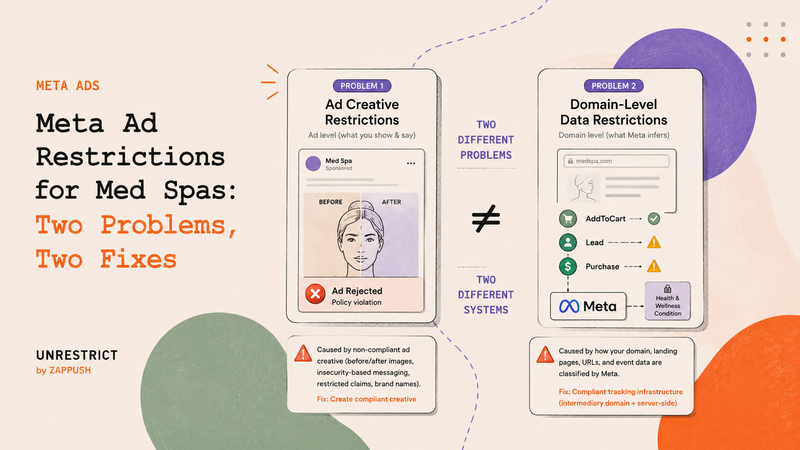
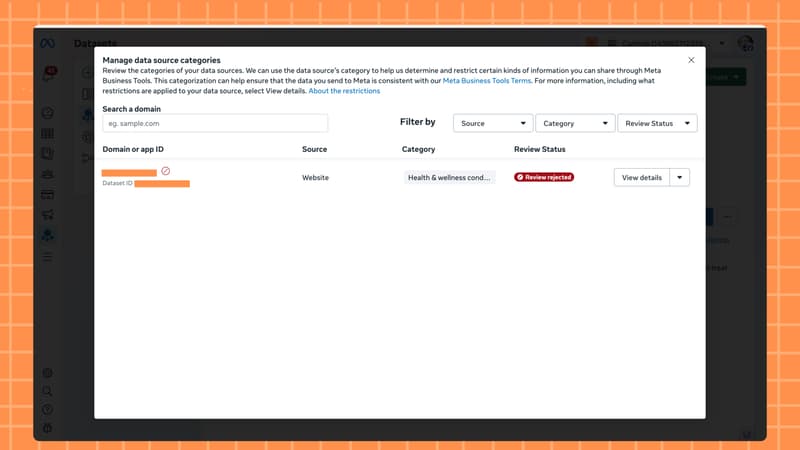
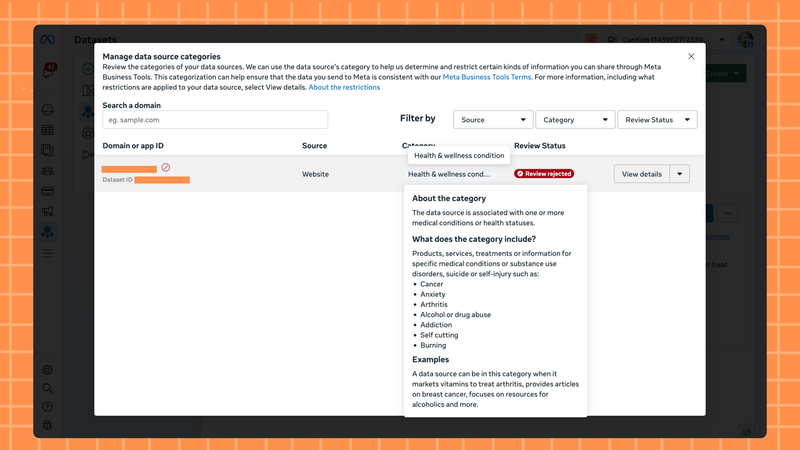
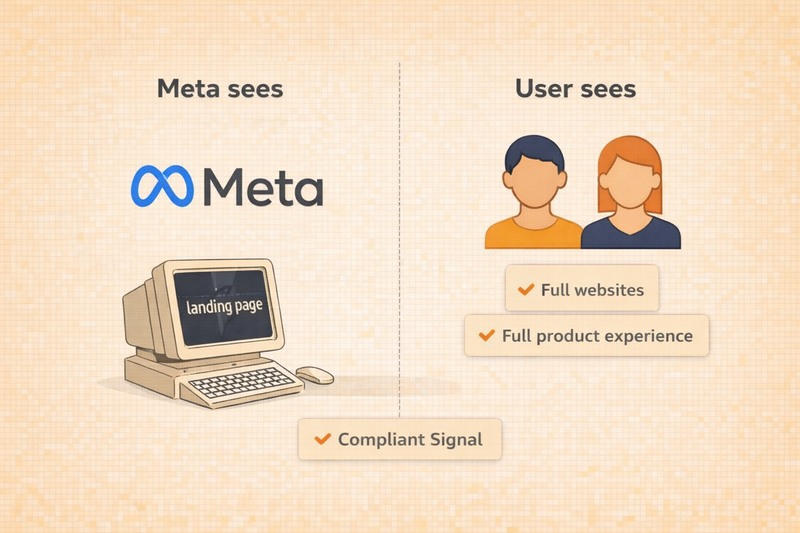
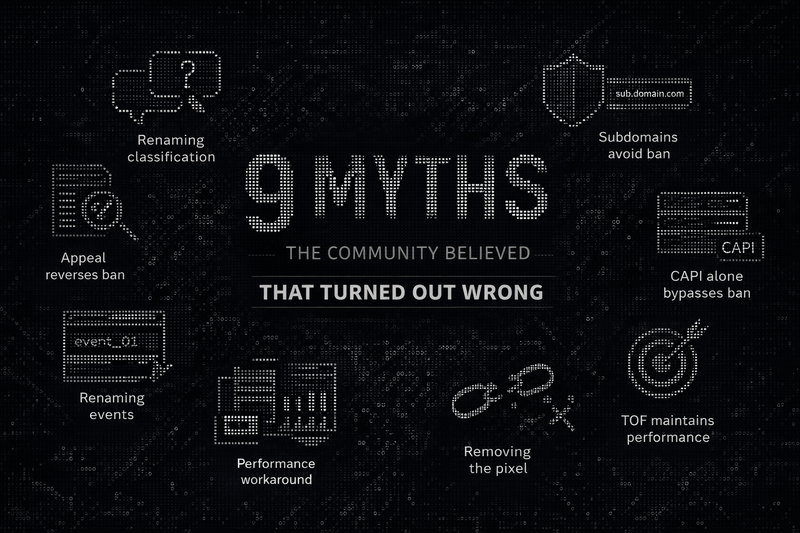
Yes, but not through Meta's appeal process, but with Zappush's routing system, which combines a clean intermediary domain with no restriction history, persistent ID across domains to preserve attribution, and server-side event routing that cleanses payloads before events reach Meta.

For brands that genuinely sell health or wellness products, the Meta appeal rarely works. Across our 75+ account reviews, we found no case of a genuine health brand successfully reversing its classification through the built-in appeal. The one partial exception is a demotion from Level 3 to Level 2, which is not a removal.

Together, the three components of Zappush's system remove the Health & Wellness classification from the data Meta receives, not by reversing the old flag, but by routing new event flow through a clean, uncategorized surface. File the Meta appeal as a formality, but do not wait for the outcome.

--- This blog is powered by Superblog. Visit https://superblog.ai to know more. --- ## Purchase Events Blocked on Meta? Here's How to Fix It Author: Ishan Sinha Author URL: https://www.zappush.com/blog/author/ishan-sinha Published: 2026-03-14 Category: Meta Category Restrictions Category URL: https://www.zappush.com/blog/category/meta-category-restrictions Meta Title: Purchase Events Blocked on Meta? Here's How to Fix It Meta Description: Meta blocks purchase and appointment events for healthcare ads to prevent PHI leakage. Renaming events won't fix it. Here's what actually works. Tags: Meta Health & Wellness Ads, Server-side tagging, HIPAA COMPLIANCE Tag URLs: Meta Health & Wellness Ads (https://www.zappush.com/blog/tag/meta-health-and-wellness-ads), Server-side tagging (https://www.zappush.com/blog/tag/server-side-tagging), HIPAA COMPLIANCE (https://www.zappush.com/blog/tag/hipaa-compliance) URL: https://www.zappush.com/blog/purchase-events-blocked-on-meta-heres-how-to-fix-it ![Illustration showing a user's health data, labeled PHI, Health, and Identity, streaming as orange data particles into Meta's ML classifier, which then targets other users with Baby Care, Maternity, Weight Loss, and Health Insurance ads without their consent. Represents how Meta blocks purchase events for healthcare ads to prevent Protected Health Information leakage.](https://prod.superblogcdn.com/site_cuid_cmi2z58je006puibozjof54hr/images/purchase-events-blocked-on-meta-1780779172036-compressed.png) ## Summary / TL;DR When someone buys a pregnancy kit from your website, and your pixel sends that purchase event to Meta, you are not just telling Meta what they bought. You are telling Meta that this specific person - identified by their email, phone number, or IP address- is likely pregnant. Meta's machine learning system acts on that signal. It starts showing that person's baby care ads, formula ads, and maternity products across Instagram and Facebook. Their protected health information is now being used to target them with ads - without their consent. And that's violating their privacy. This is why Meta blocks purchase and appointment-scheduled events for healthcare brands. To reduce its own legal liability, Meta restricts or blocks the conversion events it accepts from domains it classifies as healthcare or health-adjacent. Your events are not blocked because of a technical error. They are blocked because Meta is protecting itself from the legal consequences of receiving that data. The result for your campaigns: Meta's algorithm no longer knows who converted. It cannot find more people like your buyers or patients. Your ROAS drops. Your CPAs rise. Spending more budget at this point accelerates the damage. - **Why it is happening:** Your purchase and appointment event payloads contain signals that identify a person and imply a health condition. Meta blocks these to avoid HIPAA liability and legal exposure from receiving Protected Health Information. - **Why renaming events does not work:** Meta reads the full event payload - product names, service categories, appointment types, URL paths - not just the event name. A renamed Purchase event with the same payload will still be blocked. - **How to fix it:** A server-side architecture cleanses your event payloads before they reach Meta, removes PHI signals, and routes conversions through a compliant intermediary domain - restoring your purchase and appointment signals without changing your patient or customer journey ## Before We Get to the Fix, identify Which Problem Do You Have. Meta evaluates your healthcare brand across two separate systems that do not talk to each other. **System 1:** Your ad creative. Before a user clicks, Meta reviews your ad copy, images, and video against its advertising policies. If your creative implies a medical condition, uses before and after imagery, makes treatment claims, or promotes a regulated product, your ad gets rejected. This is a creative and policy problem. If your ads are being rejected or banned, that is the blog you need: [How to Run Meta Health and Wellness Ads Without Getting Restricted →](https://www.zappush.com/blog/how-to-run-meta-health-and-wellness-ads-without-restrictions) **System 2:** Your domain and event data. After a user clicks, Meta evaluates your landing page, domain, and the event payloads your pixel or Conversions API sends back. If these contain PHI signals, Meta classifies your domain as restricted and blocks your purchase and appointment events in Events Manager. This is a data infrastructure problem - and it is what this blog covers. If your ads are running fine, but your purchase or appointment events are blocked or missing in Events Manager, keep reading. ![Diagram showing Meta's two separate evaluation systems for healthcare brands. Left side labeled System 1 — Before the Click — covers ad creative and policy review, with the symptom being ad rejection or account flagging. Right side labeled System 2 — After the Click — covers domain, landing page, and event data evaluation, with the symptom being purchase or appointment events blocked in Meta Events Manager.](https://prod.superblogcdn.com/site_cuid_cmi2z58je006puibozjof54hr/images/zappushtwosystems-1773502795047-compressed.avif)Meta evaluates your healthcare brand across two systems that operate independently. A rejected ad is a creative problem. Blocked purchase events in Events Manager are a data infrastructure problem. This blog covers System 2. ## So, How Do You Keep Running Ads Without Violating Meta Health and Wellness policy? Running a successful healthcare brand where your primary channel for driving acquisition is Meta boils down to a fundamental question: how can you enable someone to make a purchase or book an appointment without violating their privacy and without making Meta liable under HIPAA? Stopping tracking entirely is not the answer. Without conversion signals, Meta's algorithm has no way to learn who your buyers are. Your CPAs rise, your ROAS drops, and you end up spending more to reach fewer of the right people. The answer is a healthcare-compliant server-side architecture. A healthcare-compliant setup does three things: **It controls what data reaches Meta.** Your server intercepts every event before it reaches Meta and removes the signals that imply a health condition — product names like "Blood Sugar Control Kit," appointment types like "Oncology Consultation," or URL paths containing condition-specific terms. What Meta receives is a clean, neutral payload. It knows a conversion happened. It does not know what kind. **It controls where the data comes from.** Meta classifies your domain based on what its crawlers find on your website. If your domain sells healthcare products or services, Meta classifies it as Health and Wellness and applies data restrictions. A compliant intermediary domain sits between your ads and your real website. Meta crawls the clean domain, finds nothing restricted, and applies no data restrictions to events coming from it. **It preserves your conversion signal.** Despite removing PHI, the setup still sends Meta the data it needs to optimize, that a real conversion happened, from a real user, at a specific time. Meta's algorithm continues learning. Your Lookalike Audiences rebuild. Your ROAS recovers. This is how healthcare brands continue running Meta ads without sending Protected Health Information to a platform that is not HIPAA compliant, and without losing the conversion signal that makes campaigns work. ## Step 1: Find Out How Meta Is Categorizing Your Domain Before you can fix blocked purchase or appointment events, you need to know exactly how Meta has classified your domain and what signals are triggering that classification. Meta's Events Manager tells you that a restriction exists — but it does not tell you why, or which specific elements of your domain caused it. The Zappush audit tool simulates Meta's automated domain scan and breaks down your classification across four compliance pillars: Domain, Category, Product, and Text. Each pillar gets an individual score and a plain-English explanation of what was detected. This matters for healthcare brands specifically because the classification trigger is often not obvious. It may be a product name implying a condition, a URL path containing a sensitive term, or a page description that Meta's systems read as health-adjacent. You cannot fix what you cannot see. Run the Free Meta Restriction Audit → Paste your domain URL. No account or installation required. ## Step 2: Check Which Events Are Blocked in Your Events Manager Go to: **Events Manager → Data Sources → Select your Pixel or Dataset → Settings** Under Settings, look at two sections: Data Restrictions and Manage Data Source Categories. ### What You Are Looking For **Purchase events not matching your backend orders.** This is the most common symptom at Level 2. Your Shopify, CRM, or backend shows 50 orders today. Events Manager shows 12 Purchase events. The gap is not a tracking error; it is Meta filtering events it has classified as PHI-containing payloads. **Appointment Scheduled events are absent or flagged.** For healthcare brands running clinic, telehealth, or med spa campaigns, this is the equivalent of a blocked Purchase event. If your campaigns optimise for appointment bookings and Meta is not receiving those events, your algorithm is optimising for clicks from people who never book. **Events marked as unavailable for optimisation.** Even when events appear to fire in Events Manager, they may be marked as restricted or unavailable for campaign optimisation. This is Level 2 in practice; the event arrives, but Meta strips it from the optimisation signal. **Core Setup locked ON.** Under Data Restrictions, if Core Setup is enabled and cannot be turned off, your domain is under at least Level 1 restrictions. This means custom URL parameters and event metadata are being stripped before they reach Meta's systems, even if your events appear to fire normally. ## Step 3: Fix It. Restore Your Purchase and Appointment Events You now know your category and your restriction level. The fix has three components that work together. Each one addresses a different layer of the problem. **Why the Fixes You Have Already Tried Do Not Work** Before covering what does work, it is worth being direct about what does not, because most healthcare brands try at least one of these before reaching the architectural fix. **Renaming events:** Changing 'Purchase' to 'OrderComplete' or 'AppointmentScheduled' to 'FormSubmit' - does not work because Meta evaluates the full semantic content of the payload, not just the event name. The product name, the appointment category, and the URL path - all of these are read and classified independently of what you call the event. **Switching to CAPI only and removing the browser pixel**: This does not work anymore because the restriction is applied at the domain level, not the delivery method. Events sent server-side from a restricted domain are subject to exactly the same filtering. Meta's documentation confirms this explicitly, and Stape has verified it independently. **Appealing the category**: Worth attempting if you believe the classification is genuinely incorrect, but it does not resolve the problem for brands that actually sell healthcare products or services. Appeals take 3 to 7 days, can only be resubmitted every 30 days if rejected, and a successful appeal does not change the underlying data architecture - meaning reclassification typically recurs. ### Component 1: A clean intermediary domain This is a separate domain that sits between your Meta ads and your actual website. When a user clicks your ad, they land here first. This domain contains no healthcare product names, no condition-adjacent language, no appointment category references — nothing that would cause Meta's crawler to classify it as restricted. Meta evaluates this domain, finds nothing restricted, and applies no data sharing rules to events that originate from it. This is not a subdomain of your main site. A subdomain inherits the classification of the root domain. It needs to be a separate, clean root domain with no restriction history. ### Component 2: Server-side event routing with session stitching When the user lands on the clean domain, your server captures their session data, \_fbp, \_fbc, UTM parameters, and click IDs. The user is then passed to your real website. Their journey is unchanged. What changes is that Meta's cookie and attribution data are anchored to the clean domain, not the restricted one. Your server then unifies the activity across both domains - the click on the clean domain, the purchase or appointment booking on your real site, and sends a single, consolidated event to Meta. ### Component 3: Event payload cleansing Before any event reaches Meta, your server processes it and removes or replaces the signals that triggered the PHI classification. Product names like "Diabetes Management Program" become neutral identifiers. Appointment types like "Oncology Consultation" are replaced with generic labels. URL paths containing condition-specific terms are stripped. What Meta receives is a clean payload. It knows a conversion happened, from a real user, at a specific time. It does not know the health condition implied by what they purchased or booked. ## What this restores at each level: Restriction Level What the fix restores Level 1 - Core Setup Custom parameters and URL data pass through cleanly. Audiences rebuild. Advanced matching becomes available again. Level 2 - Events Blocked Purchase and Appointment Scheduled events are restored. Meta's algorithm regains conversion signals and can optimise for actual buyers and bookers. Level 3 - Full Restrictions Requires a fully isolated new root domain with no restriction history. Once in place, all event flow is restored from that domain. ## What You Need to Fix This If your purchase or appointment-scheduled events are blocked in Meta Events Manager, there are three things you need to put in place - not one, not two, all three. **A clean domain.** A separate root domain with no restriction history that Meta's crawler evaluates and finds nothing restricted. Not a subdomain. A clean root domain. **A landing page on that domain.** A compliant page that your ads point to - no healthcare product names, no condition-adjacent language, no appointment category references. This is the surface Meta scans when your ad is submitted and during active campaigns. **Server-side infrastructure.** A server-side setup that captures session data on the clean domain, stitches it to activity on your real site, scrubs PHI signals from your event payloads, and forwards clean, compliant conversion events to Meta. Without all three working together, the restriction resurfaces. A clean domain without server-side stitching loses attribution. Server-side infrastructure without a clean domain still sends events from a restricted source. All three are required. At Zappush, we help Meta-restricted brands get unrestricted through a clean, compliant setup, domain, landing page, and server-side infrastructure, built end to end. Ready to Unrestrict Your Account on Meta? Schedule a call below and we'll review your ad account, domain, and product offerings, and outline the right architecture for you. [Schedule Call](https://cal.com/zappush/30min) [Get Free Audit](https://www.zappush.com/tools/meta-health-and-wellness-restriction-audit/?ref=BlogBottomCTA) ## FAQs Q: Why is Meta blocking my purchase events even though my ads are approved? A: Ad approval and domain classification are separate processes in Meta. Your ads are reviewed against Meta's advertising policies. Your domain is evaluated separately based on your landing page content, product descriptions, and event payloads. A domain classified under Health and Wellness or Drugs and Pharmaceuticals will have its purchase events blocked at the data layer, independently of whether your ads are running and approved. Q: Does renaming my Purchase event to something neutral fix the block? A: No. Meta evaluates the full semantic content of your event payload, product names, appointment categories, item IDs, URL paths, not just the event name. If your payload contains a product called Weight Loss Formula or an appointment type called Oncology Consultation, the event will be blocked regardless of what you name it. The only fix is removing those signals from the payload before it reaches Meta. Q: Why are my Appointment Scheduled events being blocked specifically? A: Appointment Scheduled events are blocked for the same reason as Purchase events — the payload implies a health condition. When your server sends an event that says a specific user booked an Endocrinology Appointment or a Diabetes Management Consultation, Meta's systems infer a medical condition tied to an identifiable person. That is Protected Health Information. Meta blocks the event to avoid HIPAA liability. Q: Does switching from the Meta Pixel to the Conversions API fix the block? A: No. Meta's data sharing restrictions apply at the domain level, not the delivery method. Events sent via the Conversions API from a restricted domain are filtered and blocked exactly the same as browser-side pixel events. Meta's own documentation confirms this, and it is one of the most common misconceptions that healthcare brands act on before finding the correct fix. Q: What is the difference between my events not firing and my events being blocked? A: If events are not firing, the problem is in your tracking setup — GTM configuration, pixel placement, or CAPI connection. If events are firing but blocked, Meta is receiving them but filtering them before they contribute to campaign optimisation. You can distinguish between the two by checking your CAPI response codes. If Meta returns a success response but conversions are not appearing in Ads Manager, the events are being blocked after receipt, not before. Q: Can I appeal Meta's classification of my domain? A: Yes, through Events Manager under Manage Data Source Categories. Appeals take 3 to 7 days and can only be resubmitted every 30 days if rejected. For brands that genuinely sell healthcare products or services, appeals are frequently denied because the classification is accurate. Even a successful appeal does not change the underlying data architecture, so reclassification typically recurs without a structural fix. Q: Is this a HIPAA violation if I keep sending purchase events to Meta? A: Meta is not HIPAA compliant and does not sign a Business Associate Agreement. Sending purchase events that contain product names or service types that imply a health condition — combined with user identifiers like email, phone, or IP address — creates PHI exposure. Multiple healthcare brands, including Novant Health, University of Rochester Medical Center, and BetterHelp, have faced lawsuits and settlements as a result of exactly this. You should speak with your legal counsel to understand your specific exposure. Q: Do I need to buy a new domain to fix this? A: You need a clean root domain that Meta has not previously classified as restricted. This does not have to be a brand-new domain — it needs to be one that has no restriction history with Meta and contains no healthcare signals on its landing pages. A subdomain of your existing restricted domain will not work because it inherits the root domain's classification. Q: Will this fix work for telehealth and clinic brands, not just ecommerce? A: Yes. The architecture works for any healthcare brand sending conversion events to Meta — ecommerce supplement brands, telehealth platforms, clinics, med spas, and any brand where the purchase or appointment booking implies a health condition. The payload cleansing logic is configured specifically for your event types, whether those are Purchase events, Appointment Scheduled events, Lead events, or custom events. Q: How long does it take to restore purchase and appointment events after the fix is in place? A: Once the clean domain, landing page, and server-side infrastructure are live, events begin flowing to Meta immediately. Meta's algorithm typically needs 7 to 14 days of clean conversion data before campaign performance recovers to pre-restriction levels — the learning phase requires sufficient signal volume to re-optimise delivery. The timeline varies depending on your campaign spend and conversion volume. --- This blog is powered by Superblog. Visit https://superblog.ai to know more. --- ## Data Sharing Restrictions Applied in Meta? Here's How to Fix It Author: Ishan Sinha Author URL: https://www.zappush.com/blog/author/ishan-sinha Published: 2026-03-12 Category: Meta Category Restrictions Category URL: https://www.zappush.com/blog/category/meta-category-restrictions Meta Title: Data Sharing Restrictions Applied in Meta? Here's How to Fix It Meta Description: Seeing "data sharing restrictions applied" in Events Manager? Your domain is restricted. Find your level, see what's blocked, and learn how to fix it. Tags: Meta Health & Wellness Policy, Meta Compliance Audit, Meta Restricted Goods, Meta Restricted Services Tag URLs: Meta Health & Wellness Policy (https://www.zappush.com/blog/tag/meta-health-and-wellness-policy), Meta Compliance Audit (https://www.zappush.com/blog/tag/meta-compliance-audit), Meta Restricted Goods (https://www.zappush.com/blog/tag/meta-restricted-goods), Meta Restricted Services (https://www.zappush.com/blog/tag/meta-restricted-services) URL: https://www.zappush.com/blog/meta-data-sharing-restrictions-applied-heres-how-to-fix-it ![Screenshot of Meta Events Manager showing a "Data Sharing Restrictions Applied" warning banner under Data Source Categories, indicating the domain has been classified under a restricted Health & Wellness or other sensitive category.](https://prod.superblogcdn.com/site_cuid_cmi2z58je006puibozjof54hr/images/data-sharing-restrictions-applied-1780781703525-compressed.png) ## Summary / TL;DR If you see a **data sharing restrictions applied** notice in Meta Events Manager, it means Meta has categorized your domain under one of its 10 restricted categories. If your website sells products or services in any of the 10 restricted categories, Meta will apply data sharing rules to your pixel or Conversions API events. Your ads can continue running while these restrictions are active. Still, Meta will limit or remove the event data it accepts from your domain, which affects campaign optimization, audience building, and conversion reporting. Meta applies restrictions at three levels depending on how your domain is categorized. Each level blocks different types of data, from custom parameters and URL details at the mildest level, to standard conversion events like Purchase and Lead at the moderate level, to all event sharing at the most severe level. - **The restriction applies at the domain level, not the ad level.** An approved ad does not indicate that your domain is unrestricted. Meta evaluates your data source separately from your ad creative. - **Meta applies the same restrictions to both the browser Pixel and the Conversions API.** Switching to server-side tracking alone does not bypass domain-level data sharing rules. - **There are three restriction levels**: Core Setup (L1), Standard Event Restrictions (L2), and Full Restrictions (L3). Each has specific symptoms visible in Events Manager that indicate which events and parameters are being blocked. ## What Data Sharing Restrictions Applied Means in Meta Events Manager ![Screenshot of Meta Events Manager showing a "Data Sharing Restrictions Applied" warning banner under Data Source Categories, indicating the domain has been classified under a restricted Health & Wellness or other sensitive category.](https://prod.superblogcdn.com/site_cuid_cmi2z58je006puibozjof54hr/images/data-sharing-restrictions-applied-1773337620751-compressed.avif)The "Data Sharing Restrictions Applied" notice appears in Meta Events Manager under your Data Source settings when Meta has categorized your domain under a restricted category. The data sharing restrictions applied message appears in one of two places inside Meta Events Manager: - As a **banner at the top of your Data Source overview** - As a **yellow warning or red restricted icon next to your domain** under Settings → Manage Data Source Categories Meta's automated systems categorize websites, apps, and offline data sources that send events through Meta Business Tools based on the topics, products, and services associated with the domain. When Meta determines that your domain belongs to one of its restricted categories, it applies data sharing rules to that data source and notifies you through Events Manager and email. The restriction applies at the **data source level**, which means it governs what event data Meta will accept from your domain, regardless of your ad creative or campaign setup. A domain can be under active restrictions while its associated ad campaigns continue to run and deliver normally. Meta evaluates ad creative and data sources through separate review processes. According to Meta's Business Help Center: > While we may detect and restrict information from being shared with Meta, you are ultimately responsible for your integration, your use of the Meta Business Tools, the data you share with Meta, and your compliance with our Meta Business Tool Terms. Meta's systems are not a substitute for your own compliance mechanisms. This means that once restrictions are applied, resolving them is your responsibility — Meta will not automatically lift them when your setup changes. ### Why Core Setup May Have Been Turned On There are four reasons Meta's documentation lists for Core Setup restrictions being enabled on a data source: - **Meta classified your domain** into a restricted category based on its automated review of your landing pages, product descriptions, and event data. - **You or someone on your account** manually assigned your dataset or data source to a restricted category in Events Manager - **You received multiple notifications** that the data you were sharing potentially went against Meta Business Tools Terms - **You manually enabled** Core Setup restrictions in Events Manager The most common scenario for health and wellness, supplement, CBD, and similar brands is the first: Meta's crawlers identify restricted signals on the domain and apply the classification automatically, often before the advertiser is aware. However, if an agency or team member has access to your Events Manager, it is worth checking whether the category was assigned manually. ### The 10 Restricted Categories and What to Expect From Each. Meta currently applies data sharing restrictions across 10 categories. The specific restriction level applied depends on how Meta classifies your domain within that category, but the same three-level framework, Core Setup, Standard Event Restrictions, and Full Restrictions, applies across all of them. Category Common signals that trigger classification [Health & Wellness](https://www.zappush.com/blog/how-to-run-meta-health-and-wellness-ads-without-restrictions) Supplement names, weight loss claims, condition-specific product descriptions Drugs & Pharmaceuticals CBD, THC, medication names, prescription-adjacent language Financial Services Loan products, credit, insurance, and investment services Online Gambling & Games Casino, betting, sports wagering, gaming with real-money stakes Alcohol Alcoholic beverage sales, brewery and distillery brands Tobacco & Related Products Cigarettes, vaping, nicotine products Adult Content & Sexual Wellness Sexual health products, adult entertainment Weapons, Ammunition & Explosives Firearms, ammunition, tactical gear Endangered or Protected Species Wildlife products, certain exotic materials Hazardous Goods & Materials Chemicals, industrial substances Regardless of which category applies to your domain, the first step is to find out how Meta has labeled your brand, followed by the restriction levels, and then the solution, keeping your restriction level in context. The section below walks through how to determine your domain category. ## Step 1: Find Out How Meta Is Categorizing Your Domain ![Zappush Meta restriction audit result page showing a domain classified as Restricted under Meta health & Wellness Restriction](https://prod.superblogcdn.com/site_cuid_cmi2z58je006puibozjof54hr/images/restrcited-audit-1773339368191-compressed.avif)The audit result shows your domain's overall restriction status, the category Meta has assigned, and individual compliance scores across Domain, Category, Product, and Text The first thing to establish is which of Meta's 10 restricted categories your domain has been assigned to, and what on your domain is triggering that classification. Meta's Events Manager tells you that a restriction exists, but it does not tell you specifically what signals caused it or how your domain scores across the factors Meta evaluates. ## Run Meta Restricted Compliance Audit The Zappush Meta Restriction Audit tool simulates Meta's automated domain scan. Enter your URL and instantly see how Meta classifies your domain across four dimensions: what your brand is, what category it falls under, what your product signals, and how many violations were found. Each finding includes a specific explanation and a fix. ## Step 2: Check Which Restriction Level Is Active in Your Events Manager Once you know how Meta has categorized your domain, the next step is identifying how severely it has restricted your data source. Meta applies restrictions at three levels, and each level blocks different data. You can determine which level applies to your domain directly from Events Manager. Go to: **Events Manager → Data Sources → Select your Pixel or Dataset → Settings** Under Settings, look at two sections: Data Restrictions and Manage Data Source Categories. ### Level 1 - Core Setup (Mild Restrictions) **What you will see in Events Manager:** - A yellow warning icon next to your domain under Manage Data Source Categories - Core Setup is switched ON under Data Restrictions, and the toggle is locked; you cannot disable it: **What Meta is blocking at this level:** - **Custom URL parameters** \- your full URL path is truncated to just the domain. For example, yourdomain.com/products/supplement-name becomes yourdomain.com - **Custom parameters attached** to event product names, item categories, content IDs, and any non-standard fields you send with events - **Anything in a URL following the domain** **What this means for your campaigns:** Custom audiences built on URL paths or product-level parameters stop updating. Retargeting pools shrink over time. Automatic Advanced Matching may become unavailable. Pixel-based catalog updates stop working. Your ads continue to run, and events continue to fire, but the signal quality degrades progressively. ### Level 2 - Standard Event Restrictions (Moderate Restrictions) **What you will see in Events Manager:** - A red restricted icon next to your domain under Manage Data Source Categories Lower-funnel events - Purchase, Lead, InitiateCheckout, AddToCart, Schedule, - CompleteRegistration - are absent, mismatched against your backend data, or flagged as unavailable for optimization **What Meta is blocking at this level:** - All mid and lower-funnel standard events - Everything blocked at Level 1 continues to apply What this means for your campaigns: Meta's algorithm can no longer optimize for conversion events. It loses the ability to identify and target users likely to purchase or convert. Lookalike Audiences based on purchasers or leads stop refreshing with new data. Campaign performance degrades as the algorithm shifts optimization toward upper-funnel signals like clicks and page views rather than actual conversions. ### Level 3 - Full Restrictions (Severe) **What you will see in Events Manager:** - Near-zero events across the board, including top-of-funnel events like PageView - Events may appear to fire on your end, but are not being accepted or used by Meta **What Meta is blocking at this level:** - All event sharing from the domain, in specific regions, or globally - Meta Business Tools cannot be used for campaign optimization where these restrictions are in place **What this means for your campaigns:** Meta has no conversion signal from your domain. The algorithm has no feedback loop to learn from. According to Meta's own documentation, you may need to pause or adjust campaigns as performance will degrade over time. Running campaigns at Level 3 without addressing the restriction means spending the budget with no optimization signal. **A note on regional restrictions:** Meta sometimes applies restrictions to specific regions before applying them globally. If you notice event data dropping specifically for EU traffic while US traffic appears unaffected, this is likely the first stage of a broader restriction being rolled out. EU privacy regulations treat health and other sensitive data as a special category, so enforcement often begins there first. Once you have identified your restriction level, the next section covers what you can do to fix it, and why the approaches most advertisers try first do not resolve the underlying problem. ## Step 3: Fix It Based on Your Restriction Level Once you know your category and your restriction level, you can determine the correct fix. Before covering what works, it is worth addressing the approaches that do not — because most advertisers try at least one of these before reaching the architectural solution. ### What **Does Not Fix Domain-Level Restrictions** **Renaming events** \- Meta evaluates the full semantic meaning of an event payload, including product names, item categories, content IDs, and URL paths. Changing an event name from "Purchase" to a neutral label does not change what the payload contains. If the payload includes signals that Meta classifies as sensitive for your category, the event will still be blocked or filtered. **Switching to Conversions API and removing the browser Pixel**\- Meta's data sharing restrictions apply at the domain level, not the delivery method. As Meta's documentation states and Stape confirms, the Conversions API does not bypass domain-level data sharing rules. Events sent server-side from a restricted domain are subject to the same filtering as browser-side events. **Subdomain workarounds** \- Meta's restrictions typically apply at the root domain level. A subdomain pointing to the same flagged root domain generally inherits the classification. This may provide temporary relief at Level 1 in some cases, but it does not hold at Level 2 or Level 3. **Appealing the category classification** \- Submitting a review request in Events Manager is worth doing if you believe your domain has been incorrectly classified. Appeals take 3–7 days to process and can only be resubmitted every 30 days if rejected. However, for domains that genuinely sell products or services in a restricted category, appeals are frequently denied. A successful appeal also does not change the underlying data architecture, which means reclassification tends to recur. ### What Does Fix It The restriction is applied at the domain level, meaning it governs every event that originates from a domain Meta has classified as restricted, regardless of how those events are named or delivered. The fix changes where your data enters Meta's systems, not just what it contains. The architecture involves three components working together 1. **A compliant intermediary landing page** that sits between your Meta ads and your actual website. When a user clicks your ad, they land on this intermediary page first - a clean domain that contains no restricted signals and carries no restriction history. This is the surface that Meta's crawler scans and classifies. Meta evaluates the intermediary domain, finds nothing restricted, and applies no data sharing rules to it. The user is then passed server-side from the intermediary page to your real store, with all UTMs and cookies preserved. 2. **Server-side event routing** that captures user activity, clicks, UTMs, and cookies from the clean domain and associates them with the full user journey on your actual store. The user experience is unchanged. What changes is the domain surface Meta evaluates. 3. **Event payload cleansing** that processes your events before they reach Meta, removing or replacing parameters that contain sensitive signals - product names, condition-adjacent category labels, URL paths with restricted terms -and replacing them with neutral identifiers. Meta receives a clean, compliant payload with no restricted signals. Need help setting this architecture for your restricted domain? Schedule a Call Today! [Get Unrestricted](https://cal.com/zappush/30min) ## What this restores by the Meta Restriction level Restriction Level What the fix restores Level 1 - Core Setup Custom parameters and URL data pass through cleanly. Audiences rebuild. Advanced matching becomes available again. Level 2 - Standard Event Restrictions Purchase, Lead, and lower-funnel events are restored. Meta's algorithm regains conversion signals and can optimize for actual buyers. Lookalike Audiences refresh with buyer data. Level 3 - Full Domain Restrictions Requires a fully isolated domain with no restriction history. A new root domain, not a subdomain, is needed as the clean entry point. Once in place, event flow is restored from that domain. Ready to Fix Your Data Sharing Restrictions on Meta? Schedule a call below and we’ll review your domain classification, restriction level, and tracking setup, and outline the right architecture for you. [Schedule Call](https://cal.com/zappush/30min) [Get Free Audit](https://www.zappush.com/tools/meta-health-and-wellness-restriction-audit/?ref=BlogBottomCTA) ## FAQs Q: What do the data sharing restrictions applied mean in Meta Events Manager? A: It means Meta has classified your domain under one of its 10 restricted categories, such as Health and Wellness, Drugs and Pharmaceuticals, or Financial Services, and has started applying data sharing rules to your pixel or Conversions API events. Your ads can continue running while this is active, but Meta will limit or remove the event data it accepts from your domain. Q: Does "data sharing restrictions applied" affect my ad delivery? A: Your ads will continue to deliver, but campaign performance will degrade over time. At Level 1, audience building and attribution weaken. At Level 2, Meta can no longer optimize for purchase or lead events. At Level 3, Meta has no conversion signal at all and campaign optimization breaks down entirely. Q: Does the Conversions API bypass data sharing restrictions in Meta? A: No. Meta's data sharing restrictions apply at the domain level, not the delivery method. Events sent via the Conversions API from a restricted domain are subject to the same filtering and blocking as browser-side pixel events. Switching to CAPI alone does not resolve the restriction. Q: How do I find my data sharing restriction level in Meta Events Manager? A: Go to Events Manager, select your Data Source, then go to Settings. Under Data Restrictions, check whether Core Setup is locked on. This indicates at least Level 1. Under Manage Data Source Categories, look for a yellow warning icon for Level 1, a red restricted icon for Level 2, or near-zero event activity for Level 3. Q: Can I request a review if Meta applied data sharing restrictions to my domain incorrectly? A: Yes. Go to Events Manager, open Manage Data Source Categories, and submit a review request. Appeals take 3 to 7 days to process and can only be resubmitted every 30 days if rejected. If your domain genuinely sells products in a restricted category, appeals are frequently denied and do not change the underlying data architecture. Q: Will renaming my Meta pixel events fix data sharing restrictions? A: No. Meta evaluates the full semantic meaning of an event payload including product names, item categories, content IDs, and URL paths, not just the event name. A renamed event that still carries restricted signals in its payload will continue to be filtered or blocked. Q: Why are my Meta purchase events blocked even though my ads are approved? A: Ad approval and domain classification are separate processes in Meta. Your ads can be approved while your domain is simultaneously restricted at the data level. Meta blocks purchase events when your event payloads contain signals it classifies as sensitive for your category, such as condition-implying product names or regulated substance references. Q: Which businesses are affected by Meta data sharing restrictions? A: Meta applies data sharing restrictions to domains across 10 restricted categories: Health and Wellness, Drugs and Pharmaceuticals, Financial Services, Online Gambling and Games, Alcohol, Tobacco and Related Products, Adult Content and Sexual Wellness, Weapons and Ammunition, Endangered or Protected Species, and Hazardous Goods and Materials. Q: What is Core Setup in Meta Events Manager? A: Core Setup is Meta's Level 1 data restriction. When enabled, either automatically by Meta or manually, it removes custom URL parameters and anything in a URL after the domain, and strips custom parameters from event payloads. Once Meta enables Core Setup for a restricted domain, it cannot be turned off. Q: What is the fix for Meta data sharing restrictions? A: The fix is architectural. A compliant intermediary landing page sits between your Meta ads and your actual website. This is the surface Meta's crawler evaluates. Events are captured server-side, scrubbed of sensitive signals, and forwarded to Meta as clean compliant payloads. At Level 2 this restores purchase and lower-funnel events. At Level 3 a fully isolated new root domain is required as the clean entry point. --- This blog is powered by Superblog. Visit https://superblog.ai to know more. --- ## Twitter/X Conversion API (CAPI): The Complete Setup Guide for 2026 Author: Ishan Sinha Author URL: https://www.zappush.com/blog/author/ishan-sinha Published: 2026-02-23 Category: Server-side Tracking Category URL: https://www.zappush.com/blog/category/server-side-tracking Meta Title: Twitter/X Conversions API (CAPI): Complete 2026 Setup Guide Meta Description: The Twitter/X Pixel alone misses up to 45% of conversions in 2026. Learn how to implement Twitter CAPI server-side, deduplicate events, and capture twclid for accurate attribution and better ROAS. Tags: Conversion API, Twitter CAPI, X CAPI Tag URLs: Conversion API (https://www.zappush.com/blog/tag/conversion-api), Twitter CAPI (https://www.zappush.com/blog/tag/twitter-capi), X CAPI (https://www.zappush.com/blog/tag/x-capi) URL: https://www.zappush.com/blog/twitter-x-capi-the-complete-setup-guide-for-2026 ![Cover Image for Twitter/X Conversion API (CAPI): The Complete Setup Guide for 2026](https://prod.superblogcdn.com/site_cuid_cmi2z58je006puibozjof54hr/images/cover-image-for-twitterx-conversion-api-capi-the-complete-setup-guide-for-2026-1780816107889-compressed.png) ## Summary / TL;DR Twitter/X CAPI (Conversions API) is a server-to-server integration that sends conversion data directly from your server to X's ad platform — bypassing the browser entirely. Unlike the X Pixel, which relies on JavaScript firing in the user's browser, CAPI works even when ad blockers, iOS privacy restrictions, or cookie consent opt-outs would otherwise block tracking. - **The pixel alone is no longer enough.** In 2026, ad blockers, ITP, and consent opt-outs can account for 30–45% of untracked conversions — a structural blind spot that distorts your ROAS and misfires your campaign optimisation. - **The recommended setup is both.** Run the pixel for broad coverage and real-time signals, and CAPI for reliable server-confirmed events. A deduplication key ensures the same conversion is never counted twice. - **This guide covers everything.** How CAPI works under the hood, step-by-step setup, copy-paste code snippets, deduplication implementation, event parameters, and a full FAQ. ## What is Twitter/X CAPI? If you are running ads on X, conversion tracking is the foundation of any performance marketing setup. Without it, you have no way of knowing whether the people who saw or clicked your ads actually did anything meaningful afterwards. Conversion tracking lets you measure return on ad spend by connecting real user actions — a purchase, a sign-up, a download — back to the specific campaigns and creatives that drove them. Those same conversion signals also feed X's delivery algorithms, helping the platform optimise who sees your ads and when, so your campaigns get smarter over time rather than just burning budget. Twitter/X CAPI — short for Conversions API — is a server-to-server integration that lets you send conversion events directly from your server to X's ad platform, completely bypassing the browser. When a user completes an action on your website — say, a purchase, a form submission, or a subscription — instead of relying on a browser-fired JavaScript tag to report that event, your server sends the data directly to X via an HTTPS API call. No browser involved. No cookies required. No JavaScript to load. This is the core distinction between the X Pixel and the Conversion API, and it matters enormously for data quality in 2026. The X Conversion API supports two categories of events: **Web Events** — Actions that happen on your website, such as page views, add-to-cart events, purchases, lead form submissions, and more. **Offline Events** — Conversions that happen outside of your website entirely: in-store transactions, call centre bookings, CRM-recorded sales, or any event that takes place after the user has left your digital properties. * * * ## Twitter/X Pixel vs. Twitter CAPI or Conversion API: What's the Difference? ![This diagram explains how the Twitter/X Conversion API (CAPI) works. When browser restrictions like ITP or ad blockers prevent pixel events from reaching the ad platform, CAPI sends those conversion signals securely through the server, ensuring accurate and privacy-compliant tracking.](https://prod.superblogcdn.com/site_cuid_cmi2z58je006puibozjof54hr/images/twitter-capi-architecture-1771848644089-compressed.avif)How Twitter/X Conversion API ensures reliable event tracking by sending data server-side when browser pixels are blocked. Before diving into the CAPI setup, it's worth understanding the [difference between pixel and conversion API](https://www.zappush.com/blog/pixel-vs-capi-how-capi-improves-attribution-and-performance), and what separates them from the X Pixel, and when you'd choose one over the other. ### The X Pixel The X Pixel is a client-side JavaScript tag. It has two parts: - **Base code** — placed across all pages of your site. It initialises the pixel, tracks site visits, and enables audience creation. - **Event code** — placed on specific actions (a purchase button, a thank-you page). It fires specific conversion events with optional parameters. The pixel works well and is the recommended starting point for most advertisers. Its biggest strength is ease of implementation. Its biggest weakness is that it depends entirely on the browser to function — and the browser environment in 2026 has become a hostile place for tracking. ### The Conversion API CAPI is a server-side integration. Instead of a JavaScript tag firing in someone's browser, your server makes a POST request directly to X's API every time a conversion event occurs. The browser has no role in this process. X Pixel X Conversion API **Where it runs** User's browser Your server **Affected by ad blockers** Yes No **Affected by iOS privacy updates** Yes No **Cookie dependency** High None **Offline conversion support** No Yes **Technical complexity** Low Medium–High **Data reliability** Moderate High **Setup time** Minutes Hours–Days * * * ## Why the X Pixel Is No Longer Enough This section is the honest reason you are reading about CAPI. The pixel has not changed — the environment around it has. Understanding exactly what breaks and how much signal you are losing is what makes the case for CAPI concrete rather than theoretical. ### Ad Blockers Are Blocking Your Pixel Ad blockers work by preventing known tracking scripts from loading in the browser. The X Pixel's JavaScript file — hosted on `static.ads-twitter.com` — is on every major blocklist. When an ad blocker is active, the pixel script never loads, and no events fire, regardless of what the user does on your site. Ad blocker adoption is not a niche issue. Estimates for desktop usage sit around 35–40% globally in 2026, with higher rates in tech-forward, younger, and European audiences — precisely the demographics most valuable to many advertisers. If your primary audience skews toward these groups, a meaningful share of your actual conversions are invisible to your pixel. CAPI is not affected by ad blockers. The request goes from your server to X's server. The user's browser configuration is irrelevant. ### iOS Privacy Changes Have Degraded Cookie Reliability Apple's Intelligent Tracking Prevention (ITP) has been eroding the effectiveness of browser-based tracking on Safari since 2017, and successive iOS updates have tightened restrictions further. ITP limits the lifespan of cookies set by JavaScript (like the ones the X Pixel relies on for attribution) to as little as 24 hours in certain scenarios, and restricts cross-site tracking categorically. The result: a user who clicks your X ad on an iPhone, browses your site, and purchases three days later may not be attributed at all through the pixel — because the cookie that would have linked the click to the conversion has expired or been partitioned. X addresses part of this with Click ID (twclid), which stores the click attribution in a first-party cookie rather than a third-party one, improving persistence on Safari. But even first-party cookies set by JavaScript face ITP restrictions. CAPI, combined with explicit twclid capture at the server level, gives you a more durable attribution path. ### Consent Banners Are Creating Legal and Tracking Gaps Under GDPR, CCPA, and a growing list of regional privacy regulations, a significant share of your users are being asked — and choosing — to opt out of tracking via Consent Management Platforms (CMPs). When a user declines cookies or tracking consent, the pixel should not fire. That is the legally compliant outcome. But it means every user who opts out is invisible to your pixel. You cannot retroactively attribute their conversions. You cannot include them in optimisation signals sent to X. For advertisers in markets with high opt-out rates (Germany, France, and much of Northern Europe regularly see 30–50%+ opt-out rates on some CMPs), this is not a marginal problem. CAPI, implemented correctly with the Restricted Data Use (RDU) parameter for opted-out users, allows you to send limited, compliant event data even in restricted-consent scenarios. You signal to X to limit how it uses that data, but you still pass the event, enabling some level of measurement and compliance-safe audience matching. ### Browser-Side Tracking Is Fundamentally Unreliable Beyond the specific issues above, there is a broader reliability problem with client-side tracking: you have no control over what happens in a user's browser. Pages close before tags load. Slow connections time out script execution. Corporate firewalls block external scripts. Browser extensions interfere with JavaScript. The user navigates away before the confirmation page loads. Each of these scenarios produces a conversion that happened in reality but was never recorded by your pixel. Over time, the cumulative gap between actual business outcomes and what your X Ads account reports grows. That gap means your campaign performance looks worse than it is, your bidding algorithms optimise on incomplete data, and you are making budget decisions based on an undercount. Server-side CAPI events are fired by your infrastructure, not the user's browser. If the API call succeeds, the event is recorded — full stop. ### The Cumulative Impact To make this concrete: if 35% of your users have ad blockers, 25% are on Safari with ITP restrictions, and 20% opt out of tracking via your CMP, with significant overlap between these groups, realistically, 30–45% of your conversions are not being captured by the pixel alone. That is not a minor data quality issue. That is a structural blind spot that affects every campaign decision you make. CAPI does not fix all of this perfectly (match rates depend on the quality of identifiers you can pass), but it meaningfully closes the gap. That is why X themselves have increasingly positioned CAPI not as an advanced option for technical teams, but as a standard part of a complete measurement setup. * * * ## How Twitter/X CAPI Works: Under the Hood Understanding the mechanics helps you implement CAPI correctly and troubleshoot issues when they arise. When a user converts on your site or in your systems, here is what happens in a native CAPI setup: 1. The conversion event occurs (e.g., a purchase is completed and confirmed by your server). 2. Your server collects the event data: event type, timestamp, relevant parameters (value, currency, product IDs), and available user identifiers (hashed email, hashed phone number, or click ID). 3. Your server makes a POST request to the X Ads API endpoint: `https://ads-api.twitter.com/12/measurement/conversions/` 4. The request body contains the event payload in JSON format. 5. X's system receives the event, attempts to match it to an X user using the provided identifiers, and attributes it to the relevant ad campaign if applicable. The user matching step is critical. X attempts to match the conversion event back to a real X user using several signals, in rough order of reliability: - **twclid (X Click ID)** — The most reliable signal. This is a unique identifier X appends to your landing page URL when a user clicks your ad. If you capture and store this parameter, passing it back via CAPI gives X a direct, deterministic match. - **Hashed email address** — SHA-256 hashed email of the converting user. - **Hashed phone number** — SHA-256 hashed phone number. - **IP address + User Agent** — Used as a probabilistic fallback. The quality of your Ebent Match Quality (EMQ) directly determines how many conversions get attributed, how well your campaigns optimise, and how accurate your reporting is. Richer user signals = higher match rates = better results. * * * ## Setting Up the X Conversion API: Step-by-Step ### Step 1: Access Events Manager Log in to your X Ads account at ads.x.com. Navigate to **Tools → Events Manager**. If you don't see a Tools tab, you likely haven't added a payment method to your account yet. Add one first. ### Step 2: Create or Locate Your Pixel Click **Add event source**. Accept the X terms of use. If you've created an X Pixel before, it will appear in the left pane. Your Pixel ID is the alphanumeric string associated with your pixel (e.g., `o6ou1`). You will need this for your API calls. If this is your first time, you'll be taken to the "Install pixel code" page. You can choose whether to allow first-party cookies — this is recommended, as it enables Click ID functionality, which improves conversion measurement beyond landing page visits. Click **Save event source**. ### Step 3: Create Your Conversion Events Back in Events Manager, click **Add events**. You'll need to create one event for each action you want to track. On the **Event Details** screen: - Give the event a clear name (e.g., "Purchase", "Lead Form Submit"). - Choose the event **Type** from the dropdown (Purchase, Lead, Add to Cart, etc.). - Set your attribution window. - Optionally toggle on "Website activity audience" to build retargeting audiences from this event. - Click **Next**. On the **Setup method** screen, select **"Define event with code"**. This gives you the most flexibility and allows you to pass event parameters. On the **Event installation** screen, select the **Conversion API** tab to get your event-specific details. Note down your **Event ID** (it looks like `tw-o6ou1-o9l96`). You'll use this in your API calls. ### Step 4: Generate Your API Access Token Before you begin, confirm you have an active X Developer Account. Without one, you will not be able to access the X Ads API or generate the credentials required for CAPI. If you don't have one yet, apply at developer.twitter.com. Approval is typically straightforward for advertisers with an active ad account. To authenticate your CAPI requests, you need credentials from the X developer platform. 1. Go to developer.twitter.com and log in with the same account used for ads. 2. Create an app (or use an existing one) with **Read and Write** permissions. 3. Generate your **Access Token**, **Access Token Secret**, **Consumer Key**, and **Consumer Secret** using OAuth 1.0a. You will need all four values in your server-side code. ### Step 5: Understand the API Endpoint and Request Format The base endpoint for web conversion events is: ``` POST https://ads-api.twitter.com/12/measurement/conversions/ ``` Replace `` with your actual pixel ID. Required headers: ``` Content-Type: application/json Authorization: OAuth ... (your signed OAuth 1.0a header) ``` Request body structure: json ```json { "conversions": [ { "conversion_time": "2026-03-15T14:30:00.000Z", "event_id": "tw-o6ou1-o9l96", "identifiers": [ { "twclid": "2as3i9j5qt5tcl7d48sxs1" }, { "hashed_email": "b64302ce4aff5...sha256hashedvalue" } ], "conversion_id": "order_123456", "value": "199.99", "currency": "USD", "number_items": "2", "contents": [ { "content_id": "SKU-001", "content_name": "Running Shoes", "content_price": "99.99", "num_items": "1" }, { "content_id": "SKU-002", "content_name": "Running Socks", "content_price": "100.00", "num_items": "1" } ] } ] } ``` Important notes on the request body: - `conversion_time` must be in ISO 8601 format (UTC). X rejects events older than 90 days or timestamped in the future. - `event_id` is your specific event identifier from Events Manager. - `identifiers` is an array — pass multiple identifiers for higher match rates. - `conversion_id` is critical for deduplication (covered in detail below). - `value` and `currency` should be included for purchase events to enable revenue reporting. * * * ## Sending Web Events via CAPI Here's a practical server-side implementation in Node.js for a Purchase event: javascript ```javascript const crypto = require('crypto'); const OAuth = require('oauth-1.0a'); const fetch = require('node-fetch'); // Configuration const PIXEL_ID = 'your_pixel_id'; const EVENT_ID = 'tw-your_pixel_id-your_event_id'; const API_URL = `https://ads-api.twitter.com/12/measurement/conversions/${PIXEL_ID}`; // OAuth 1.0a Setup const oauth = OAuth({ consumer: { key: process.env.X_CONSUMER_KEY, secret: process.env.X_CONSUMER_SECRET, }, signature_method: 'HMAC-SHA1', hash_function(base_string, key) { return crypto.createHmac('sha1', key).update(base_string).digest('base64'); }, }); const token = { key: process.env.X_ACCESS_TOKEN, secret: process.env.X_ACCESS_TOKEN_SECRET, }; // Hash user identifiers — NEVER send unhashed PII function hashIdentifier(value) { return crypto .createHash('sha256') .update(value.trim().toLowerCase()) .digest('hex'); } // Send conversion event async function sendConversionEvent({ userEmail, userPhone, twclid, orderId, orderValue, currency, items, }) { const identifiers = []; // Add all available identifiers for maximum match rate if (twclid) identifiers.push({ twclid }); if (userEmail) identifiers.push({ hashed_email: hashIdentifier(userEmail) }); if (userPhone) identifiers.push({ hashed_phone_number: hashIdentifier(userPhone) }); const conversionPayload = { conversions: [ { conversion_time: new Date().toISOString(), event_id: EVENT_ID, identifiers, conversion_id: orderId, // Used for deduplication value: String(orderValue), currency: currency, number_items: String(items.reduce((sum, item) => sum + item.qty, 0)), contents: items.map((item) => ({ content_id: item.sku, content_name: item.name, content_price: String(item.price), num_items: String(item.qty), })), }, ], }; const requestData = { url: API_URL, method: 'POST' }; const authHeader = oauth.toHeader(oauth.authorize(requestData, token)); const response = await fetch(API_URL, { method: 'POST', headers: { ...authHeader, 'Content-Type': 'application/json', }, body: JSON.stringify(conversionPayload), }); const result = await response.json(); if (!response.ok) { console.error('CAPI Error:', result); throw new Error(`CAPI request failed: ${response.status}`); } console.log('Conversion sent successfully:', result); return result; } // Example: call this on order completion async function onOrderComplete(order, user) { await sendConversionEvent({ userEmail: user.email, userPhone: user.phone, twclid: order.twclid, // Retrieved from cookie or session orderId: order.id, orderValue: order.total, currency: 'USD', items: order.lineItems, }); } ``` ### Capturing the twclid One of the highest-impact things you can do to improve CAPI match rates is capture and store the X Click ID (twclid). When a user clicks your ad, X appends `?twclid=xxxxx` to your landing page URL. You need to capture this at the moment the user arrives and persist it until conversion. javascript ```javascript // Client-side: on page load, capture and store twclid function capturetwclid() { const urlParams = new URLSearchParams(window.location.search); const twclid = urlParams.get('twclid'); if (twclid) { // Store in first-party cookie — 30-day expiry document.cookie = `twclid=${twclid}; max-age=2592000; path=/; SameSite=Lax`; } } // Retrieve it at checkout to pass to your server function gettwclid() { const match = document.cookie.match(/(?:^|;\s*)twclid=([^;]*)/); return match ? match[1] : null; } ``` Pass this value to your server at checkout and include it in your CAPI payload. This single step can meaningfully lift your attribution rates. * * * ## Deduplication: The Most Overlooked Step If you are running both the X Pixel and the Conversion API — which you should be — the same conversion will often be reported twice: once by the pixel in the browser and once by your server-side CAPI call. Without deduplication, X counts both. Your conversion numbers inflate, your ROAS looks artificially high, and your optimisation algorithms receive conflicting signals. **This is not an edge case. It is the default outcome if you do not implement deduplication.** ### How X's Deduplication Logic Works X deduplicates events using the `conversion_id` parameter. When X receives two events with identical `conversion_id` values, it counts them as a single event. The deduplication window varies by event type: - **Page View events** (including auto-created Site Visit and Landing Page View): deduplicated within a 30-minute window. - **All other event types** (Purchase, Lead, Add to Cart, etc.): X does not automatically deduplicate these, making the `conversion_id` parameter your primary and only mechanism for preventing double-counting. ### Implementing Deduplication Correctly The rule is simple: every pixel-fired event and its corresponding CAPI event must share the same `conversion_id`. **1\. The X Pixel event (client-side):** ```javascript // Generate a unique conversion ID once per conversion const conversionId = `order_${orderId}_${Date.now()}`; // Fire pixel event with conversion_id twq('event', 'tw-pixel_id1-event_id1', { value: 199.99, currency: 'USD', conversion_id: conversionId, email_address: userEmail, contents: [ { content_id: 'SKU-001', content_name: 'Running Shoes', content_price: 99.99, num_items: 1, }, ], }); // Pass conversionId to your server for the CAPI call fetch('/api/track-conversion', { method: 'POST', body: JSON.stringify({ conversionId, orderId, userEmail, ... }), }); ``` **2\. The CAPI server-side call:** ```javascript // Use the same conversionId passed from the client await sendConversionEvent({ orderId: conversionId, // Matches the pixel event userEmail: userEmail, twclid: storedtwclid, orderValue: 199.99, currency: 'USD', items: orderItems, }); ``` When X receives both events with the same `conversion_id`, it deduplicates them and records a single conversion. ### Deduplication Best Practices **Make conversion IDs truly unique.** A bare order ID (e.g., `12345`) risks collisions if a user reloads the confirmation page or the pixel fires twice. Append a timestamp to make each event fire unique: `order_12345_1710506400000`. **Generate the ID on the client, and share it with the server.** Don't generate the conversion ID independently on both sides — they need to match exactly. Generate it at the moment of conversion (client-side), then pass it to your server along with the other conversion data. **Build retry logic with logging.** If your CAPI call fails, the pixel-fired event may still go through without a server-side counterpart. Log every CAPI request and response, retry on 5xx errors with exponential backoff, and alert on persistent failures. **Verify in Events Manager.** Use the Recent Activity Log (hover over your event → select "View Activity") to inspect incoming events and confirm deduplication is functioning correctly. * * * ## Running Both: Pixel + CAPI Together This is the setup X recommends for any advertiser who wants complete measurement. Think of the two layers as complementary, not competing. **The X Pixel handles:** - Auto-created Site Visit and Landing Page View events - Real-time browsing behaviour signals for audience building - Click ID capture via first-party cookies - Low-friction coverage across all pages **CAPI handles:** - Conversions for users with ad blockers or restricted cookie environments - Server-confirmed purchase and lead events (more authoritative than browser-fired) - Offline conversions from CRM or call centre data - High-value events where data reliability is critical The deduplication layer ensures there is no double-counting between them. The pixel is your broad sensor. CAPI is your authoritative source of truth. When both fire for the same event, it's deduplicated. When only the server-side fires (because the pixel was blocked), CAPI picks up the slack. * * * ## Event Types and Parameters Reference ### Available Event Types Event Type Use Case Page View User visits a page Purchase Transaction completed Lead Form submission, sign-up Add to Cart Product added to cart Checkout Initiated Checkout process started Content View Product detail page viewed Added Payment Info Payment method entered Download File or app downloaded Search Search performed on the site Subscribe Subscription initiated Start Trial Trial period started Add to Wishlist Item saved to wishlist Custom Any custom action Product Customisation Product configured ### Event Parameters Parameter Type Description `value` Float Total conversion value `currency` String ISO 4217 code (e.g., "USD") `conversion_id` String Unique ID for deduplication `email_address` String Plaintext (pixel auto-hashes) or pre-hashed SHA-256 `phone_number` String Format: +\[country code\]\[number\] `twclid` String X Click ID from URL parameter `status` String "started" or "completed" `search_string` String Search query string `description` String Additional event description `contents` Array Product/item details ### Contents Array Sub-Parameters Parameter Type Description `content_id` String SKU or GTIN `content_name` String Product name `content_price` Float Unit price `num_items` Integer Quantity `content_type` String Google product taxonomy `content_group_id` String ID for variant grouping ### Dynamic Product Ads: Required Events If you are running Dynamic Product Ads on X, these four events are mandatory: 1. **Page View** — fires on browse pages showing multiple products (e.g., category or sale pages) 2. **Content View** — fires on individual product detail pages; must include `content_id` (SKU) 3. **Add to Cart** — fires when a product is added to the cart; must include `content_id` 4. **Purchase** — fires on order confirmation; must include `content_id`, `value`, and `currency` * * * ## How Zappush Makes This Native and Effortless X officially partners with a handful of third-party platforms, Adobe, Tealium, Metarouter, Datahash, and Rudderstack, that can help you integrate with CAPI without building it from scratch. If you already work with one of these, they are a viable starting point. The tradeoff is that all of them route your conversion data through their own infrastructure before it reaches X, adding a middleware layer, an additional vendor dependency, and, in some cases, latency. That distinction matters if data ownership and pipeline reliability are priorities for your business. Setting up Twitter/X CAPI correctly capturing twclid, hashing user identifiers, implementing deduplication, handling API retries, and maintaining the integration as X's API evolves is real engineering work. Most teams either skip critical steps and leave performance on the table or depend on third-party middleware tools that introduce latency, vendor lock-in, and another monthly line item. Zappush takes a different approach: **native server-side implementation**. Rather than routing your conversion data through an intermediary platform, Zappush connects directly from your store infrastructure to X's Conversions API. This means: - **No middleware latency.** Events are sent from your server to X in real time, without being queued through a third-party service. - **No vendor lock-in.** Your first-party data stays within your own infrastructure. You own the pipeline. - **Deduplication is built in.** Every CAPI event is automatically paired with the correct conversion ID - pixel, and server-side double-counting is handled without manual configuration. - **twclid capture and forwarding.** Zappush handles Click ID persistence at the session level and includes it in every eligible CAPI event, maximising match rates out of the box. - **Ongoing maintenance handled.** When X updates their API versioning or changes parameter requirements, Zappush updates the integration - you don't need to touch your code. If you're evaluating whether to build this in-house or use a managed solution, Zappush is purpose-built for eCommerce brands that want the data quality of a native CAPI integration without the ongoing engineering overhead. Need help with setting up Twitter/x CAPI (Conversion API)? Audit your tracking today and click the link below to schedule a call with us. [Schedule Call](https://cal.com/zappush/30min) [Audit Your Tracking Today](https://audit.zappush.com/tools/conversion-tracking-audit-tool/) * * * ## FAQs Q: Do I need a developer to set up Twitter/X CAPI, or can a marketer do it themselves? A: The X Pixel can typically be implemented by a marketer, especially via a tag manager. CAPI is a different story — it requires server-side code, API authentication (OAuth 1.0a), and the ability to capture and pass hashed user identifiers. You'll need engineering involvement, at a minimum, to handle credentials and event payload construction. We at Zappush can remove this barrier entirely with a managed native integration. Q: Will CAPI replace the X Pixel entirely? A: Not in the near future, and X does not recommend it. The pixel still powers auto-created Site Visit and Landing Page View events, enables real-time audience building, and captures twclid via first-party cookies natively. CAPI is a complement, not a replacement. The strongest setup in 2026 is both, with deduplication. Q: How long does it take for CAPI events to appear in X Ads reporting? A: CAPI events typically appear in X Ads Manager within 1–3 hours of being sent. However, reporting is not fully finalised until 24–48 hours after impressions are served — X runs a batch reconciliation process that adjusts for duplicate fires, attribution shifts, and multi-device identity merging. Expect conversion numbers to shift slightly during that window. Q: What is the attribution window for X CAPI conversions? A: The default X attribution window is 1 day for view-through and 30 days for click-through. You can configure this per event in Events Manager. For lower-funnel campaigns (Purchase, Lead), a shorter click window of 1–7 days typically gives a more accurate picture of ad-driven conversions and produces cleaner optimisation signals. Q: My server processes conversions in batches, not in real time. Does that cause issues with CAPI? A: X accepts events up to 90 days old as long as the conversion_time in the payload accurately reflects when the event actually occurred. Batching is common for offline conversions and is fully supported. For web conversion events, real-time or near-real-time delivery is strongly recommended so that X's optimisation algorithms receive fresh signals and can adjust campaign delivery accordingly. Q: How should I handle CAPI for users who have not consented to tracking under GDPR or CCPA? A: X provides the Restricted Data Use (RDU) parameter for this situation. When RDU is applied to an event, you instruct X to limit its use of that data to specific, restricted purposes on your behalf — not for broader targeting or optimisation. You can apply RDU on a per-user basis (based on an opt-out signal) or broadly by user geography. Contact X support via the Ads Help portal under "Mobile App, Conversion Tracking & Audience Manager" to set up RDU for your account. Q: Can I send CAPI events for conversions that happened in a mobile app, not on a website? A: The Conversions API for web events is designed for website conversions. For mobile app tracking, X uses a separate mechanism — Mobile App Tracking via approved Mobile Measurement Partners (MMPs). CAPI does not replace MMP-based app attribution. However, offline conversions that originate from app-driven leads and are later recorded in your CRM (e.g., a user who signed up via app and later converted through a call) can be sent via the offline CAPI endpoint. Q: What happens if my CAPI call fails? Will I lose that conversion data? A: Yes, unless you build retry logic. A failed CAPI request means that event is not recorded in X Ads. Best practice is to log all CAPI payloads before sending, retry on 5xx errors with exponential backoff (up to 3–4 attempts), and alert on persistent failures. Building a dead-letter queue for failed events gives you a recovery path and ensures no conversion is silently dropped. Q: Can I send CAPI events to multiple X ad accounts for the same conversion? A: Yes. If you manage multiple X ad accounts, you'll need a separate pixel (and thus a separate CAPI endpoint) for each. You can fire multiple CAPI requests for the same conversion — one per pixel ID — from the same server-side trigger. Make sure each event carries a properly scoped conversion_id that is unique within each account's event stream. Q: How do I test that my CAPI implementation is working before going live? A: Use three layers of verification. First, check the Recent Activity Log in Events Manager — hover over your event and select "View Activity" to see a live sample of incoming events and confirm that parameters are being passed correctly. Second, use the X Pixel Helper Chrome extension during test sessions to verify your client-side conversion IDs match what your server is sending. Third, build internal logging that captures every CAPI request and response with timestamps — this is invaluable for diagnosing match rate issues or event timing problems in production. --- This blog is powered by Superblog. Visit https://superblog.ai to know more. --- ## No-Code Guide: Set Up Shopify Data Layer Events in Minutes Author: Ishan Sinha Author URL: https://www.zappush.com/blog/author/ishan-sinha Published: 2026-02-13 Tags: Enhanced Conversions, Shopify Tag URLs: Enhanced Conversions (https://www.zappush.com/blog/tag/enhanced-conversions), Shopify (https://www.zappush.com/blog/tag/shopify) URL: https://www.zappush.com/blog/no-code-guide-set-up-shopify-data-layer-events-in-minutes ![Cover Image of zapEvent: Free GTM+Pixel DataLayer tool for Shopify](https://prod.superblogcdn.com/site_cuid_cmi2z58je006puibozjof54hr/images/cover-image-of-zapevent-free-gtmpixel-datalayer-tool-for-shopify-1780816416211-compressed.png) ## **TL;DR/** Summary Setting up DataLayer events on Shopify is tedious, and checkout tracking is worse because Shopify sandboxes it behind a custom pixel, uses different event names than GA4, and breaks GTM preview mode. [ZapEvent](https://apps.shopify.com/zapevent-gtm-pixel-datalayer) is a free Shopify app that handles all of it for you in under 10 minutes: GTM install, DataLayer events, and checkout pixel setup. No code. No debugging sandboxed iframes. - Shopify checkout tracking is complicated because of sandboxed custom pixels, mismatched event names, and broken GTM preview mode visibility. - ZapEvent automatically maps Shopify events to GA4-friendly names and handles enhanced conversions with hashed email and phone. - Instead of debugging checkout sandboxes and stitching blog tutorials together, you can get full-store tracking live in under 10 minutes, free. - ZapEvent comes with advanced user options prebuilt like: Support for adding a custom suffix to tracking events and built-in sGTM support for those using server-side tagging. ## Why Do We Need ZapEvents? Howdy! A few months ago, I noticed how something as basic as setting up DataLayer events on Shopify was far more annoying than it should have been. I have also noticed how tracking under the checkout part is what confuses people the most. Shopify requires you to create your own custom pixel to track anything on checkout. GTM preview mode can't see inside the checkout sandbox. We believe that menial tasks like these should be wrapped up quick. Thus, we ended up creating a free, simple Shopify app out of it that does the job for you, so that you can unblock this quick and focus on your operations. The app is: [ZapEvent](https://apps.shopify.com/zapevent-gtm-pixel-datalayer) ## Why Checkout Tracking on Shopify Is Such a Headache Shopify moved to something called **Checkout Extensibility**. The old way of dropping scripts into `checkout.liquid` it is going away (and if you're not on Shopify Plus, you never had that option anyway). Now, if you want to track events on the checkout page, things like: `begin_checkout`, `add_payment_info`, `purchase` \- You need to use **Shopify Custom Pixels**. Custom pixels run inside a sandboxed iframe. Shopify did this for security reasons, which is fair. But it creates a bunch of problems for anyone trying to set up tracking: - **GTM Preview Mode goes blind:** The sandbox blocks GTM's debug script from reaching in. So you open preview mode, walk through a checkout, and... nothing shows up. It genuinely looks like everything is broken, even when it's working perfectly fine in the background. - **You have to pull re-init hacks in the sandbox:** You don't have direct access to the DOM or the "window" object. This leads to the developer having to pull hacks to make it work. We re-init on the checkout page and then build on top of the [analytics API](https://shopify.dev/docs/api/web-pixels-api/standard-api/analytics) by Shopify to get notified when to inject events, on your behalf. - **Shopify has different names for events:** Shopify has its own naming conventions for customer events, and they don't match what Google Analytics 4 or GTM expect. Here is an example comparison: Shopify Customer Event GA4 Expected Event `checkout_started` `begin_checkout` `product_added_to_cart` `add_to_cart` `payment_info_submitted` `add_payment_info` `checkout_completed` `purchase` ### What ZapEvent does ZapEvent handles the GTM installation, DataLayer event setup, and checkout custom pixel creation through a simple guided flow. You don't need to touch any code or piece together instructions from several different blog posts. Feel free to watch our YouTube tutorial on this: 1. Go to the [ZapEvent page on the Shopify App Store](https://apps.shopify.com/zapevent-gtm-pixel-datalayer) and hit **Install**. Grant the permissions it asks for, and you'll land on the app's admin page. ![app admin panel for zapEvent](https://prod.superblogcdn.com/site_cuid_cmi2z58je006puibozjof54hr/images/screenshot-2026-02-14-at-5-1771026986200-compressed.png) 2. Find the **"Enter your GTM container ID"** step on the admin page. Plug in your `GTM-XXXXXX` ID and click **Update**. You should see _"GTM configuration saved!"_. 3. Click **"Open Theme editor"** under the next step. This takes you to the App Embeds section, where the **DataLayer Setup** toggle should already be on. If it's off for some reason, flip it on and **make sure you hit Save** in the top-right corner. This handles GTM and DataLayer across your storefront. ![custom theme by zapEvent to help you track your storefront](https://prod.superblogcdn.com/site_cuid_cmi2z58je006puibozjof54hr/images/screenshot-2026-02-14-at-5-1771027183828-compressed.png) **Make sure to press save by clicking the button on the top right side.** 5. Move on to the " **Add Checkout Pixel"** step and follow the steps instructed here: ![instructions for setting up custom pixel with zapEvent](https://prod.superblogcdn.com/site_cuid_cmi2z58je006puibozjof54hr/images/screenshot-2026-02-14-at-5-1771027381816-compressed.png) 6. Starting with clicking on "Open Pixel Settings". It should redirect you to a URL that looks like this: [https://admin.shopify.com/store/{URL}/settings/customer\_events?type=CUSTOM.](https://admin.shopify.com/store/{URL}/settings/customer_events?type=CUSTOM) 7. On the redirected page, click "Add custom pixel." ![custom event page](https://prod.superblogcdn.com/site_cuid_cmi2z58je006puibozjof54hr/images/screenshot-2026-02-14-at-5-1771027539140-compressed.png) 8. Then, from the app admin page, click "Copy Name". 9. Paste it back on the page you were redirected to and click "Add pixel". ![setting custom pixel name in shopify](https://prod.superblogcdn.com/site_cuid_cmi2z58je006puibozjof54hr/images/screenshot-2026-02-14-at-5-1771027580327-compressed.png) 9. Go back to the app admin page, and click "Copy Code". We hash email and phone to be compliant with GA4 enhanced conversions. ![you can enable hashing as per GA4 enhanced conversions](https://prod.superblogcdn.com/site_cuid_cmi2z58je006puibozjof54hr/images/screenshot-2026-02-14-at-5-1771027624761-compressed.png) 10. Switch back to the other page. You probably see a code editor like this here: ![custom pixel code copied for checkout in shopify](https://prod.superblogcdn.com/site_cuid_cmi2z58je006puibozjof54hr/images/b64-1771032813303-compressed.png) I want you to remove the boilerplate code that existed here, And, Paste the code you copied. 11. Click "Save" and then "Connect" (Connect becomes available after you click "Save"). **Make sure to press connect!** ![custom pixel for checkout events](https://prod.superblogcdn.com/site_cuid_cmi2z58je006puibozjof54hr/images/screenshot-2026-02-14-at-5-1771027776368-compressed.png) 12. Done! Your datalayer events should be functional :) ## Common debugging issues _"I'm in GTM preview mode. All my tags fire on the storefront. But when I go to checkout, nothing shows up. Did I break something?"_ Almost certainly not. What's happening is that GTM preview mode literally cannot see inside Shopify's checkout sandbox. The sandbox blocks it. Your tags are firing, your data is being sent, your conversions are being tracked, but the preview mode just can't observe any of it. This is actually the whole reason checkout tracking on Shopify requires jumping through so many hoops in the first place. The sandboxing is by design. If you want to verify things are actually working, here's what you can do: - **Check the Network tab in Chrome DevTools.** Filter for your analytics platform's requests (like Google Analytics) and watch for network calls going out when you trigger checkout actions. (Right click -> Inspect -> Network -> In the search bar type "analytics" -> Click on the request you see -> Click on payload -> scroll down to find the event name). ![network request debugging for datalayer events](https://prod.superblogcdn.com/site_cuid_cmi2z58je006puibozjof54hr/images/screenshot-2026-02-14-at-6-1771029932977-compressed.png) - **Dev Console logs:** Open DevTools, go to the Console, and you should see these logs ![Screenshot 2026-02-14 at 6.17.37 AM.png](https://prod.superblogcdn.com/site_cuid_cmi2z58je006puibozjof54hr/images/screenshot-2026-02-14-at-6-1771030061619-compressed.png) As you can see here, the page\_view, begin\_checkout, and add\_shipping\_info events were firing. ## Who This Is For Honestly, if you're reading an article about Shopify DataLayer setup, ZapEvent is probably for you. But specifically: - You need GA4 ecommerce events or Google Ads conversion tracking working across your whole store, including checkout and order confirmation. - You've already tried doing this manually and got stuck somewhere between custom pixel code and sandbox debugging. - You don't want to spend money on a **$5.99**/month app for something that should be simple and free. - You'd rather spend your time optimizing campaigns than wrestling with tag management. If you're someone like that, I would also recommend that you go ahead and do a quick tracking audit [here](https://zappush.com/tools/audit-tool) for your tracking setup. ![Screenshot of Meta Pixel and CAPI Audit Tracking Tool](https://prod.superblogcdn.com/site_cuid_cmi2z58je006puibozjof54hr/images/pixelandaudit-trackingtool-1771061491962-compressed.avif) If you're still having trouble with the setup, please reach out to us at support@zappush.com. I would love to personally make sure that the app is useful for you. Find the Gaps in Your Tracking Before You Scale Audit your ad signals, analytics configuration, and cookie lifetime to show what’s breaking attribution and how to fix it. Free report. No signup. [Run Free Audit](https://audit.zappush.com/?ref=Blog) [Get In Touch](https://cal.com/zappush/30min) --- This blog is powered by Superblog. Visit https://superblog.ai to know more. --- ## Why Meta Doesn’t Allow Before and After Images in Health Ads Author: Ishan Sinha Author URL: https://www.zappush.com/blog/author/ishan-sinha Published: 2026-02-12 Category: Meta Category Restrictions Category URL: https://www.zappush.com/blog/category/meta-category-restrictions Meta Title: Why Meta Doesn’t Allow Before and After Images in Health Ads Meta Description: Explore Meta’s Health & Wellness Advertising Policy Guidelines 2026. See what’s allowed, what gets rejected, plus weight loss and cosmetic ad examples. Tags: Meta Health & Wellness Ads, Meta Health & Wellness Policy Tag URLs: Meta Health & Wellness Ads (https://www.zappush.com/blog/tag/meta-health-and-wellness-ads), Meta Health & Wellness Policy (https://www.zappush.com/blog/tag/meta-health-and-wellness-policy) URL: https://www.zappush.com/blog/why-meta-doesnt-allow-before-and-after-images-in-health-ads ![Cover Image of Why Meta Doesn’t Allow Before and After Images in Health Ads](https://prod.superblogcdn.com/site_cuid_cmi2z58je006puibozjof54hr/images/why-meta-doesnt-allow-before-and-after-images-in-health-ads-1780779784542-compressed.png) ## Summary / TL;DR Meta restricts **side-by-side before-and-after** and other transformation-style creatives in Health & Wellness when they imply **negative self-perception**, medical outcomes, or 'correction' of a body or condition. This is why weight loss and wrinkle-treatment ads often get rejected even when the product is legitimate. Understanding what Meta flags (and what it allows, like certain fitness-context visuals) is critical before launching campaigns in weight loss, skincare, hair regrowth, or similar categories. - The risk is often the **combination of transformation framing + policy triggers** (side-by-side comparisons, problem-area closeups, body-shaming tone). - Weight loss, skincare conditions, hair regrowth, and cosmetic transformations are consistently high-risk. - There are compliant creative alternatives that can still convert without violating policy. * * * ## What Meta’s Health & Wellness Advertising Policy Guidelines 2026 Actually Covers Meta’s Health & Wellness advertising policy mainly applies to **four types of products and services**: 1. **Weight Loss** 2. **Cosmetic Products and Procedures** 3. **Adult Products** 4. **Reproductive Health** You can think of these as two broader buckets: - **Weight Loss + Cosmetic Products/Procedures** - **Adult Products + Reproductive Health** Across all four, the core rule is consistent: Meta doesn’t allow ads that **promote negative self-perception** or exploit insecurities to sell a health or cosmetic outcome. That’s [**why Meta blocks so many Health & Wellness ads**](https://www.zappush.com/blog/why-meta-blocks-your-health-and-wellness-ads) **,** even when they look compliant to you. **Important nuance: Weight loss products aren’t automatically banned** Meta allows ads for dietary weight-loss products and services (like pills or supplements) when targeting people aged 18+, as long as the creative avoids shame-based messaging and disallowed transformation framing. For example, you may still be able to: - Show someone using the product - Reference progress in a neutral way - Mention the time taken to see results But you cannot make the viewer feel bad about their body or imply that they have a personal flaw that needs fixing. We’ll break this down category-by-category. Let’s start with **Weight Loss**, since it’s the most heavily enforced in e-commerce. ### What kind of ads does Meta explicitly NOT allow under the **Health and Wellness Advertising Policy** > Meta blocks weight loss ads when the creative **pushes negative self-perception** or makes the viewer feel targeted, shamed, or diagnosed. Advertisers can’t run weight loss ads showing any of the following: ### **1\. Ads showing side-** by **-side before-and-after comparison of weight loss transformations** ![Example of Meta Health and Wellness Ads showing side-by-side before-and-after weight loss transformations](https://prod.superblogcdn.com/site_cuid_cmi2z58je006puibozjof54hr/images/beforeafter-1770881715185-compressed.avif)Advertisers can’t run ads that show side-by-side comparisons after the use of a product for transformation for weight loss, except for fitness classes ### What Meta Allows (Exceptions) The key exception Meta mentions for side-by-side transformations is **fitness-class impact** (for example, Pilates or weight lifting). Meta is more tolerant when the ad promotes a **fitness service**, not a weight loss product or supplement. Meta’s Health & Wellness policy does not treat every before-and-after the same. Some categories can still use transformation-style visuals (including side-by-side), as long as they don’t use negative self-perception tactics. Examples Meta calls out include: - General wellbeing services (fitness services, equipment, health clubs) - General food products - Non-permanent cosmetics (creams, make-up, hair products, hair extensions) - Dental products (teeth whitening) - Digital editing apps and similar non-permanent beauty products This is why some before-and-after ads run in cosmetics or fitness, while weight loss transformations get rejected. ### 2\. Ads showing a close-up shot of a specific body area ![Example of Meta Health and Wellness Ads showing close-ups on problem areas such as pinching belly fat](https://prod.superblogcdn.com/site_cuid_cmi2z58je006puibozjof54hr/images/close-ups-on-problem-areas-1771011286615-compressed.avif)Advertisers can’t run weight loss products or services ads that promote weight loss products or services, showing a close-up on a specific body area, such as pinching fat ### 3\. Ads reinforcing negative or unhealthy body images ![Example of Meta Health and Wellness Ads Reinforcing negative or unhealthy body images in Meta Health and Wellness Ads](https://prod.superblogcdn.com/site_cuid_cmi2z58je006puibozjof54hr/images/negativeself-perception-1770883660952-compressed.avif)Advertisers can’t run weight loss products or services ads that promote weight loss products or services that reinforce negative or unhealthy body images ### 4\. Ads showing distasteful messaging that could make people feel negatively about the way they look ![Example of Meta Health and Wellness Ads showing distasteful messaging that could make people feel negatively about the way they look](https://prod.superblogcdn.com/site_cuid_cmi2z58je006puibozjof54hr/images/distastefulmessaging-1770883911900-compressed.avif)Advertisers can’t run weight loss products or services ads that promote distasteful messaging that could make people feel negatively about the way they look ### 5\. Ads that exploit insecurities to conform to certain beauty standards ![Example of Meta Health and Wellness Ads showing distasteful messaging that exploit insecurities to conform to certain beauty standards](https://prod.superblogcdn.com/site_cuid_cmi2z58je006puibozjof54hr/images/self-reflection-and-unattainable-standards-1770884467669-compressed.avif)Advertisers can’t run weight loss products or services ads that exploit insecurities to conform to certain beauty standards ### 6\. Ads that feature body-shaming ![Example of Meta Health and Wellness Ads featruing body-shaming](https://prod.superblogcdn.com/site_cuid_cmi2z58je006puibozjof54hr/images/disappointed-by-the-scale-reading-1770884703142-compressed.avif)Advertisers can’t run weight loss products or services ads that feature body-shaming Now let’s move to **Cosmetic Products and Procedures**, where Meta is more permissive than Weight Loss, but still strict about insecurity-based messaging. * * * ## B. Cosmetic Products, Procedures, and Surgeries Meta treats cosmetic ads differently from weight loss. Cosmetic ads can be allowed (18+) even for procedures, but enforcement becomes strict when the creative pushes insecurity or uses disallowed transformation framing. ### What Meta explicitly does NOT allow Meta blocks cosmetic ads that: 1. **Ads showing side-by-side transformation comparisons** for wrinkle treatment or anti-ageing procedures ![Example of Meta Health and Wellness Ads featruing Side-by-side comparison after the use of a product or transformation for wrinkles treatment such as Botox, dermal fillers or any other anti-aging treatment.](https://prod.superblogcdn.com/site_cuid_cmi2z58je006puibozjof54hr/images/wrinkletreatment-1770908071586-compressed.avif)Advertisers can’t run Cosmetic Products, Procedures, and Surgeries ads that show Side-by-side comparison after the use of a product or transformation for wrinkles treatment, such as Botox, dermal fillers, or any other anti-aging treatment. ![Example of Meta Health and Wellness Ads featuring extreme close up on wrinkles using circles and is non-compliant.](https://prod.superblogcdn.com/site_cuid_cmi2z58je006puibozjof54hr/images/skin-transformation-close-up-portrait-1770908424588-compressed.avif)Advertisers can’t run Cosmetic Products, Procedures, and Surgeries ads that show extreme close-up on wrinkles using circles, which is non-compliant. 2. **Ads promoting skin whitening or bleaching products** that cause a permanent skin colour change. ![Example of Meta Health and Wellness Ads promoting skin whitening or bleaching products that cause permanent skin color change.](https://prod.superblogcdn.com/site_cuid_cmi2z58je006puibozjof54hr/images/skinwhitening-1770910928332-compressed.avif)Advertisers can’t run Cosmetic Products, Procedures, and Surgeries ads that show before and after skin whitening/ bleaching treatment 3. **Ads using distasteful or shaming messaging** that could make people feel negatively about how they look. ![Example of Meta Health and Wellness Ads promoting distasteful messaging that could make people feel negatively about the way they look.](https://prod.superblogcdn.com/site_cuid_cmi2z58je006puibozjof54hr/images/skincare-ad-with-critical-message-1770912150630-compressed.avif)Advertisers can’t run Cosmetic Products, Procedures, and Surgeries ads that promote distasteful messaging that could make people feel negatively about the way they look. 4. **Ads exploiting insecurities** to push a beauty standard (fix this, or you’re not attractive). ![Example of Meta Health and Wellness Ads exploiting insecurities to conform to certain beauty standards.](https://prod.superblogcdn.com/site_cuid_cmi2z58je006puibozjof54hr/images/rhinoplasty-transformation-advertisement-design-1770928804217-compressed.avif)Advertisers can��t run Cosmetic Products, Procedures, and Surgeries ads that exploit insecurities to conform to certain beauty standards. 5. **Ads reinforce unhealthy body image** patterns. ![Example of Meta Health and Wellness Ads reinforcing negative or unhealthy body images.](https://prod.superblogcdn.com/site_cuid_cmi2z58je006puibozjof54hr/images/body-transformation-advertisement-design-1770929185839-compressed.avif)Advertisers can’t run Cosmetic Products, Procedures, and Surgeries ads that reinforce negative or unhealthy body images. ### What Meta Allows in Cosmetic Ads When targeting people aged **18+**, Meta allows ads that promote: - **Cosmetic products, procedures, and surgeries** such as breast augmentation or reduction, abdominoplasty, blepharoplasty, rhinoplasty, facelifts, hair restoration surgery, dermal fillers, skin rejuvenation treatments, chemical peels, micro-needling, laser or light treatments, and micropigmentation. - **General cosmetic products and procedures** using transformation-style visuals, including before-and-after, as long as the ad does not use negative self-perception tactics. - **Anti-ageing and wrinkle treatments (including injectables like Botox)** that use close-ups or highlight specific skin areas to demonstrate results, as long as outcomes look realistic over time and do not use side-by-side comparisons. - **Gender reassignment services and procedures.** Next is **Adult Products and Reproductive Health**, where enforcement is less about health claims and more about sexual arousal intent and explicit framing. ## Adult Products and Reproductive Health Meta draws a clear line here. Ads must **not** promote the sale or use of adult sexual arousal products or services. Ads for sexual and reproductive health products can run, but they must be **18+** and must focus on **health and medical benefits**, not sexual pleasure. ### What Meta explicitly does NOT allow Meta blocks ads that: - Promote **sexual arousal products** focused on sexual pleasure or enhancement, such as sex toys and erotic products - Promote the sale or use of **adult sexual services**, including adult entertainment businesses, adult encounter businesses, and similar establishments - Promote **instructional sexual services** such as tantric services, orgasmic therapy, or retreats focused on sexual pleasure - Promote **genital procedures or surgeries** focused on sexual pleasure, such as G-spot augmentation or male enlargement procedures * * * ## What Adult and Reproductive Health Ads Are Allowed on Meta? ### What Meta Allows in Adult and Reproductive Health Ads When targeting people aged **18+**, advertisers can run ads that promote **sexual and reproductive health and wellness products or services**, as long as the focus is on **health and medical efficacy**, not sexual pleasure. This can include ads for: - Products addressing sexual and reproductive health issues, such as the prevention of erectile dysfunction, premature ejaculation, low desire conditions, pain relief during sex, and menopause effects - Reproductive genital surgeries focused on **medical benefits**, such as male circumcision, vaginoplasty, and vasectomy - Contraceptive products, including condoms - Lubricants and pheromones, when positioned around wellness and function rather than sexual enhancement - Women’s reproductive health apps, such as ovulation trackers, pregnancy progress trackers, and family planning tools - Family planning services such as clinics, IVF and artificial insemination, fertility awareness, abortion, medical consultation and related services **Note:** If the product is a prescription drug or treatment, Meta routes it under the Drugs and Pharmaceuticals policy with additional geo-targeting and permissions requirements. * * * ### Exceptions where 18+ targeting may not apply The 18+ targeting requirement does not apply to ads that promote or sell: - Women’s reproductive health products, such as menstruation tracking apps - Sex education that is informational or educational, with no sexualised or suggestive content - Educational information about family planning services without direct promotion or facilitation - Women’s hygiene products - Lingerie, swimwear, or undergarments, as long as they do not violate the Adult Nudity and Sexual Activity policy Need help scaling your Health & Wellness brand compliantly? Schedule a call below and we’ll review your creatives against policy, spot likely rejection triggers, review your domain classification, restriction level, and tracking setup, and outline the right architecture for you. [Schedule Call](https://cal.com/zappush/30min) [Get Free Audit](https://www.zappush.com/tools/meta-health-and-wellness-restriction-audit/?ref=BlogBottomCTA) ## Suggested Blogs [![Why Meta Blocks Your Health and Wellness Ads ](https://prod.superblogcdn.com/site_cuid_cmi2z58je006puibozjof54hr/images/ascii-text-art-1770838805771-compressed.avif)\ \ **Why Meta Blocks Your Health and Wellness Ads** \ \ SUMMARY / TL;DR Meta scans your website the moment you add a destination URL to an ad. Its automated systems crawl landing pages, read...](https://www.zappush.com/blog/why-meta-blocks-your-health-and-wellness-ads) [![How To Run Meta Health & Wellness Ads Without Getting Restricted](https://prod.superblogcdn.com/site_cuid_cmi2z58je006puibozjof54hr/images/blog-002-1763578164043-compressed.png)\ \ **How To Run Meta Health & Wellness Ads Without Getting Restricted** \ \ How To Run Meta Health & Wellness Ads Without Getting Restricted SUMMARY / TL;DR Meta health and wellness ad restrictions are driven less...](https://www.zappush.com/blog/how-to-run-meta-health-and-wellness-ads-without-restrictions) ## FAQs Q: Does Meta allow weight loss ads? A:
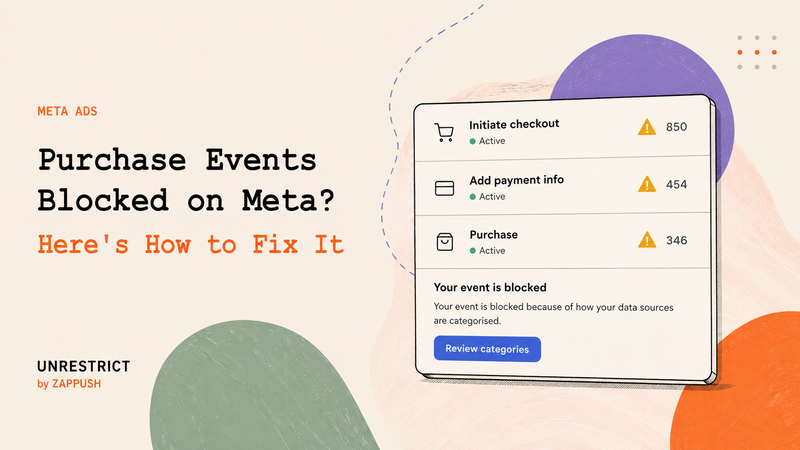
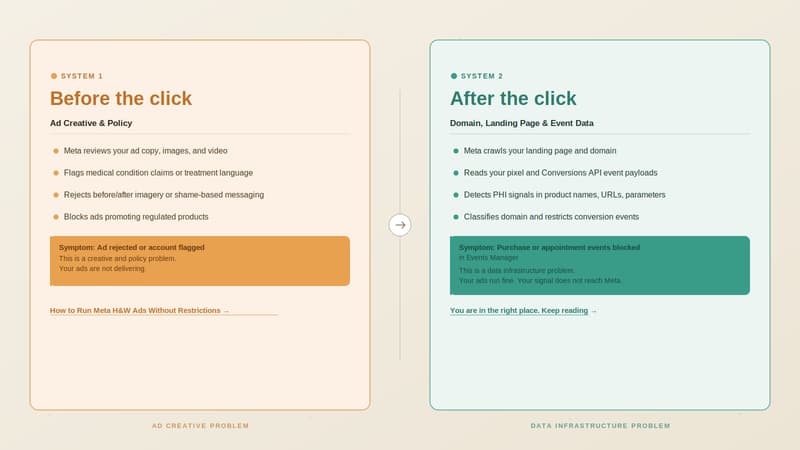
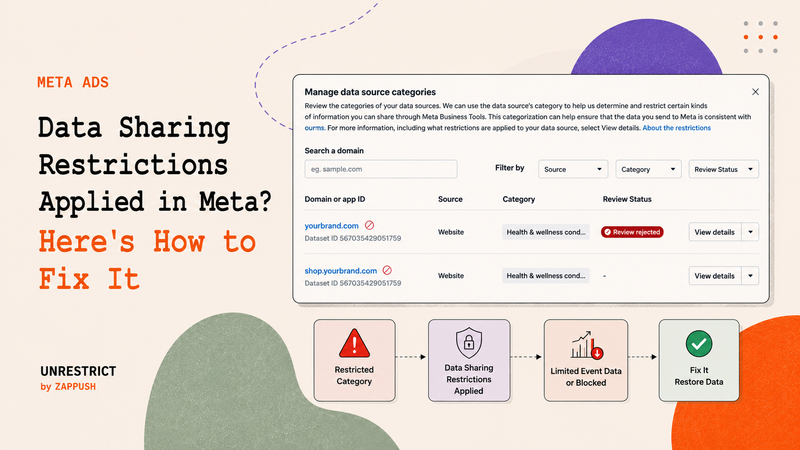
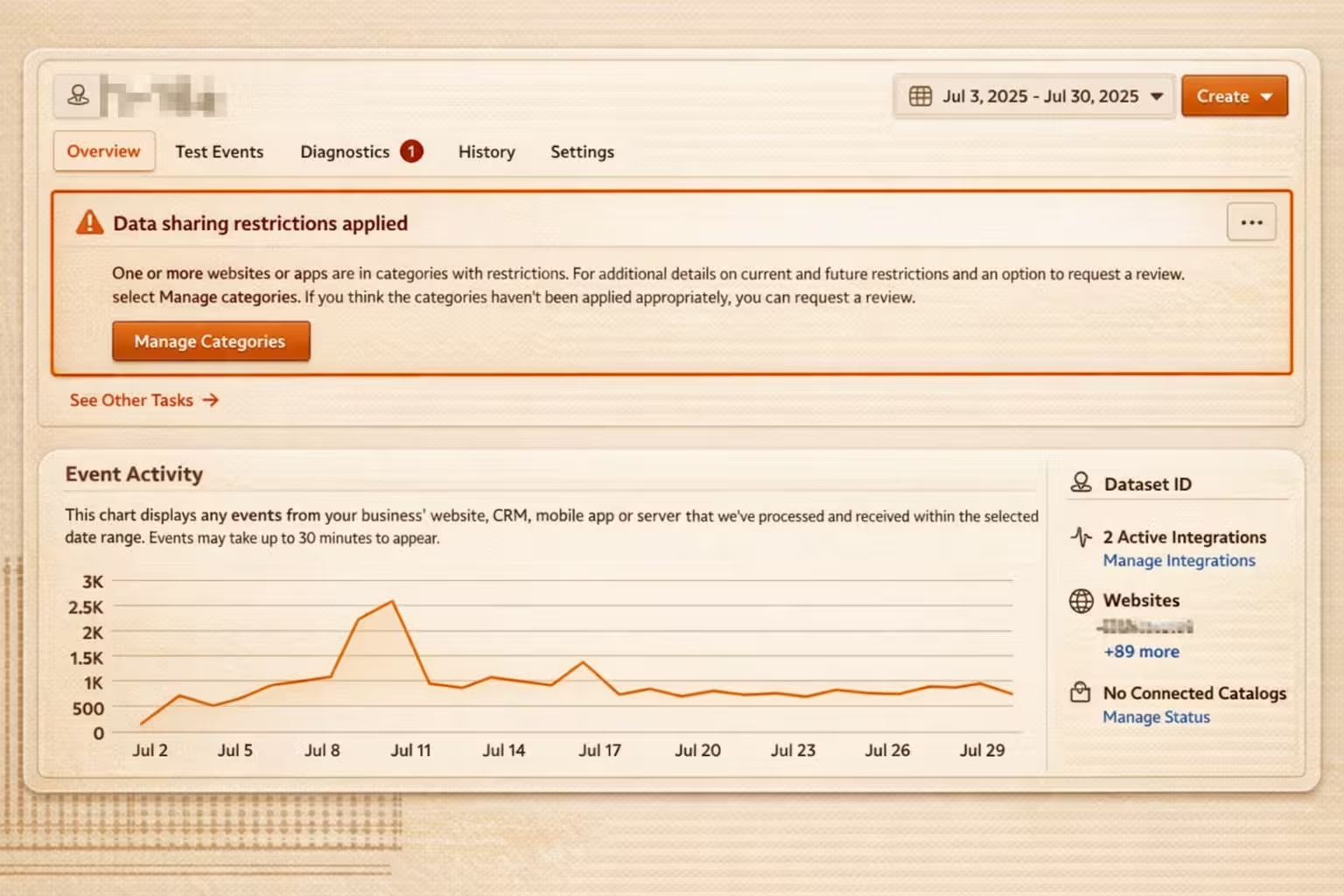
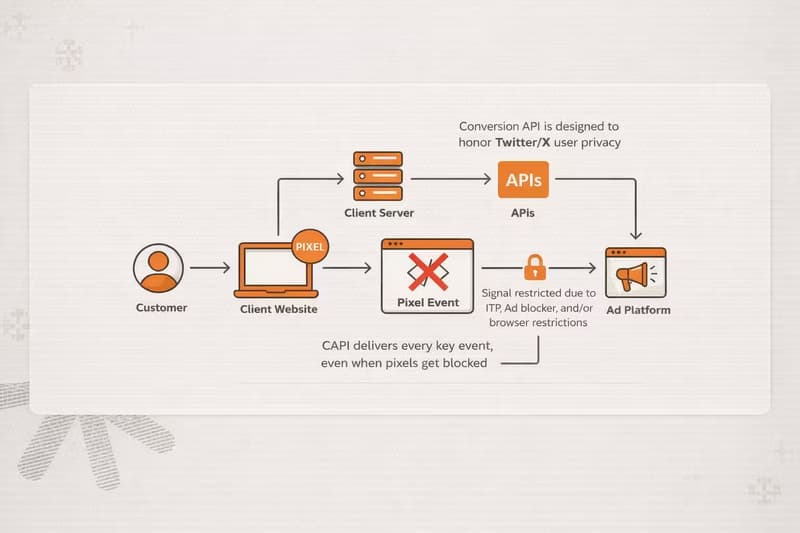
Yes, Meta can allow weight loss ads if you target people aged 18+ and keep the creative respectful. Avoid body-shaming, messaging that inflicts negative self-perception, like, Hate how you look?, Fix your body, or don’t be embarrassed anymore, and transformation-style proof (like before/after or pinching-fat visuals). 

You can show product usage and talk about progress neutrally, including a realistic time period for results.​

Q: Why does Meta reject weight loss ads? A:

Common reasons are showing before and after results, zooming in on specific body parts to highlight fat, and using words that make someone feel embarrassed or ashamed about how they look.

Q: Does Meta allow side-by-side transformation ads for Botox or fillers? A:

No. Meta does not allow side-by-side transformation comparisons for wrinkle or anti-aging treatments like Botox and dermal fillers. The same applies to weight loss transformations and other health and wellness outcomes where the creative is framed as before versus after proof.

Q: Can anti-aging ads show close-ups of wrinkles on Meta? A:

No. Meta does not allow side-by-side transformation comparisons for wrinkle or anti-aging treatments like Botox and dermal fillers. The same applies to weight loss transformations and other health and wellness outcomes where the creative is framed as before versus after proof.

Q: Does Meta allow ads for skin whitening or bleaching products? A: No. Meta doesn’t allow ads promoting skin whitening or bleaching products that cause permanent skin colour change. Q: Does Meta allow cosmetic surgery ads? A: Yes, when targeting 18+. Meta allows many cosmetic procedures and surgeries, but the ad must not shame the viewer or exploit insecurities. Q: What does Meta’s Health & Wellness advertising policy cover? A: It mainly covers four categories: weight loss, cosmetic products and procedures, adult products, and reproductive health. Q: What kind of messaging is not allowed in Health & Wellness ads on Meta? A: Messaging that implies the viewer has a flaw, pushes negative self-perception, exploits insecurities, or reinforces unhealthy body image. Q: What images get Health & Wellness ads rejected on Meta? A: Before/after transformations, side-by-side comparisons for certain treatments, and “problem area” visuals like zooming into wrinkles or highlighting body fat. Q: What kinds of Health & Wellness ads does Meta allow? A: Meta allows Health & Wellness ads that avoid shaming or insecurity-based messaging. When targeting 18+, it can allow weight loss supplements/services and many cosmetic procedures, plus fitness and non-permanent cosmetic ads, as long as there’s no before/after proof, body-shaming, or diagnosis-style claims. --- This blog is powered by Superblog. Visit https://superblog.ai to know more. --- ## Why Meta Blocks Your Health and Wellness Ads Author: Ishan Sinha Author URL: https://www.zappush.com/blog/author/ishan-sinha Published: 2026-02-07 Category: Meta Category Restrictions Category URL: https://www.zappush.com/blog/category/meta-category-restrictions Meta Title: Why Meta Blocks Your Health And Wellness Ads Meta Description: Meta classifies brands before enforcing ad policies. Learn how Health & Wellness and CBD brands get flagged and how to audit your risk. Tags: Meta Health & Wellness Ads, Server-side tagging Tag URLs: Meta Health & Wellness Ads (https://www.zappush.com/blog/tag/meta-health-and-wellness-ads), Server-side tagging (https://www.zappush.com/blog/tag/server-side-tagging) URL: https://www.zappush.com/blog/why-meta-blocks-your-health-and-wellness-ads ![Why Meta Blocks Your Health and Wellness Ads](https://prod.superblogcdn.com/site_cuid_cmi2z58je006puibozjof54hr/images/why-meta-blocks-your-health-and-wellness-ads-1780781180882-compressed.png) ## Summary / TL;DR **Meta scans your website the moment you add a destination URL to an ad.** Its automated systems crawl landing pages, read texts on your website and inside product images, analyze metadata, and infer product intent even before the ad is published. If Meta infers your brand is selling products from restricted categories, such as Health & Wellness or CBD-related products, Meta puts restrictions as per the extent of the violation. - Meta assigns your domain to one of its 10 restricted categories. - If your site signals medical conditions, treatment claims, or regulated substances, classification tightens. - Once classified, Meta may: - Trim event metadata (Level 1 restrictions) - Block mid- and lower-funnel events like AddToCart or Purchase (Level 2 restrictions) - Restrict your entire domain’s data sharing (Level 3restrictions) - Early audits and measures, such as domain masking, prevent wasted energy and spending. * * * ## What Are Meta’s Restricted Categories and Why Do They Exist? Meta groups certain businesses into Restricted Categories to reduce legal, safety, and regulatory risk, **including privacy and data-sharing risks under laws such as HIPAA, GDPR, and similar frameworks**, on its platforms. There are 10 restricted categories in total. You don’t need to memorize them, but you do need to know they exist because Meta assigns one (or more) of these categories to your brand automatically. **This assignment happens at the domain and data level, not just at the ad level.** At a high level, the restricted categories include: - Drugs and Pharmaceuticals - Health and Wellness - Tobacco and Related Products - Alcohol - Weapons, Ammunition, or Explosives - Online Gambling and Games - Endangered or Protected Species - Hazardous Goods and Materials - Historic Artefacts - Human Body Parts and Fluids This classification is not just about ad approval. **An ad can be approved while your domain is still classified under a restricted category.** Once Meta believes your brand belongs to a restricted category, it influences: - How much conversion data will Meta accept - Which events are filtered or blocked - Whether your domain or dataset is restricted at all - **Whether Core Setup data restrictions are automatically enabled in Events Manager** This article focuses on two categories that most often impact legitimate e-commerce brands at the tracking and attribution layer: - Health & Wellness - Drugs and Pharmaceuticals (Cannabis and cannabis-derived products) These categories are where Meta’s automated classification systems are most aggressive, and where restrictions commonly appear before advertisers see explicit ad rejections. **In many cases, the first signal is not an ad rejection; it is degraded or blocked conversion data.** * * * ## Why Does Meta Put These Policy Restrictions in Place? Meta’s ad delivery system runs on machine learning. It optimizes ads based on signals like: - Website visits - AddToCart events - Purchase events - On-platform engagement The stronger and more specific the signal, the more precisely the system can optimize delivery. Now consider this example. A user purchases a product called 'Advanced Blood Sugar Control Kit' If your Purchase event sends: - The product name - The product category - And an identifier such as email or phone Meta’s system can infer that this person likely has a metabolic or diabetic condition. From a machine learning perspective, that is a strong predictive signal. In practice, signals like this can influence ad delivery. The person may begin seeing ads related to metabolic health, blood sugar support, or similar condition-adjacent products because the system has detected affinity. From a privacy and regulatory perspective, that is sensitive health information tied to an identifiable individual. This creates HIPAA risk when applicable, and violates Meta’s advertising data policies regardless. That's why it's important to know [how to run Meta Ads](https://www.zappush.com/blog/how-to-run-meta-health-and-wellness-ads-without-restrictions?ref=?ref=BlogWhyMetaBlocksYourHealthAndWellnessAds) for sensetive category. Health conditions are legally sensitive in many jurisdictions. Even when HIPAA does not directly apply, Meta explicitly prohibits advertisers from sending sensitive health information in event payloads. So these restrictions are not arbitrary. They exist because: - Health data is highly sensitive - Deterministic inference increases liability - Machine learning systems act on signals automatically - Platforms must reduce the risk tied to optimization in sensitive categories In simple terms: Meta limits health-related tracking because its machine learning systems are designed to act on signals, and some signals are too sensitive to optimize against. * * * ## How Meta Classifies Brands (Not Just Ads) Meta does not classify risk in one place. It infers brand category across three independent surfaces, and enforcement is cumulative. **These surfaces are evaluated separately, but the enforcement stacks.** An approved ad does not protect a risky landing page. A clean landing page does not override sensitive event payloads. If any one surface signals that you are selling restricted product categories from Health & Wellness or Drugs and Pharmaceuticals, Meta applies restrictions downstream. The three surfaces Meta evaluates are: - Ads (creative and copy) - Landing pages and website content - Event payloads ( [Pixel or Conversions API](https://www.zappush.com/blog/pixel-vs-capi-how-capi-improves-attribution-and-performance??ref=BlogWhyMetaBlocksYourHealthAndWellnessAds)) Let's evaluate each one of these one by one. ### **1\. Ads: Why Meta** **Rejects Health & Wellness Ads** At the ad surface, enforcement is visible and immediate. Meta reviews your ad copy, images, and videos for policy risk. In the Health & Wellness and Drugs & Pharmaceuticals categories, enforcement is aggressive. Common rejection triggers include: - Medical or treatment-style claims - Before/after or transformation implications - Language that implies personal attributes or diagnoses - Imagery that highlights “problem areas” or consumption **For example:** - Struggling with **diabetes**? Fix it now. - Finally, **eliminate your PCOS** symptoms. - A side-by-side **fat-loss transformation.** - A creative showing someone consuming **THC gummies.** Meta is especially strict about personal health before-and-after images. Even if the product is legitimate, side-by-side transformations that imply weight loss, skin correction, hormonal recovery, or medical improvement are often rejected. If the creative suggests diagnosis, treatment, or negative self-perception, it is likely to violate Meta’s Health & Wellness ad policy. Ads that violate policy are rejected and do not deliver. While ad rejection is frustrating, it is the least damaging form of enforcement because it is explicit and reversible. That said, repeated rejections and policy violations can escalate to broader account restrictions or disablement. **Important distinction:** Ad rejection is not the same as domain classification. **An ad can be compliant while your domain is still flagged at the data level.** ### 2\. Landing Pages and Website: Where Domain Restrictions Begin The most important factor in deciding the product and the category that you sell is your landing page and the domain on which the e-commerce conversion happens. Meta evaluates the destination URL and landing experience the moment you add a URL in Ads Manager. Meta’s systems analyze: - Visible landing page copy - Text inside images (labels, packaging, screenshots) - Page titles, meta descriptions, and markup - Overall site context reachable from the landing page **It does not wait for conversions. It classifies first.** If Meta detects sensitive health terms, drug-related language, or restricted imagery, enforcement shifts from ad rejection to domain and data-level restriction. Even if these are legitimate products, they signal regulated medical or substance intent. For example: - A skincare brand promoting a Severe **dermatitis correction** formula. - A supplement page claiming to support **blood sugar balance** for metabolic health. - An e-commerce brand selling **weight-loss supplements** - A CBD store selling **THC-infused** gummies. Once Meta infers that your domain sells restricted product categories from Health & Wellness (such as weight-loss supplements) or Drugs and Pharmaceuticals (such as cannabis-derived THC drinks or gummies), Meta may enable core restrictions and place your domain at one of the following restriction levels. ![I am keeping this as an Alt text: Why Meta Blocks Your Health and Wellness Ads: In Meta Health and Wellness advertising, it’s not just your ad creative — your landing page copy, URL, and metadata are scanned for compliance signals that can trigger restrictions.](https://prod.superblogcdn.com/site_cuid_cmi2z58je006puibozjof54hr/images/howmetascansyourlandingpage-1770833222501-compressed.png)Meta Health and Wellness compliance is inferred from the signals detected across your landing page and domain. ### Core Setup Can Turn On Without Any Ad Rejection One common misconception is that you will always see ad disapprovals before restrictions begin. That is not how this typically works. In many cases, your ads continue to run and get approved, while Meta quietly enables **Core Setup data restrictions** at the domain level. For example: - You run ads for a “Clinically Tested Redness Relief Face Wash.” - The ad is approved. - Traffic flows normally. - Sales are coming in. But inside Events Manager: - Core Setup is automatically enabled. - URL parameters are trimmed. - Product-level metadata stops passing through. - Purchase events begin losing detail. From the outside, nothing looks broken. Events still fire. Purchases are recorded. But when Core Setup is enabled: - URL-based audience rules stop working because everything after the domain is removed. - Custom parameters are stripped, so audiences built on product attributes or condition tags stop updating. - Automatic advanced matching may be unavailable. - Pixel-based catalog updates may no longer function. The restriction does not stop delivery. It limits segmentation and audience precision. Over time, this reduces the advertiser’s ability to build granular funnels and high-intent audiences. Ad approval does not mean your domain is unrestricted. Core Setup changes how much usable segmentation data is available inside Meta. ## **How** domainrestrictions **typically escalate** In practice, brands experience restrictions in the following progression: - **Level 0: Domain permanently flagged** The domain carries long-term restricted classification. Even compliant ads inherit the risk. - **Level 1: Core Setup restrictions enabled** Meta limits URL data and blocks event metadata and parameters. Events still fire, but signals degrade. - **Level 2: Purchase events blocked** Lower-funnel events stop matching or become unusable for optimization. - **Level 3: All events blocked** Even basic events like PageView may stop contributing to optimization. Ads run blind. This is why you should [audit your landing page URL](https://www.zappush.com/tools/meta-health-and-wellness-restriction-audit/?ref=BlogWhyMetaBlocksYourHealthAndWellnessAds) with the **Health & Wellness Audit Tool**. It shows how Meta currently classifies your domain and highlights restriction signals visible inside Events Manager before performance collapses. ![Screenshot-style visual showing a masked domain audit result for Meta Health and Wellness compliance, highlighting a “Restricted” status with a warning score and compliance pillars for domain, category, product, and ad text](https://prod.superblogcdn.com/site_cuid_cmi2z58je006puibozjof54hr/images/metahealthandwellnessauditreport-1770835236195-compressed.png)A real example of how Meta Health and Wellness policies impact ads in practice. A combination of texts, descriptions, and images across the domain can trigger restrictions. This is why proactive compliance checks matter before you scale. ### **3\. Event Payloads: How Tracking Data Triggers Restrictions** Even with clean ads and compliant landing pages, Meta can still restrict you based on **what you send in events**. Every Pixel or CAPI event is semantically analyzed. Meta looks at: - Event names - Product titles and item categories - Content IDs and URL paths - Parameters attached to conversions This analysis is not limited to product keywords. Meta’s systems evaluate the overall meaning of the event payload, including how product names, URLs, and parameters relate to one another. It is inference-based, not just keyword-based. Risk increases when event payloads imply: - A medical condition or diagnosis - A treatment or health outcome - A regulated or ingestible substance Examples include product names or categories like: - “PCOS Support” - “Diabetes Control” - “ED Booster” - “THC Gummies” It’s not limited to supplement or CBD brands. For example, a legal intake form asking, “Were you diagnosed with lung disease after workplace exposure?” can trigger similar classification signals. What matters is whether the event implies a sensitive condition tied to an identifiable user. In many cases, restrictions begin with lower-funnel events. You may notice Purchase or InitiateCheckout events disappearing or being marked as restricted, sometimes only in specific regions such as the EU, where enforcement is stricter. Meta explicitly prohibits sending sensitive health information in event data. Mixing condition-implying product metadata with user identifiers (email, phone, etc.) increases both Meta policy risk and potential regulatory exposure, depending on your business and jurisdiction. This is why many Health & Wellness and CBD brands see **Purchase events blocked even when ads are approved**. * * * ## How to Check If Meta Has Flagged Your Domain You don’t have to guess whether Meta has classified your brand under a restricted category. The signals are visible if you know where to look. ### Step 1: Check Data Source Categories Go to: **Events Manager → Select your Pixel or Dataset → Settings → Manage Data Source Categories** This is where Meta shows how your domain is classified. You may see labels such as: - Health & Wellness - Drugs & Pharmaceuticals - Financial Services - Other Restricted Categories If your domain appears under one of these, Meta has already assigned a category based on its analysis of your landing page and event data. You may also see an option to request a review. This does not guarantee reversal, but it confirms that classification has occurred. ### Step 2: Check if Core Setup Restrictions Are Enabled Still inside Events Manager, review whether **Core Setup** restrictions are turned on. When Core Setup is enabled: - URL parameters may be trimmed - Certain event metadata is removed - Custom parameters may not pass through Your events will still appear to fire. But the signal quality is degraded. This is where performance begins to weaken quietly. ### Step 3: Check for Event Blocking Next, review your event activity. Look for: - Purchase events not matching backend sales - AddToCart or InitiateCheckout events are missing - Events marked as restricted or unavailable for optimization In some cases, enforcement is geography-specific. For example, restrictions may apply more aggressively to EU traffic. ### Why EU Traffic Gets Restricted First In many cases, restrictions apply more aggressively to traffic from the European Union. This is because EU privacy regulations treat health-related data as a special category of sensitive information. As a result, Meta may: - Enable Core Setup restrictions automatically for EU users - Trim URL parameters more aggressively - Block mid- and lower-funnel events sooner You may notice that Purchase events work for US traffic but appear restricted or degraded for EU traffic. This does not always mean your domain is fully blocked. It often means enforcement is geography-specific. If your performance issues are concentrated in EU campaigns, check this first. If lower-funnel events are blocked, optimization will struggle. Meta’s algorithm cannot optimize on signals it does not receive. ### What This Means If you see any of the following: - Your domain is categorized under a restricted group - Core Setup automatically enabled - Lower-funnel events are restricted or blocked Classification has already happened. At that point, the issue is no longer ad copy. Understanding this early prevents weeks of creative testing on a setup that cannot scale. ## What Is the Solution? If your domain is classified under Health & Wellness or Drugs & Pharmaceuticals and the Events Manager shows restrictions, the solution is architectural: **Domain Masking combined with Server-Side infrastructure.** Domain masking creates a compliant entry layer so Meta evaluates a clean marketing domain, while server-side architecture gives you control over what event data is transmitted, ensuring only compliant parameters reach Meta. Without this setup, scaling becomes unstable as classification pressure and data restrictions continue to resurface. Need help scaling your Health & Wellness brand compliantly? Schedule a call below and we’ll review your domain classification, restriction level, and tracking setup, and outline the right architecture for you. [Schedule Call](https://cal.com/zappush/30min) [Get Free Audit](https://www.zappush.com/tools/meta-health-and-wellness-restriction-audit/?ref=BlogBottomCTA) ## FAQs Q: Why does Meta block Health & Wellness ads even when my ads are approved? A: Ad approval and domain classification are separate processes. Your ads can be approved while your domain is classified under a restricted category. When this happens, Meta may restrict event data, enable Core Setup, or block lower-funnel events without rejecting your ads. Q: How do I know if Meta has classified my domain as restricted? A: Go to Events Manager → Data Source Categories. If your domain appears under Health & Wellness or Drugs & Pharmaceuticals, classification has already occurred. You may also see Core Setup enabled or event-level restrictions applied. Q: What is Core Setup in Meta Events Manager? A: Core Setup is a data restriction mode that removes custom parameters and anything in a URL after the domain. It limits segmentation, audience rules, and some advanced matching features — even if your ads are still running. Q: Can Meta block Purchase events without rejecting my ads? A: Yes. Meta can restrict lower-funnel events like AddToCart or Purchase at the data level. Your ads may still deliver, but optimization suffers because key conversion signals are limited or blocked. Q: Does renaming events prevent Meta restrictions? A: No. Renaming “Purchase” to a custom event does not bypass classification. Meta evaluates landing page content, product meaning, and event payload semantics — not just event names. Q: Why are Health & Wellness and CBD brands enforced more aggressively? A: These categories involve potentially sensitive health or regulated substance signals. Meta’s systems restrict deterministic inference tied to medical conditions or ingestible products to reduce legal and regulatory risk. Q: What kind of event data can trigger restrictions? A: Event payloads that include condition-implying product names, sensitive health claims, or regulated substance references, especially when combined with user identifiers, can trigger restrictions. Examples include: • Blood sugar support supplements • Hormone balance formulas • THC or cannabinoid-based products Q: Why is EU traffic sometimes restricted first? A: EU privacy regulations treat health-related data as highly sensitive. As a result, Meta may enable Core Setup or restrict lower-funnel events more aggressively for EU users. Q: Can I fix domain restrictions by editing my ad copy? A: No. Once your domain is classified, changing ad copy alone usually does not reset restrictions. Classification is based on landing page signals and event data structure. Q: What is the long-term solution for scaling restricted categories? A: For brands under Health & Wellness or Drugs & Pharmaceuticals, scaling typically requires architectural control. • Domain Masking to manage crawler evaluation • Server-Side infrastructure to control event data transmission Without these layers, restrictions tend to resurface and limit performance over time. Q: Does Meta allow before and after images in Health & Wellness ads? A:
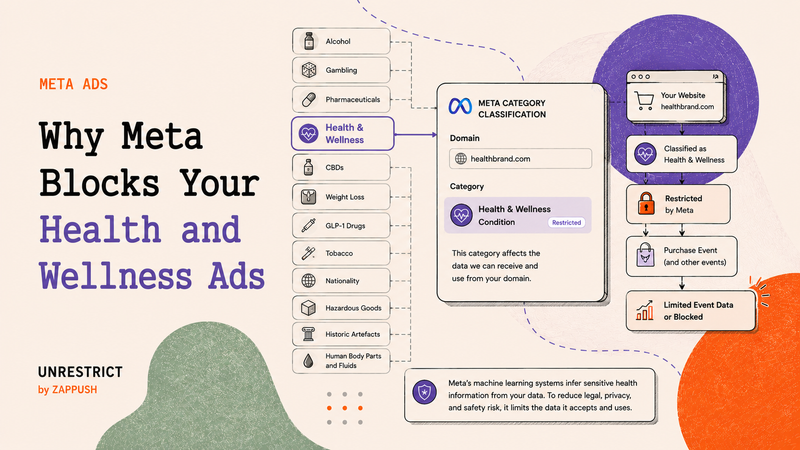
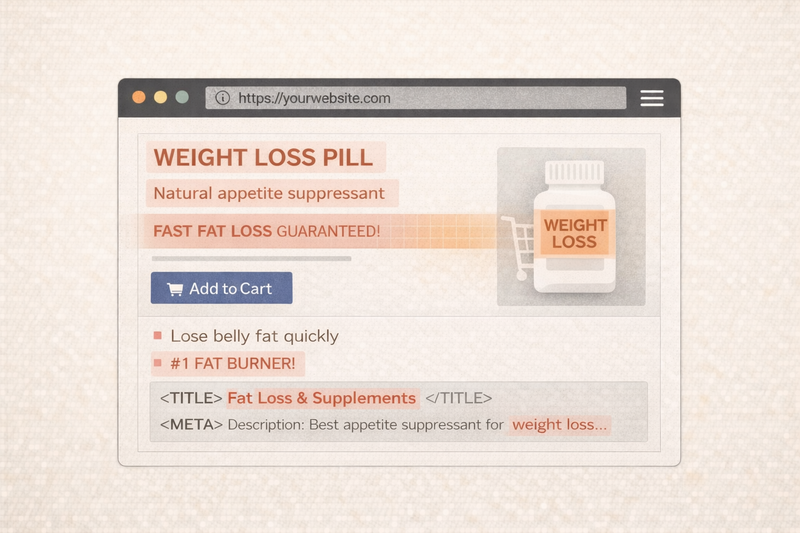
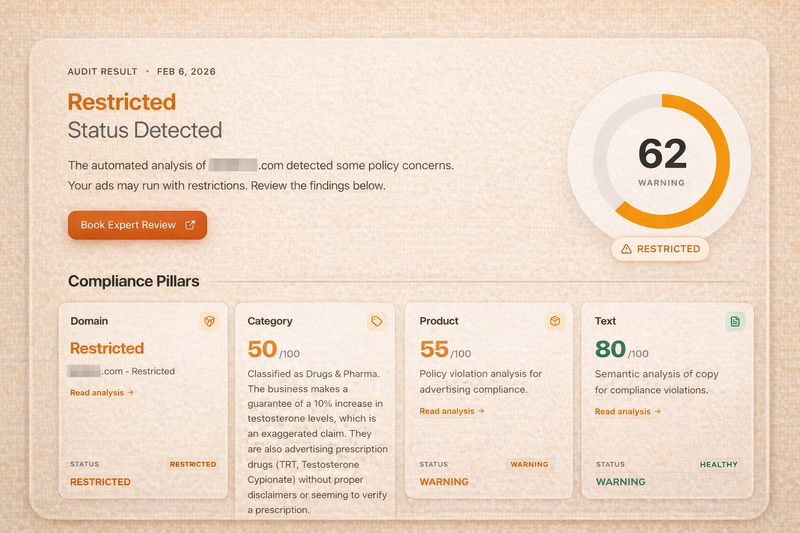
Meta restricts before-and-after images that imply medical conditions, body transformation, or negative self-perception. This includes weight loss comparisons, skin condition improvements, or visual problem area fixes. Even if the product is legitimate, ads that suggest treatment or dramatic transformation are likely to be rejected under Meta’s Health & Wellness policy.

--- This blog is powered by Superblog. Visit https://superblog.ai to know more. --- ## Why Enhanced Conversions Are Only the First Step to Quality Leads Author: Ishan Sinha Author URL: https://www.zappush.com/blog/author/ishan-sinha Published: 2026-01-13 Category: Google Ads Category URL: https://www.zappush.com/blog/category/google-ads Meta Title: Why Enhanced Conversions Are Only the First Step to Quality Leads Meta Description: Learn why Enhanced Conversions in Google Ads are only the first step and how server-side validation improves lead quality at scale. Tags: Google Ads, Lead generation, Enhanced Conversions Tag URLs: Google Ads (https://www.zappush.com/blog/tag/google-ads), Lead generation (https://www.zappush.com/blog/tag/lead-generation), Enhanced Conversions (https://www.zappush.com/blog/tag/enhanced-conversions) URL: https://www.zappush.com/blog/enhanced-conversions-in-google-ads-are-only-the-first-step ![Why Google Ads Enhanced Conversions Are Only the First Step to Scaling High-Quality Leads](https://prod.superblogcdn.com/site_cuid_cmi2z58je006puibozjof54hr/images/why-enhanced-conversion-1780815532475-compressed.png) ## Summary **/ TL;DR** Enhanced Conversions are a required baseline for Google Ads in a post-cookie environment. They restore attribution by improving identity matching, but they do not communicate lead quality or business value to Smart Bidding. As budgets scale, this creates a common failure mode where CPAs remain stable while lead quality deteriorates. Sustainable growth requires server-side signals that validate outcomes, not just identities. ## **Key** Takeaways - Enhanced Conversions improve attribution accuracy but do not differentiate high-intent leads from low-intent form fills. - When identity is the only optimization signal, Smart Bidding optimizes for volume, not revenue impact. - Scaling beyond the attribution ceiling requires validated server-side events tied to qualified outcomes. ## Why Enhanced Conversions Are Necessary but Not Sufficient **Enhanced Conversions in Google Ads are mandatory in 2026.** They restore attribution lost to cookie restrictions, browser privacy controls, and signal loss. If you are running paid acquisition, you should already have them enabled. But Enhanced Conversions solve **attribution**, not **lead quality**. This is where most teams hit a hidden scaling problem. As spending increases, attribution looks healthier, and CPAs stay stable. At the same time, lead quality quietly collapses. Sales start flagging junk leads, demo no-shows rise, and pipeline efficiency drops. This is the **Scaling Ceiling** most performance teams fail to diagnose. The root cause is simple. Enhanced Conversions improve **what** Google can identify, but they do not tell Google **which leads actually matter**. When identity is the only signal, Smart Bidding optimizes for volume, not value. To scale revenue, not just form fills, you need **validated server-side signals**, not better identity matching. ### What Enhanced Conversions Are Designed to Solve ![Visual representation of user identification in Google Ads, showing six identified users in color and three unidentified users in grey, illustrating how Enhanced Conversions increase match coverage but do not identify every user.](https://prod.superblogcdn.com/site_cuid_cmi2z58je006puibozjof54hr/images/what-enhanced-conversions-are-designed-to-solve-1768338862011-compressed.png) To understand why lead quality drops at scale, it is important to understand what Enhanced Conversions are designed to do. Enhanced Conversions are built to **restore attribution accuracy** in environments where browser-based identifiers are unreliable or unavailable. They work by using **hashed first-party data**, such as email addresses or phone numbers, to associate a conversion event with a Google user. This allows Google Ads to recover conversion signals that would otherwise be lost due to cookie restrictions, browser privacy controls, and consent limitations. In practical terms, Enhanced Conversions answer a single, well-defined question: **Which user completed this conversion?** They are **not designed to evaluate the business value** of that conversion. In most acquisition funnels, not all leads represent the same level of intent or opportunity. Some form submissions are accidental or low-intent. Others indicate early interest, qualified demand, or high commercial readiness. While these outcomes differ materially for the business, they often trigger the same conversion action in Google Ads. From the perspective of Google Ads’ bidding systems, any two users who trigger the same conversion event are treated equally. If low-intent, mid-intent, and high-intent leads all fire the same action, the system has no additional context to distinguish between them. As a result, Smart Bidding optimizes toward **conversion completion**, not **conversion quality or downstream value**, unless additional, validated signals are introduced. ## How Smart Bidding Learns from Conversion Signals Once Enhanced Conversions are enabled, Smart Bidding begins using identity-matched conversions as training data. Each conversion teaches the system a simple rule to **find more users who look like this.** Over time, the bidding system expands toward users who share similar observable behaviors. These behaviors are inferred from the conversion event itself, not from downstream business outcomes like qualified leads or converted leads. When the conversion action is a form submission, Smart Bidding learns to prioritize users who are **most likely to submit forms**, regardless of the value they are going to bring to the business. If all form submissions trigger the same conversion event, the system treats them as equivalent signals. Low-intent submissions, early-stage interest, and high-value opportunities are all used in the same way to guide optimization. As this learning continues, the system reinforces the behaviors that are easiest to reproduce. Conversion volume may remain stable or increase, but the underlying mix of leads can shift toward lower-intent outcomes. This is not a measurement issue. It is a **learning limitation** that occurs when conversion signals do not reflect the lead quality. ## How Server-Side Conversion Events Improve Lead Quality * * * When a user submits a form, the system does not yet know whether the lead is usable, qualified, or valuable. This is because the conversion occurs online on the website, while lead qualification takes place later and offline within the CRM. After the form is submitted, the lead is reviewed by sales or operations teams, often over the phone or via WhatsApp, and then moved through different qualification stages. At the time the form is submitted, it is not yet known whether the lead is: - Junk or invalid - Marketing Qualified (MQL) - Sales Qualified (SQL) - A closed-won customer with assigned revenue This creates a disconnect between what Google Ads can observe and what actually determines business value. Server-side conversion events close this gap by sending **offline qualification outcomes** back to Google Ads using the Offline [Conversion API](https://www.zappush.com/blog/pixel-vs-capi-how-capi-improves-attribution-and-performance?ref=BlogWhyEnhancedConversionsAreOnlyTheFirstStep). As a lead moves from raw submission to qualified lead, then to SQL, and finally to a paying customer, each status change can be captured and sent as a conversion event. When these signals are introduced, Smart Bidding can learn which users are associated with meaningful downstream outcomes. Over time, optimization shifts away from users who simply submit forms and toward users who are more likely to progress through the funnel and generate revenue. In effect, server-side conversion events change the question Smart Bidding is able to answer. Not just _who is likely to convert_, but _who is likely to convert and create value_. ## How Enhanced Conversions and Server-Side Events Work Together to Bring More Qualified Leads Enhanced Conversions and server-side conversion events solve **different parts of the same problem**. Enhanced Conversions improve identity matching. They help Google Ads understand _who_ submitted a form by using hashed first-party data, even when browser identifiers are limited. Server-side conversion events communicate _what happened after_ the form submission. They send offline outcomes from the CRM, such as MQL, SQL, or closed-won status, back to Google Ads. On their own, each signal is incomplete. - Enhanced Conversions tell Google Ads **who converted**, but not whether the lead was valuable. - Server-side events describe **which outcomes matter**, but work best when they can be reliably associated with the right user. ![“Diagram showing a lead funnel with Raw Lead, MQL, SQL, and Customer stages, where only qualified leads flow upward to a server-side layer and then into Google Ads, illustrating server-side signal transfer for lead quality optimization.](https://prod.superblogcdn.com/site_cuid_cmi2z58je006puibozjof54hr/images/how-enhanced-conversions-and-server-side-events-work-together-to-bring-more-qualified-leads-1768337836532-compressed.png) When used together, they create a complete feedback loop. Enhanced Conversions improve user matching at the point of acquisition. Server-side events then update Google Ads with validated outcomes as the lead progresses through the funnel. This allows Smart Bidding to connect identity with outcome. In practice, this means Google Ads is no longer optimizing only for form submissions. It can begin optimizing toward users who submit forms **and** go on to qualify, convert, or generate revenue. This combination does not change how campaigns are structured. It changes **what the bidding system learns from**, and therefore what it prioritizes over time. ## What Smart Bidding Can Optimize for with Server-Side Events Smart Bidding can only optimize for outcomes that are explicitly sent to Google Ads. When conversion signals are limited to browser events, optimization is constrained to actions that happen immediately on the website, such as form submissions. Server-side conversion events unlock optimization for outcomes that occur later and outside the browser. These include: - CRM-validated MQL and SQL stages - Leads that progress through the pipeline - Closed-won deals and assigned revenue values - Conversions that happen hours or days after the initial click ![Qualified leads send pixel signals through a cloud server to Google Ads, with a legend for Qualified Lead and Not Identified.](https://prod.superblogcdn.com/site_cuid_cmi2z58je006puibozjof54hr/images/what-smart-bidding-can-optimize-for-with-server-side-events-1768340346016-compressed.png) Because these events are sent directly from backend systems, they allow Smart Bidding to learn from **confirmed business outcomes**, not inferred intent. This changes what bidding strategies can target. Campaigns can be optimized toward qualified leads or revenue-based goals instead of raw conversion volume. In practice, server-side events do not improve bidding efficiency by themselves. They expand the **set of outcomes Smart Bidding is allowed to learn from**. ## **Who Should Go Beyond** Enhanced **Conversions** Enhanced Conversions are sufficient when all conversions are equal, and value is realized at the moment of interaction. They are not sufficient when lead quality varies, and value is determined later in the funnel. Going beyond Enhanced Conversions is especially important for businesses where: - Leads are reviewed or qualified by a sales or operations team - Qualification happens over the phone, WhatsApp, or email - CRM stages like MQL, SQL, or closed-won determine success - Revenue is not generated at form submission - Lead volume is less important than lead quality This is common in: - B2B lead generation - SaaS and subscription businesses - High-ticket services - CRM-driven funnels - Teams optimizing toward pipeline or revenue In these cases, relying only on Enhanced Conversions means Google Ads optimizes on **proxies**, not outcomes. Server-side conversion events make it possible to align advertising optimization with how the business actually measures success. Find the Gaps in Your Tracking Before You Scale Audit your ad signals, analytics configuration, and cookie lifetime to show what’s breaking attribution and how to fix it. Free report. No signup. [Run Free Audit](https://audit.zappush.com/?ref=blog-Why Enhanced Conversions in Google Ads Are Only the First Step to High-Quality Leads) [Get In Touch](https://cal.com/zappush/30min) ## FAQs Q: What are Enhanced Conversions in Google Ads? A:

Enhanced Conversions are a Google Ads feature that improves attribution by using hashed first-party data, such as email or phone number, to identify users who complete a conversion.


Q: Do Enhanced Conversions improve lead quality? A:

No. Enhanced Conversions improve attribution accuracy but do not tell Google Ads whether a lead is qualified or valuable.

Q: Why am I getting low-quality leads even with Enhanced Conversions enabled? A:

Because Smart Bidding optimizes for the conversion signal it receives. If all leads fire the same form submission event, Google cannot distinguish between low-intent and high-intent leads.


Q: Why does Google Ads treat all form submissions or Leads the same? A:

At the time of form submission, Google Ads only knows that a conversion occurred. It does not know whether the lead will qualify or convert into revenue.


Q: How does Google Ads know if a lead is MQL or SQL? A:

Google Ads does not know this by default. MQL and SQL status exist in the CRM and must be sent back to Google Ads using server-side or offline conversion events.


Q: What are server-side conversion events in Google Ads? A:

Server-side conversion events are conversions sent to Google Ads directly from backend systems like a CRM, instead of from the browser.


Q: How do I send CRM lead status changes to Google Ads? A:

CRM lead status changes can be sent using Google Ads Offline Conversion Imports or server-side tracking when a lead moves from raw lead to MQL, SQL, or closed-won.


Q: How do server-side events improve Smart Bidding? A:

They allow Smart Bidding to learn from real business outcomes, such as qualified leads or revenue, instead of just form submissions.


Q: Should I use Enhanced Conversions and server-side tracking together? A:

Yes. Enhanced Conversions improve identity matching, while server-side events communicate lead quality and revenue outcomes. Together, they create a complete optimization loop.


Q: When should I go beyond Enhanced Conversions in Google Ads? A:

You should go beyond Enhanced Conversions if lead qualification happens offline, if you track MQL or SQL stages, or if your goal is pipeline or revenue rather than form volume.


--- This blog is powered by Superblog. Visit https://superblog.ai to know more. --- ## Pixel vs CAPI: How Conversion API Improves Attribution & Ads Performance Author: Ishan Sinha Author URL: https://www.zappush.com/blog/author/ishan-sinha Published: 2025-11-21 Category: Meta Ads Category URL: https://www.zappush.com/blog/category/meta-ads Meta Title: Pixel vs CAPI: How Server-Side Tracking Fixes Your Broken Attribution Meta Description: Learn the difference between Pixel and CAPI and how server-side tracking improves attribution accuracy, data quality, and ad performance across Meta and Google. Tags: Conversion API, Meta Ads, First-party Data Tag URLs: Conversion API (https://www.zappush.com/blog/tag/conversion-api), Meta Ads (https://www.zappush.com/blog/tag/meta-ads), First-party Data (https://www.zappush.com/blog/tag/first-party-data) URL: https://www.zappush.com/blog/pixel-vs-capi-how-capi-improves-attribution-and-performance ![Meta Pixel Vs Conversions API Cover Image](https://prod.superblogcdn.com/site_cuid_cmi2z58je006puibozjof54hr/images/meta-pixel-vs-conversions-api-1780815778922-compressed.png) ## **TL;DR /** Executive **Summary** - **Why Pixel fails:** Browser tracking loses data due to GDPR/CCPA, iOS14 App Tracking Transparency, Safari/Firefox ITP, and ad blockers. - **Why CAPI works:** The Conversion API (CAPI) sends events directly from your server, providing a stable data path that browsers or devices cannot block. - **How to run it:** Use Pixel + CAPI together and enable deduplication with Event IDs to avoid double-counting. - **What you gain:** Higher attribution accuracy, better match quality, lower CPA, profit-level optimisation, and the ability to send offline CRM conversions. ## What is Conversion API? The **Conversions API (CAPI)** is a **server-to-server data solution** that allows your business to send accurate, first-party conversion data (both web events and offline sales) directly to advertising platforms like Meta, Google, TikTok, Snapchat, among others. It works by establishing a direct connection between your server and the ad platform, which is immune to the data loss caused by browser restrictions, ad blockers, and mobile operating system privacy settings. CAPI's primary function is to deliver a complete, high-fidelity signal, the fuel for the platform's optimisation algorithms, ensuring your ad spend targets users who truly matter to your internet business. ## Why did tracking shift from Pixel to Conversion API? For years, browser-based tracking was simple and reliable. A user visited your website, a cookie landed in their browser, and the Pixel reported every action back to Facebook or Google. Attribution was clean. Conversions were easy to measure. This system powered the entire ad ecosystem for more than a decade. When the Cambridge Analytica scandal broke in 2018, it fundamentally fractured public trust in how data was handled. - Regulations tightened: GDPR and CCPA limited how much user data could be collected and how identifiers could be shared. - Ad blockers rose: A large percentage of users now block pixel scripts entirely. - Apple reframed privacy: Safari and Firefox introduced Intelligent Tracking Prevention (ITP), reducing cookie lifetimes and blocking cross-site tracking. Around the same time, Apple doubled down on repositioning its products centred around privacy. You’ve likely seen Apple’s ‘ _Privacy. That’s iPhone_' campaign. But it was the iOS 14.5 update that gave Apple's users a choice to opt in or out of tracking at scale, removing the identifiers the Pixel relies on, with a single user choice. ### Why does this break Pixel-only setups? A Pixel depends on the browser to detect and send events. When ATT or tracking prevention is active: - The Pixel still fires - But the identifiers needed to send a “Purchase” event are missing or blocked - So Meta/Google cannot match the event to the person who clicked the ad This creates the common problem marketers see today: - Purchases happen - But they do not appear in Ads Manager - Optimization worsens - Costs rise The data connection between user actions on your website and conversion signals received by the ad platform is now broken. ### **Why CAPI solves this problem** Conversion API sends events directly from your server to Meta or Google. This removes the fragile browser layer and creates a stable, permissioned data path. CAPI improves data reliability because: - Your server cannot be blocked by ATT or ITP - API events don’t rely on cookies or browser permissions - You control what data is collected, hashed, and transmitted - Match quality improves because server-side identifiers (email/phone) are stronger than browser cookies ### **Is CAPI bypassing privacy?** No. CAPI is a **privacy-aligned measurement method**. You decide what data is collected, how it is hashed, and when consent applies. It shifts measurement from “browser-based tracking” to **first-party data you intentionally send**. ## Platforms Supporting Conversions API - Meta Conversions API - Google Ads API - LinkedIn Conversions API - Twitter/X Conversions API - Snapchat Conversions API - Pinterest Conversions API - Reddit Conversions API ## **The CAPI Advantage: Data Control and Signal Resilience** The fundamental shift to the Conversion API hands control back to the advertiser. By routing events through your own server, you transform low-quality, browser-dependent signals into rich, reliable, first-party data. This server-side infrastructure is the key to maintaining accurate measurement and high-performance advertising in a privacy-first ecosystem. By enriching event data with first-party data parameters, you help the platform improve user matching. ### **Boosting Event Match Quality (EMQ)** Event Match Quality (EMQ) is the score Meta assigns to your data, measuring how accurately it can link a conversion event back to a specific user who saw your ad. The Pixel relies on weak, short-lived browser data. CAPI enables you to securely transmit **Customer Data Parameters (CDPs),** such as hashed email addresses, phone numbers, and full names, directly from your server. Sending these strong identifiers drastically raises your EMQ score (ideally 8.0/10 or above), leading directly to a lower cost per acquisition (CPA). ### **Data Transformation and Enrichment** The browser-side Pixel sends data exactly as it appears on the website. Your server, however, can perform powerful **data transformations**. Before sending an event to Meta, you can integrate with your CRM to attach a customer's **lifetime value (LTV)** or **estimated profit margin** to the Purchase event. This ability to send enriched, business-specific data allows you to optimise your ad campaigns for _profitable_ purchases, a capability impossible with client-side tracking. ### **Unlocking Offline Conversion Syncs** One of CAPI's most powerful applications is connecting online ad spend to physical or delayed revenue. If a user clicks an ad but completes the purchase days later over the phone or in your CRM, the Pixel misses it. CAPI allows you to **sync these offline conversions** directly from your CRM back to Meta, ensuring Meta optimises based on **true sales data** (e.g., Sales Qualified Leads or confirmed purchases). ## How to leverage first-party data with Conversion API Customer journey and purchase behaviour vary. Some may choose to convert offline, checkout a low-average order value cart, and others may choose to pay in cash on delivery (COD - an India-specific payment option). Your Ad platform's AI is as good as the data you feed it. But Ad platforms' conversion optimisation actions are standard and limited in nature. With Conversion API, you can optimise your campaigns for synthetic or custom events. The customer journey is complex, involving actions that may occur outside of the immediate browser session, such as offline conversions, repeat purchases, or transactions involving specific payment methods. While advertising platforms offer standard conversion actions, they often lack the necessary business-specific context. The Conversion API (CAPI) addresses this by enabling the transmission of enriched first-party data, allowing advertisers to define and optimise for **Custom (or Synthetic) Events** that directly correlate with profitable business outcomes. ### **Optimising for Net New Customers (nCAC) Growth** When campaigns optimise solely for the generic 'Purchase' event, algorithms frequently favour quick, low-cost conversions from existing, highly engaged audiences. This phenomenon can inflate Return on Ad Spend (ROAS) while obscuring a deficit in new customer acquisition. To mitigate this, advertisers can implement a custom event, such as a **_New Customer Purchase_** event, and optimise for New Customer Acquisition Cost or nCAC. This strategic signal isolates and prioritises the acquisition of genuinely new users, thereby training the algorithm to allocate spend toward sustainable, long-term customer base expansion. ### **Driving Higher Average Order Value (AOV) via Custom Events** Advertising algorithms are engineered to minimise the cost per conversion, which often results in a disproportionate budget allocation toward low-Average Order Value (AOV) impulse purchases. This trend can hinder the visibility of higher-value products. The CAPI allows a business to define success not just as a purchase, but as a custom event, such as a **_High Value Purchase_** event, based on a specific AOV threshold. This mechanism shifts the optimisation signal, reallocating budget and learning to identify and target users exhibiting a higher propensity for large, profitable transactions. ### **Mitigating Risk with Payment Method Segmentation (COD vs. Prepaid)** In specific markets, payment methods like Cash on Delivery (COD) introduce significant business risk through high Return-to-Origin (RTO) rates. When the algorithm optimises for a generic 'Purchase' event, it includes these unstable COD orders, leading to wasted ad spend and corrupted learning signals. By sending a segmented custom event, such as a **_Prepaid Purchase_**, advertisers can instruct the platform to optimise _only_ for secured transactions. This strategy ensures the ad spend is leveraged against confirmed revenue, drastically improving the accuracy of reported ROAS. Ultimately, CAPI-enabled custom events serve as the strategic bridge between your raw marketing data and true business value. When faced with challenges like stagnant new customer growth, inefficient ad spend due to high-risk transactions (like COD), or even navigating complex compliance landscapes, such as [Meta's stringent health and wellness advertising policies](https://www.zappush.com/blog/how-to-run-meta-health-and-wellness-ads-without-restrictions?ref=blogPixelVsCAPI), the ability to define and send clean, reliable, and segmented first-party data is the most powerful tool available. This control allows advertisers to solve specific business problems and ensures the advertising platform is optimising for sustainable, profitable success, not just cheap, high-volume vanity metrics. ## What is the difference between Pixel and Conversion API? You only need to understand one thing: **Pixel sends data from the browser; CAPI sends data from your server.** The location of the data transfer determines how the systems behave. ### How Pixel (client-side tracking) works Pixel tracking depends on the user’s browser to capture and send events. - **Trigger:** A user visits your website - **Execution:** The browser loads the Pixel script - **Limitation:** Cookies, ITP, ATT, and ad blockers can block or strip identifiers - **Failure mode:** If the script is blocked, the conversion never reaches the ad platform Pixel is effective when the browser cooperates, but unreliable when privacy controls interfere. ### How Conversion API (server-side tracking) works CAPI sends events directly from your server to Meta or Google. - **Trigger:** A user performs an action (e.g., purchase, form submission) - **Execution:** Your server records the event - **Transmission:** The server sends a signed, permissioned API request - **Advantage:** Browser restrictions cannot block server-to-server communication Because CAPI runs on your backend infrastructure, it bypasses the fragility of browser tracking entirely. ### Summary: Pixel vs CAPI Features Pixel Conversion API (CAPI) Where data Originates Browser Browser How data flows Browser to Ad platforms Browser to Server to Ad platforms Where Event Execution Occurs User's browser Your Server Blocked by ITP/ATT? Yes, highly vulnerable No, Unaffected Signal Resilience Low (lost if script is blocked) High (Permanent Connection) Setup Difficulty Easy (Simply copy-paste the Dataset ID via GTM) ​ **High** (Requires server-side knowledge) Cost Free Moderate - Required Developer Support for implementation and Server hosting/maintenance fees ## Why run both Meta Pixel and Conversion API together? You might ask, _"If CAPI is better, why keep the Pixel?"_ That's because Meta recommends running both tracking tools concurrently to ensure event data is captured reliably. ![](https://prod.superblogcdn.com/site_cuid_cmi2z58je006puibozjof54hr/images/conversion-api-1-1763886235700-compressed.png) **Meta advises** > ​​​​“We recommend that you use the Conversions API in addition to the Meta Pixel, and that you share the same events using both tools.” [Facebook Developers](https://developers.facebook.com/docs/marketing-api/conversions-api/best-practices/?utm_source=chatgpt.com) ### Recommended setup - **Install** the Meta Pixel on your website to capture browser‐based events. - **Implement** the Conversions API from your server to send the same events directly to Meta via server-side setup. - **Deduplicate** the events **,** ensuring each event includes the same _event\_id_ so Meta knows they are the same action. This dual path increases reliability, match quality, and ensures Meta’s algorithm receives a more complete dataset. ### **Why this setup matters** - Browser tracking (Pixel) can fail because of ad-blockers, tracking prevention, dropped cookies, or denied permissions (e.g., ATT). - Server‐side tracking (CAPI) is less affected by those issues. - By running both, you give Meta two independent data paths: when one fails or is blocked, the other still delivers the event. - Meta will automatically deduplicate matching events using event\_id and timestamps, avoiding double-counting. - This robust setup helps Meta optimise delivery, audience building, and conversion measurement. ### **How to implement correctly** - Generate a unique event\_id for each conversion or user action. - Attach that same event\_id to both the Pixel event (browser side) and the CAPI event (server side). - Include user identifiers (hashed) and timestamps in both events to boost match quality. - Use Meta’s Events Manager to verify that events are received and deduplicated. ## FAQs Q: What is the Meta Conversions API (CAPI)? A:

Conversions API is a server-to-server tracking method that lets you send web and offline events directly from your backend to ad platforms such as Meta, Google, Snapchat, LinkedIn, and others. Instead of relying only on browser pixels and cookies, CAPI uses your own systems as the source of truth, which improves data accuracy and makes tracking more resilient to ad blockers and browser privacy features.


Q: How does Conversions API work in simple terms? A:

Conversions API creates a direct connection between your systems and the ad platform.

  • Your website, app, CRM, or POS system records an action.

  • Your server formats that action as an event payload.

  • The server sends the event to the ad platform’s API endpoint over HTTPS.

Because the event is sent from your server, it is less likely to be blocked by browsers, extensions, or cookie rules, and it reflects the same data that your business systems see.

Q: What are the main benefits of using Conversions API? A:

Key benefits include:

  • Higher data accuracy: Fewer lost events due to client-side blocking.

  • Better performance tracking: More reliable conversion numbers for optimisation.

  • Stronger privacy posture: Server-side control over what is sent and when.

  • Improved personalisation: Platforms receive cleaner, verified conversion data.

  • Resilience to browser changes: Less dependence on cookies and script execution in the browser.

Overall, CAPI helps you keep measurement stable while the browser environment keeps changing.

Q: Is Conversions API only useful for large advertisers? A:

No. Smaller advertisers are affected by the same browser and privacy limits as large ones. If you rely on:


  • Paid acquisition for growth, and

  • Accurate measurement to control CAC

Then CAPI is relevant. Even lean teams can benefit from recovering lost conversions, improving match quality, and keeping reporting closer to reality.

Q: Which ad platforms support some form of Conversions API? A:

Many major platforms now provide a server-side conversion endpoint, for example

  • Meta Conversions API

  • Google Ads (Conversions API via Google Ads API / Enhanced Conversions)

  • LinkedIn Conversions API

  • Snapchat Conversions API

  • Pinterest Conversions API

  • Reddit Conversions API

The naming may differ, but the pattern is the same. Your server sends events directly to the platform’s API.

--- This blog is powered by Superblog. Visit https://superblog.ai to know more. --- ## How To Run Meta Health & Wellness Ads Without Getting Restricted Author: Ishan Sinha Author URL: https://www.zappush.com/blog/author/ishan-sinha Published: 2025-11-19 Category: Meta Category Restrictions Category URL: https://www.zappush.com/blog/category/meta-category-restrictions Meta Title: How To Run Meta Health & Wellness Ads Without Getting Restricted Meta Description: Run Meta health & wellness ads without getting restricted. Learn why Meta flags policy violations and how you can stay compliant Tags: Meta Health & Wellness Ads, Policy Violation, Server-side tagging Tag URLs: Meta Health & Wellness Ads (https://www.zappush.com/blog/tag/meta-health-and-wellness-ads), Policy Violation (https://www.zappush.com/blog/tag/policy-violation), Server-side tagging (https://www.zappush.com/blog/tag/server-side-tagging) URL: https://www.zappush.com/blog/how-to-run-meta-health-and-wellness-ads-without-restrictions ![How To Run Meta Health and Wellness Ads Without Getting Restricted](https://prod.superblogcdn.com/site_cuid_cmi2z58je006puibozjof54hr/images/how-to-run-meta-health-and-wellness-ads-without-getting-restricted-1780781865305-compressed.png) ## Summary / TL;DR Meta health and wellness data restrictions are driven by legal risk around Protected Health Information and domain-level classification, not just ad policy. Once Meta classifies your domain under a restricted category, it limits or blocks the event data it accepts from that domain through the pixel and Conversions API. This happens independently of your ad creative; your ads can be approved and running while your conversion data is already being filtered or blocked. ### Key Takeaways - Meta classifies your domain based on your landing page content, product descriptions, and event payloads, not just your ad creative. **Ad approval does not mean your domain is unrestricted.** - Restrictions apply at three levels: Core Setup (metadata and URL filtering), Standard Event Restrictions (lower-funnel events blocked), and Full Restrictions (all event sharing blocked). - Renaming events or switching to CAPI-only does not resolve domain-level restrictions. The Conversions API is subject to the same data sharing rules as the browser pixel. - The durable fix is a server-side architecture with a compliant intermediary domain that changes where your data enters Meta's systems, restoring clean conversion signals without changing the customer journey. ## Why Meta Restricts Health & Wellness Ads ![Screenshot of Meta Events Manager showing a “Data sharing restrictions applied” warning banner, indicating that one or more domains are categorized under restricted Health & Wellness data sources.](https://prod.superblogcdn.com/site_cuid_cmi2z58je006puibozjof54hr/images/b64-1763581317411-compressed.png) Meta evaluates your brand across two separate systems. The first is your **ad creative**: the copy, images, and video a user sees before they click. Meta reviews these against its advertising policies and Community Standards. If your creative implies a medical condition, uses shame-based messaging, shows before and after transformations, or promotes a regulated product, your ad gets rejected before it delivers. If this is your problem, read: [Why Meta Does Not Allow Before and After Images in Health Ads →](https://www.zappush.com/blog/why-meta-doesnt-allow-before-and-after-images-in-health-ads) The second is your **landing page, domain, and event data** \- Everything that happens after the click. Meta scans your destination URL, the copy and images on your landing page, your product descriptions, and the event payloads your pixel or CAPI sends back. If these signal a restricted category, Meta classifies your domain and applies data sharing restrictions in Events Manager - independently of whether your ads are approved. **These two systems operate separately.** Your ads can be approved and delivered while your domain is simultaneously restricted at the data layer. This is why many brands see ROAS drop and Events Manager restrictions with no ad rejections in sight. If your **ads are running fine, but you see restrictions in Events Manager**, your domain has been classified under a restricted category. That is a data infrastructure problem, and the rest of this blog covers exactly that. * * * ### **So again, why does** Meta **restrict Health & Wellness Ads?** Meta restricts health and wellness ads for two reasons: **user safety** and **legal liability**. If your creative, landing page, or event data implies shame, harm, fear, a medical condition, or sexual enhancement, Meta’s systems classify it as a policy violation, even if your product is legitimate. Why? Because of **Protected Health Information** ### **Why is Protected Health Information (PHI) so important?** When you send a purchase event to Meta that says, "User X bought a Weight Loss Supplement," you are inadvertently **revealing who they are and what health condition they likely have** (e.g., obesity, diabetes). In the eyes of the law, that transaction data is now Protected Health Information (PHI). And every Health & Wellness product **implies a condition** ​ Weight loss = obesity Menstrual health = PCOS ED supplements = erectile dysfunction Supplements for Diabetes = diabetic This turns your transaction data into PHI, which is a liability for Meta Ads. Here’s verbatim language from [Meta’s official help section](https://www.facebook.com/business/help/361948878201809?id=188852726110565) : > **“We do not want or permit advertisers to send health information… including medical conditions, treatments, or sensitive health data.”** > > and:​ > > **“Sharing prohibited information may result in data restrictions, performance issues, or suspension.”** > > and most importantly: > > ​ **“Advertisers are responsible for ensuring their integrations do not share prohibited information… Meta’s systems are not a substitute for your own compliance.”** ​ **Meta’s systems are not a substitute for your own compliance...” Translation:** If Meta detects health signals in your events or URLs, it will block or put restrictions on your domain and/or Ad account to avoid legal liability. That’s why health brands get restricted even when everything feels “compliant.” ## How to diagnose your Meta health & wellness policy restriction level Not all health and wellness policy restrictions are the same. After reviewing over 75+ Health & Wellness accounts, we consistently observe **three levels of restriction**, each of which affects your tracking, optimization, and revenue. ### Level 1: Metadata Filtering (The Warning Stage) ![Screenshot of Meta Events Manager showing a domain flagged with a yellow warning icon under the “Health & Wellness – Other” category, indicating Level 1 restrictions under Meta’s Health & Wellness Policy.](https://prod.superblogcdn.com/site_cuid_cmi2z58je006puibozjof54hr/images/2-1763581731583-compressed.png) **What you’ll see:** A **yellow warning icon** in Events Manager → Data Source Categories. **What’s happening:** Meta still accepts your events, but it **strips sensitive parameters** (product names, content categories, item metadata). **What this means for performance:** Your audience weakens because Meta isn’t receiving a full signal. Limited Retargeting pools and weak attribution, but ads still run. **What to do:** Prepare **backup custom events** before this escalates to Level 2. ### **Level 2: Lower-Funnel Event Blocking (The Revenue Breaker)** ![Screenshot of Meta Events Manager showing a domain marked with a red restricted icon under the “Health & Wellness Condition” category, indicating Level 2 lower-funnel blocking under Meta’s Health & Wellness Policy.](https://prod.superblogcdn.com/site_cuid_cmi2z58je006puibozjof54hr/images/3-1763581748942-compressed.png) **What you’ll see:** A **red restricted icon** next to your domain. **What’s happening:** Your Shopify sales no longer match Meta-reported Purchases. Meta starts **blocking lower-funnel events** like InitiateCheckout and Purchase. If your payload contains medical signals (weight loss, PCOS, ED, diabetes), Meta **rejects the entire packet**. **What this means for performance:** Optimization collapses, ROAS drops, Lookalike audiences stop refreshing, and costs spike. **What to do:** This is where server-side cleansing becomes essential. Before you do anything else, find out exactly what data is leaking and why. Drop the widget here before moving into the fix. ### **Level 3: Full Domain Restriction (The Blackout)** ![Screenshot of Meta Events Manager showing a domain labeled “Health & Wellness Condition” with a red “Review Rejected” badge, indicating a Level 3 full domain restriction under Meta’s Health & Wellness Policy.](https://prod.superblogcdn.com/site_cuid_cmi2z58je006puibozjof54hr/images/4-1763581761242-compressed.png) **What you’ll see:** Almost no events in Events Manager. Even PageView stops firing. **What’s happening:** Your **domain is flagged** as a source of PHI. Meta blocks **all pixel activity** from this URL, regardless of event names or renaming tactics. **What this means for performance:** All lower-funnel optimization disappears, and Top-of-funnel performance tanks because the algorithm has no feedback loop. **What to do:** You typically need to operate under a new, clean domain (or fully isolated domain setup) that doesn’t carry the flagged history. Masking via sub-domains is a temporary workaround and often insufficient once Level 3 restrictions are applied. **How to run Meta health & wellness ads without getting flagged?** Many brands attempt to trick Meta by simply renaming events in the browser (e.g., changing _"Purchase"_ to _"Donate"_). This used to work, but not anymore. Meta’s crawler now checks **all three surfaces**: 1. **Your ads** (creative signals) 2. **Your landing page and domain** 3. **Your event payload** (product names, categories, metadata) To fix this permanently, you must make all **three user touch-points** compliant: - Compliant Ads - Compliant Domain - Compliant Data Signals. ![Diagram explaining how to run Meta Health & Wellness ads for medical weight loss without ads getting removed, showing a compliant tracking architecture where compliant Meta ads lead to a masked, crawled landing page, events are processed through server-side routing with keyword cleansing and payload normalization, and clean event signals are sent back to Meta to restore the optimization feedback loop.](https://prod.superblogcdn.com/site_cuid_cmi2z58je006puibozjof54hr/images/healthandwellnesscomplaintarchitecture-1770444268590-compressed.png)A compliant system architecture for running Meta Health & Wellness ads without triggering ad removals. ### How to Make Meta Health & Wellness-Compliant Ads that Don't Flag Policy Violations? With the Andromeda update, your creative is a strong targeting signal, and there's a way to reach out to your target audience without violating Meta's health & wellness policy. Suppose your product is a weight-loss product. **Bad Creative:** "Buy this for weight loss." (Flags policy). **Good Creative:** A person struggling to button their jeans, with the text "Ready for a change?" (Calls out the core desire without using restricted words). ![Side-by-side Meta Health & Wellness ad creative comparison showing a non-compliant weight-loss message versus a compliant, desire-led visual that avoids restricted health terminology.](https://prod.superblogcdn.com/site_cuid_cmi2z58je006puibozjof54hr/images/goodvsbadhealthandwellnesscreative-1770444672114-compressed.png)In Meta Health & Wellness ads, compliant creatives focus on intent and emotion rather than explicit medical or weight-loss claims. But ads are only one-third of the solution. ### But first, do you know how Meta sees your brand? Before fixing your ads or implementing server-side tagging, you need to know where you stand. Meta's automated review scans your landing page, product descriptions, and health claims to classify your brand. If you're already flagged under Health & Wellness, fixing your creative alone won't help. **Use the below Audit to see exactly how Meta classifies your domain, and what's triggering your restriction.** The other two parts require **server-side setup**, which decouples what the Meta bot sees from what the user sees. ### How does Server-side help you run Meta Health & Wellness Compliant Ads without policy Restrictions? When a user clicks your ad, Meta automatically installs first-party cookies on the landing URL (like \_fbp and \_fbc). If this domain is flagged, those cookies, along with your UTMs, inherit the restriction. A compliant server-side setup fixes this by changing the entry point, not the user journey. Here’s how it works: ![Diagram illustrating Meta Health & Wellness ad compliance, where Meta sees only a clean, ad-facing landing page while users experience the full product website, with compliant signals sent back to Meta through a controlled server-side setup.](https://prod.superblogcdn.com/site_cuid_cmi2z58je006puibozjof54hr/images/metacrawlsvsusersees-1770443841431-compressed.png)In Meta Health & Wellness advertising, Meta evaluates the landing surface it crawls while users experience the full product journey through compliant server-side signal control. **Step 1:** Send users to a clean landing domain You run all ads to a clean, compliant domain (e.g., wellness-daily.com). This domain contains no PHI keywords and carries no restriction history. Meta scans this domain → sees neutral content → no restrictions. **Step 2: Preserve cookies and UTMs using server-side** When the user lands here: \_fbp, \_fbc, and all UTMs fire on the clean domain Your server captures them. Then passes the user to your real site (your actual store) Nothing breaks in the user journey. **Step 3: Unify activity from both domains** Even though the purchase happens on your main site, your server: links the session data from the clean domain associates clicks, views, ATC, purchase and then sends 100% compliant, cleansed, PHI-free events to Meta **Step 4: Scrub any sensitive data before Meta sees it** Input (user buys): _50mg THC Mixed Fruit Gummies_ Server-Side Scrub: Detects _“THC”_ → replaces with a neutral label Output (Meta sees): _Mixed Fruit_ The sensitive term never enters Meta’s systems. No PHI. No restriction :) This is the difference between a browser pixel and a native server-side setup. ## Where server-side becomes your long-term moat A server-side setup is not a hack. - It’s infrastructure. It gives you: - full control over what you send - full control over what you remove - clean conversion signals - deduplication keys - hashed PII handling - compliant audience building - resilience against domain flags - insulation from future Meta updates And because the logic runs on your own server, it is: - browser-proof - cookie-proof - policy-proof - future-proof Need help with setting up server-side tagging for your health & wellness brand? Click the link below to schedule a call with us. [Schedule Call](https://cal.com/zappush/30min) [Audit Today](https://www.zappush.com/tools/meta-healthcare-restriction-audit-tool/?ref=BlogBottomCTA) ## FAQs Q: Will renaming my Purchase event (e.g., Purchase to CustomEventName) prevent Meta from blocking my conversions? A:
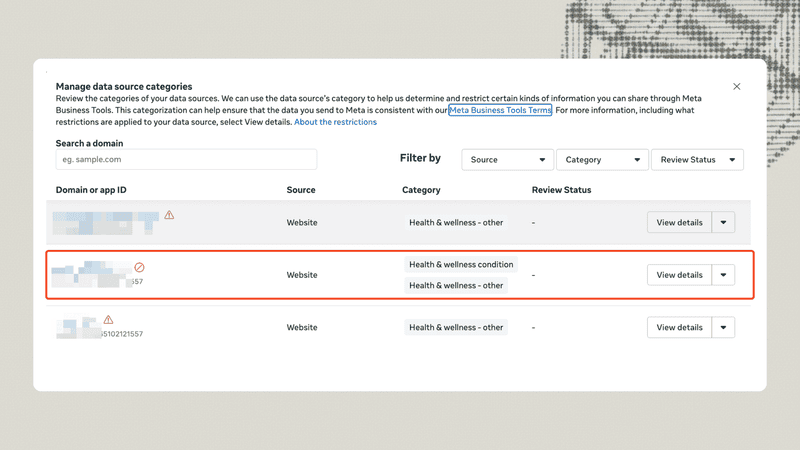
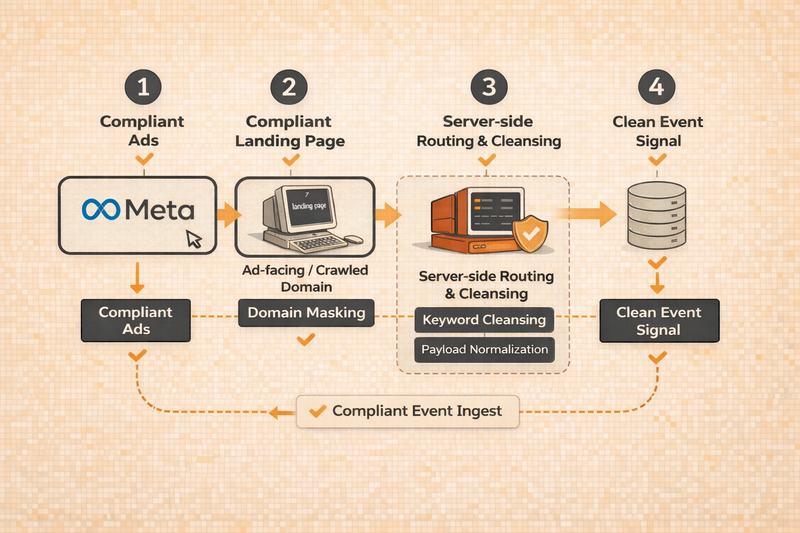
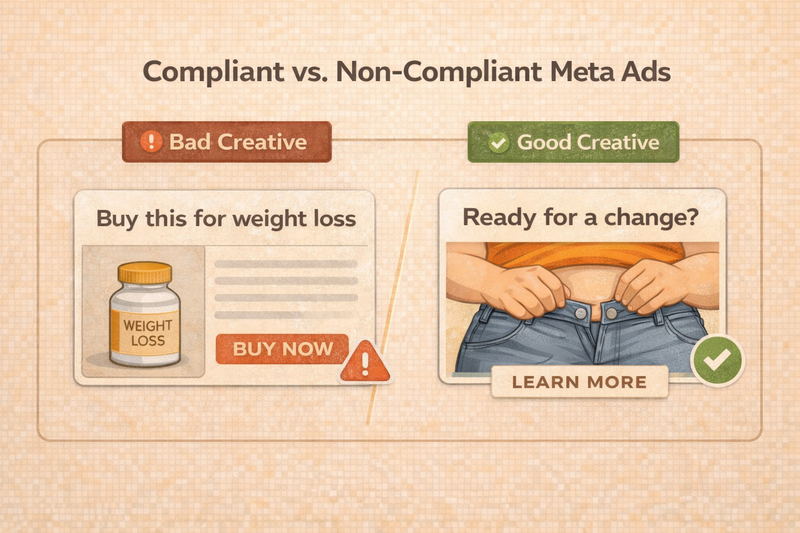

No. Renaming events no longer works. Meta blocks Purchase events for health and wellness brands because the payload (product names, categories, conditions) often implies PHI (Protected Health Information),  which Meta is not allowed to receive under HIPAA and Meta Business Tools Terms.

If your payload contains keywords like 'weight loss,' 'PCOS,' 'diabetes,' 'ED,' or 'CBD/THC,' Meta may block or filter the event even if the event name is changed.

The only durable fix is server-side cleansing, which removes sensitive terms before the event reaches Meta.

Q: Why does Meta keep restricting my Health & Wellness ads? A:

Meta restricts Health & Wellness ads because your creative, landing page, or event data may imply a medical condition. Once your pixel or CAPI sends product names like “weight loss,” “PCOS,” “ED,” or “diabetes,” Meta classifies that data as PHI (Protected Health Information) and automatically blocks or filters it.

Q: Do I need to buy a new domain to fix a Level 3 restriction? A:

Simply buying a new domain isn't enough; it will get flagged again if it points to the same sensitive content. You need to implement Domain Masking, where the new domain acts as a compliant "safe page" for the ad bot, while the user experience eventually routes to your transactional store.

Q: Can I just use a sub-domain to fix Meta's Health & Wellness Policy Policy Restriction A:

Usually, no. Meta’s restrictions often apply to the root domain level. If mybrand.com is flagged, shop.mybrand.com inherits that flag. You typically need a completely separate URL structure for the masking strategy to work.


Q: How does server-side tagging help Health & Wellness brands stay compliant? A:

A server-side setup intercepts your event data before it reaches Meta, removes sensitive keywords, preserves UTMs and cookies, and sends a clean, PHI-safe payload. It decouples what users see (your real product) from what Meta sees (a compliant label like “Mixed Fruit”).


Q: My domain is flagged under Meta Health & Wellness Policy Restricitons. Do I need a new domain? A:

If your root domain is under a Level-3 restriction, yes. Once a domain is classified as PHI-risk, masking or sub-domains rarely work. You need a clean landing domain that Meta scans and approves, with all events firing server-side from this domain.


Q: Will server-side tagging impact my ad performance? A:

It improves it. Clean, compliant events restore Meta’s ability to optimize your campaigns, rebuild lookalikes, and attribute revenue correctly. Server-side setups give you stable, high-quality signals, even under strict Health & Wellness policies.


Q: Does Meta Health & Wellness Policy Restriction's solution work for Shopify stores? A:

Yes, the architecture described (Server-Side GTM or Middleware) sits between Shopify and Meta. It intercepts the data webhook Shopify sends, cleanses it, and forwards the safe packet to Meta CAPI. It does not require you to migrate off Shopify.

Q: Does Meta block Purchase events for healthcare ads? A: Yes.

Meta often blocks or filters Purchase events for Health & Wellness brands when the pixel or CAPI payload contains health-related keywords like 'weight loss,' 'PCOS,' 'ED,' or 'diabetes.' These signals are treated as Protected Health Information (PHI), which Meta is not allowed to receive under the Meta Business Tools Terms. When detected, Meta restricts lower-funnel events to avoid liability.

A server-side setup is the only reliable way to send compliant, PHI-safe Purchase events.

Q: Is it possible to get the Meta Health and Wellness category removed from your domain? A:

In most cases, no. Once Meta classifies your domain, you can submit a review request in Events Manager but for domains that genuinely offer health treatments, cosmetic procedures, or weight management services, requests are almost universally rejected. You can resubmit once every 30 days but the outcome rarely changes.

The practical path forward is to route your tracking data through a clean intermediary domain that Meta has not classified, which restores your conversion events without relying on a reclassification that is unlikely to happen. Run the free audit to find out your current classification and restriction level first.

--- This blog is powered by Superblog. Visit https://superblog.ai to know more. --- ## Build a Lightweight CDP Using Server-Side GTM & Cloud Author: Ishan Sinha Author URL: https://www.zappush.com/blog/author/ishan-sinha Published: 2025-11-17 Category: Server-side Tracking Category URL: https://www.zappush.com/blog/category/server-side-tracking Meta Title: Build a Lightweight CDP Using Server-Side GTM & Cloud Meta Description: Build a privacy-ready, modular CDP using server-side GTM, cloud storage, and APIs. Tags: Customer Data Platform, Server-side GTM Tag URLs: Customer Data Platform (https://www.zappush.com/blog/tag/customer-data-platform), Server-side GTM (https://www.zappush.com/blog/tag/server-side-gtm) URL: https://www.zappush.com/blog/build-a-lightweight-cdp-using-server-side-gtm-and-cloud ![Build a Lightweight CDP Using Server-Side GTM & Cloud](https://prod.superblogcdn.com/site_cuid_cmi2z58je006puibozjof54hr/images/build-a-lightweight-cdp-using-server-side-gtm-and-cloud-1780816580191-compressed.png) ## ​​What is a CDP? Customer journeys are rarely linear. People don’t just visit your site once and buy. They click through ads, bounce between devices, revisit via email or WhatsApp, and only then convert. To understand that journey, you need to connect the dots. That’s where a CDP (Customer Data Platform) comes in. A CDP captures user behavior across all touchpoints - web, app, CRM, ads, offline- and builds a unified customer profile. It helps you answer: - Who interacted with which channel? - What did they do before converting? - How should you segment or retarget them? In short, a CDP turns fragmented signals into usable data for marketing, analytics, and personalization. ## Why You Don’t Need a Traditional CDP to Connect Customer Data Most brands already track customer behavior, including web sessions, form fills, CRM updates, and purchases. But the data sits in silos. One tool sees the click. Another sees the sale. None of it connects. CDPs promise to solve this, but most off-the-shelf platforms are: - Expensive - Opaque in how they merge and activate data - Inflexible for custom funnels or server-to-server use cases The good news? You don’t need them. With server-side Google Tag Manager, a cloud database, and a few APIs, you can build your own modular CDP. No black box. No vendor lock-in. Just full control over how your customer data is captured, stitched, enriched, and used. But many marketers confuse CDPs with CRMs. So before we build a lightweight CDP, let’s get clear on the difference. ## **CDP vs. CRM - What’s the Difference?** CRMs manage known contacts. CDPs track everything. A CRM like HubSpot or Salesforce stores structured data on identified leads, such as name, email, deal stage, and activity logs. It’s great for sales follow-ups and pipeline tracking. A CDP, on the other hand, captures both anonymous and known behavior across touchpoints: ads, web, app, CRM, and even offline sources. It stitches events into one profile using identifiers like email, phone, or user ID. Think of it this way: CRM CDP Focuses on known users Tracks both anonymous + known behavior Manages sales pipeline Unifies behavior across platforms Optimized for reps Optimized for segmentation, targeting, and attribution The overlap causes confusion, especially as CRMs bolt on automation and analytics. But here's the core distinction: - CRM tells you who the customer is. - CDP shows you how they behave. ## Why CDPs Matter for Growth Marketing Analytics platforms like GA4 rarely tell you _who_ converted, or _why_. You get counts, not context. CRMs give you lead and purchase data, but no visibility into the journey that led there. There’s no bridge between the two. Analytics shows anonymized sessions. CRM shows named conversions. Without a common thread, you’re flying blind and missing valuable segmentation and targeting opportunities. You miss: - Anonymous user journeys before signup - Cross-device behavior - Offline actions like WhatsApp purchases or missed calls - Signal enrichment that improves ad performance A CRM sees the final step. A CDP shows the full path. With a lightweight CDP, you can capture every touchpoint, then activate that data across Meta, Google Ads, analytics tools, or your own automation flows. ### **How?** You can build first-party audience segments like: - New users vs. returning users - First and last click conversion data - Cart abandoners who’ve never purchased - High AOV customers - Repeat RTO (return-to-origin) buyers - Cash-on-delivery customers - RFM-based segments (recency, frequency, monetary) Then sync these segments to Meta, Google Ads, or your email/SMS tools, to retarget, suppress, or build lookalikes. Let’s break down how to build this, from event capture to user stitching to activation, all without a traditional CDP. ## The Architecture of a Lightweight, Cloud-Native CDP Most brands already have the raw ingredients for a CDP - user events, CRM data, and backend triggers.  The problem is, it’s scattered across tools that don’t talk to each other. A lightweight architecture connects these signals into one real-time profile and lets you activate them instantly. Here’s what that setup looks like: **Component** **Purpose** Server-side GTM (sGTM) Ingests events from web, CRM, CMS, SDKs, and backend systems Cloud database (Firestore, Supabase, BigQuery) Stores unified customer profiles and stitched event history Webhooks / APIs Streams event data from CRMs, apps, payment gateways, and bots User ID strategy Links behavior across sessions, devices, and platforms Merge logic Enriches and deduplicates incoming events in real time Activation layer Sends enriched events to Meta, Google Ads, and analytics tools The result: a modular CDP stack that’s privacy-resilient, fully owned, and shaped around your funnel. ## **How Does a Lightweight CDP Work? (End-to-End Flow)** Once set up, your CDP processes data in four steps: ### **1\. Ingest** Events flow into server-side GTM from multiple sources: - Websites (via GA4 or Measurement Protocol) - Backend APIs and CRMs - Webhooks (e.g., Stripe, WhatsApp bots) ### **2\. Stitch & Enrich** Inside sGTM, each event is matched against your cloud database using identifiers like email, phone, or user ID. If a profile exists, it’s updated. If not, a new one is created. ### **3\. Store** The enriched profile is written to your cloud database, forming a unified customer record updated in real time. ### **4\. Activate** Based on business logic, synthetic events, such as _Qualified Lead_ or _Partial COD Purchase_, are sent to Meta (via CAPI), Google Ads, or analytics tools. You now have a system that merges behavior, enriches context, and sends clean signals, all in your control. ## Key Components of a Lightweight CDP You don’t need a full-stack platform to get full-stack results. But you do need to get five things right. **1\. User Identification and Stitching** Every profile starts with an ID. That’s how you merge sessions, devices, and touchpoints into one user view. Use: - Email or phone (when available) - Platform-specific IDs (e.g., WordPress user ID) - Custom IDs using IP, User-Agent, or browser fingerprinting (for anonymous users) - This becomes the primary key for all merges. **2\. Event Ingestion via Server-side GTM** You’ll receive data from multiple systems. Use different sGTM clients to handle each source: **Source** **Client in sGTM** Website (GA4) GA4 Client CRM / Backend Measurement Protocol Client Webhooks (e.g., Stripe, WhatsApp) Data Client Each incoming event is intercepted, formatted, and passed into the merge logic. **3\. Merge Logic & Enrichment** sGTM queries the database using available identifiers. If a record exists, new data is merged and prioritized. If not, a new profile is created. Example: If a lead form webhook comes in without location data, but the user’s profile already includes city from a previous purchase, retain the stored value. If the webhook includes a new phone number or UTM campaign ID, update the profile with the latest info. If the same user later makes a COD purchase through WhatsApp, merge the order value, payment method, and product category into their existing profile, without losing earlier web session or cart data. Do as much customization as you want - the sky is the limit! **4\. Cloud Database as Source of Truth** Your database holds stitched user profiles and event history. Choose based on your stack: - **Supabase** \- cost-efficient, PostgreSQL - **Firestore** \- flexible, good for real-time syncing - **BigQuery** \- ideal for analytics at scale **5\. Activation Layer: Send Events Out** Once profiles are enriched, you can send conversion events to: - Meta (via Conversion API or CAPI) - Google Ads (Enhanced Conversions / Offline Import) - Analytics tools (GA4, Mixpanel, etc.) You can also define synthetic events (e.g., Qualified Lead, New Customer, etc.) that better match your funnel logic, not just what the ad platforms track by default. Let's cover two use cases in detail. Remember, use cases depend on the business objective you want to solve for, so read these use cases as an illustration rather than a fixed use case. ## Use Case 1:  Retarget Buyers Based on Purchase Value or Product Type **The Problem** Your ad platform treats all “purchases” the same. But a buyer who spent ₹499 shouldn’t be in the same retargeting pool as someone who spent ₹4,999. The same goes for buyers of high-return categories like COD or Return to Origin (RTO)-prone SKUs. ### **The Fix** Use CRM data to enrich browser events with purchase value, category, or payment method, then build custom segments and sync them to ad platforms. ### **How It Works** 1. **Purchase occurs:** Your CRM sends a webhook with the user ID, order value, category, and payment method. 2. **Data is merged:** sGTM writes this into the user’s profile in your database. 3. **User returns to the site:** sGTM intercepts a new browser event (like pageview or add-to-cart). 4. **Profile enrichment:** sGTM restores the user’s last order info and adds it to the new event. 5. **An enriched signal is sent:** The event is forwarded to Meta or Google with high-AOV or category tags. ### **What You Unlock** - Suppress low-value or COD buyers from retargeting - Build lookalikes based on premium buyers only - Create RFM-style segmentation using real purchase data, not just sessions ## Use Case 2: Restore Click ID for Offline Attribution ### **The Problem** Most ad platforms rely on click IDs (like fbp, fbc, gclid) to attribute conversions. But when a user converts offline, say, through a WhatsApp bot or call center, you lose that signal. No attribution. No optimization. ### **The Fix** Capture click IDs during the first web session, store them server-side, and attach them back to CRM-triggered conversions when they happen. ### **How It Works** ​ 1. **User lands on your site from an ad:** sGTM captures the fbp, fbc, gclid, etc., or values and stores them in your database, linked to the user ID. 2. **User converts later via CRM or WhatsApp:** A webhook sends the conversion to sGTM with a user identifier. 3. **sGTM restores the click ID:** Using the ID, sGTM looks up and reattaches the original fbp, fbc, or gclid. 4. **Conversion is sent to the ad platform:** Enriched with the original click ID, the event is now fully attributable. ### **What You Unlock** - Attribution for conversions that happen outside the web session - Higher signal match rates for Meta CAPI and Google EC - Performance visibility for long sales cycles and multi-touch funnels ## **Debugging and QA Best Practices for Your Lightweight CDP** When you're stitching cross-channel data and syncing events to ad platforms, small issues can silently break the flow. A missing ID. A webhook misfire. A failed enrichment. In a server-side setup, you don’t get browser-based visibility. That makes structured debugging non-negotiable. Here’s how to stay ahead: ### **1\. Use sGTM’s Built-In Debugger** Activate Preview Mode to inspect: - Incoming requests (GA4, CRM, webhooks) - Tag firing order - Variable resolution - Merge logic output _Tip:_ Add custom headers (like X-Gtm-Server-Preview) when simulating CRM events. It helps test webhooks end-to-end. ### **2\. Add Logger Tags** Create custom logging tags inside sGTM to track: - User ID presence and value - Click ID resolution (fbp, fbc, gclid) - Enrichment logic (what changed vs. what stayed) Send logs to BigQuery, your console, or a monitoring tool. ### **3\. Track Lookup Behavior Explicitly** Log whether the system: - Found a matching profile - Retrieved existing attributes - Created a new record This is essential when testing merge flows or deduplication logic. ### **4\. Test Real Journeys, Not Just Events** Simulate full paths like: - Ad click → landing page → delayed conversion via WhatsApp - Anonymous visit → lead form → CRM webhook Check if identifiers persist and enrichment works in both known and anonymous states. ### **5\. Validate With Platform Tools** After firing enriched events, confirm signal reception in: - Meta Events Manager (Test Events, Event Match Quality) - Google Ads Conversion Diagnostics - GA4 DebugView This closes the loop between sGTM and platform-side tracking. Let me know if this works or if you'd like to refine it. After this, we’ll close with the final section: ## **Your Tagging Stack Is Your CDP** You don’t need a third-party CDP to unify and activate customer data. With the right setup - server-side GTM, a cloud database, and a few clean API connections, you already have the pieces. The difference is in how you connect them. This architecture gives you: - Full control over what’s captured, merged, and sent - Flexibility to define conversion logic on your terms - Reduced reliance on external vendors - A privacy-resilient system built around your funnel You move from black-box attribution to a model that’s traceable, customizable, and built to scale. At [Zappush](https://www.zappush.com/?ref=blog-Build a Lightweight CDP Using Server-Side GTM & Cloud), we help digital-native brands build infrastructure that supports **audience** clarity, marketing **automation**, and first-party data **activation**, without relying on heavy, inflexible martech stacks. Want to build your native Customer Data Platform? Helping you become Stronger from the Start! [Get In Touch](https://www.google.com) ## FAQs Q: What is a lightweight CDP? A:
A lightweight Customer Data Platform is a streamlined, custom-built system for unifying and activating customer data. It typically uses tools like server-side Google Tag Manager (sGTM) and a cloud database to capture, stitch, and use first-party data without relying on a heavy third-party CDP product

Q: How is a CDP different from a CRM or analytics tool? A:

A CDP collects and unifies all user behavior data (across anonymous visits and known customers) into one profile for activation, whereas a CRM manages known customers’ info (e.g. contact details, purchase history) and an analytics tool focuses on aggregate website/app metrics. In short, a CRM stores what you know about a customer, while a CDP tracks how they behave (across devices and channels), and analytics platforms report trends rather than building unified customer profiles

Q: Why is a CDP important for growth marketers? A:

CDP provides a complete view of the customer journey that you can’t get from a CRM or analytics alone. A CDP lets growth marketers capture anonymous pre-conversion touchpoints, stitch cross-device interactions, and enrich events with deeper context (e.g., lead qualification or offline purchases) – resulting in better targeting, attribution, and personalization across campaigns

Q: What is server-side Google Tag Manager (sGTM)? A:

It’s a deployment of Google Tag Manager that runs in the cloud rather than in the user’s browser. In practice, your site sends data to a GTM server container (on your domain) which then forwards that data to marketing platforms – giving you more control, improved data accuracy, and enhanced privacy since the tracking is handled on your server

Q: What are the benefits of using server-side GTM? A:

Server-side tagging can significantly improve data quality and control. It avoids many browser limitations – for example, data sent via your own server (first-party) isn’t as easily blocked by ad blockers or cookie restrictions – and lets you set cookies server-side for longer lifespan. By moving tracking off the webpage, it also reduces client-side load and ensures you decide exactly what information gets sent out to third-party tools

Q: How does a lightweight CDP support privacy and compliance? A:

It keeps customer data under your control and uses first-party methods to collect and share data. Because all tracking data first goes to your domain/server (and is stored in your database), you can enforce strict data governance – filtering out personal identifiers or honoring consent preferences – before anything is sent to external platforms. This first-party approach makes it easier to comply with privacy regulations (GDPR, CCPA, etc.) since you’re not sharing data with unauthorized third parties

Q: Is a lightweight CDP cost-effective? A:

Often, yes. Building your own CDP with cloud and sGTM can save costs because you avoid the hefty subscription fees of enterprise CDP software. You’re mainly paying for cloud usage (database, hosting) which you can scale as needed, instead of paying for a one-size-fits-all platform. In short, you eliminate vendor lock-in and only pay for the infrastructure you actually use – making it a potentially much cheaper solution for the value it provides

Q: What are the key components of a lightweight CDP architecture? A:

It usually includes a server-side tag manager (like sGTM) to ingest events, a cloud database (e.g. Firestore, Supabase, or BigQuery) to store unified profiles and event history, and integration points (APIs or webhooks) to pull in data from your CRM, website, or apps. Together, these components – along with an ID stitching strategy and an activation mechanism – make up the core of a lightweight CDP

Q: What is identity stitching in a CDP? A:

Identity stitching is the process of merging data from different sessions, devices, or sources that belong to the same user. A CDP does this by using common identifiers (like an email, user ID, or phone number): for example, if an anonymous website visitor later signs up with an email, the system links their past anonymous events to their new profile, creating one unified customer record

Q: What is event enrichment in a CDP? A:

Event enrichment means adding extra context or data to a raw event to make it more useful. In a CDP, this often involves appending information from your backend or CRM to an event – for instance, attaching a user’s purchase history or lead score to a page view event – so that when the event is stored or sent to marketing tools, it carries valuable attributes that enable better segmentation and optimization

Q: What are common use cases for a lightweight CDP? A:

lightweight CDP is commonly used to enrich and unify data for better marketing outcomes. For example, one use case is augmenting web events with CRM data – e.g. when a known customer revisits your site, their page view event can be enriched with their past purchase value or loyalty status. Another use case is offline conversion tracking – e.g. capturing an ad click ID on the website and later, when an offline sale happens in your CRM, linking that sale back to the click so you can credit the right campaign

Q: What are synthetic conversion events? A:

Synthetic Conversion Events, also known as Signal Engineering, are custom conversion events defined by your business that you send to analytics or ad platforms via your server-side setup. In other words, instead of relying only on standard events like “Purchase,” you might create a synthetic event such as “QualifiedLead” or “TrialStarted” and send it through sGTM to Facebook or Google – allowing those platforms to optimize for deeper funnel actions that align with your business goals

Q: How do you activate first-party data in marketing? A:

Activating first-party data means putting the customer data you’ve collected to work in marketing channels. In practice, a lightweight CDP makes this possible by forwarding enriched customer events or segments to your tools, for example, sending a conversion event via Meta’s Conversions API or updating an email marketing list. This turns the data you collected (with user consent) into actionable signals for ad targeting, personalization, or re-engagement campaigns

Q: What is a first-party data strategy? A:

It’s an approach to marketing that prioritizes data you collect directly from your customers (with consent) as opposed to relying on third-party data. A first-party data strategy involves gathering information from your own channels – like your website, app, CRM, loyalty program, etc. – and using tools like server-side tagging to ensure this data is accurate, privacy-safe, and under your control. The goal is to build rich customer insights and targeting capabilities using data that you own and that browsers or privacy changes can’t take away (for example, using your own domain’s cookies and databases to keep track of user interactions in a cookieless world)

--- This blog is powered by Superblog. Visit https://superblog.ai to know more. ---