Summary / TL;DR
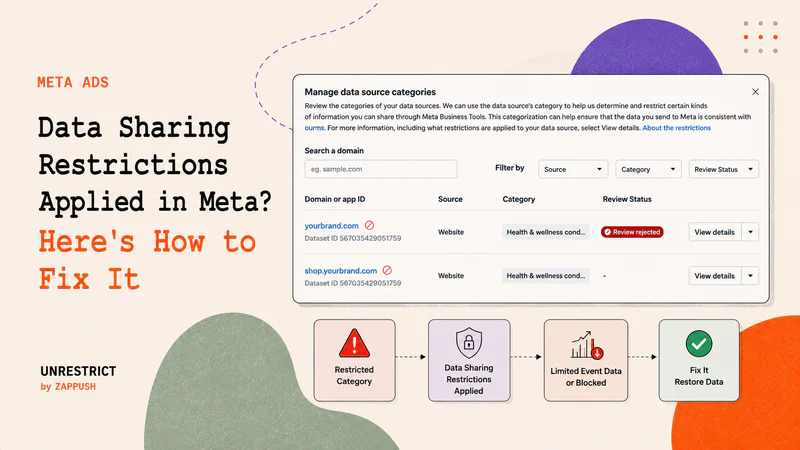
If you see a data sharing restrictions applied notice in Meta Events Manager, it means Meta has categorized your domain under one of its 10 restricted categories.
If your website sells products or services in any of the 10 restricted categories, Meta will apply data sharing rules to your pixel or Conversions API events. Your ads can continue running while these restrictions are active. Still, Meta will limit or remove the event data it accepts from your domain, which affects campaign optimization, audience building, and conversion reporting.
Meta applies restrictions at three levels depending on how your domain is categorized. Each level blocks different types of data, from custom parameters and URL details at the mildest level, to standard conversion events like Purchase and Lead at the moderate level, to all event sharing at the most severe level.
The restriction applies at the domain level, not the ad level. An approved ad does not indicate that your domain is unrestricted. Meta evaluates your data source separately from your ad creative.
Meta applies the same restrictions to both the browser Pixel and the Conversions API. Switching to server-side tracking alone does not bypass domain-level data sharing rules.
There are three restriction levels: Core Setup (L1), Standard Event Restrictions (L2), and Full Restrictions (L3). Each has specific symptoms visible in Events Manager that indicate which events and parameters are being blocked.
What Data Sharing Restrictions Applied Means in Meta Events Manager
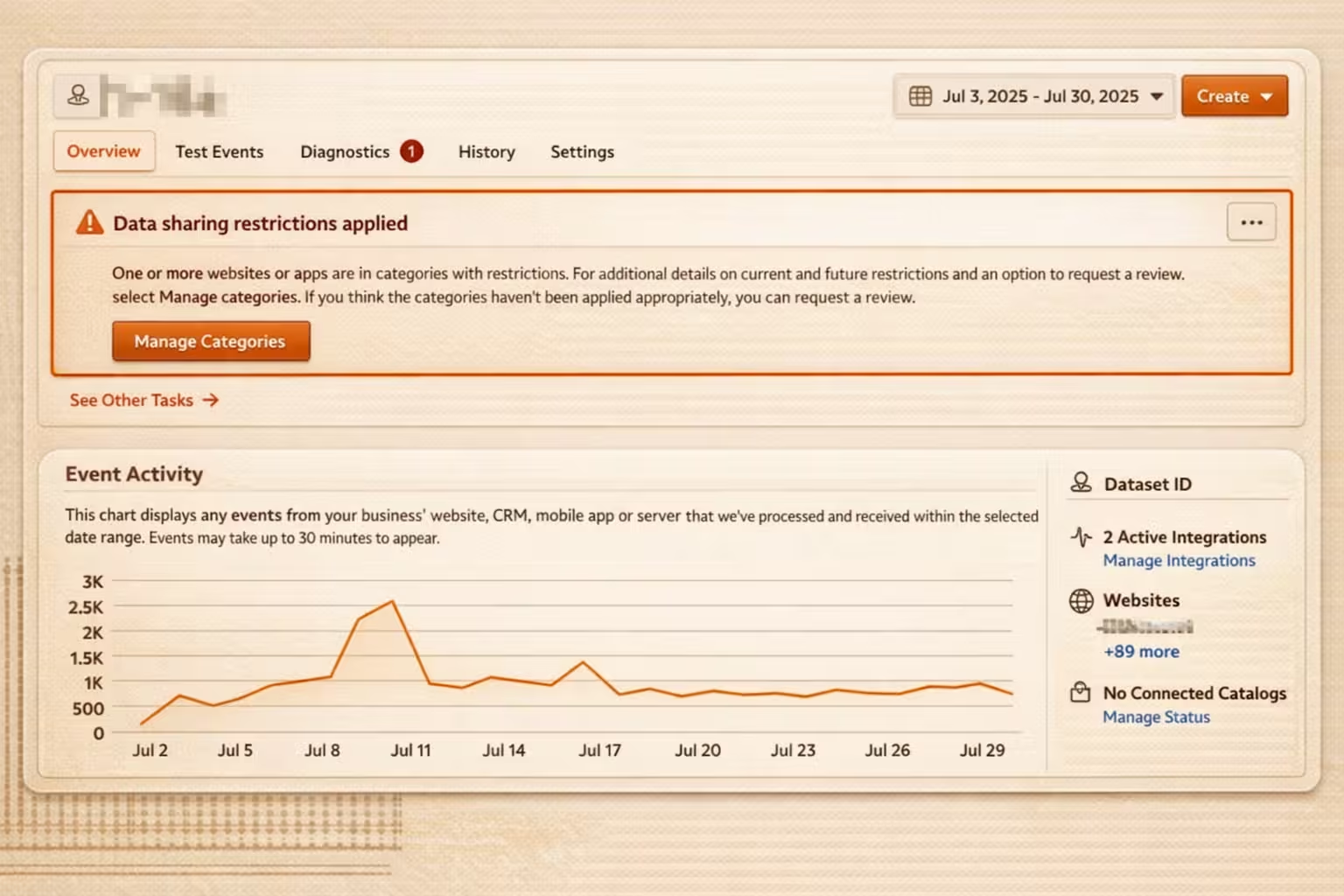
The data sharing restrictions applied message appears in one of two places inside Meta Events Manager:
As a banner at the top of your Data Source overview
As a yellow warning or red restricted icon next to your domain under Settings → Manage Data Source Categories
Meta's automated systems categorize websites, apps, and offline data sources that send events through Meta Business Tools based on the topics, products, and services associated with the domain. When Meta determines that your domain belongs to one of its restricted categories, it applies data sharing rules to that data source and notifies you through Events Manager and email.
The restriction applies at the data source level, which means it governs what event data Meta will accept from your domain, regardless of your ad creative or campaign setup. A domain can be under active restrictions while its associated ad campaigns continue to run and deliver normally. Meta evaluates ad creative and data sources through separate review processes.
According to Meta's Business Help Center:
While we may detect and restrict information from being shared with Meta, you are ultimately responsible for your integration, your use of the Meta Business Tools, the data you share with Meta, and your compliance with our Meta Business Tool Terms. Meta's systems are not a substitute for your own compliance mechanisms.
This means that once restrictions are applied, resolving them is your responsibility — Meta will not automatically lift them when your setup changes.
Why Core Setup May Have Been Turned On
There are four reasons Meta's documentation lists for Core Setup restrictions being enabled on a data source:
Meta classified your domain into a restricted category based on its automated review of your landing pages, product descriptions, and event data.
You or someone on your account manually assigned your dataset or data source to a restricted category in Events Manager
You received multiple notifications that the data you were sharing potentially went against Meta Business Tools Terms
You manually enabled Core Setup restrictions in Events Manager
The most common scenario for health and wellness, supplement, CBD, and similar brands is the first: Meta's crawlers identify restricted signals on the domain and apply the classification automatically, often before the advertiser is aware. However, if an agency or team member has access to your Events Manager, it is worth checking whether the category was assigned manually.
The 10 Restricted Categories and What to Expect From Each.
Meta currently applies data sharing restrictions across 10 categories. The specific restriction level applied depends on how Meta classifies your domain within that category, but the same three-level framework, Core Setup, Standard Event Restrictions, and Full Restrictions, applies across all of them.
Regardless of which category applies to your domain, the first step is to find out how Meta has labeled your brand, followed by the restriction levels, and then the solution, keeping your restriction level in context. The section below walks through how to determine your domain category.
Step 1: Find Out How Meta Is Categorizing Your Domain

The first thing to establish is which of Meta's 10 restricted categories your domain has been assigned to, and what on your domain is triggering that classification. Meta's Events Manager tells you that a restriction exists, but it does not tell you specifically what signals caused it or how your domain scores across the factors Meta evaluates.
Run Meta Restricted Compliance Audit
The Zappush Meta Restriction Audit tool simulates Meta's automated domain scan. Enter your URL and instantly see how Meta classifies your domain across four dimensions: what your brand is, what category it falls under, what your product signals, and how many violations were found. Each finding includes a specific explanation and a fix.
Step 2: Check Which Restriction Level Is Active in Your Events Manager
Once you know how Meta has categorized your domain, the next step is identifying how severely it has restricted your data source. Meta applies restrictions at three levels, and each level blocks different data. You can determine which level applies to your domain directly from Events Manager.
Go to: Events Manager → Data Sources → Select your Pixel or Dataset → Settings
Under Settings, look at two sections: Data Restrictions and Manage Data Source Categories.
Level 1 - Core Setup (Mild Restrictions)
What you will see in Events Manager:
A yellow warning icon next to your domain under Manage Data Source Categories
Core Setup is switched ON under Data Restrictions, and the toggle is locked; you cannot disable it:
What Meta is blocking at this level:
Custom URL parameters - your full URL path is truncated to just the domain. For example, yourdomain.com/products/supplement-name becomes yourdomain.com
Custom parameters attached to event product names, item categories, content IDs, and any non-standard fields you send with events
Anything in a URL following the domain
What this means for your campaigns: Custom audiences built on URL paths or product-level parameters stop updating. Retargeting pools shrink over time. Automatic Advanced Matching may become unavailable. Pixel-based catalog updates stop working. Your ads continue to run, and events continue to fire, but the signal quality degrades progressively.
Level 2 - Standard Event Restrictions (Moderate Restrictions)
What you will see in Events Manager:
A red restricted icon next to your domain under Manage Data Source Categories
Lower-funnel events - Purchase, Lead, InitiateCheckout, AddToCart, Schedule,CompleteRegistration - are absent, mismatched against your backend data, or flagged as unavailable for optimization
What Meta is blocking at this level:
All mid and lower-funnel standard events
Everything blocked at Level 1 continues to apply
What this means for your campaigns: Meta's algorithm can no longer optimize for conversion events. It loses the ability to identify and target users likely to purchase or convert. Lookalike Audiences based on purchasers or leads stop refreshing with new data. Campaign performance degrades as the algorithm shifts optimization toward upper-funnel signals like clicks and page views rather than actual conversions.
Level 3 - Full Restrictions (Severe)
What you will see in Events Manager:
Near-zero events across the board, including top-of-funnel events like PageView
Events may appear to fire on your end, but are not being accepted or used by Meta
What Meta is blocking at this level:All event sharing from the domain, in specific regions, or globally
Meta Business Tools cannot be used for campaign optimization where these restrictions are in place
What this means for your campaigns: Meta has no conversion signal from your domain. The algorithm has no feedback loop to learn from. According to Meta's own documentation, you may need to pause or adjust campaigns as performance will degrade over time. Running campaigns at Level 3 without addressing the restriction means spending the budget with no optimization signal.
A note on regional restrictions: Meta sometimes applies restrictions to specific regions before applying them globally. If you notice event data dropping specifically for EU traffic while US traffic appears unaffected, this is likely the first stage of a broader restriction being rolled out. EU privacy regulations treat health and other sensitive data as a special category, so enforcement often begins there first.
Once you have identified your restriction level, the next section covers what you can do to fix it, and why the approaches most advertisers try first do not resolve the underlying problem.
Step 3: Fix It Based on Your Restriction Level
Once you know your category and your restriction level, you can determine the correct fix. Before covering what works, it is worth addressing the approaches that do not — because most advertisers try at least one of these before reaching the architectural solution.
What Does Not Fix Domain-Level Restrictions
Renaming events - Meta evaluates the full semantic meaning of an event payload, including product names, item categories, content IDs, and URL paths. Changing an event name from "Purchase" to a neutral label does not change what the payload contains. If the payload includes signals that Meta classifies as sensitive for your category, the event will still be blocked or filtered.
Switching to Conversions API and removing the browser Pixel - Meta's data sharing restrictions apply at the domain level, not the delivery method. As Meta's documentation states and Stape confirms, the Conversions API does not bypass domain-level data sharing rules. Events sent server-side from a restricted domain are subject to the same filtering as browser-side events.
Subdomain workarounds - Meta's restrictions typically apply at the root domain level. A subdomain pointing to the same flagged root domain generally inherits the classification. This may provide temporary relief at Level 1 in some cases, but it does not hold at Level 2 or Level 3.
Appealing the category classification - Submitting a review request in Events Manager is worth doing if you believe your domain has been incorrectly classified. Appeals take 3–7 days to process and can only be resubmitted every 30 days if rejected. However, for domains that genuinely sell products or services in a restricted category, appeals are frequently denied. A successful appeal also does not change the underlying data architecture, which means reclassification tends to recur.
What Does Fix It
The restriction is applied at the domain level, meaning it governs every event that originates from a domain Meta has classified as restricted, regardless of how those events are named or delivered. The fix changes where your data enters Meta's systems, not just what it contains.
The architecture involves three components working together
A compliant intermediary landing page that sits between your Meta ads and your actual website. When a user clicks your ad, they land on this intermediary page first - a clean domain that contains no restricted signals and carries no restriction history. This is the surface that Meta's crawler scans and classifies. Meta evaluates the intermediary domain, finds nothing restricted, and applies no data sharing rules to it. The user is then passed server-side from the intermediary page to your real store, with all UTMs and cookies preserved.
Server-side event routing that captures user activity, clicks, UTMs, and cookies from the clean domain and associates them with the full user journey on your actual store. The user experience is unchanged. What changes is the domain surface Meta evaluates.
Event payload cleansing that processes your events before they reach Meta, removing or replacing parameters that contain sensitive signals - product names, condition-adjacent category labels, URL paths with restricted terms -and replacing them with neutral identifiers. Meta receives a clean, compliant payload with no restricted signals.