
How to make Black Friday ads from your past winners
Ishan Sinha24 min read
Summary
Your best Black Friday ads are likely last year's winners. Find them, add the offer, and make static ads that keep working as you raise spend.
- 1.Keep only last year's ads that were cheap on all three counts: cost to reach new people, cost per click, and cost per new customer.
- 2.Duplicate each winner and add the Black Friday offer as an overlay, sticker or end card, cutting 2 or 3 versions per winner.
- 3.Test catalog frames one element at a time, and write 10 headlines before designing a static that has to hold up at higher spend.
Contents
- Summary
- Find last year's winners
- Make offer versions of each winner
- Give returning customers something to look at
- Sell the moment the gift is opened
- Treat your catalog ads like creative
- Prune your catalog product set before the sale
- Static ads that hold up at higher spend
- Write urgency lines that are true
- Cover the ten buyer questions with ten ad styles
- A creative brief for Black Week
- Frequently asked questions
By the end of this part you will have a shortlist of last year's winning ads, an offer version of each, a creative set for past customers, a tested catalog frame, a pruned product set, and a brief for Black Week. Black Week is not the time to test new concepts. Auction costs are high and you have days, not weeks, to learn.
The goals are two. Acquire new customers at a lower cost while buying intent is high, and bring back old customers for profit. Every tactic below serves one of the two.
Find last year's winners
Pull every ad that ran in the last 12 months and keep only the ones that were cheap on three counts: cost to reach new people, cost per click, and cost per new customer.
Why it works. Return on ad spend alone does not tell you where an ad sits in the buying journey. An ad with a high return and expensive reach is usually closing sales that other ads started. Raise its budget and it runs out of people who already know you. An ad that is low on all three costs is reaching new people who respond and buy, which is what lets it take more budget.
| Metric | Where to find it | What it tells you |
|---|---|---|
| Cost per 1,000 Accounts Center accounts reached | Ads Manager column of the same name | Whether the ad reaches people who have not seen you |
| Cost per outbound click | Ads Manager column: CPC (cost per link click) or Cost per outbound click | Whether those people respond |
| Cost per new customer (CAC) | Shopify orders for new customers, divided into the ad's spend | Whether the response turns into first orders |
Set the date range and level
In Meta Ads Manager, open the Ads tab. Set the date range to the last 12 months. Sort by amount spent.
Check it worked: The table lists individual ads, not campaigns, and the total spend matches last year's account spend.
Add the three columns
Open Columns, then Customize columns. Add Cost per 1,000 Accounts Center accounts reached, CPC (cost per link click) or Cost per outbound click, and Purchase ROAS. Save the preset as Winners.
Check it worked: All three columns show a value for each ad with meaningful spend.
Set your own targets
Switch to the daily breakdown (Breakdown, then By time, then Day) for your top ads. Find the days when return was highest and cost per 1,000 accounts reached and cost per click were lowest. Those values are your targets.
Check it worked: You have one written number for each of the three metrics.
Shortlist the ads that hit all three
Keep an ad only if it meets the reach target, the click target and the return target together. Add a fourth check with your own orders: how many of its buyers were first-time customers.
Check it worked: You have 5 to 10 ads, each with a note on which target it met.
- Choosing by ROAS alone. A bottom-of-funnel ad cannot carry a bigger budget by itself.
- Using Black Friday 2025 numbers as the target. Sale-day return is not your normal return. Use full-year daily data.
- Ignoring creative age. An ad that has already shown fatigue warnings needs a fresh cut of the same idea.
Make offer versions of each winner
An offer iteration is the same visual and hook as a winning ad with the Black Friday offer added as an overlay, a sticker or an end card.
Why it works. The winner has already shown it can reach new people at a low cost. You change one thing, the reason to buy now. Your team does not have to learn a new concept in the most expensive week of the year.
Export the originals
Open each shortlisted ad in Ads Manager and download the original image or video from the Ad creative preview, or pull the source file from your design folder.
Check it worked: You have a full-resolution file for every shortlisted ad.
Add the offer in one place only
Add the offer as a headline overlay on statics, a price sticker on UGC video, or the last 2 seconds of a video. Keep the original hook in the first second.
Check it worked: Mute the preview. The offer is readable and the original idea is still recognizable.
Duplicate rather than edit
In Ads Manager select the live winner, choose Duplicate, and replace the creative in the copy. Name it with the offer and date, for example WINNER-A_BF40_NOV2026.
Check it worked: The original ad is still live and unchanged. The copy is in the sale ad set.
Make 2 or 3 offer cuts per winner
Cut one version for each core promise: percentage off, bundle and deadline. Keep the claim identical to the one on your landing page.
Check it worked: Each cut matches the offer a shopper sees after the click. See Part 1 for the offer floor.
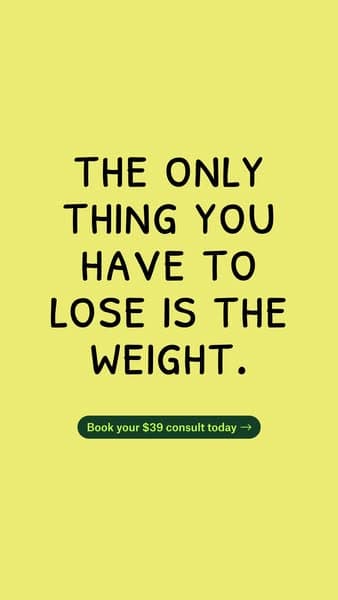
Offer in the headline
Weight-loss clinic
Price as one line of copy
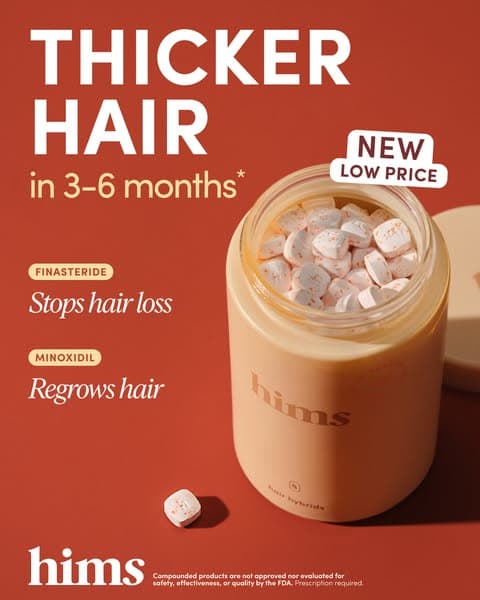
Hims

Offer as a badge
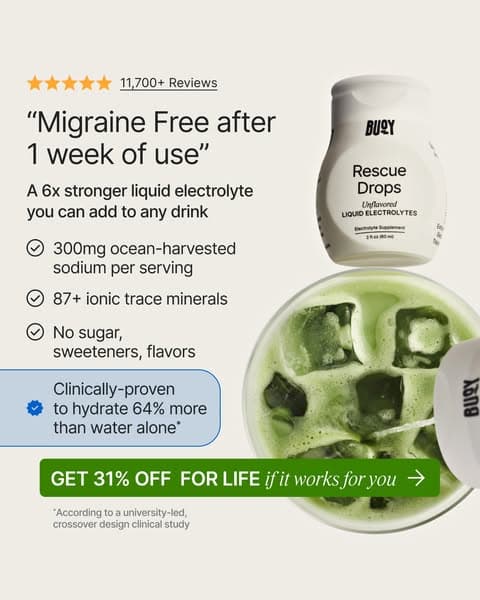
Buoy

Subscribe-and-save badge
Lemme
- Editing the live winner instead of duplicating it. You lose the baseline you wanted to compare against.
- Burying the offer in small print. Put it where the eye lands second, after the hook.
- Offers that differ between the ad and the page.
Give returning customers something to look at
Past customers do not need the product explained. They need a reason to look again. The aim for this audience is engagement from people who have not bought in a long time, not a louder discount.
Why it works. People who already know you scroll past standard product ads. A format that looks like content or news gets a second look before they see the offer. Keep these ads in the repeat-customer ad set, not the prospecting ad set.
| Format | What it looks like | Use it for |
|---|---|---|
| Trend-style short video | Vertical video in the style of current platform trends, with a news-bulletin prop or a laptop showing new arrivals, ending on the sale | Customers inactive for 60 or more days |
| Animated offer card | A looping graphic with the discount, the code and the end date and nothing else | Customers who bought once and respond to deals |
| Collection ad | A cover plus several products under one sitewide offer, for example 30% off sitewide Black Friday sale | Customers who liked a category and have not seen what is new |
Define the audience
In Ads Manager, open Audiences and create a custom audience from your customer list, plus a website audience for purchasers in the last 180 days. Build one segment of lapsed buyers (no order in 60 to 90 days).
Check it worked: Audience size is above the minimum Meta needs to deliver. Check Meta's current documentation for the figure.
Build one asset per format
Make one trend-style video of 6 to 10 seconds, one animated offer card with code and end date, and one collection ad.
Check it worked: Each asset names the offer, code and end date within the first 3 seconds or the first frame.
Create a collection ad
In Ads Manager choose Create, then in the ad set pick the sales objective. At ad level choose Collection format, upload a cover image or video, and select your product set.
Check it worked: The preview opens a product grid, and each product links to its own page.
Put them in the repeat ad set
Add the three ads to the ad set that targets your customer list and recent purchasers. Do not add them to prospecting.
Check it worked: Check the ad set's audience: customer list and purchasers included, nobody excluded by mistake.
- Showing the same prospecting ad to returning customers. They have seen it.
- A trend format that does not match the brand. If it feels forced, skip it.
- No code or end date on the card.
Sell the moment the gift is opened
In November many of your buyers are shopping for someone else. They are not buying the product for what it does for them; they are buying the reaction of the person who opens it. So show that moment in your gift ads, not the product on a plain background.
Why it works. A gift buyer's question is "will they like it?", not "what does it do?". An ad that shows someone opening the box and smiling answers that question; a feature list does not. Pair these ads with the gift sets from Offers III when it is out, or with your best-selling bundle.
Pick the giver and the receiver
Write one line for each ad: who gives, who receives, and the occasion. For example: a daughter gives her mother the skincare set for the holidays.
Check it worked: Each ad has one giver, one receiver and one occasion.
Show the opening, then the product
Open on the reaction or the unwrapping in the first two seconds, then show the set, then the price and the offer. Keep the gift box or packaging in shot.
Check it worked: Mute the preview. A viewer can tell it is a gift in the first two seconds.
Write the headline for the giver
Speak to the person paying: "The gift she'll actually use", "Sorted: the gift for the person who has everything". Put the price or the set name in the second line.
Check it worked: The headline names the receiver, not the product's features.
Run it to new customers
Add the gift ads to the new-customer ad set alongside your offer versions of past winners. Gift buyers are often not your usual customer.
Check it worked: The gift ads are live in prospecting with the same offer as the landing page.
- Listing features in a gift ad. The giver wants to know the receiver will like it.
- Showing the product without the packaging. If you made it gift-ready, show the box.
Treat your catalog ads like creative
Catalog ads (dynamic product ads, run as Advantage+ catalog ads on Meta) show products from your product feed. A frame is a template layered over each product image, so you can test messages across the whole catalog the way you test ads.
Why it works. If you sell apparel, jewelry or any wide range, catalog ads are probably your best format already. Most stores run them with plain product photos. A frame gives you a creative variable without hand-editing hundreds of images. They often underperform because the product data behind them is thin, so fix the feed first.
Meta's own overlays. Before you buy a tool, check what Meta does natively. In Ads Manager, Advantage+ catalog ads have an option called Add dynamic overlays (Advantage+ creative, Edit, Add dynamic overlays) that prints the price, a strikethrough price, the percentage off or free delivery on each product image from your feed. Meta's help center says they show on Facebook Feed only, and free delivery needs a delivery cost of 0.0 in the catalog. It also says catalog frames are being replaced by image templates and will no longer be available after October 30, 2026, so build Black Friday on overlays, templates or a third-party tool, not on frames made in Ads Manager.
| Frame type | What it adds | Example text (illustrative) |
|---|---|---|
| Press feature | Press mention and a review count | As seen in [Publication], 10,000+ five-star reviews |
| Offer | Offer and code | Buy any two, get $20 off. Code: BF20 |
| Review | Rating and one short quote | 4.7/5 average rating, "Fits better than my last pair" |
| USP | Collection name with 3 icons | Waterproof. Free returns. Ships in 24 hours |
| Lifestyle copy | Situational line and sitewide offer | No sweat during workouts. 10% off sitewide |
Review layer: stars, count, quote
Buoy
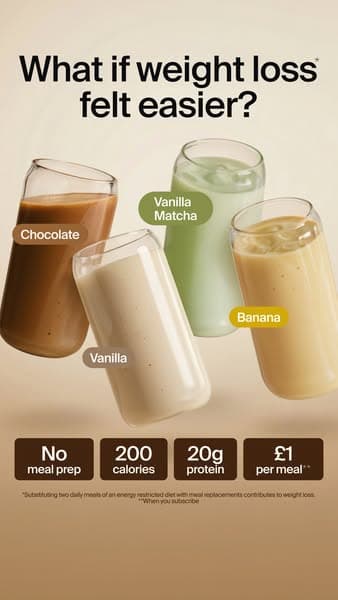
USP layer: a strip of three facts
Huel

Benefit callouts around the product
Lemme
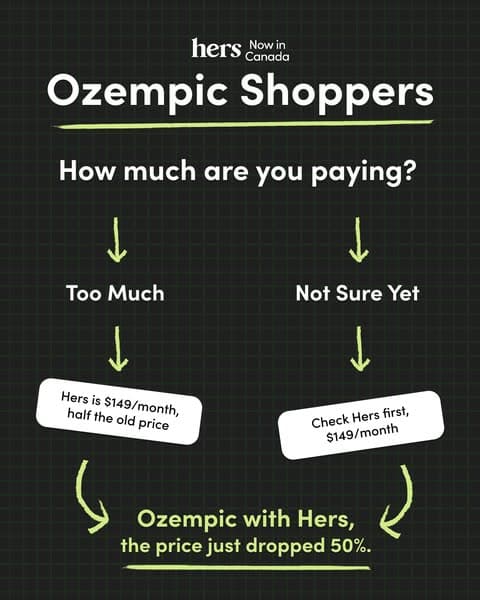
Price and offer layer
Hers
Fix the feed
In Commerce Manager, open your catalog, then Data sources, then Diagnostics. Resolve missing price, availability, image link and product-type issues before anything else.
Check it worked: Diagnostics shows no errors on the products you plan to sell.
Choose a frame tool
Use a catalog creative tool such as Confect (confect.io) or Marpipe. Both apply a template to every product image in the feed. Check each vendor's site for current pricing and Meta feed requirements.
Check it worked: A test frame renders on 10 sample products with legible text and no cut-off.
Build 4 frames
Make one frame each for offer, review count, press mention and main benefit. Keep the layout identical and change one element.
Check it worked: The four frames differ in one message only.
Create one product set per frame test
In Ads Manager create four ads in one ad set, each using the same product set but a different frame. Turn off any option that auto-swaps the image if you want a clean read.
Check it worked: Each ad previews the frame on a product. Spend splits across all four.
Read results after the sale starts
Compare cost per purchase and click-through per frame after each has spent a meaningful amount. Check Meta's current documentation for how many conversions you need for a stable read.
Check it worked: One frame leads on cost per purchase. Move budget to it.
- Testing four things at once in a frame. Change one element.
- Skipping the feed fix. A frame cannot rescue a wrong price or a broken link.
Prune your catalog product set before the sale
Pruning means removing products from your catalog ad product set when they take spend and return little. You find them by joining Shopify sales by product to Meta spend by product ID.
Why it works. For retargeting, Meta shows each person the products they interacted with. For new customers, many signals choose the product, but products with the highest click-through rate often win the slot. The highest click-through rate does not mean the best conversion rate. Removing the weak products sends spend to the ones that sell. Look for products that spent heavily with a return below 1.0 or only just above it.
Export sales by product from Shopify
In Shopify admin, go to Analytics, then Reports, then Sales by product. Set the date range to the last 90 days or your last full sale.
Check it worked: The report lists one row per product with a sales total.
Choose the columns and export
Edit the columns so you have Product title and Gross sales. Select Export, then CSV.
Check it worked: The CSV opens with only those two columns and the right date range.
Break down Meta spend by Product ID
In Ads Manager, open the catalog campaign. Select Breakdown, then By delivery, then Product ID. Meta states that product ID data is only available for ads connected to a catalog and that these values are estimated.
Check it worked: The table lists a row per product ID with spend.
Make a clean custom report
Save the view as a custom report. Remove Campaign from the columns so the rows are Product ID and Amount spent only. Select Export and download.
Check it worked: The file has two columns: Product ID and Amount spent.
Import both files into Google Sheets
In Google Sheets choose File, then Import, then Upload, and import the Meta file and the Shopify file into two separate tabs.
Check it worked: Both tabs show their headers in row 1.
Split the Product ID column
In the Meta tab, select the Product ID column, then Data, then Split text to columns. The field holds the ID and the product name, for example 1234, Trail Runner. Choose comma as the separator.
Check it worked: The ID and the product name sit in different columns.
Keep name and spend
Delete the ID column so the tab reads Product name, Amount spent.
Check it worked: Every row has a name and a number.
Copy the names into a new tab
Create a tab called Join. Paste the product names from the Meta tab into column A. Remove duplicates with Data, then Data cleanup, then Remove duplicates.
Check it worked: Column A lists each product once.
Look up spend and revenue
In B2 enter =VLOOKUP(A2, Meta!A:B, 2, FALSE) for spend. In C2 enter =VLOOKUP(A2, Shopify!A:B, 2, FALSE) for gross sales. The newer form is =XLOOKUP(A2, Meta!A:A, Meta!B:B). Fill both columns down. Wrap in IFERROR(..., 0) for names that do not match.
Check it worked: No #N/A in the columns. Names that fail to match are fixed or set to 0 on purpose.
Add the ratio
In D2 enter =IFERROR(C2/B2, 0) for gross sales divided by spend. Fill down and sort descending.
Check it worked: A high number means much sales per dollar of ad spend. Spot-check two products by hand.
Archive the losers
Filter to products with meaningful spend and a ratio below your break-even. In Commerce Manager, open Catalog, then Sets, open your sale set, and remove those products, or exclude them with a filter. Do this before the sale starts.
Check it worked: The set's product count falls by the number you removed, and the preview no longer shows them.
Build a separate best-return set
Create a new product set containing only the top ratio products that also have decent spend and sales. Use it for prospecting ads.
Check it worked: The new set shows only those products, and the prospecting ad set points at it.
- Pruning products with very little spend. Low spend gives no signal.
- Mismatched names between Meta and Shopify, which silently drop rows. Check the #N/A count.
- Treating the ratio as ROAS in a report.
- Running the prune in the first sale week. Do it before the sale so the set is stable.
Static ads that hold up at higher spend
Most static ads lose return when the budget goes up. The ones that keep it have eight things in common.
Why it works. A static has one frame to stop the scroll, get read and prove a claim. Fatigue is a risk because the same image repeats. The eight rules fix the usual failures: the wrong audience, an unclear first line and no proof.
- Build for people who do not know you yet. Prospecting audiences are unaware, problem-aware or solution-aware. Anything that only makes sense to someone who has seen the brand is a retargeting ad.
- The headline does most of the work. Write 10 before you design anything.
- Make the text readable on a phone. Check it at the size it appears in the feed. Drop the third callout.
- Set a reading order. Use size, weight, color and case so there is one obvious first line, second line and third line.
- Left-align. It avoids eye jumps, because we read left to right.
- The visual carries half the message. A headline on a plain card loses to the same headline over a picture of the problem.
- Add proof. Number of reviews, rating, units sold, a study or a press mention.
- Stack the elements. Start with product, add proof, then result, then offer. Add each to a winning base.
| Headline template | Example (illustrative) |
|---|---|
| [Solution] under [time] | Dry in under 10 minutes |
| [Solution] [problem] without [failed solution] | Fix squeaky floors without ripping them up |
| [Number] problems, 1 solution | 4 problems, 1 backpack |
| [Number] customers said "This works better than [failed solution] for [problem]" | 2,300 customers said "This works better than my old vacuum for pet hair" |
| Struggling with [problem]? | Struggling with tangled cables? |
| [Solution] despite [hurdle] | A clean kitchen despite two kids and a dog |
Write the headlines first
Fill in each template with your product's real result, time or comparison. Write at least 10. Strike any claim you cannot prove.
Check it worked: Every headline can be backed with a page on your site.
Pick the visual that shows the problem
Choose or shoot an image that shows the problem or the result, not a plain background.
Check it worked: Cover the headline. The image still hints at what the product does.
Lay it out
Left-align the text. Set the headline at a size that is readable at phone width. Use two weights and one accent color for the reading order.
Check it worked: Show the draft to someone for 2 seconds. They name the headline first.
Build the stack as 4 versions
Version 1: product and headline. Version 2: add a proof element such as rating and review count. Version 3: add the result visual. Version 4: add the offer badge.
Check it worked: Each version adds one element to the previous version.
Upload and run them as separate ads
In Ads Manager add all four to the prospecting ad set with a clear naming scheme.
Check it worked: Four ads show Active and each has delivery within a day.
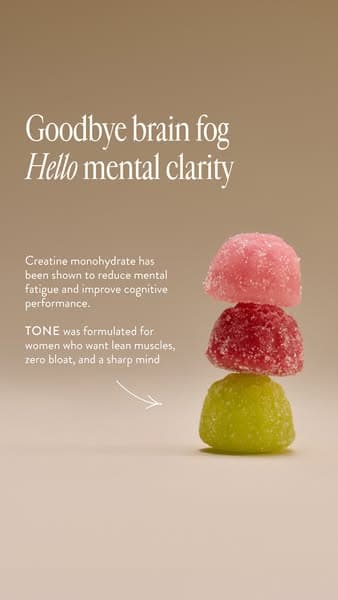
1. Product and headline
Creatine gummies brand
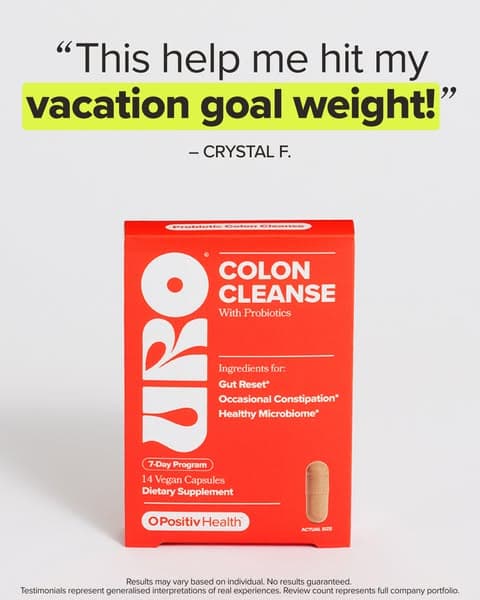
2. Adds proof: a customer quote
O Positiv
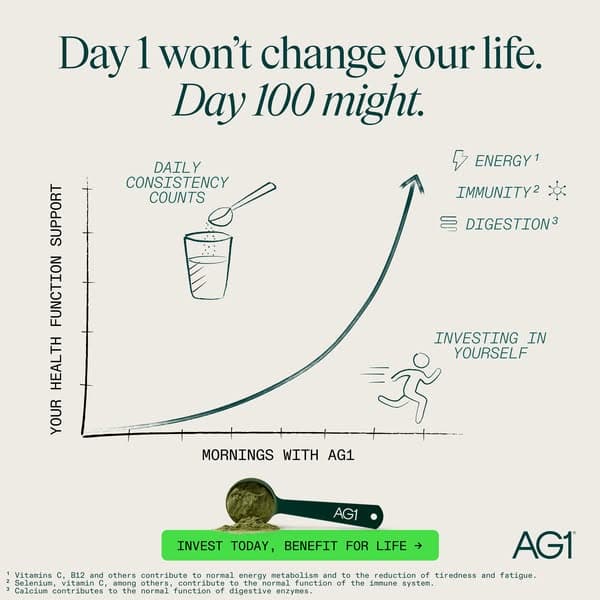
3. Adds a result visual
AG1

4. Adds the offer
Hims
- Writing for people who already know you, then putting the ad in prospecting.
- Three or more tiny callouts. Pick one.
- Proof you cannot back up on the landing page.
- Adding every element at once, so you cannot tell what worked.
Write urgency lines that are true
"Buy now, save more" and "Limited time offer" are on every ad in Black Week, and nobody reads them. In a sale, the headline's job is to make waiting feel like a loss: a deadline, a limit or proof that others are buying.
Why it works. A shopper who likes the offer still puts it off. A specific end time or a real limit turns "later" into a decision now. The line wins the click; the offer and the page close the sale.
| Line (ours, illustrative) | Lever | True only if |
|---|---|---|
| Black Friday ends at midnight. After that, full price. | Deadline | Prices go back up at midnight. |
| 24 hours left on the biggest sale of our year. | Deadline | It is your biggest sale of the year and 24 hours are left. |
| Last call: Cyber Monday ends tonight at 11:59 pm PT. | Deadline | You do not extend it. |
| The holiday set won't be made again. | Scarcity, edition | It is a limited edition you will not restock. |
| First 200 orders get a free tote. | Scarcity, quantity | The gift stops at order 200. |
| Only a few left in sage green. | Scarcity, stock | Your inventory shows low stock for that variant. |
| 4,000 orders since Friday. Yours next? | Proof | Your store recorded those orders. |
| Sorted: the gift for the person who has everything. | Gift | Always usable. |
| The sale opens Friday. You're in today. | Early access | Sent only to the early-access segment. |
Write 10 lines across the levers
Write at least two deadline lines, two scarcity lines, two proof lines and two gift lines for your offer. Use real end times with the time zone, and real counts.
Check it worked: Every line has a fact behind it that you can show.
Match the line to the day
Use early-access lines before Friday, launch and proof lines on Black Friday and the weekend, and deadline lines on Cyber Monday. Use the same line in the ad, the email subject and the site banner on the same day.
Check it worked: The ad, the email and the banner say the same thing each day.
Check health and wellness copy
Run the lines through the Ad Compliance Checker if you sell health or wellness products. Urgency is fine; claims about results or about the reader's body are not.
Check it worked: No flagged phrases remain.
- Generic urgency: "Limited time", "Hurry", "Don't miss out" with no time or number.
- A deadline you then extend. The next deadline you write will not be believed.
- Invented numbers. "10,000 orders" has to be your count.
- Lines like "Buy now or pay double later" that are not true of your prices.
Cover the ten buyer questions with ten ad styles
You do not need every format. You need enough variety in the message to answer the ten questions every buyer has, whatever their awareness stage. Black Friday answers the last one, why now, for you. Make sure at least one live ad covers each of the others.
| # | Buyer question |
|---|---|
| 1 | What is it? |
| 2 | Why should I care? |
| 3 | What problem does it solve for me? |
| 4 | Is it better than what I already have? |
| 5 | Can I trust it? |
| 6 | Will it work for me specifically? |
| 7 | What does it cost? |
| 8 | What is the risk? |
| 9 | What do I do next? |
| 10 | Why now? |
| Ad style | What it is | Buyer question | Stage |
|---|---|---|---|
| Fomo | Creates fear of missing out: back in stock, selling every few seconds | 10. Why now? | Product aware |
| X problems, one product | Lists the customer's pains and positions the product as the answer | 3. What problem does it solve for me? | Problem aware |
| Result in a set time | A specific, time-bound result that feels fast and believable | 6. Will it work for me? | Problem aware |
| Number based | Data, percentages and measurable proof | 5. Can I trust it? | Product aware |
| Better than the alternative | Compares with competitors or expensive options | 4. Is it better than what I have? | Solution aware |
| Benefit based | Outcomes, not features | 2. Why should I care? | Solution aware |
| Before and after | Shows the change from before to after | 6. Will it work for me? | Solution aware |
| Review based | Testimonials, ratings and feedback | 5. Can I trust it? | Product aware |
| Progress based | Results over time, gradual and reliable | 6. Will it work for me? | Product aware |
| Authority based | Media, experts and celebrities | 5. Can I trust it? | Product aware |
Why it works. A buyer who is stuck on one question does not buy, however good the other ads are. Covering all ten with a few styles, instead of many near-identical ads, gives the auction more different messages to match to people. Questions 1, 7, 8 and 9 sit in the landing page, price and checkout, so cover them in the offer and the page copy.
List your live ads against the table
In a sheet, list every live ad and tag its style. Count the styles with no ad.
Check it worked: You can name at least one ad for each question 2 to 6 and 10.
Choose styles by stage
For new customers, favor problem-aware and solution-aware styles. For people who already know the product, use review, number, authority and fomo styles.
Check it worked: The prospecting ad set holds problem-aware and solution-aware styles. The repeat set holds product-aware ones.
Add offer-led versions where they fit
Fomo, result-in-time and better-than-the-alternative styles take an offer well. Add the Black Friday offer to those versions.
Check it worked: At least three offer versions are ready to launch.
Check claims before upload
Run the copy of result, before-and-after and number-based ads through the Ad Compliance Checker.
Check it worked: Flagged phrases are rewritten or removed.
- Ten versions of the same style. That covers one question ten times.
- Putting result and before-and-after claims on health products without checking Meta's standards.
- Treating the style table as a benchmark. It is a checklist for coverage.
A creative brief for Black Week
Use this checklist as the brief you hand to your designer, editor or agency. Fill each line with a real answer before work starts.
Black Week creative brief
- Winners: 5 to 10 ads from the last 12 months that met the reach, click and return targets, with file links.
- Offer: the exact Black Friday offer, code, start time and end date (Nov 27 to Nov 30, 2026), matched to the landing page.
- Offer cuts: 2 or 3 versions per winner (percent off, bundle, deadline).
- New customer audience: the 4 or more styles to run and which buyer questions they cover.
- Static ads: 10 headlines written from the templates, one visual per headline, a four-step stack for the best 2.
- Returning customers: one trend-style video, one animated offer card, one collection ad.
- Catalog: feed errors fixed, 4 frames built, one prune done and one best-return product set created.
- Proof: ratings, review count, units sold and press mentions with a source for each.
- Claims: all health, result and before-and-after copy checked against Meta's health and wellness standards.
- Formats: 1:1, 4:5 and 9:16 for each ad, with text inside Meta's safe zones.
- Naming: each ad named with winner, offer and date so results can be read after the sale.
- Ownership: who uploads, who approves, and the deadline for each asset. Leave at least a day for ad review.
Frequently asked questions
How do I find my best Black Friday ads from last year?
Pull every ad from the last 12 months and keep only the ones that were low on cost per 1,000 Accounts Center accounts reached, cost per outbound click and cost per new customer. In Ads Manager, add those columns plus Purchase ROAS, then set your targets from your best daily results. Shortlist 5 to 10 ads.
Should I choose my winning ads by ROAS alone?
No. Return on ad spend alone does not show where an ad sits in the buying journey. An ad with a high return and expensive reach is usually closing sales that other ads started, so raising its budget runs out of people who already know you. Check reach cost, click cost and return together.
Should I make new ads for Black Friday or reuse old ones?
Reuse your winners. Black Week is not the time to test new concepts, because auction costs are high and you have days, not weeks, to learn. Duplicate each winner, add the offer as an overlay, sticker or end card, and keep the original hook in the first second.
What ads should I show past customers on Meta?
Show them a format that looks like content or news, not a standard product ad. Options in this part are a trend-style short video for customers inactive 60 or more days, an animated offer card with the code and end date, and a collection ad. Keep them in the repeat-customer ad set.
How do I remove weak products from a catalog ad before Black Friday?
Join Shopify sales by product to Meta spend by product ID in a spreadsheet and divide gross sales by spend. Remove products with meaningful spend and a ratio below your break-even from the sale set before the sale starts. The ratio ranks products. It is not true return on ad spend.
How do I write Black Friday ad headlines that create urgency?
Use a specific deadline, a real limit or real proof instead of "limited time" or "hurry". For example: "Black Friday ends at midnight. After that, full price." or "First 200 orders get a free tote." Every line must be true: the deadline holds, the limit is enforced and the numbers are your own.
What makes a static ad hold up when I raise the budget?
Eight things: build for people who do not know you, let the headline do most of the work, keep text readable on a phone, set a reading order, left-align, use a visual that carries half the message, add proof, and stack elements. Write 10 headlines before you design anything.