
BFCM 2026 Offers Part II: Free-shipping and gift thresholds
Ishan Sinha12 min read
Summary
Set Black Friday free-shipping and free-gift thresholds from your own order values, not your average, then build the tiers in Shopify. Free workbook.
- 1.Your average order value is the wrong number. A few big orders pull it up, so a threshold set there is out of reach for most customers and free for the few who spend big. In the store on this page the average is $161, but the biggest group of orders sits at $75 to $100.
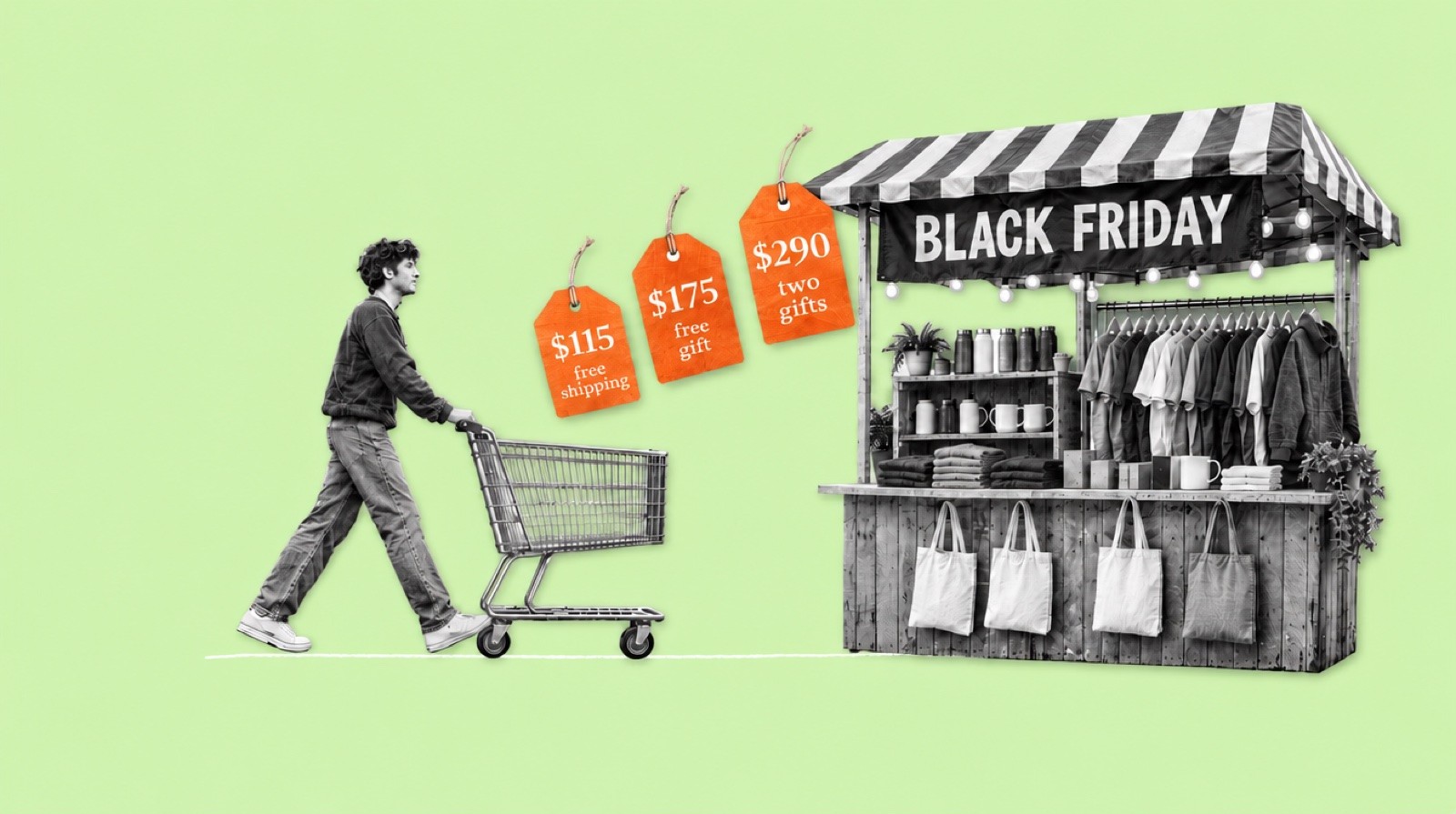
- 2.Set each threshold one product above where orders bunch up. A $90 cart is $25 from free shipping at $115, and a $25 product closes the gap. Paste 90 days of orders into the free workbook and it finds the busy ranges and suggests $115, $175 and $290.
- 3.Show the next step, not the prize. "Add $25 more for free shipping", then "Add $60 more for a gift". A step the customer can take moves the order; a big reward far away does not.
- 4.Stack the rewards into a ladder that still pays. 15% off everything, free shipping from $115, one gift from $175, a second from $290, with every tier checked against your floor price from Part I.
- 5.Make Shopify actually apply it. Run the sitewide percent as an order discount, because a Buy X get Y gift ignores items that already carry a product discount. Shopify won't add the gift to the cart by itself; your theme or an app has to. Test every tier before Black Friday.
Contents
Introduction
"Free shipping over $50." "Free gift over $150." You see these lines on every store in Black Week. Ever wondered where those numbers come from? Most of the time, nowhere: a round number, a competitor's threshold, or the store's average order value.
A threshold is a lever on order value. Set it too high and nobody tries to reach it. Set it too low and you hand the reward to customers who would have spent that much anyway. Set it right, just above where your orders bunch up, and each customer adds one more product to the same box: more revenue on a shipment and an ad you have already paid for.
What you will learn
- Should your free-shipping threshold be your average order value?
- Where exactly should free shipping and each free gift unlock?
- How do you find the order values your customers actually spend?
- Why does free shipping at $250 lose the customer with a $90 cart, and what works instead?
- Should you offer free shipping on every order for Black Friday?
- Is the threshold counted before or after the Black Friday discount?
- How do you set up tiered free gifts in Shopify so they actually apply?
Every step comes with the Shopify clicks, a worked example and a tab in the same free workbook as Part I.
What you need
- Shopify admin access with permission to export orders and create discounts.
- Your shipping cost per order, from last month's carrier and packaging invoices.
- The break-even price for your main products, from Part I.
- About two hours. The workbook does the arithmetic.
Terms used on this page
| Term | Meaning |
|---|---|
| Order value | What the customer paid for products in one order: the subtotal, before shipping and tax. |
| Average order value (AOV) | Total sales divided by the number of orders. |
| Median | The middle order when all orders are sorted by value. Half are below it, half above. A few large orders do not move it. |
| Range | A band of order values, such as $75 to $100. The workbook sets the width from your median order. |
| Threshold | The cart total that unlocks a reward, such as free shipping from $115. |
| Value ladder | Two to four rewards where each tier asks for a bit more spend and gives a bit more. |
| Buy X get Y | A Shopify discount type that makes a product free or cheaper when the cart meets a condition, such as a minimum spend. |
1. Use order-value buckets, not average order value
An order-value bucket is a range of order values that many of your orders fall into, such as $75 to $100. Before you set any offer, look at where your own orders land. The chart below is one store's last 30 days.
Order value distribution
Last 30 days, 7,918 orders
Average
$161.45
Median
$135.20
Order value
$75–100 · 1,552 orders
Free shipping from $115
$125–150 · 985 orders
Gift from $175
$225–250 · 532 orders
Two gifts from $290
The average order here is $161, but the biggest group of orders, 1,552 of them, sits between $75 and $100. The bar tells you where orders land, not why. Open 10 to 20 orders from the biggest range in Shopify and read what is in them. Usually it is one product or one common pair. Say it is a $55 serum and a $35 cleanser: a $90 cart. That is the cart your offer has to move.
A common Black Friday offer is one big reward at a round number, such as free shipping and a gift at $250. To the $90 customer that is $160 away, so they don't try. A ladder set just above the busy ranges gives them a step they can take. Free shipping at $115 is $25 away, and the cart suggests a $25 product that closes the gap. Once they add it, the bar points at the next step: $60 more for a gift at $175. Each message names the amount and a product that covers it. That is what moves the order value, not the size of the reward.
One reward set high: free shipping and a gift at $250. This customer is $160 away and no product closes the gap, so they check out at $90 and pay for shipping.
Your cart
Example AAdd $160 more for free shipping and a free gift.

Serum
Face, 30 ml
−1+$55.00

Cleanser
150 ml
−1+$35.00
Subtotal
$90.00 USD
Shipping
Calculated at checkout
Turn the buckets into thresholds in a spreadsheet
You don't need an analyst for this. The workbook below does the maths: you paste your orders and fill in four yellow cells, and it sets the range width from your own median, draws the chart, and suggests three thresholds with the gap each one asks a customer to close. It is free to download, no email needed, and opens in Excel or Google Sheets (File, Import).
Export 90 days of orders
In Shopify admin, go to Orders, set the date filter to the last 90 days, then choose Export and pick the option that exports orders by date or matching your current filters, not just the current page. Choose CSV.
Check it worked: The number of orders in the file matches the count Shopify shows for the same dates. Line-item exports repeat an order on several rows; keep one row per order.
Paste them into the Orders tab
Paste the order name into column A and the Subtotal into column B, replacing the sample. Shopify describes Subtotal as the order's subtotal before shipping and taxes. Delete refunded orders, test orders, wholesale orders and subscription renewals. Copy the formula in column C down to your last row.
Check it worked: The chart on the Orders tab redraws with your orders, and the largest value in column B is a real order you recognize.
Fill in the yellow cells on Thresholds
Enter the price of a product customers often add to their main purchase (the add-on price) and your shipping cost per order. Leave the range width on automatic: it is about one sixth of your median order, rounded up to a standard width such as $10, $25 or $50. Type your own width only if the chart looks too lumpy or too flat.
Check it worked: Thresholds shows three tiers, each with a threshold, a gap to close and the share of orders already above it.
Check each gap against a real product
For each tier, look at the gap: the threshold minus the typical order in that range. Open 10 to 20 orders from the range in Shopify, note the common cart, and find a product that costs about the gap and goes with it. If none does, move the threshold to the common cart plus the price of one that does.
Check it worked: Every threshold has a named product that closes its gap, and you will show that product in the cart.
Order value distribution
Order value. Purple: the three busy ranges
| A | B | C | D | E | F | G | H | I | J | K | L | M | N | O | P | Q | |
|---|---|---|---|---|---|---|---|---|---|---|---|---|---|---|---|---|---|
| 1 | Order ID | Order value | Range start | ||||||||||||||
| 2 | #4821 | $261.24 | $250 | ||||||||||||||
| 3 | #4822 | $118.24 | $100 | ||||||||||||||
| 4 | #4823 | $270.99 | $250 | ||||||||||||||
| 5 | #4824 | $126.24 | $125 | ||||||||||||||
| 6 | #4825 | $91.49 | $75 | ||||||||||||||
| 7 | #4826 | $172.99 | $150 | ||||||||||||||
| 8 | #4827 | $116.99 | $100 | ||||||||||||||
| 9 | #4828 | $145.49 | $125 | ||||||||||||||
| 10 | #4829 | $344.49 | $325 | ||||||||||||||
| 11 | #4830 | $189.99 | $175 | ||||||||||||||
| 12 | #4831 | $86.74 | $75 | ||||||||||||||
| 13 | #4832 | $133.49 | $125 | ||||||||||||||
| 14 | #4833 | $53.99 | $50 | ||||||||||||||
| 15 | #4834 | $201.99 | $200 | ||||||||||||||
| 16 | #4835 | $129.49 | $125 | ||||||||||||||
| 17 | #4836 | $83.24 | $75 | ||||||||||||||
| 18 | #4837 | $84.74 | $75 | ||||||||||||||
| 19 | #4838 | $68.99 | $50 | ||||||||||||||
| 20 | #4839 | $82.49 | $75 | ||||||||||||||
| 21 | #4840 | $328.74 | $325 | ||||||||||||||
| 22 | #4841 | $95.49 | $75 | ||||||||||||||
| 23 | #4842 | $25.99 | $25 | ||||||||||||||
| 24 | #4843 | $95.24 | $75 | ||||||||||||||
| 25 | #4844 | $67.49 | $50 | ||||||||||||||
| 26 | #4845 | $93.24 | $75 | ||||||||||||||
| 27 | #4846 | $322.99 | $300 | ||||||||||||||
| 28 | #4847 | $230.49 | $225 | ||||||||||||||
| 29 | #4848 | $146.49 | $125 | ||||||||||||||
| 30 | #4849 | $88.24 | $75 | ||||||||||||||
| 31 | #4850 | $166.24 | $150 | ||||||||||||||
| 32 | #4851 | $120.74 | $100 | ||||||||||||||
| 33 | #4852 | $278.49 | $275 | ||||||||||||||
| 34 | #4853 | $91.74 | $75 | ||||||||||||||
| 35 | #4854 | $108.74 | $100 | ||||||||||||||
| 36 | #4855 | $130.49 | $125 | ||||||||||||||
| 37 | #4856 | $296.99 | $275 | ||||||||||||||
| 38 | #4857 | $53.49 | $50 | ||||||||||||||
| 39 | #4858 | $147.49 | $125 | ||||||||||||||
| 40 | #4859 | $139.99 | $125 | ||||||||||||||
| 41 | #4860 | $216.24 | $200 | ||||||||||||||
| 42 | #4861 | $101.49 | $100 | ||||||||||||||
| 43 | #4862 | $67.24 | $50 | ||||||||||||||
| 44 | #4863 | $242.74 | $225 | ||||||||||||||
| 45 | #4864 | $69.74 | $50 | ||||||||||||||
| 46 | #4865 | $428.99 | $425 | ||||||||||||||
| 47 | #4866 | $91.99 | $75 | ||||||||||||||
| 48 | #4867 | $128.49 | $125 | ||||||||||||||
| 49 | #4868 | $141.99 | $125 | ||||||||||||||
| 50 | #4869 | $183.24 | $175 | ||||||||||||||
| 51 | #4870 | $90.49 | $75 | ||||||||||||||
| 52 | #4871 | $339.99 | $325 | ||||||||||||||
| 53 | #4872 | $106.49 | $100 | ||||||||||||||
| 54 | #4873 | $235.74 | $225 | ||||||||||||||
| 55 | #4874 | $99.24 | $75 | ||||||||||||||
| 56 | #4875 | $132.74 | $125 | ||||||||||||||
| 57 | #4876 | $85.74 | $75 | ||||||||||||||
| 58 | #4877 | $81.49 | $75 | ||||||||||||||
| 59 | #4878 | $231.24 | $225 | ||||||||||||||
| 60 | #4879 | $140.74 | $125 | ||||||||||||||
| 61 | #4880 | $92.99 | $75 | ||||||||||||||
| 62 | #4881 | $142.49 | $125 | ||||||||||||||
| 63 | #4882 | $94.99 | $75 | ||||||||||||||
| 64 | #4883 | $162.49 | $150 | ||||||||||||||
| 65 | #4884 | $239.49 | $225 | ||||||||||||||
| 66 | #4885 | $90.74 | $75 | ||||||||||||||
| 67 | #4886 | $421.74 | $400 | ||||||||||||||
| 68 | #4887 | $226.99 | $225 | ||||||||||||||
| 69 | #4888 | $228.99 | $225 | ||||||||||||||
| 70 | #4889 | $80.74 | $75 | ||||||||||||||
| 71 | #4890 | $250.74 | $250 | ||||||||||||||
| 72 | #4891 | $176.24 | $175 | ||||||||||||||
| 73 | #4892 | $183.74 | $175 | ||||||||||||||
| 74 | #4893 | $227.74 | $225 | ||||||||||||||
| 75 | #4894 | $164.99 | $150 | ||||||||||||||
| 76 | #4895 | $97.49 | $75 | ||||||||||||||
| 77 | #4896 | $226.24 | $225 | ||||||||||||||
| 78 | #4897 | $90.74 | $75 | ||||||||||||||
| 79 | #4898 | $82.99 | $75 | ||||||||||||||
| 80 | #4899 | $148.74 | $125 | ||||||||||||||
| 81 | #4900 | $204.24 | $200 | ||||||||||||||
| 82 | #4901 | $79.49 | $75 | ||||||||||||||
| 83 | #4902 | $139.24 | $125 | ||||||||||||||
| 84 | #4903 | $93.74 | $75 | ||||||||||||||
| 85 | #4904 | $113.24 | $100 | ||||||||||||||
| 86 | #4905 | $32.24 | $25 | ||||||||||||||
| 87 | #4906 | $129.24 | $125 | ||||||||||||||
| 88 | #4907 | $173.49 | $150 | ||||||||||||||
| 89 | #4908 | $103.74 | $100 | ||||||||||||||
| 90 | #4909 | $81.74 | $75 | ||||||||||||||
| 91 | #4910 | $95.49 | $75 | ||||||||||||||
| 92 | #4911 | $40.49 | $25 | ||||||||||||||
| 93 | #4912 | $170.74 | $150 | ||||||||||||||
| 94 | #4913 | $132.49 | $125 | ||||||||||||||
| 95 | #4914 | $147.49 | $125 | ||||||||||||||
| 96 | #4915 | $229.99 | $225 | ||||||||||||||
| 97 | #4916 | $143.99 | $125 | ||||||||||||||
| 98 | #4917 | $72.24 | $50 | ||||||||||||||
| 99 | #4918 | $120.49 | $100 | ||||||||||||||
| 100 | #4919 | $68.49 | $50 | ||||||||||||||
| 101 | #4920 | $94.74 | $75 | ||||||||||||||
| 102 | #4921 | $102.49 | $100 | ||||||||||||||
| 103 | #4922 | $143.99 | $125 | ||||||||||||||
| 104 | #4923 | $6.99 | $0 | ||||||||||||||
| 105 | #4924 | $79.99 | $75 | ||||||||||||||
| 106 | #4925 | $140.74 | $125 | ||||||||||||||
| 107 | #4926 | $161.49 | $150 | ||||||||||||||
| 108 | #4927 | $381.24 | $375 | ||||||||||||||
| 109 | #4928 | $365.99 | $350 | ||||||||||||||
| 110 | #4929 | $553.99 | $475 | ||||||||||||||
| 111 | #4930 | $209.24 | $200 | ||||||||||||||
| 112 | #4931 | $93.74 | $75 | ||||||||||||||
| 113 | #4932 | $210.99 | $200 | ||||||||||||||
| 114 | #4933 | $188.99 | $175 | ||||||||||||||
| 115 | #4934 | $353.49 | $350 | ||||||||||||||
| 116 | #4935 | $172.74 | $150 | ||||||||||||||
| 117 | #4936 | $69.24 | $50 | ||||||||||||||
| 118 | #4937 | $95.24 | $75 | ||||||||||||||
| 119 | #4938 | $87.24 | $75 | ||||||||||||||
| 120 | #4939 | $242.74 | $225 | ||||||||||||||
| 121 | #4940 | $210.99 | $200 | ||||||||||||||
| 122 | #4941 | $291.24 | $275 | ||||||||||||||
| 123 | #4942 | $162.49 | $150 | ||||||||||||||
| 124 | #4943 | $83.49 | $75 | ||||||||||||||
| 125 | #4944 | $165.24 | $150 | ||||||||||||||
| 126 | #4945 | $287.49 | $275 | ||||||||||||||
| 127 | #4946 | $65.99 | $50 | ||||||||||||||
| 128 | #4947 | $58.24 | $50 | ||||||||||||||
| 129 | #4948 | $99.49 | $75 | ||||||||||||||
| 130 | #4949 | $86.99 | $75 | ||||||||||||||
| 131 | #4950 | $205.74 | $200 | ||||||||||||||
| 132 | #4951 | $125.74 | $125 | ||||||||||||||
| 133 | #4952 | $132.49 | $125 | ||||||||||||||
| 134 | #4953 | $216.99 | $200 | ||||||||||||||
| 135 | #4954 | $214.49 | $200 | ||||||||||||||
| 136 | #4955 | $58.99 | $50 | ||||||||||||||
| 137 | #4956 | $43.74 | $25 | ||||||||||||||
| 138 | #4957 | $148.99 | $125 | ||||||||||||||
| 139 | #4958 | $260.99 | $250 | ||||||||||||||
| 140 | #4959 | $104.74 | $100 | ||||||||||||||
| 141 | #4960 | $352.49 | $350 | ||||||||||||||
| 142 | #4961 | $247.49 | $225 | ||||||||||||||
| 143 | #4962 | $117.24 | $100 | ||||||||||||||
| 144 | #4963 | $240.99 | $225 | ||||||||||||||
| 145 | #4964 | $339.74 | $325 | ||||||||||||||
| 146 | #4965 | $236.49 | $225 | ||||||||||||||
| 147 | #4966 | $59.74 | $50 | ||||||||||||||
| 148 | #4967 | $238.49 | $225 | ||||||||||||||
| 149 | #4968 | $173.99 | $150 | ||||||||||||||
| 150 | #4969 | $210.99 | $200 | ||||||||||||||
| 151 | #4970 | $266.24 | $250 | ||||||||||||||
| 152 | #4971 | $92.99 | $75 | ||||||||||||||
| 153 | #4972 | $242.24 | $225 | ||||||||||||||
| 154 | #4973 | $204.24 | $200 | ||||||||||||||
| 155 | #4974 | $182.99 | $175 | ||||||||||||||
| 156 | #4975 | $179.49 | $175 | ||||||||||||||
| 157 | #4976 | $113.74 | $100 | ||||||||||||||
| 158 | #4977 | $238.74 | $225 | ||||||||||||||
| 159 | #4978 | $233.74 | $225 | ||||||||||||||
| 160 | #4979 | $183.24 | $175 | ||||||||||||||
| 161 | #4980 | $317.24 | $300 | ||||||||||||||
| 162 | #4981 | $88.24 | $75 | ||||||||||||||
| 163 | #4982 | $132.49 | $125 | ||||||||||||||
| 164 | #4983 | $205.99 | $200 | ||||||||||||||
| 165 | #4984 | $62.24 | $50 | ||||||||||||||
| 166 | #4985 | $217.49 | $200 | ||||||||||||||
| 167 | #4986 | $104.24 | $100 | ||||||||||||||
| 168 | #4987 | $315.24 | $300 | ||||||||||||||
| 169 | #4988 | $96.24 | $75 | ||||||||||||||
| 170 | #4989 | $185.49 | $175 | ||||||||||||||
| 171 | #4990 | $180.99 | $175 | ||||||||||||||
| 172 | #4991 | $172.49 | $150 | ||||||||||||||
| 173 | #4992 | $42.24 | $25 | ||||||||||||||
| 174 | #4993 | $39.24 | $25 | ||||||||||||||
| 175 | #4994 | $297.99 | $275 | ||||||||||||||
| 176 | #4995 | $87.24 | $75 | ||||||||||||||
| 177 | #4996 | $144.24 | $125 | ||||||||||||||
| 178 | #4997 | $93.74 | $75 | ||||||||||||||
| 179 | #4998 | $282.49 | $275 | ||||||||||||||
| 180 | #4999 | $50.99 | $50 | ||||||||||||||
| 181 | #5000 | $211.99 | $200 | ||||||||||||||
| 182 | #5001 | $181.49 | $175 | ||||||||||||||
| 183 | #5002 | $89.24 | $75 | ||||||||||||||
| 184 | #5003 | $141.49 | $125 | ||||||||||||||
| 185 | #5004 | $189.49 | $175 | ||||||||||||||
| 186 | #5005 | $131.74 | $125 | ||||||||||||||
| 187 | #5006 | $83.74 | $75 | ||||||||||||||
| 188 | #5007 | $136.74 | $125 | ||||||||||||||
| 189 | #5008 | $78.74 | $75 | ||||||||||||||
| 190 | #5009 | $270.74 | $250 | ||||||||||||||
| 191 | #5010 | $82.49 | $75 | ||||||||||||||
| 192 | #5011 | $97.24 | $75 | ||||||||||||||
| 193 | #5012 | $306.24 | $300 | ||||||||||||||
| 194 | #5013 | $155.24 | $150 | ||||||||||||||
| 195 | #5014 | $77.49 | $75 | ||||||||||||||
| 196 | #5015 | $121.49 | $100 | ||||||||||||||
| 197 | #5016 | $102.74 | $100 | ||||||||||||||
| 198 | #5017 | $121.49 | $100 | ||||||||||||||
| 199 | #5018 | $142.74 | $125 | ||||||||||||||
| 200 | #5019 | $70.99 | $50 | ||||||||||||||
| 201 | #5020 | $157.99 | $150 | ||||||||||||||
| 202 | #5021 | $86.74 | $75 | ||||||||||||||
| 203 | #5022 | $93.74 | $75 | ||||||||||||||
| 204 | #5023 | $85.24 | $75 | ||||||||||||||
| 205 | #5024 | $141.24 | $125 | ||||||||||||||
| 206 | #5025 | $95.24 | $75 | ||||||||||||||
| 207 | #5026 | $248.99 | $225 | ||||||||||||||
| 208 | #5027 | $244.49 | $225 | ||||||||||||||
| 209 | #5028 | $210.99 | $200 | ||||||||||||||
| 210 | #5029 | $203.99 | $200 | ||||||||||||||
| 211 | #5030 | $126.24 | $125 | ||||||||||||||
| 212 | #5031 | $77.99 | $75 | ||||||||||||||
| 213 | #5032 | $267.24 | $250 | ||||||||||||||
| 214 | #5033 | $107.24 | $100 | ||||||||||||||
| 215 | #5034 | $275.74 | $275 | ||||||||||||||
| 216 | #5035 | $284.24 | $275 | ||||||||||||||
| 217 | #5036 | $55.49 | $50 | ||||||||||||||
| 218 | #5037 | $95.49 | $75 | ||||||||||||||
| 219 | #5038 | $229.99 | $225 | ||||||||||||||
| 220 | #5039 | $97.99 | $75 | ||||||||||||||
| 221 | #5040 | $142.49 | $125 | ||||||||||||||
| 222 | #5041 | $36.24 | $25 | ||||||||||||||
| 223 | #5042 | $255.99 | $250 | ||||||||||||||
| 224 | #5043 | $552.74 | $475 | ||||||||||||||
| 225 | #5044 | $144.74 | $125 | ||||||||||||||
| 226 | #5045 | $109.24 | $100 | ||||||||||||||
| 227 | #5046 | $71.24 | $50 | ||||||||||||||
| 228 | #5047 | $113.74 | $100 | ||||||||||||||
| 229 | #5048 | $54.24 | $50 | ||||||||||||||
| 230 | #5049 | $194.74 | $175 | ||||||||||||||
| 231 | #5050 | $398.99 | $375 | ||||||||||||||
| 232 | #5051 | $126.24 | $125 | ||||||||||||||
| 233 | #5052 | $151.74 | $150 | ||||||||||||||
| 234 | #5053 | $157.99 | $150 | ||||||||||||||
| 235 | #5054 | $31.99 | $25 | ||||||||||||||
| 236 | #5055 | $75.49 | $75 | ||||||||||||||
| 237 | #5056 | $233.49 | $225 | ||||||||||||||
| 238 | #5057 | $232.99 | $225 | ||||||||||||||
| 239 | #5058 | $140.99 | $125 | ||||||||||||||
| 240 | #5059 | $147.49 | $125 | ||||||||||||||
| 241 | #5060 | $79.24 | $75 | ||||||||||||||
| 242 | #5061 | $167.24 | $150 | ||||||||||||||
| 243 | #5062 | $237.49 | $225 | ||||||||||||||
| 244 | #5063 | $86.49 | $75 | ||||||||||||||
| 245 | #5064 | $192.74 | $175 | ||||||||||||||
| 246 | #5065 | $29.49 | $25 | ||||||||||||||
| 247 | #5066 | $80.24 | $75 | ||||||||||||||
| 248 | #5067 | $103.49 | $100 | ||||||||||||||
| 249 | #5068 | $147.74 | $125 | ||||||||||||||
| 250 | #5069 | $243.49 | $225 | ||||||||||||||
| 251 | #5070 | $133.99 | $125 | ||||||||||||||
| 252 | #5071 | $58.99 | $50 | ||||||||||||||
| 253 | #5072 | $126.49 | $125 | ||||||||||||||
| 254 | #5073 | $87.74 | $75 | ||||||||||||||
| 255 | #5074 | $122.24 | $100 | ||||||||||||||
| 256 | #5075 | $53.49 | $50 | ||||||||||||||
| 257 | #5076 | $253.74 | $250 | ||||||||||||||
| 258 | #5077 | $318.24 | $300 | ||||||||||||||
| 259 | #5078 | $167.99 | $150 | ||||||||||||||
| 260 | #5079 | $98.49 | $75 | ||||||||||||||
| 261 | #5080 | $61.74 | $50 | ||||||||||||||
| 262 | #5081 | $590.24 | $475 | ||||||||||||||
| 263 | #5082 | $272.99 | $250 | ||||||||||||||
| 264 | #5083 | $6.24 | $0 | ||||||||||||||
| 265 | #5084 | $83.99 | $75 | ||||||||||||||
| 266 | #5085 | $95.24 | $75 |
What about free shipping on small orders? Most stores already have a free-shipping threshold all year. Keep it, or lower it a little, and make it the first tier of the ladder. Don't drop it to $0 for Black Friday: on a $35 order, shipping can eat most of the margin. The Thresholds tab checks this. If your shipping cost is more than about 10% of the free-shipping threshold, raise the threshold or keep charging shipping.
Common mistakes
- Using the all-time average. Use the last 90 days, and exclude last year's Black Friday if this year's offer is different.
- Setting a threshold that no single product can close. If the gap is $40 and your add-ons cost $15, the customer has to add three things and won't.
- Setting the threshold inside the busiest range itself, such as $90 when most orders are $75 to $100. Many of those orders already qualify, so you give the reward away without moving anyone.
- Counting wholesale, test or refunded orders. They distort the chart.
2. Build a value ladder
A value ladder is a set of two to four offers where each tier asks the customer to spend a bit more and gives more in return. The tiers sit on your buckets, and the cart shows the customer the next tier.
A customer who sees "Add $25 for free shipping" in the cart has a concrete, small step to take, and the cart total rises to the next bucket. A ladder works best when each step adds something: free shipping first, then one gift, then two. The ladder below uses the thresholds from step 1.
Each tier asks for a little more
Any order
$115+
$175+
$290+
15% off sitewide
+ free shipping
+ free shipping + 1 gift
+ free shipping + 2 gifts
Check every tier against the floor price from Part I. Higher tiers usually have more room, because the cost to acquire the customer is spread over a bigger order and shipping is a smaller share.
Set it up in Shopify
Shopify has the discount mechanics built in. Two rules from Shopify's help center shape the setup. A Buy X get Y minimum counts products at full price, and an item that already has a product discount does not count toward it at all. And Shopify never adds the free item to the cart: the customer, your theme or an app has to. So the sitewide percent goes in as an order discount, and the thresholds are the cart total before that discount comes off.
Create the sitewide discount as an order discount
In Shopify admin, go to Discounts, Create discount, Amount off order (not Amount off products). Choose Automatic discount so it applies without a code. Enter your percent, and set the start and end dates for Black Friday through Cyber Monday (Nov 27 to Nov 30, 2026) in your store's time zone. Under Combinations, tick product discounts and shipping discounts. An order discount shows in the cart and at checkout, not on product pages, so announce the percent in a banner.
Check it worked: Add a product to the cart on a test browser. The discount line appears without a code.
Create the free-shipping tier
Go to Discounts, Create discount, Free shipping. Choose Automatic, set a Minimum purchase amount of your first threshold (for example $115), and select the countries you ship to. Under Combinations, tick order discounts and product discounts.
Check it worked: A cart at $114 before the discount shows paid shipping and a cart at $116 shows $0.00. If the $116 cart still pays shipping, Shopify is reading the total after the 15%; make the cart message and the rule agree before launch.
Create one Buy X get Y discount per gift
Go to Discounts, Create discount, Buy X get Y. Under Customer buys, choose Minimum purchase amount, enter $175 and apply it to all products. Under Customer gets, choose the first gift, quantity 1, discount Free. Set the maximum number of uses per order to 1 and make it automatic. Create a second discount the same way at $290 with a different gift product. At $290 both apply: two gifts, not three. Under Combinations on each, tick product discounts (so the two gifts combine), order discounts and shipping discounts.
Check it worked: A $176 cart with gift 1 added shows it at $0.00, and a $174 cart does not. A $291 cart with both gifts shows both at $0.00, and a second unit of gift 1 is charged.
Add the progress bar and the gift
Look in your theme editor (Online Store, Themes, Customize) for a cart drawer or announcement block with a free-shipping or threshold bar. If your theme has none, use a cart-progress or free-gift app from the Shopify App Store. Set its thresholds to the same numbers as your discounts, measured the same way (before the sitewide discount). Shopify does not add the gift to the cart, so use an app that does, or a cart message that tells the customer to add it.
Check it worked: On a phone, add items one at a time. The bar fills toward each threshold, the message names the next reward and the amount remaining, and the gift reaches $0.00 in the final checkout total.
Test the whole ladder with test orders
Turn on test mode in Shopify Payments (or use Shopify's test payment gateway if you use another provider) and place test orders at one dollar under and one dollar over each threshold, on mobile. Shopify does not document a way to preview an automatic discount before its start date, so run the test on a development store, or on your live store in a quiet hour with the start set to now, then set the start back to November 27. Turn test mode off and cancel the test orders after.
Check it worked: Each cart total, gift line, shipping line and discount line matches your workbook's prediction to the cent.
Common mistakes
- Letting the gift tier combine with a second code that takes the order below the floor. Test every code you have live.
- Choosing a gift that runs out of stock. Check inventory against the orders you expect, and have a replacement ready.
- A progress bar that disagrees with the discount rule. If the bar says $115 and the rule says $120, support tickets follow.
- More than four tiers. Each extra tier makes the offer harder to read.
- Running the sitewide percent as a product discount next to Buy X get Y gifts. Items that already carry a product discount don't count toward the gift's minimum, so the gift never unlocks.
- Assuming the gift lands in the cart by itself. Shopify never adds it; customers who don't add it pay full price for nothing extra and write to support.
Launch checklist
- Thresholds come from the last 90 days of orders, in the workbook, and each has a product that closes its gap.
- Every tier passes the break-even check from Part I, with gifts counted at cost.
- The sitewide percent is an order discount, each gift tier is its own Buy X get Y discount, and combinations are ticked on all of them.
- Test orders one dollar under and over each threshold match the workbook, on mobile.
- The cart bar and every banner use the same thresholds, measured the same way, and the gift gets into the cart.
- Gift stock covers the orders you expect, with a replacement ready.
- Gift and free-shipping thresholds are stated as the cart total before or after discount, as they actually work.
- A review is booked for the week after Cyber Monday: average order value against the same days last year, the share of orders just above and just below each threshold, units per order, and profit per order after discount and shipping.
Next: Part III turns what customers buy together into gift sets priced to clear these thresholds, and plans early access and the sale week.
Frequently asked questions
Should my free-shipping or free-gift threshold be based on average order value?
No. The average is pulled up by a few large orders, so a threshold set there is out of reach for most customers and free for the big spenders. Count your orders in ranges, find the two or three busiest, look at what is in them, and set each threshold one add-on product above the common cart, about 15% above the top of the range. The free workbook on this page does the counting and suggests the thresholds.
How do I find my order-value buckets in a spreadsheet?
Export the last 90 days of orders from Shopify, keep one row per order with the subtotal before shipping and tax, and drop each order into a range with FLOOR. The range width depends on your store: about one sixth of your median order works, so $10 ranges for a $60 median and $25 for a $140 median. The free workbook on this page does all of it, including the width and the chart: paste your orders into the Orders tab.
How do I set up tiered free gifts in Shopify?
Create one automatic Buy X get Y discount per tier, each with a minimum purchase amount, a different gift product set to free, and a limit of one use per order. Tick Combinations so the gift discounts combine with each other, with your sitewide discount and with free shipping. Run the sitewide percent as an Amount off order discount: Shopify does not count items that already have a product discount toward a Buy X get Y minimum. The gift is never added to the cart automatically, so your theme or an app has to add it. Test with test orders one dollar under and over each threshold.
Is the threshold checked before or after the Black Friday discount?
It depends on the discount type. Shopify counts Buy X get Y minimums at full price, and free-shipping minimums at the price after any combinable product discount. With the setup on this page (sitewide percent as an order discount), state thresholds as the cart total before the discount, and confirm it with test orders, because Shopify does not document every combination.
Should I offer free shipping on every order for Black Friday?
Usually not. Most stores keep their year-round free-shipping threshold, or lower it a little, and make it the first tier of the ladder. On a $35 order, shipping can eat most of the margin. Keep shipping under about 10% of the order value at the threshold; the workbook's Thresholds tab checks it.